Building a website used to feel like a long project with too many moving parts. You needed design help, content support, technical setup, and a surprising amount of patience just to get a basic site online. Now, artificial intelligence has changed that process. With the right AI website builder, a user can create a homepage, service pages, brand messaging, and a publish-ready layout in minutes.This shift matters because speed is no longer just a convenience. It is a competitive advantage. Small businesses, startups, freelancers, and consultants need to launch faster, test ideas earlier, and improve their visibility without spending weeks on development. AI makes that possible by turning a rough concept into a polished website draft through prompts, automation, and intelligent design suggestions.It also changes who gets to build websites. People without coding skills can now create modern, functional websites, while experienced professionals can use AI to shorten build time and focus more on strategy, performance, and conversion. For professionals who want to connect rapid website creation with smarter customer acquisition, anAI Powered marketing certification can help strengthen the marketing knowledge needed to turn a fast website into a real growth asset.
Why AI Website Builders Are Changing the Market
AI website builders are growing quickly because they solve real business problems. They reduce technical complexity, speed up production, and remove much of the friction that used to make website creation slow and expensive.One major reason is that AI can now generate layouts based on intent rather than forcing users to start with a static template. Instead of picking from endless theme libraries, users can describe their business and get a relevant design structure with sections for services, testimonials, contact information, calls to action, and FAQs.Content generation is another major advantage. Writing website copy has traditionally been one of the slowest steps in launching a site. AI can now create stronger headlines, value-driven descriptions, introductory text, and page summaries that save time and provide a strong starting point.Integrated ecosystems have also played a role. Many platforms now combine hosting, design tools, form builders, analytics, SEO options, and publishing controls in one place. That means fewer tools, fewer delays, and a smoother path from idea to launch.
What “Build a Website in 10 Minutes” Really Means
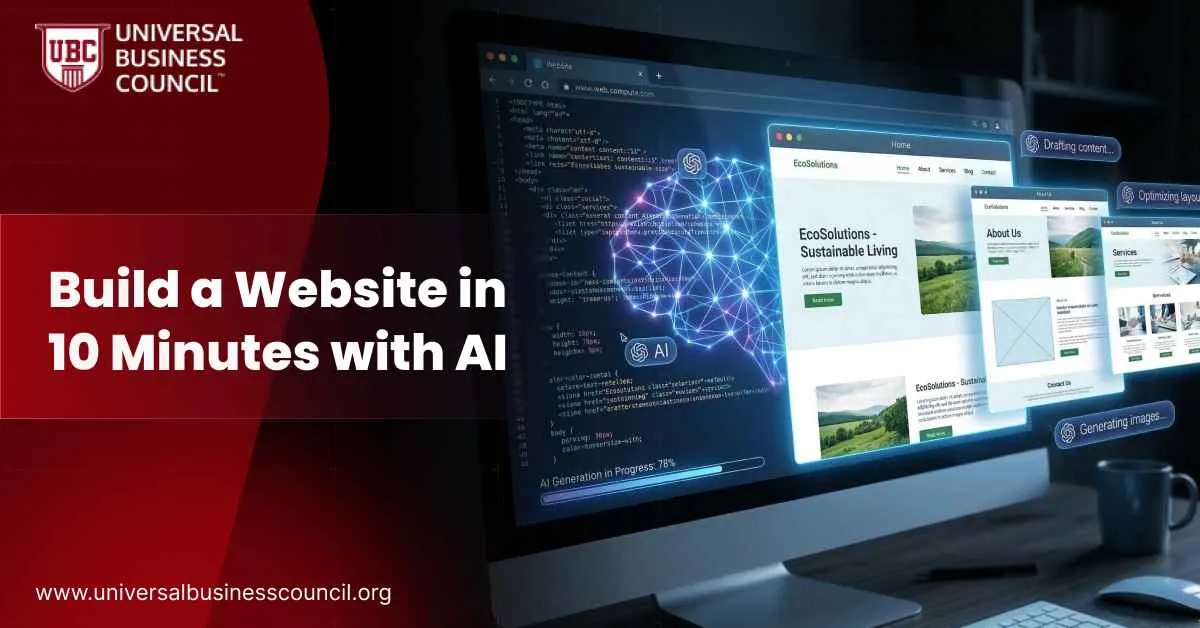
The phrase sounds dramatic, but it is realistic when understood properly. It does not mean building a complex enterprise platform with custom databases, advanced legal review, and deep integrations in ten minutes. It means launching a polished first version of a website quickly enough to begin attracting visitors and testing results.In that short time, AI can usually help users create:
a homepage
an about page
a service or product page
navigation menus
contact forms
calls to action
visual suggestions
SEO-friendly headings and metadata
That is often enough for a coach, freelancer, local business, or startup to go live and begin building credibility. The first version can then be improved with custom visuals, stronger messaging, and more advanced features.The real value is not perfection. It is momentum. A website that goes live today is often more useful than a perfect website that stays trapped in planning mode for two months because humans insist on making everything a committee project.
A Smarter Blueprint for Building a Website With AI
Step 1: Start With a Clear Business Goal
Before using any AI website builder, define what the site needs to achieve. Is the website designed to collect leads, book consultations, sell products, showcase a portfolio, or validate a new idea? AI performs better when the goal is clear.A strong prompt might say, “Create a modern website for a financial consultant targeting small business owners. Include a homepage, services page, client testimonials, an about section, and a contact form. Use a professional and trustworthy tone.”The clearer the instruction, the stronger the result. AI can move quickly, but vague input still produces vague output.
Step 2: Choose the Right AI Website Platform
Not every website builder is built for the same purpose. Some tools prioritize simplicity and speed, while others offer better design flexibility or stronger e-commerce features. Choosing the right platform depends on the kind of website you want to launch.A local service business might need a simple lead-generation site. A designer or agency may care more about visual control. A product-based brand may need inventory, checkout, and customer management tools. AI helps across all of these cases, but the right platform shapes how far the website can go after launch.
Step 3: Let AI Generate the First Draft
Once the prompt is entered, the builder typically creates a layout, sample text, a suggested color palette, section order, and default navigation. This is where the process becomes immediately useful.Instead of staring at a blank screen, users get a structured draft they can react to. At this stage, the most important review points are clarity, relevance, and conversion. Does the headline explain the offer? Does the site guide visitors to the right action? Does the design fit the intended audience?A useful first draft saves hours of manual work, especially for people launching websites under time or budget pressure.
Step 4: Refine the Messaging and Visual Identity
AI provides speed, but the best websites still need human input. The next step is refining the language so it reflects the business accurately. Generic claims should be replaced with specifics. “We deliver quality service” becomes far more effective when rewritten as “We help independent retailers improve stock planning and reduce waste.”Visual refinement also matters. AI can suggest icons, illustrations, and stock imagery, but those assets should match the brand and audience. A strong visual identity builds trust and helps the site feel intentional rather than assembled by an exhausted algorithm with a stock photo addiction.
Step 5: Add Elements That Help the Site Convert
A website is not only supposed to look polished. It should also persuade visitors to take action. That means adding the practical features that improve trust and conversion, such as testimonials, pricing summaries, service lists, lead forms, phone numbers, FAQ sections, and clear calls to action.Many AI tools now suggest these blocks automatically. That makes the website more usable and reduces the chances of launching a page that looks attractive but does nothing useful.
Step 6: Publish, Test, and Improve
Before publishing, users should preview the mobile version, check the menu structure, test the contact form, and review the text for accuracy. Once the site is live, the real work begins. User behavior, search performance, and conversion data show what should be improved next.This is one reason website creation is becoming more connected to broader AI workflows. Professionals who want to understand how AI can handle linked tasks across content, automation, and digital execution often explore anAgentic AI certification to build deeper expertise in AI-driven operations.
How AI Helps Build SEO-Friendly Websites Faster
One of the biggest advantages of AI website creation is that it supports SEO from the beginning rather than forcing users to optimize later. Search visibility matters because a website cannot generate much value if nobody finds it.AI can help create SEO-friendly websites by supporting:
keyword-focused page titles
optimized headings
meta descriptions
content structure based on search intent
internal linking ideas
image alt text
blog topic suggestions
This helps users build sites that are easier for search engines to read and easier for visitors to understand. SEO-friendly structure also improves user experience, which matters just as much as rankings. A well-organized site with relevant content, readable headings, and logical navigation performs better over time.For people who want more control over what happens behind the scenes, technical skills become useful. APython certification can help professionals build automation workflows, manage backend processes, and support AI integrations that go beyond simple drag-and-drop website creation.
Real-World Examples of AI Website Building
A freelance consultant can use AI to create a professional website with service pages, testimonials, and a booking form in a single afternoon. That allows the consultant to start promoting services immediately instead of waiting for a traditional design cycle.A local bakery can create a simple but effective website that includes menus, store hours, location details, catering information, and a contact section. With AI, the owner can go from idea to a live presence much faster and improve local discoverability at the same time.A startup founder can launch a landing page to test a product idea, capture leads, and compare value propositions before investing in a larger digital build. That kind of speed is useful because early-stage businesses need feedback quickly.A coach or educator can create a site with a biography, service descriptions, booking links, and lead magnets without needing a separate design and development team. These examples show that AI website builders are most valuable when speed, cost control, and launch readiness all matter at once.
The Role of Technical Skills in Going Beyond Basic Site Builders
No-code AI builders are excellent for getting started, but some businesses eventually need more flexibility. They may want custom integrations, dynamic data, automated workflows, or features that go beyond a standard page builder.That is where development knowledge becomes useful. Anode.js certification can help professionals work with scalable web applications, APIs, and custom functionality that expands what AI-generated websites can do. Combined with strong front-end tools and AI assistance, technical skills allow teams to move from rapid launch to more advanced digital execution.The point is not that everyone must become a developer. It is that AI lowers the barrier to entry, while technical knowledge raises the ceiling.
Where Human Judgment Still Matters Most
AI is fast, but it is not perfect. It can generate layouts and copy quickly, but it may still miss nuance, overuse generic phrasing, or make design decisions that feel bland or repetitive. Human review remains essential in several areas.Brand voice matters because businesses need to sound distinct, not interchangeable. Accuracy matters because prices, legal terms, service descriptions, and business claims must be correct. Strategy matters because the site should guide users toward a clear action rather than simply displaying information.The best results come from combining AI speed with human judgment. AI accelerates execution, but people still define the positioning, tone, credibility, and experience that make a website effective.
Common Mistakes to Avoid When Using AI for Website Creation
One common mistake is publishing the first AI draft without editing it. AI creates a strong starting point, but it should not be treated as final.Another mistake is focusing only on visual design. A good-looking website with weak messaging, poor structure, and no real conversion path will not perform well.Ignoring mobile experience is another problem. Many users will see the website first on a phone, so mobile review is essential.Finally, weak prompts lead to weak results. Businesses get better output when they describe their audience, offer, tone, service area, and goals clearly from the start.
Conclusion
Building a website in 10 minutes with AI is no longer a futuristic claim. It is a practical approach for businesses and individuals who want to launch faster, test smarter, and create an online presence with less friction. AI website builders can now support design, content creation, SEO structure, and publishing in ways that significantly reduce the time required to go live.The biggest advantage is not just speed. It is access. More people can now build useful, attractive websites without needing a large budget or a full technical team. At the same time, professionals with marketing, automation, and development skills can use AI to move even faster and build more capable digital experiences.In the end, AI does not eliminate the need for human strategy. It makes execution easier. The businesses that benefit most will be the ones that use AI to launch quickly, refine intelligently, and grow with purpose.
FAQs
1. Can AI really build a website in 10 minutes?
Yes. AI can generate a functional and polished first version of a website in about ten minutes.
2. Is an AI-generated website suitable for beginners?
Yes. Most AI website builders are designed for people with little or no coding experience.
3. Is AI website creation SEO-friendly?
Yes. Many AI tools help with headings, metadata, keywords, and site structure, which improves SEO.
4. Can I edit the website after AI creates it?
Yes. You can change the text, layout, branding, images, and structure after the draft is generated.
5. What kinds of websites can AI build quickly?
AI can quickly build business websites, portfolios, service pages, landing pages, and simple online stores.
6. Does AI replace web developers?
No. AI speeds up basic site creation, but developers are still important for advanced features and custom functionality.
7. Can AI write website content too?
Yes. AI can generate headlines, service descriptions, introductions, FAQs, and calls to action.
8. Why does website speed-to-launch matter?
A faster launch helps businesses test ideas, attract leads, and build visibility sooner.
9. What is the biggest limitation of AI website builders?
The biggest limitation is generic output when users do not refine the content and structure with human judgment.
10. Which skills improve results with AI website builders?
Marketing strategy, prompt writing, SEO, automation knowledge, and development skills all improve outcomes.


 How AI Is Redefining Website Creation



Leave a Reply