How to Build Apps Using AI Prompts: A Practical Guide for Modern Builders
March 31, 2026 By Smita
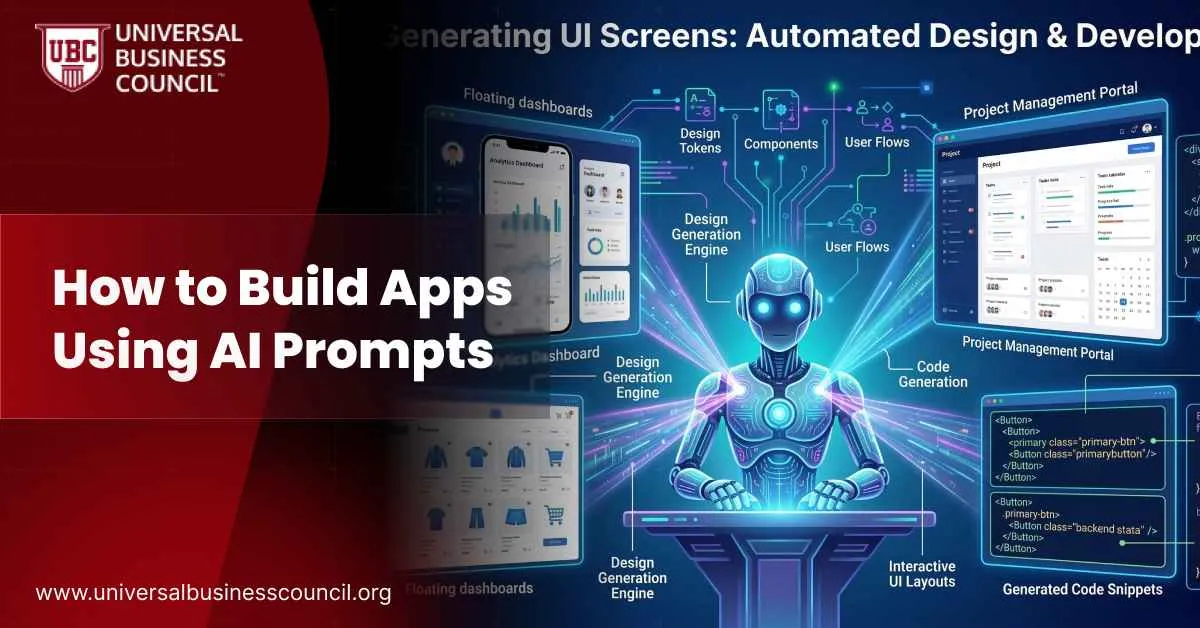
AI is changing how software gets built. Instead of starting every project with a blank editor, a long setup routine, and hours of manual coding, people can now describe what they want in plain language and use AI to generate a workable starting point. That shift is making app development faster, more accessible, and more conversational.This does not mean coding has disappeared. It means the process has changed. The human still decides what the app should do, who it serves, what quality standards matter, and how the final product should evolve. AI helps generate code, explain logic, suggest improvements, and speed up repetitive work. In practice, the builder becomes less of a line-by-line code writer and more of a planner, reviewer, tester, and decision-maker.That is why AI prompt-based development has attracted so much attention. A founder can prototype a product faster. A student can learn by building. A marketer or analyst can create a useful internal tool without waiting for a full development cycle. At the same time, AI-generated code still needs human review, especially when security, reliability, and maintainability matter.This guide explains how to build apps using AI prompts, how to write better prompts, how to choose the right stack, where AI fits into real development work, and which skills remain essential in an AI-assisted workflow.
Why AI-Prompted App Development Is Growing Fast
The popularity of AI-assisted app development is driven by a simple advantage: speed. In traditional development, a great deal of effort goes into setting up environments, choosing frameworks, wiring boilerplate, and solving early configuration issues before the real product work even begins. AI reduces that initial friction by producing a rough first version much earlier.A user can type a request such as, “Build a dashboard that shows monthly sales and customer signups,” or, “Create a web app with login, task management, and role-based access.” The AI can respond with structure, code, dependencies, setup instructions, and even suggestions for next steps. That makes the jump from idea to prototype much shorter.This matters for more than convenience. Early momentum can determine whether a project moves forward or dies in planning. It also helps beginners because they can learn from a working draft rather than stare at an empty screen. For teams, it improves experimentation by making it easier to compare multiple approaches before committing engineering time to one path.AI coding systems have also improved well beyond basic autocomplete. They can now work across multiple files, explain existing code, refactor components, generate tests, and respond to iterative feedback. That is why AI prompting is becoming part of real-world development rather than remaining a novelty.
What It Really Means to Build Apps With AI Prompts
Building apps with AI prompts means guiding software creation through natural-language instructions. Instead of implementing every part manually from the start, the builder tells the AI what kind of app to create, what features it needs, how it should behave, what technologies should be used, and what standards the output should meet.For instance, a basic prompt might ask for a to-do app with login and filtering. A more advanced prompt might request a React frontend, a Node.js backend, PostgreSQL storage, and JWT authentication for a customer feedback system. The AI then produces a first draft, which the user reviews, tests, and improves.That iterative cycle is the key. AI prompting is not a one-shot process in which a perfect app appears on command. The first version usually contains gaps, weak assumptions, or features that need refinement. Real value comes from the loop of prompting, testing, correcting, and prompting again.In other words, the app is built through collaboration. The AI provides speed and range. The human provides judgment and direction.
Start With the Problem Before You Start With the Prompt
The most successful AI-assisted projects begin with clarity. Before generating any code, define the actual problem the app is supposed to solve. That sounds obvious, which is usually where people undermine themselves.Think about the user, the workflow, and the goal of version one. A founder may need a landing page, a waitlist form, and a simple admin view. A student may want a quiz app that stores scores. A business analyst may need a small tool that reads spreadsheets and turns them into reports.The more clearly the problem is defined, the better the prompt will be. Vague ideas produce vague code. If the app’s purpose is not clear, the AI will fill the gap with assumptions, and those assumptions are often unhelpful.It also helps to think in stages. The first version should solve one problem well, not ten problems badly. A narrow scope improves quality, reduces debugging time, and makes the code easier to review.
How to Write Prompts That Lead to Better Apps
Prompt writing is one of the most important skills in AI-assisted development. Better prompts lead to better code because they reduce ambiguity and give the model enough structure to respond intelligently.A strong prompt usually includes the app’s purpose, the target user, the technology stack, the key features, the desired structure, and any important constraints. It should also define whether the output should be beginner-friendly, secure, modular, scalable, or easy to deploy.For example, instead of saying, “Build a feedback app,” it is far better to say:“Build a beginner-friendly customer feedback app with a React frontend and a Node.js backend. Use PostgreSQL for storage. Add routes to create, list, update, and delete feedback. Validate email addresses. Organize the backend into controllers, models, and routes. Include setup instructions and basic testing guidance.”That kind of prompt gives the AI enough detail to generate something coherent. It also makes the result easier to review.Another helpful technique is to ask for the response in a specific format. File-by-file breakdowns, setup steps, inline comments, and architecture summaries make generated code easier to understand. If the goal is learning, ask the AI to explain why each major function or folder exists. If the goal is clean implementation, ask it to compare approaches before writing code.
Pick the Right Stack for the App You Want to Build
Choosing the right stack matters because AI output is usually stronger when the technical direction is explicit. If the language, framework, database, and deployment context are clearly stated, the result is more likely to fit the actual project.Python is a strong option for automation, scripting, backend utilities, AI workflows, reporting tools, and data-heavy apps. It is readable, flexible, and commonly used in technical workflows, which makes it especially useful for beginners and internal tools.Node.js is often the better choice for APIs, interactive web apps, real-time systems, and full-stack JavaScript projects. If a team wants to use JavaScript across both the frontend and backend, Node.js can simplify development and reduce context switching.React remains one of the most common choices for modern frontend work, while PostgreSQL, SQLite, MongoDB, and MySQL each make sense depending on the app’s size, complexity, and data model.For learners who want to strengthen their skills while building with AI, structured learning can help. AnAI-powered marketing certification can be useful for professionals who want to connect marketing strategy with practical AI workflows. APython certification can support those focusing on scripting, automation, and backend tasks, while anode.js certification can be valuable for developers building APIs and modern web applications.
Build in Iterations, Not in One Giant Leap
Once the first version is generated, the real development process begins. The app should be treated as a draft, not a finished product. Run it early. Test it often. Break it on purpose. Software has always loved pretending it works right up until someone clicks the wrong button.Check installation first. Then test the main workflow. If the app includes login, try invalid credentials. If it accepts forms, test empty values and bad formats. If it reads files, use incomplete or corrupted data. AI-generated code often looks polished before it proves anything.This is where focused follow-up prompts become extremely useful. Instead of asking for broad improvements, provide specific feedback such as:“Explain why this endpoint returns a 500 error.”“Add form validation for missing fields.”“Refactor this large component into smaller reusable pieces.”“Write tests for the authentication logic.”“Make the layout responsive on mobile.”The more specific the prompt, the more likely the revision will be useful. Broad complaints tend to produce broad, messy fixes.
Real-World Ways People Use AI Prompts to Build Apps
The easiest way to understand the value of AI prompting is to look at actual use cases.A solo founder can create a landing page, an email capture flow, basic user authentication, and a simple admin panel in a short period. That is enough to validate interest before spending heavily on development.A marketing analyst can build a Python-based reporting tool that reads campaign CSV files, cleans inconsistent entries, and generates weekly charts. What once required engineering support can become a manageable internal project.A student learning web development can ask AI to generate a quiz app and then study how routes, components, validation, and state management work together. In that case, the code becomes both a project and a learning framework.A customer support team can prototype an internal dashboard that categorizes tickets, flags urgent issues, and highlights recurring problems. Even a lightweight version can save time and reveal where more robust automation would help.These examples show why AI-assisted app development is spreading beyond software engineers. The line between using software and shaping software is getting thinner.
What Has Changed in Recent AI App Development
Up to August 2025, several developments made prompt-based app building more practical. Models improved their ability to work with larger context windows, which helps them understand more of a codebase at once. That makes multi-file editing, structured refactoring, and project-level consistency more reliable.IDE-integrated assistants also became more capable. Instead of offering only short inline suggestions, they can inspect repositories, explain code, generate tests, and recommend structured fixes within the development workflow.Another major trend is the rise of agentic workflows. Some systems can now plan a feature, edit multiple files, run checks, and revise code based on results. That is why many professionals are exploring anAgentic AI certification to better understand autonomous and multi-step AI systems.AI-driven building is also becoming more relevant in business functions outside engineering. Marketing teams use AI for landing pages, dashboards, reporting, testing, and automation. That overlap between business execution and technical capability is one reason AI-assisted development is growing so quickly.
The Risks You Still Need to Take Seriously
AI-assisted development is useful, but it is not automatically safe or correct. One of the biggest risks is false confidence. Clean-looking code may still contain weak validation, poor architecture, unsafe dependencies, or serious logic flaws.Another risk is shallow understanding. A beginner may produce a working app without understanding how authentication, state management, or database relationships actually work. That becomes a problem when the app breaks, scales, or needs to be extended.Security is another major concern. AI-generated code may include hardcoded secrets, weak authentication flows, unsafe user-input handling, or dependency choices that should not survive contact with reality. That is why testing, review, and technical judgment remain essential.Over-reliance is also a risk. If users ask only for fixes and never for explanations, they can become dependent on the tool instead of becoming more capable.
Skills That Still Matter in an AI-Assisted Workflow
AI changes the interface to programming, but it does not eliminate the need for core software skills. Logic, debugging, architecture, testing, code review, and security awareness still matter. In many cases, they matter more because AI can produce more code in less time, which means more output must be evaluated critically.The people who get the best results from AI prompting are usually the ones who define problems clearly, write precise prompts, inspect the output carefully, and improve the code beyond the first draft.That is why learning still matters. AI can accelerate the path, but it cannot replace judgment. Professionals who want deeper exposure to autonomous AI systems, structured development workflows, and AI-assisted execution may benefit from anAgentic AI certification, especially as AI tools become more capable and more integrated into software workflows.
Conclusion
Building apps using AI prompts is one of the most practical changes in software development today. It shortens the path from idea to prototype, helps teams experiment faster, and allows more people to build useful digital tools.Still, the quality of the outcome depends on the quality of the process. Clear prompts lead to better drafts. Better testing leads to better software. Better judgment leads to better long-term results.Used well, AI prompting is not an escape from software fundamentals. It is a faster route into real building, real iteration, and real technical growth.
FAQs
What does it mean to build apps using AI prompts?It means using natural-language instructions to guide AI in generating, refining, and explaining app code.
How do AI prompts improve app development?They speed up prototyping, reduce setup friction, and make it easier to move from idea to working software.
Can beginners use AI prompts to build apps?Yes. Beginners can build simple projects while learning how the code works.
Do AI prompts replace programming knowledge?No. They improve the workflow, but logic, testing, and human review are still essential.
What makes a strong prompt for app development?A strong prompt clearly defines the goal, features, stack, constraints, and expected output.
Why is testing so important in AI-assisted development?Testing helps catch hidden bugs, broken logic, and security problems in generated code.
Should I choose Python or Node.js for an AI-built app?Python is excellent for automation and data tools, while Node.js is strong for APIs and web applications.
Can non-developers build apps with AI prompts?Yes. Founders, marketers, analysts, and other non-developers can build simple tools and prototypes.
What are the biggest risks of building apps with AI prompts?Common risks include poor security, shallow understanding, weak maintainability, and over-reliance on AI.


 AI is changing how software gets built. Instead of starting every project with a blank editor, a long setup routine, and hours of manual coding, people can now describe what they want in plain language and use AI to generate a workable starting point. That shift is making app development faster, more accessible, and more conversational.
This does not mean coding has disappeared. It means the process has changed. The human still decides what the app should do, who it serves, what quality standards matter, and how the final product should evolve. AI helps generate code, explain logic, suggest improvements, and speed up repetitive work. In practice, the builder becomes less of a line-by-line code writer and more of a planner, reviewer, tester, and decision-maker.
That is why AI prompt-based development has attracted so much attention. A founder can prototype a product faster. A student can learn by building. A marketer or analyst can create a useful internal tool without waiting for a full development cycle. At the same time, AI-generated code still needs human review, especially when security, reliability, and maintainability matter.
This guide explains how to build apps using AI prompts, how to write better prompts, how to choose the right stack, where AI fits into real development work, and which skills remain essential in an AI-assisted workflow.
AI is changing how software gets built. Instead of starting every project with a blank editor, a long setup routine, and hours of manual coding, people can now describe what they want in plain language and use AI to generate a workable starting point. That shift is making app development faster, more accessible, and more conversational.
This does not mean coding has disappeared. It means the process has changed. The human still decides what the app should do, who it serves, what quality standards matter, and how the final product should evolve. AI helps generate code, explain logic, suggest improvements, and speed up repetitive work. In practice, the builder becomes less of a line-by-line code writer and more of a planner, reviewer, tester, and decision-maker.
That is why AI prompt-based development has attracted so much attention. A founder can prototype a product faster. A student can learn by building. A marketer or analyst can create a useful internal tool without waiting for a full development cycle. At the same time, AI-generated code still needs human review, especially when security, reliability, and maintainability matter.
This guide explains how to build apps using AI prompts, how to write better prompts, how to choose the right stack, where AI fits into real development work, and which skills remain essential in an AI-assisted workflow.




Leave a Reply