

Google AI Studio Live API

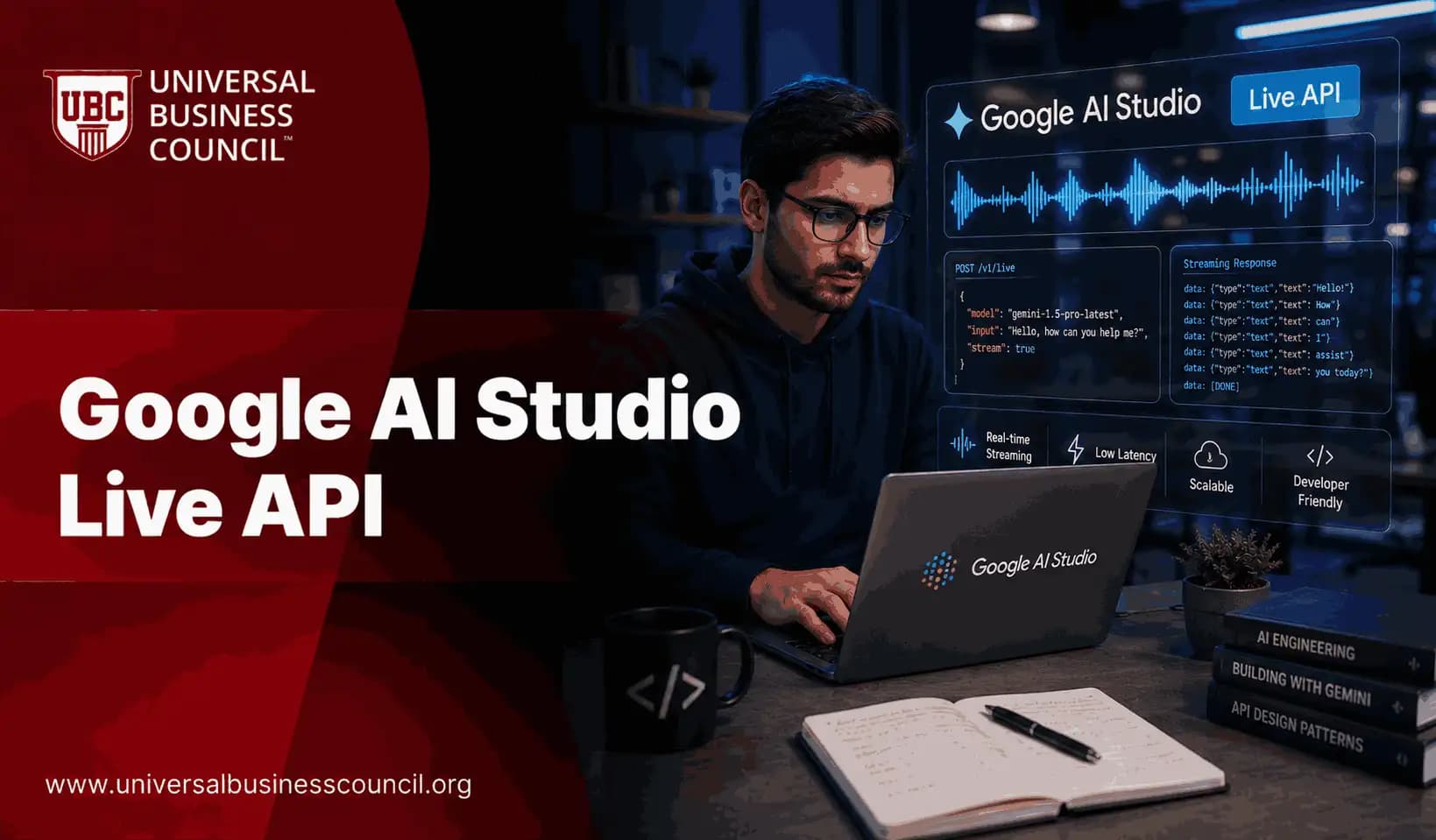
What Is Google AI Studio Live API?
The Google Live API is a streaming interface that enables real-time, two-way communication between users and AI models hosted through AI Studio. Specifically, it allows applications to send and receive audio, video, and text inputs simultaneously all within a single, low-latency session. Consequently, developers can build applications that respond to users as naturally and fluidly as a live conversation. Moreover, this API differs significantly from standard request-response AI APIs. Traditional APIs send a prompt and wait for a complete response. By contrast, the Google Live API maintains an open connection throughout a session, allowing continuous data exchange. Therefore, it is particularly well-suited for applications that require real-time intelligence such as voice assistants, live tutoring systems, and interactive customer service tools.Key Technical Foundations
- Bidirectional streaming: The API maintains a persistent, two-way data stream between the client and the model.
- Multimodal input support: It accepts text, audio, and video as simultaneous inputs within a single session.
- Low-latency processing: Responses arrive in real time, enabling smooth and natural user interactions.
- Session continuity: The API retains context throughout the session, producing coherent, context-aware outputs.
Core Features of the Google Live API
Several powerful features make the Google Live API stand out among modern developer tools. Understanding each feature helps professionals identify the right use cases for their specific projects and goals.Real-Time Audio and Voice Interaction
First, the API supports live audio streaming, which means applications can transcribe speech, understand tone, and generate spoken responses in real time. Furthermore, this capability enables developers to build voice-first interfaces that feel genuinely conversational rather than robotic or delayed. Consequently, sectors such as education, healthcare, and customer support stand to benefit enormously.Video Input and Visual Understanding
Additionally, the Google Live API accepts live video feeds as input. This allows models to analyze visual content such as on-screen activity, physical environments, or live demonstrations and respond intelligently. Moreover, combining video and voice input creates immersive, context-rich experiences that would have been impossible with traditional AI APIs just a few years ago.Function Calling and Tool Use
Another standout feature is the API’s support for function calling. Specifically, the model can trigger external functions or tools during a live session for example, retrieving live data, updating a database, or calling a third-party service. As a result, developers can build applications where AI acts as an intelligent orchestrator of complex, multi-tool workflows.Context Window Management
Furthermore, the Google Live API manages a context window that persists across the entire session. This means the model remembers what was said or shown earlier in the conversation. Therefore, responses remain coherent and relevant even during extended interactions a critical requirement for professional-grade applications.How the Google Live API Works
To understand the practical value of the Google Live API, it helps to trace the typical flow of a developer interaction from setup to deployment.Step 1: Authentication and Session Initialization
First, developers authenticate via API credentials provided through the AI Studio platform. Next, they initialize a session that establishes the streaming connection. This session acts as the communication channel for all subsequent data exchanges during the interaction.Step 2: Sending Multimodal Data
Once a session is active, developers stream data text, audio chunks, or video frames to the model in real time. Consequently, the model receives and processes this data continuously rather than waiting for a complete input. Therefore, responses begin generating almost immediately, dramatically reducing perceived latency.Step 3: Receiving and Handling Responses
The model streams responses back to the client as they are generated. Furthermore, developers can configure how these responses are handled for example, converting audio output to playable sound, displaying text incrementally, or triggering downstream functions. As a result, the application layer remains fully in control of the user experience.Step 4: Session Management and Closure
Finally, developers manage session lifecycles according to application needs. Sessions can be paused, resumed, or terminated programmatically. Moreover, session data can inform future interactions, enabling personalized, adaptive AI experiences over time.Practical Use Cases for the Google Live API
The flexibility of the Google Live API supports a wide range of real-world applications. Below are the most impactful scenarios across different professional domains.1. AI-Powered Voice Assistants
Developers can build voice assistants that understand natural language in real time and respond with context-aware, spoken replies. Additionally, these assistants can be embedded in smart devices, mobile applications, and web platforms. For professionals aiming to lead in this space, earning an AI Powered Marketing certification equips marketers with the strategic knowledge to deploy conversational AI effectively.2. Live Customer Support Automation
Businesses can use the Google Live API to power intelligent support agents that handle customer queries in real time via voice or text. Furthermore, these agents can access customer data through function calling and deliver personalized, accurate assistance without human intervention.3. Real-Time Educational Tools
Education platforms can integrate the API to create interactive tutors that respond to student questions as they are asked verbally or visually. Moreover, the model can analyze a student’s written work or problem-solving approach via video and provide instant, targeted feedback. Consequently, learning becomes more dynamic and personalized.4. Live Media Analysis
Media and journalism professionals can use the API to analyze live broadcasts, transcribe interviews in real time, and generate summaries or highlights automatically. Therefore, newsrooms and content teams gain a powerful tool for managing high volumes of live information efficiently.5. Developer Productivity Tools
Software engineers can use the API to build real-time coding assistants that watch their screen, understand the code in context, and suggest improvements or fixes immediately. Those who reinforce this with a solid programming foundation such as a Python certification are best positioned to customize and extend these integrations effectively.Career Opportunities Tied to the Google Live API
Proficiency with tools like the Google Live API is rapidly becoming a differentiating skill in the job market. Specifically, employers across industries seek professionals who can design, build, and manage real-time AI integrations. Therefore, investing in this knowledge area directly improves career trajectories and earning potential. Moreover, formal validation of AI expertise strengthens professional credibility significantly. Earning an AI expert certification demonstrates a deep understanding of AI systems — making candidates more competitive for roles in AI engineering, product management, and digital transformation leadership.Roles That Benefit from Google Live API Skills
- AI Application Developer
- Conversational AI Designer
- Real-Time Systems Engineer
- AI Product Manager
- Multimodal AI Specialist
Key Considerations and Limitations
Like all powerful tools, the Google Live API comes with important considerations that professionals must address before deployment. First, streaming sessions consume significant computational resources. Therefore, cost management and session optimization are important factors in production-scale applications. Additionally, real-time audio and video processing raises data privacy concerns, especially in regulated industries. Developers must ensure that sensitive data is handled in compliance with applicable privacy laws. Furthermore, the quality of outputs depends heavily on network stability poor connectivity can degrade the real-time experience significantly. Finally, as with any AI system, outputs require human validation. Therefore, deploying the Google Live API in high-stakes environments demands robust testing, fallback mechanisms, and ongoing monitoring.How to Get Started with the Google Live API
Getting started with the Google Live API is straightforward for developers familiar with REST or WebSocket-based APIs. Follow these steps to begin building immediately.- Access AI Studio and create or sign into your developer account.
- Generate API credentials and review the official documentation for streaming setup.
- Set up a local development environment with the relevant SDK or WebSocket library.
- Build a minimal proof-of-concept session that sends text input and receives streamed output.
- Gradually add audio, video, and function-calling capabilities as your confidence grows.
- Test extensively for latency, accuracy, and edge cases before any production deployment.
The Future of Real-Time AI with Google Live API
The trajectory of the Google Live API points toward increasingly intelligent, context-aware, and multimodal real-time experiences. Future updates are likely to expand language support, improve audio fidelity, deepen video understanding, and reduce latency even further. Consequently, the range of viable applications will expand dramatically. Moreover, as edge computing matures, real-time AI processing will move closer to end users enabling powerful experiences even in low-bandwidth environments. Therefore, the Google Live API is not simply a current-generation tool. It is a foundational platform for the next era of human-AI interaction, and early mastery of it will yield lasting professional advantages.Conclusion
The Google Live API represents a pivotal advancement in how developers and professionals interact with AI systems. By enabling real-time, multimodal, bidirectional communication, it unlocks a generation of applications that feel genuinely intelligent and responsive. Furthermore, it democratizes access to cutting-edge AI capabilities, making powerful tools available to individual developers and global enterprises alike. Consequently, professionals who invest in understanding and mastering the Google Live API today will build a durable competitive advantage. The combination of technical skill, strategic thinking, and formal certification creates a powerful foundation for leadership in the AI-driven economy. Therefore, start exploring, start building, and start shaping the future of real-time intelligence.FAQs
1. What is the Google Live API?
The Google Live API is a real-time streaming interface within AI Studio that enables bidirectional, multimodal communication including text, audio, and video between applications and AI models.2. How does the Google Live API differ from standard AI APIs?
Standard APIs use a request-response model. In contrast, the Google Live API maintains a persistent open connection, enabling continuous data exchange and real-time responses throughout a full session.3. What types of input does the Google Live API support?
It supports text, live audio streams, and video feeds as simultaneous inputs. Furthermore, developers can combine these modalities within a single active session.4. Who can use the Google Live API?
Developers, AI engineers, product managers, and technical professionals with access to AI Studio can use the API. Additionally, those building voice, video, or interactive AI products will find it especially relevant.5. Is the Google Live API suitable for beginners?
It requires foundational programming knowledge. However, developers familiar with REST or WebSocket APIs will find the learning curve manageable, especially with available documentation and community resources.6. What is function calling in the Google Live API?
Function calling allows the AI model to trigger external tools or APIs during a live session for example, fetching live data or updating a system making applications significantly more dynamic and capable.7. Can the Google Live API handle multiple languages?
Yes, multilingual support is part of the platform’s capabilities. Furthermore, language support continues to expand with ongoing platform updates and model improvements.8. How does session memory work in the Google Live API?
The API maintains a context window across the entire session, enabling the model to remember earlier inputs and produce coherent, contextually relevant responses throughout the interaction.9. What industries benefit most from the Google Live API?
Education, healthcare, retail, customer service, media, and software development are among the leading sectors. Moreover, any industry that relies on real-time communication or live data processing stands to benefit.10. What are the cost implications of using the Google Live API?
Streaming sessions consume more resources than standard API calls. Therefore, developers should monitor session usage carefully and optimize connection durations to manage costs effectively in production environments.11. How does the API handle poor network conditions?
Network instability can degrade real-time performance. Consequently, developers should implement buffering strategies, reconnection logic, and graceful degradation to maintain acceptable user experiences in variable conditions.12. Can the Google Live API be used for video analysis?
Yes. The API accepts live video frames as input, enabling real-time visual understanding. Applications include live screen analysis, physical environment interpretation, and visual tutoring systems.13. Is data processed by the Google Live API stored or retained?
Data handling policies depend on the platform’s current terms of service. Therefore, developers must review applicable privacy policies and ensure compliance with data protection regulations before deployment.14. What programming languages work with the Google Live API?
The API is accessible via standard WebSocket protocols, making it compatible with most modern programming languages. Additionally, official SDKs are available to simplify integration in popular development environments.15. How do certifications help professionals use the Google Live API?
Certifications build foundational AI knowledge and validate expertise. Furthermore, they help professionals understand broader AI system design principles enabling smarter, more strategic use of tools like the Google Live API.16. Can the Google Live API support real-time translation?
Real-time translation is a viable application given the API’s low-latency audio and text capabilities. Developers can build multilingual, real-time communication tools by leveraging these features together.17. What is the maximum session duration for the Google Live API?
Session limits depend on current platform specifications and may evolve with updates. Therefore, developers should consult the latest documentation to plan session management logic accordingly.18. How is the Google Live API different from other real-time AI tools?
Its multimodal input support, native function calling, and deep integration with AI Studio distinguish it. Moreover, the combination of real-time performance and advanced model capabilities makes it especially powerful for complex use cases.19. What testing practices are recommended before deployment?
Developers should test for latency, accuracy across input types, edge cases, function-call reliability, and session stability. Furthermore, load testing under realistic conditions is essential before any production launch.20. How will the Google Live API evolve in the future?
Anticipated advancements include expanded language support, richer video understanding, reduced latency, and deeper tool integrations. Consequently, its range of viable applications will continue to grow alongside broader AI model improvements.Related Articles
View All
Artificial Intelligence
What Is Google Playground? Features and How It Works
What is Google Playground? Learn how Google's new AI platform turns text prompts into playable browser games, which models power it, its features, pricing and access, Unity Spark plans, rival tools, and limits.

Artificial Intelligence
Can Google Gemini Improve Itself Through Recursive Self-Improvement?
Explore whether Google Gemini can improve itself through recursive self-improvement, how Gemini-powered systems already support iterative learning and optimization, and what still separates them from true autonomous RSI.
Artificial Intelligence
Gemini 4 Argon: Features, Pricing, and Availability
Gemini 4 Argon is Google’s new flagship AI model for coding, science, finance, law and security. See its main features, API and subscription pricing, and where you can access it today.
Trending Articles
The Role of Blockchain in Ethical AI Development
How blockchain technology is being used to promote transparency and accountability in artificial intelligence systems.
AWS Career Roadmap
A step-by-step guide to building a successful career in Amazon Web Services cloud computing.
Top 5 DeFi Platforms
Explore the leading decentralized finance platforms and what makes each one unique in the evolving DeFi landscape.