Software creation is becoming more accessible, but the terms people use to describe it are becoming more confusing. Two approaches that are often discussed together are no-code and vibe coding. They both lower the barrier to building software, but they are not the same thing. They rely on different workflows, different tools, and different levels of technical control.That distinction matters. A founder choosing how to prototype a product, a student deciding how to learn, a marketer automating reporting, or a team evaluating new workflows will make better decisions if they understand where no-code ends and vibe coding begins. One is centered on visual configuration. The other is centered on AI-assisted code generation. For professionals working at the intersection of automation, strategy, and modern software workflows, anAI-powered marketing expert path can also provide useful context for how technical tools increasingly support business execution.This guide explains the difference between no-code and vibe coding, how both methods work, where each one fits best, and what recent developments up to August 2025 mean for builders and teams.
The New Shape of Software Creation
A few years ago, non-technical software creation mostly meant spreadsheets, simple automation tools, and website builders. Then no-code and low-code platforms matured. More recently, AI coding tools became capable enough to generate interfaces, backend logic, APIs, scripts, and revisions through natural-language prompts. That shift gave rise to what many people now call vibe coding.The confusion is understandable. Both methods help people build faster. Both reduce the amount of manual coding needed. Both make software creation more accessible to people outside traditional engineering roles. But they work differently.No-code usually relies on visual builders, workflow editors, and platform rules. Vibe coding relies on AI-generated code, prompt-based iteration, and human review. One is configuration-first. The other is AI-first.Professionals who want to understand how autonomous AI systems fit into this shift may benefit from anAgentic AI certification, especially as software workflows become more agent-driven and more adaptive.
Defining No-Code in Practical Terms
No-code is a method of building software without manually writing traditional code. Instead of programming features line by line, users build applications through drag-and-drop tools, templates, visual logic builders, and preconfigured components.A no-code platform usually lets users assemble a product by choosing interface blocks, linking data sources, defining actions, and publishing the result. A team might create a dashboard, connect it to a spreadsheet or database, add a form, create approval steps, and launch an internal tool without writing JavaScript or Python.This approach became popular because it opened software creation to non-developers. A founder could build a simple MVP. A marketing team could automate lead routing. An HR department could create a request portal. For many smaller projects, no-code reduced the need for direct engineering involvement.The main promise of no-code is simple: build useful software by configuring systems instead of coding every detail manually.
Defining Vibe Coding More Clearly
Vibe coding is a newer, informal term for building software through AI-assisted prompting. Instead of manually writing most of the implementation, the user tells an AI what to build, how it should work, and what needs to change. The AI then generates, edits, explains, and sometimes debugs the code.For example, someone might prompt an AI with, “Build a React dashboard that shows monthly revenue and active users,” or “Create a Python script that cleans CSV data and sends a weekly summary report.” The AI responds with code, setup guidance, structural suggestions, and revision options. The user tests the result, identifies issues, asks for changes, and continues refining it.Unlike no-code, vibe coding usually produces actual code files and editable software structures. That means more flexibility and more ownership, but also more responsibility. The AI can move quickly, but the human still needs to review quality, test behavior, and catch problems before they turn into larger issues.The core difference is straightforward: no-code avoids direct coding, while vibe coding uses AI to handle much of the coding.
No-Code and Vibe Coding Are Not the Same Workflow
At a high level, both methods help people build software faster. But the workflows are clearly different.In no-code, the platform gives users visual building blocks. You select components, configure actions, connect data, and publish within the system’s limits.In vibe coding, the user describes intent in natural language. The AI generates code, the user runs it, errors appear, and the user asks for refinements. This becomes a cycle of prompting, testing, and revision.That makes no-code easier to manage for structured use cases, while vibe coding offers more flexibility for custom work.No-code feels like structured assembly.Vibe coding feels like AI-assisted drafting and refinement.
Where No-Code Fits Best
No-code works especially well when the problem is familiar, structured, and operational.Common examples include internal dashboards, approval workflows, lightweight CRMs, onboarding portals, marketing forms, inventory trackers, and administrative tools. If a team needs something practical and the workflow fits a known platform pattern, no-code can be the fastest route.An HR team building a leave request portal is a good example. The app might need a form, approval routing, notifications, and a manager dashboard. That is exactly the kind of repeatable business process no-code platforms handle well.No-code is also useful when governance matters. Because the platform limits how much can be changed, the result is often easier to manage than a loosely reviewed AI-generated codebase.Still, those same guardrails can become limiting. Once an app needs unusual logic, custom integrations, advanced performance tuning, or deeper extensibility, no-code can start to feel rigid.
Where Vibe Coding Fits Best
Vibe coding works better when the project requires flexibility, custom logic, or direct access to editable code.A founder building a product with unique user flows may need more customization than a visual builder can support. A student learning development may gain more by studying generated code than by only using a drag-and-drop interface. A technical marketer may prefer a custom Python or JavaScript script over relying entirely on a no-code platform.This is where vibe coding becomes especially useful. It allows a person to move from idea to a working draft quickly while still producing real code that can be extended, reviewed, and deployed outside a platform’s rules.It is also becoming increasingly relevant as AI tools get better at handling multi-file projects, code explanations, refactoring, and structured revisions.
Comparing the Two Side by Side
User Interface and Building Style
No-code relies on visual interfaces. Users build through menus, field mapping, workflow editors, and drag-and-drop design.Vibe coding relies on prompts. Users describe what they want, then review and refine what AI generates.
Nature of the Output
No-code often produces an app that remains inside a platform ecosystem.Vibe coding usually produces editable code, scripts, or application files that can be modified and deployed more independently.
Flexibility and Limits
No-code is easier for predictable use cases but becomes more limited as complexity grows.Vibe coding is more flexible, but it needs stronger judgment, testing, and technical review.
Skills Required
No-code can be effective with little or no programming knowledge.Vibe coding can also be used by beginners, but results improve sharply when the user can read code, recognize weak logic, and understand debugging.Learners who want to strengthen those technical foundations may benefit from aPython certification for scripting, automation, and backend workflows, or anode.js certification for APIs, backend systems, and web applications.
Maintenance
No-code maintenance often depends on platform features, connectors, and vendor decisions.Vibe-coded projects depend on code quality, structure, and the builder’s ability to maintain or improve the result.
Real-World Example Scenarios
Internal Leave Management Tool
A company wants a leave request portal with manager approval and notification flows.No-code is often the better fit because the logic is structured and speed matters more than custom architecture.
AI-Enhanced Feedback Platform
A startup wants a tool that collects feedback, classifies it with AI, tracks trends, and supports custom admin views.Vibe coding is usually the better fit because it involves custom logic, AI integration, and room for future expansion.
Weekly Campaign Reporting
A marketing team wants to merge campaign data, clean exports, generate charts, and send summary emails.This could go either way. If the workflow is simple, no-code may be enough. If the data transformations are more custom, vibe coding with AI-generated scripts may be more effective.
Which Approach Is Better for Beginners?
The answer depends on the beginner’s goal.If the goal is to launch something quickly with minimal technical overhead, no-code is usually easier. It reduces setup pain and provides built-in structure.If the goal is to build while learning how software works, vibe coding can be more educational. A beginner can prompt an AI to generate a working app, then ask follow-up questions about logic, structure, and errors. That creates a path into technical understanding.The risk in vibe coding is shallow confidence. A beginner may build something functional without understanding why it works or how to fix it when it breaks. The risk in no-code is different: the user may build something useful but remain limited by platform assumptions.
Recent Developments Up to August 2025
Up to August 2025, the comparison between no-code and vibe coding changed because AI development tools improved significantly. Larger context windows, better code reasoning, multi-file revisions, stronger IDE integrations, and better test generation made vibe coding far more practical than it had been in earlier stages.At the same time, no-code platforms improved their workflow depth, automation, data handling, and AI-assisted features. Some platforms began combining visual building with AI-generated formulas, workflows, and interface suggestions. That blurred the line between visual configuration and AI-assisted development.Another major development was the rise of agentic workflows. Some systems moved beyond simple prompt-response behavior and began handling tasks across multiple steps, including planning, editing, checking, and revising. That shift made the distinction between building tools and building with tools even more interesting.
Risks You Still Need to Take Seriously
No-code is not risk-free. It can create platform lock-in, limited scalability, weak flexibility, and dependence on a vendor’s roadmap.Vibe coding is not risk-free either. It can create security flaws, inconsistent architecture, weak maintainability, and false confidence in generated code.The biggest no-code problem is often hitting the platform ceiling.The biggest vibe coding problem is usually trusting the AI too much, too early.In both cases, software quality still depends on clarity, testing, and review.
The More Likely Future: Blended Workflows
The future is probably not a simple contest between no-code and vibe coding. It is more likely a blend.Many teams will use no-code for structured workflows and operational tools while using vibe coding for custom features, scripts, integrations, and more flexible applications. A startup might prototype with a no-code system, then expand with AI-generated APIs. A business team might use a no-code dashboard while relying on AI-generated scripts behind the scenes.So the real question is not which label wins. It is which method fits the actual business need, user skill level, and long-term product direction.
Conclusion
The difference between no-code and vibe coding comes down to how software gets built.No-code is centered on visual configuration and structured workflows without manually writing traditional code. It is ideal for predictable business use cases, internal apps, and fast operational tools.Vibe coding is centered on AI-generated code guided through natural-language prompts. It offers more flexibility, more custom potential, and more room for learning, but it also requires stronger review, testing, and technical judgment.For non-technical users who want speed and simplicity, no-code may be the better entry point. For builders who want customization, direct code ownership, or a bridge into software development, vibe coding may be the stronger option.The best choice is the one that fits the problem. Trendy labels are not architecture. Thinking still matters.
FAQs
Q1. What is the main difference between no-code and vibe coding?
No-code uses visual tools and configuration to build apps, while vibe coding uses AI prompts to generate and refine code.
Q2. Is vibe coding the same as low-code?
No. Low-code usually still relies on platform-based builders with some code extensions. Vibe coding centers on AI-generated code through prompting.
Q3. Can non-developers use vibe coding?
Yes, but they need to be careful. AI can help non-developers build useful tools, but testing and review still matter.
Q4. Is no-code easier than vibe coding?
Usually, yes. No-code is often easier for structured business applications because it has more built-in guardrails.
Q5. Which is better for learning software development?
Vibe coding is usually better for learning because it exposes users to real code, logic, and debugging workflows.
Q6. Can teams use both no-code and vibe coding together?
Yes. Many teams will combine no-code platforms for standard workflows with AI-generated code for custom features or integrations.


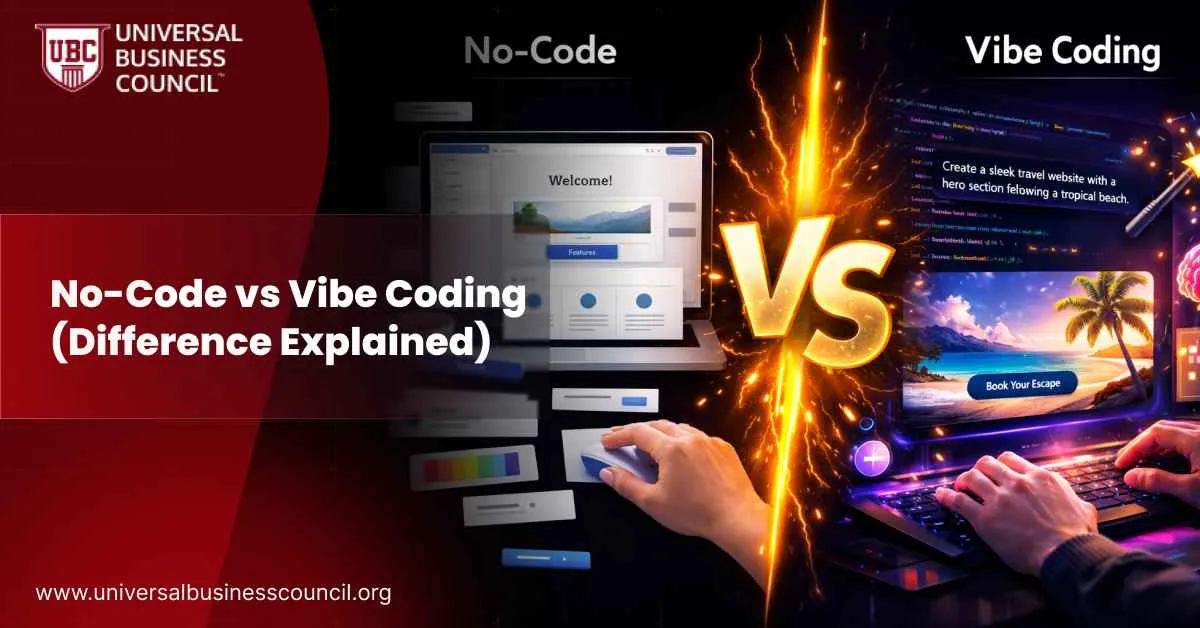 Software creation is becoming more accessible, but the terms people use to describe it are becoming more confusing. Two approaches that are often discussed together are no-code and vibe coding. They both lower the barrier to building software, but they are not the same thing. They rely on different workflows, different tools, and different levels of technical control.
That distinction matters. A founder choosing how to prototype a product, a student deciding how to learn, a marketer automating reporting, or a team evaluating new workflows will make better decisions if they understand where no-code ends and vibe coding begins. One is centered on visual configuration. The other is centered on AI-assisted code generation. For professionals working at the intersection of automation, strategy, and modern software workflows, an AI-powered marketing expert path can also provide useful context for how technical tools increasingly support business execution.
This guide explains the difference between no-code and vibe coding, how both methods work, where each one fits best, and what recent developments up to August 2025 mean for builders and teams.
Software creation is becoming more accessible, but the terms people use to describe it are becoming more confusing. Two approaches that are often discussed together are no-code and vibe coding. They both lower the barrier to building software, but they are not the same thing. They rely on different workflows, different tools, and different levels of technical control.
That distinction matters. A founder choosing how to prototype a product, a student deciding how to learn, a marketer automating reporting, or a team evaluating new workflows will make better decisions if they understand where no-code ends and vibe coding begins. One is centered on visual configuration. The other is centered on AI-assisted code generation. For professionals working at the intersection of automation, strategy, and modern software workflows, an AI-powered marketing expert path can also provide useful context for how technical tools increasingly support business execution.
This guide explains the difference between no-code and vibe coding, how both methods work, where each one fits best, and what recent developments up to August 2025 mean for builders and teams.



Leave a Reply