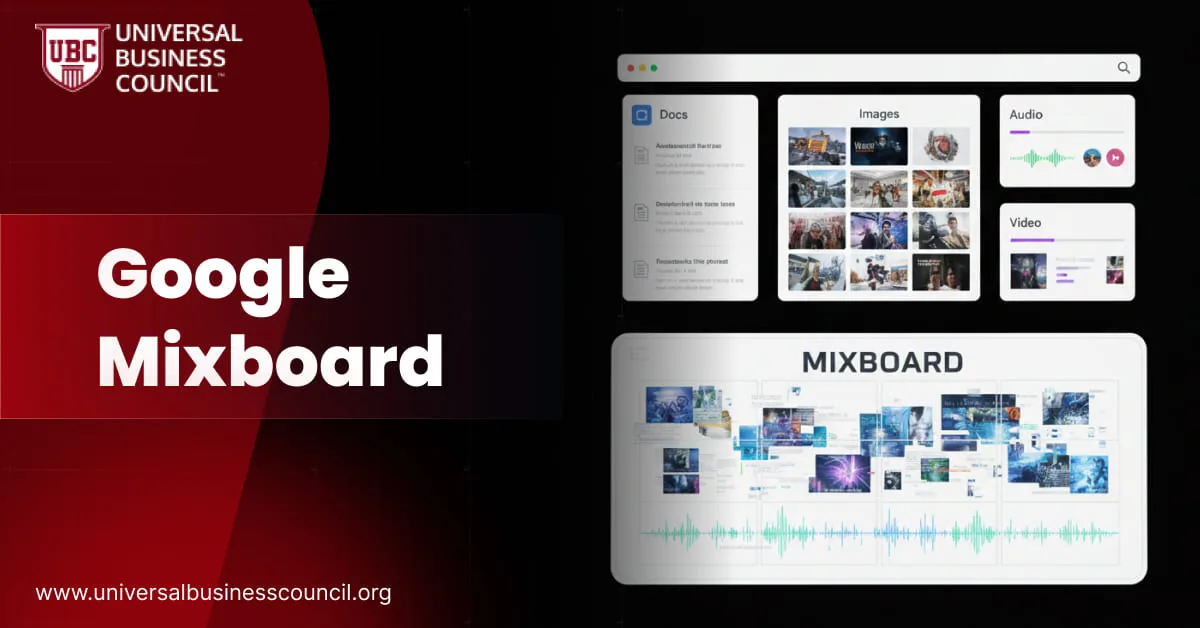
Google Mixboard is emerging as one of the most useful creative tools in Google Labs, giving users a fast way to build visual ideas through prompts, templates and AI assisted editing. Instead of manually compiling mood boards from dozens of sources, Mixboard produces instant visual concepts that can be refined, combined or expanded. Many creative teams learning how to bring AI into design or marketing workflows often start with training pathways like theMarketing and business certification because it helps them understand how to connect visual creation with branding, storytelling and audience strategy.
What Mixboard Is Designed to Do
Mixboard functions as an idea exploration surface. Users can start with a text prompt, open a prebuilt board template or upload personal images. The system then generates visually consistent concepts that match the theme or mood described.It works like a digital sketchpad with built in AI generation and refinement tools. This makes early brainstorming, color palette planning, theme exploration and creative direction much easier and faster for both professionals and non designers.
Core Features of Google Mixboard
Prompt Based Visual Generation
Typing a simple description such as “soft pastel café interior with vintage décor” or “modern tech brand mood board with clean blue colors” instantly produces a full set of relevant visuals.
Natural Language Editing
Users can adjust or refine visuals through simple instructions such as “make the lighting softer,” “combine these two styles,” or “add more color contrast.” This avoids the complexity of traditional graphic software.
Quick Variations
A single click generates alternate versions of a concept, letting users compare themes, try different angles or explore fresh ideas without starting from zero.
Upload Support
Users can bring in photographs, screenshots or sketches. Mixboard will generate supporting or enhanced visuals that align with the uploaded reference.
Built In Text Suggestions
The system can produce captions, descriptions or simple notes to accompany each board, making early stage communication and presentation smoother.Professionals interested in the advanced AI techniques behind these features often explore deeper technical pathways such as theDeep Tech Certification that covers generative models, visual processing and multimodal systems.
Who Mixboard Helps Most
Creative Professionals
Designers can accelerate mood board creation, explore brand directions and prepare idea boards during early concept stages.
Marketers and Campaign Planners
Marketing teams can experiment with campaign themes, visual identities, content ideas and aesthetic direction much more quickly.
Content Creators
Creators working on thumbnails, reels, social posts or storytelling projects gain a faster way to visualize scenes and styles.
Students and Hobbyists
Even people with no design background can build polished idea boards using simple prompts.
Event Planners and Lifestyle Creators
Party themes, décor inspiration, layout planning and creative arrangements can be imagined more easily.
Why Mixboard Matters
Mixboard represents a new approach to creative thinking.
It saves hours of manual searching and reference collection.
It helps users try multiple directions quickly without hesitation.
It lowers the barrier for visual communication and design based tasks.
It supports a wide range of creative uses from branding to interior design.
These advantages strengthen the role of AI in early creative workflows where speed and clarity matter most.
Strengths of Mixboard
Clean and consistent visuals that are surprisingly accurate to prompts
Easy exploration for beginners who have never used design tools
Flexible idea generation for both simple and complex creative tasks
A playful environment that encourages experimentation instead of perfection
Seamless mixing of text and images to support early project planning
Existing Limitations
Mixboard is still in an experimental stage, so there are areas that need improvement:
Some prompts can produce inconsistent results
It is not intended for final production level designs
Commercial use guidelines for AI generated assets may evolve
Detailed edits may still require more advanced design tools
These limitations are expected at this stage of experimentation, and user feedback will likely shape future improvements.
How Mixboard Fits Into Creative Futures
Mixboard signals how brainstorming and visual planning may evolve. Teams may begin every project with an AI supported board. Designers and marketers may collaborate more smoothly during early ideation phases. Content creators may develop visual language faster, reducing time spent searching for inspiration.To understand how to bring such tools into a creative workflow in a balanced and strategic way, many professionals build foundational knowledge through theTech certification which explains how AI tools integrate with digital production environments and team processes.
Conclusion
Google Mixboard introduces a new style of visual creation that feels fast, intuitive and accessible for anyone exploring ideas. By combining prompt based generation, natural language edits and a playful mood board environment, it helps teams and individuals develop creative direction more efficiently. As AI continues shaping how design and marketing teams work, Mixboard is likely to become a valuable tool for concepting, planning and early stage creative development.


 Google Mixboard is emerging as one of the most useful creative tools in Google Labs, giving users a fast way to build visual ideas through prompts, templates and AI assisted editing. Instead of manually compiling mood boards from dozens of sources, Mixboard produces instant visual concepts that can be refined, combined or expanded. Many creative teams learning how to bring AI into design or marketing workflows often start with training pathways like the Marketing and business certification because it helps them understand how to connect visual creation with branding, storytelling and audience strategy.




Leave a Reply