

AI Landing Page Optimization: Improve Copy, Design, and UX for Better CRO
AI landing page optimization is not about letting a tool redesign your funnel while you watch from the sidelines. It is about using machine learning, generative AI, and behavioral analytics to improve the parts of a page that already decide conversion: the promise, the layout, the form, the offer, and the next click.
The best teams still start with classic conversion rate optimization, or CRO. One goal. A clear value proposition. Strong visual hierarchy. Low-friction UX. Then AI helps you test faster, personalize smarter, and spot problems humans often miss in Google Analytics 4, heatmaps, CRM data, and session recordings.

What AI Landing Page Optimization Means
An AI landing page uses data and automation to adapt copy, design, or user experience based on visitor signals. Those signals may include traffic source, device, location, previous visits, engagement behavior, or CRM segment.
In practice, AI landing page optimization usually supports four jobs:
- Copy generation: headlines, subheaders, benefit statements, FAQs, and CTA variants.
- Personalization: dynamic CTAs, segment-specific offers, and audience-specific messaging.
- Testing: multivariate tests, multi-armed bandit allocation, and faster variant exploration.
- UX diagnosis: identifying scroll drop-off, dead clicks, form abandonment, and page speed issues.
That last point matters. I have seen more landing page money wasted on weak UX than weak writing. A paid search page can have a sharp headline and still lose leads because the form asks for company size, budget, phone number, and timeline before the visitor trusts you. To be blunt, the phone field is often the first fight between marketing and sales.
Start With the CRO Basics AI Cannot Fix
AI can produce 25 headline variations in seconds. It cannot decide your positioning for you. If the offer is vague, the audience is poorly defined, or the page tries to do three jobs at once, the model will only help you create more versions of the same problem.
Define one conversion goal
Your landing page should have one primary action, such as:
- Book a demo
- Start a trial
- Download a report
- Register for a webinar
- Request pricing
Use a measurable target. For example, 'increase demo request conversion rate from 3.2 percent to 4 percent in 90 days' is useful. 'Improve the page' is not.
Match intent to message
If the ad says 'AI certification for marketing leaders' and the page opens with generic corporate training copy, you have created a trust gap. AI can help rewrite the page, but you need to give it the search intent, campaign promise, audience role, and objection set.
This is where a structured prompt works better than a casual one. Give the AI tool:
- The audience, such as marketing managers, founders, analysts, or enterprise training teams.
- The traffic source, such as Google Ads, LinkedIn, organic search, or email.
- The offer and primary CTA.
- The main pain points and objections.
- Competitor alternatives or current workarounds.
How AI Improves Landing Page Copy
Copy is the most mature use case for AI landing page optimization. Good AI-assisted copy is not longer. It is clearer.
Generate better headline angles
Ask AI for headline variants by intent, not just tone. For example:
- Problem-led: for visitors who know what hurts.
- Outcome-led: for visitors comparing solutions.
- Proof-led: for skeptical buyers.
- Role-led: for pages aimed at CFOs, developers, marketers, or HR leaders.
Then apply human judgment. A headline that sounds clever but fails the five-second test should be cut. The visitor should know what you offer, who it is for, and why it matters without scrolling.
Personalize CTAs without getting creepy
Personalized CTAs can outperform generic ones. HubSpot has reported that personalized calls to action converted 202 percent better than default CTAs across its analyzed data. Treat that as a directional signal, not a promise. Your market, offer, and traffic quality still matter.
Useful personalization examples include:
- Returning visitor: 'Continue your application' instead of 'Get started'.
- Mobile visitor: 'Send me the course details' instead of a long form CTA.
- LinkedIn traffic: copy that acknowledges role, seniority, or industry challenge.
- Existing CRM lead: a CTA that moves toward consultation, not awareness content.
Avoid over-personalization that exposes data the visitor did not expect you to use. Trust is a conversion asset.
Make copy skimmable
The Nielsen Norman Group has long shown that users read only a fraction of page copy, with a maximum near 28 percent on an average visit. This is why AI output needs editing. Most models over-explain.
Use AI to compress paragraphs into:
- Short benefit bullets
- Objection-handling FAQs
- Comparison tables
- CTA support lines
- Plain-language proof points
How AI Improves Landing Page Design
AI design tools can suggest layouts, image treatments, and section order. Behavioral analytics tools can show where visitors look, click, scroll, and stop. Still, design has one job: guide attention toward the conversion goal.
Use AI heatmaps and click data
AI-assisted heatmaps can help identify:
- CTAs that are visible but ignored
- Images that pull attention away from the form
- Sections with heavy scroll loss
- Navigation links that pull users away from the page
- Dead clicks, where users expect an element to be interactive
If your heatmap shows attention clustering around a decorative image while the CTA gets little activity, do not celebrate engagement. Move the eye path. Put the primary message, proof, and CTA where the visitor is already looking.
Keep above-the-fold content disciplined
Above the fold should normally include:
- A benefit-led headline
- A short supporting subheader
- One primary CTA
- A relevant visual or proof element
- Trust signals, where appropriate
AI can help adapt this block by device. On mobile, your form may need to move below a shorter CTA block. On desktop, a two-column hero section may work better. Do not assume one layout fits both.
Improve speed before adding more media
Think with Google has reported that as mobile page load time increases from one second to three seconds, bounce probability rises by 32 percent. That is not a small UX issue. It is paid media waste.
Use AI and automation to flag oversized images, render-blocking scripts, unused CSS, and slow third-party tags. Compress images, use modern formats where suitable, lazy load below-the-fold media, and keep tracking scripts under control.
How AI Improves UX and Forms
UX optimization is where AI often finds quiet conversion leaks. These are not glamorous. They are profitable.
Reduce form friction
AI can analyze form analytics and session recordings to spot where users hesitate or abandon. Look for patterns around specific fields. Phone number, job title, company size, and budget fields often create resistance on top-of-funnel pages.
Use these rules:
- Ask only what you need for the next step.
- Use inline validation, not error messages after submission.
- Make mobile inputs easy, especially for email and phone fields.
- Test multi-step forms against single-step forms for higher-friction offers.
- Use smart defaults only when they are accurate.
Trigger help at the right moment
AI can use exit intent, inactivity, or scroll depth to trigger prompts. This can work, but it is easy to overdo. A discount popup after three seconds may help ecommerce. On a B2B certification or enterprise training page, it can feel cheap.
Better interventions include:
- A course comparison prompt after a visitor views multiple programmes.
- A short FAQ block when users pause near pricing.
- A 'send syllabus' option for mobile users not ready to fill a full form.
- A chat prompt only after meaningful engagement, not on instant page load.
A Practical AI Landing Page Optimization Workflow
Use this workflow before buying another landing page optimization tool.
- Set the goal: choose one conversion action and one primary metric, such as conversion rate, cost per lead, qualified demo rate, or revenue per visitor.
- Gather data: review GA4, ad platform data, CRM quality, heatmaps, page speed, and form analytics.
- Write the brief: document audience, pain points, offer, objections, proof, and CTA.
- Create variants: use AI to draft headline, CTA, proof, FAQ, and section-order options.
- Edit hard: remove vague claims, inflated language, duplicate points, and unsupported promises.
- Test intelligently: use A/B testing for big changes and multivariate or bandit testing when traffic volume supports it.
- Read quality, not just volume: a higher form conversion rate is not a win if lead quality collapses in Salesforce or HubSpot.
- Iterate: update the page based on behavior, not internal opinion.
Skills Professionals Need Next
AI landing page optimization sits between marketing analytics, UX, copywriting, and experimentation. If you are building this capability for your team, study prompt design, CRO testing methods, GA4 reporting, UX research, and first-party data strategy.
For structured development, use the Universal Business Council certification catalog as an internal learning pathway reference for programmes related to artificial intelligence, digital marketing, business, and management. The right path depends on your role. Marketers should strengthen CRO and analytics first. Product and UX teams should focus on user research and experimentation. Managers need enough AI fluency to set guardrails and judge results.
Final Step: Audit One Page This Week
Pick one landing page with meaningful traffic. Do not redesign it yet. Audit the hero message, CTA, form fields, mobile speed, scroll behavior, and lead quality. Then ask AI for ten improvement ideas based on that evidence. Keep three. Test one.
That is how AI landing page optimization pays off: not as magic, but as a disciplined way to make better decisions faster.
Related Articles
View All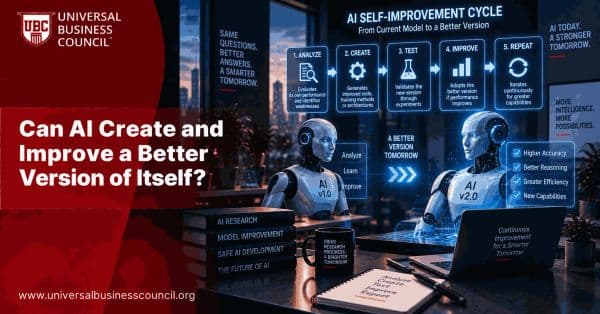
Artificial Intelligence
Can AI Create and Improve a Better Version of Itself?
Explore whether AI can create and improve better versions of itself, how self-optimization and automated model development could work, and the technical and safety challenges involved.

Artificial Intelligence
Can AI Models Train and Improve Themselves Without Human Intervention?
Explore whether AI models can train and improve themselves without human intervention, how self-training and automated optimization work, and where human oversight is still required.

Artificial Intelligence
Can Google Gemini Improve Itself Through Recursive Self-Improvement?
Explore whether Google Gemini can improve itself through recursive self-improvement, how Gemini-powered systems already support iterative learning and optimization, and what still separates them from true autonomous RSI.
Trending Articles
The Role of Blockchain in Ethical AI Development
How blockchain technology is being used to promote transparency and accountability in artificial intelligence systems.
AWS Career Roadmap
A step-by-step guide to building a successful career in Amazon Web Services cloud computing.
Top 5 DeFi Platforms
Explore the leading decentralized finance platforms and what makes each one unique in the evolving DeFi landscape.