

GA4 and Google Ads Integration: Connect Data for Better Insights
GA4 and Google Ads integration is the point where campaign reporting starts to look like business reporting. Once Google Analytics 4 and Google Ads are linked correctly, you can see what paid traffic does after the click, export GA4 conversions for bidding, build better audiences, and govern advertising data through Consent Mode rather than guesswork.
The catch: the link itself is only the first step. Many accounts are technically connected but still underreport because auto-tagging is off, redirects strip the gclid, key events are not marked as conversions, or consent signals are misconfigured. I have audited accounts where a paid search campaign looked unprofitable until we found a checkout redirect dropping URL parameters. The fix took ten minutes. The bidding data changed within days.

What GA4 and Google Ads Integration Actually Does
Google Analytics 4 is Google's default analytics property type. Unlike the old Universal Analytics, GA4 uses an event-based data model, which fits paid media measurement better because user actions are not limited to pageviews and sessions.
When you connect GA4 and Google Ads, you can:
- View Google Ads traffic behavior in GA4, including engagement, events, landing page performance, and conversion paths.
- Import GA4 conversions into Google Ads so campaigns can optimize toward purchases, leads, signups, and other business actions.
- Export GA4 audiences to Google Ads for remarketing and audience-based campaign strategy.
- Improve attribution analysis across devices, channels, and campaign touchpoints.
- Use app and web data together by linking GA4 and Firebase properties through Google Ads Data manager.
Google's own documentation treats the integration as a foundation for cross-channel reporting, audience activation, and conversion import. The shift to event-based measurement is what makes this connection more useful than the old session-based model, because it lets you tie a click to a specific business action rather than a vague visit.
Why the Integration Matters for Performance Marketers
You stop optimizing only for clicks
Clicks are cheap to measure and easy to misunderstand. A campaign can produce strong click-through rates and still send low-intent traffic to your site. GA4 shows what happens next.
For example, you can compare paid search campaigns by:
- Engaged sessions
- Scroll depth
- Video starts or completions
- Form starts versus form submissions
- Add-to-cart events
- Checkout abandonment
- Revenue and purchase events
That gives you a sharper view than cost per click alone. To be blunt, if your Google Ads account only reports leads and spend, you are flying with half the instrument panel turned off.
Smart Bidding gets better signals
Google Ads Smart Bidding needs conversion data. If you import meaningful GA4 conversions, bidding can optimize around real outcomes rather than weak proxies.
That does not mean every event should become a primary conversion. A common mistake is importing newsletter clicks, page views, and form starts as primary goals, then wondering why automated bidding chases low-value users. Use micro-conversions for observation or secondary reporting. Use primary conversions for the actions you would pay for again.
Audiences become more useful
GA4 audiences can be shared with Google Ads after linking. This helps with remarketing, exclusion lists, and high-intent audience segments.
Strong audience examples include:
- Users who viewed pricing but did not submit a lead form
- Cart abandoners with product value above a chosen threshold
- Frequent purchasers
- Users predicted by GA4 to have high purchase probability, where eligible
- App users who installed but did not complete onboarding
Do not overbuild audiences. Ten clean audiences usually beat fifty clever ones nobody uses.
How to Link GA4 From Google Analytics
If you manage the GA4 property, the Analytics-side setup is usually the cleanest route.
- Open your GA4 property.
- Click the Admin gear icon.
- Under Product links, choose Google Ads links.
- Click Link.
- Select the Google Ads account or accounts you want to connect.
- Configure options such as Personalized advertising and Auto-tagging.
- Review the settings and click Submit.
One GA4 property can link to a large number of Google Ads accounts, which matters for agency, holding company, franchise, and multi-region structures. Plan the account architecture before connecting everything in a hurry.
How to Link GA4 From Google Ads
You can also start inside Google Ads. This is common when the paid media team owns campaign setup and requests access to analytics data.
- In Google Ads, click the Tools icon.
- Open Data manager.
- Click + Connect Product.
- Select Google Analytics (GA4) & Firebase as the data source.
- Choose the GA4 property or Firebase project. You will only see properties where you have the right permissions.
- Turn on imports for app and web metrics and Google Analytics audiences, if appropriate.
- Review and click Link.
Google Ads also offers linking through Tools and Settings, then Linked accounts, then Google Analytics (GA4) & Firebase. The labels shift as Google updates the interface, but the core choices stay the same: property, metrics, audiences, and permissions.
How to Import GA4 Conversions Into Google Ads
Linking does not automatically mean your best GA4 conversions are active in Google Ads bidding. You need to import them.
- In Google Ads, enable auto-tagging so ad clicks pass the gclid parameter.
- In GA4, mark the relevant key events as conversions, such as purchases, generate_lead events, trial signups, or qualified lead events.
- In Google Ads, go to Tools and settings, then Conversions.
- Create a New conversion action.
- Choose Import.
- Select Google Analytics 4 as the source.
- Select the GA4 conversions you want to import.
- Set each conversion as primary or secondary based on its role in bidding.
Check the conversion action settings after import. Attribution model, counting method, conversion window, and value settings all affect reporting and bidding. For lead generation, count one conversion per click in most cases. For e-commerce, every purchase usually matters.
Consent Mode and the 2026 Governance Change
This is the part many teams miss. From June 15, 2026, Google separates the controls that govern data use in GA4 and Google Ads. The practical effect is simple: Google Signals in GA4 no longer controls Google Ads cookie and ID collection or advertising identifiers.
For Google Ads, Consent Mode signals carry the weight. The main parameters are:
- ad_storage, which governs advertising-related storage
- ad_user_data, which controls consent for sending user data to Google for advertising
- ad_personalization, which controls personalized advertising use
- analytics_storage, which governs analytics storage
After the 2026 change, turning off Google Signals in GA4 does not stop data from flowing into Google Ads if ad_storage consent has been granted. Google Signals now governs whether Analytics associates GA4 data with signed-in user information for behavioral reporting and user recognition inside GA4.
Your privacy team should care about this. Your paid media team should care even more. If Consent Mode is implemented poorly, imported conversions and remarketing audiences may be incomplete, mis-modeled, or unavailable in regions where consent rules apply.
Practical Use Cases
E-commerce
Track product views, add-to-cart events, checkout steps, purchases, and revenue in GA4. Import purchase conversions into Google Ads. Build audiences for cart abandoners, high-value purchasers, and users who viewed specific product categories.
One warning: do not optimize shopping or Performance Max campaigns only toward add-to-cart events once purchase volume is sufficient. Add-to-cart is useful early. Revenue is the better target when the data is available.
B2B lead generation
Track form submissions, demo requests, content downloads, and qualified lead milestones. The deeper the signal, the better. A demo request is stronger than a white paper download. A sales-qualified lead imported through offline conversion tracking may be stronger still.
Use GA4 to find landing pages where paid traffic starts forms but fails to submit. That usually points to friction: too many required fields, broken validation, weak proof, or a mobile layout problem.
Mobile apps
By linking GA4 and Firebase with Google Ads, app teams can connect install events, in-app purchases, onboarding completion, and retention behavior. This helps you separate cheap installs from users who actually return.
Common Setup Mistakes to Fix First
- Auto-tagging is disabled. Turn it on unless you have a clear tracking architecture that requires otherwise.
- Redirects strip gclid values. Test paid landing page URLs through every redirect path.
- Too many primary conversions. Keep bidding signals focused.
- Consent Mode is not tested. Use Google Tag Assistant and your consent management platform's debug tools.
- Audiences are created but not imported. Confirm the audience import toggle during linking.
- Permissions are incomplete. You typically need edit access in GA4 and administrative access in Google Ads.
Skills Marketers Should Build Next
If you manage paid media, analytics, or digital strategy, GA4 and Google Ads integration should sit inside a broader measurement skill set. Pair this topic with certification study in digital marketing, marketing analytics, campaign management, and business strategy. Use the Universal Business Council certification catalogue as a learning path when mapping your next credential.
For a practical next step, audit one account this week. Confirm the GA4 link, auto-tagging, imported conversions, audience sharing, and Consent Mode parameters. Then pick one campaign and compare cost per conversion against engaged sessions, event completion, and revenue quality. That is where better decisions start.
Related Articles
View AllGoogle Ads
Customer Match in Google Ads: How to Use First-Party Data for Better Targeting
Learn how Customer Match in Google Ads uses first-party data to improve targeting, bidding, exclusions, and privacy-aware campaign performance.
Google Ads
Google Ads Reporting: Key PPC Metrics, Dashboards, and Insights to Track
Learn the Google Ads reporting metrics, dashboards, and Insights reports that connect PPC spend to revenue, leads, ROAS, CPA, and growth decisions.
Google Ads
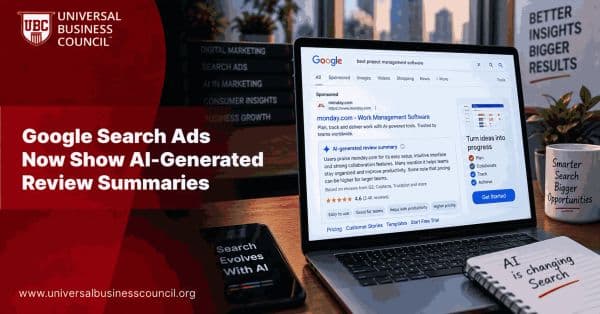
Google Search Ads Now Show AI-Generated Review Summaries
Google Search ads are beginning to show AI-generated review summaries that highlight what customers like about businesses, adding another layer of AI-generated content to sponsored results.
Trending Articles
The Role of Blockchain in Ethical AI Development
How blockchain technology is being used to promote transparency and accountability in artificial intelligence systems.
AWS Career Roadmap
A step-by-step guide to building a successful career in Amazon Web Services cloud computing.
Top 5 DeFi Platforms
Explore the leading decentralized finance platforms and what makes each one unique in the evolving DeFi landscape.