

Google Ads Billing: Payment Methods, Invoices, Budgets, and Common Issues Explained
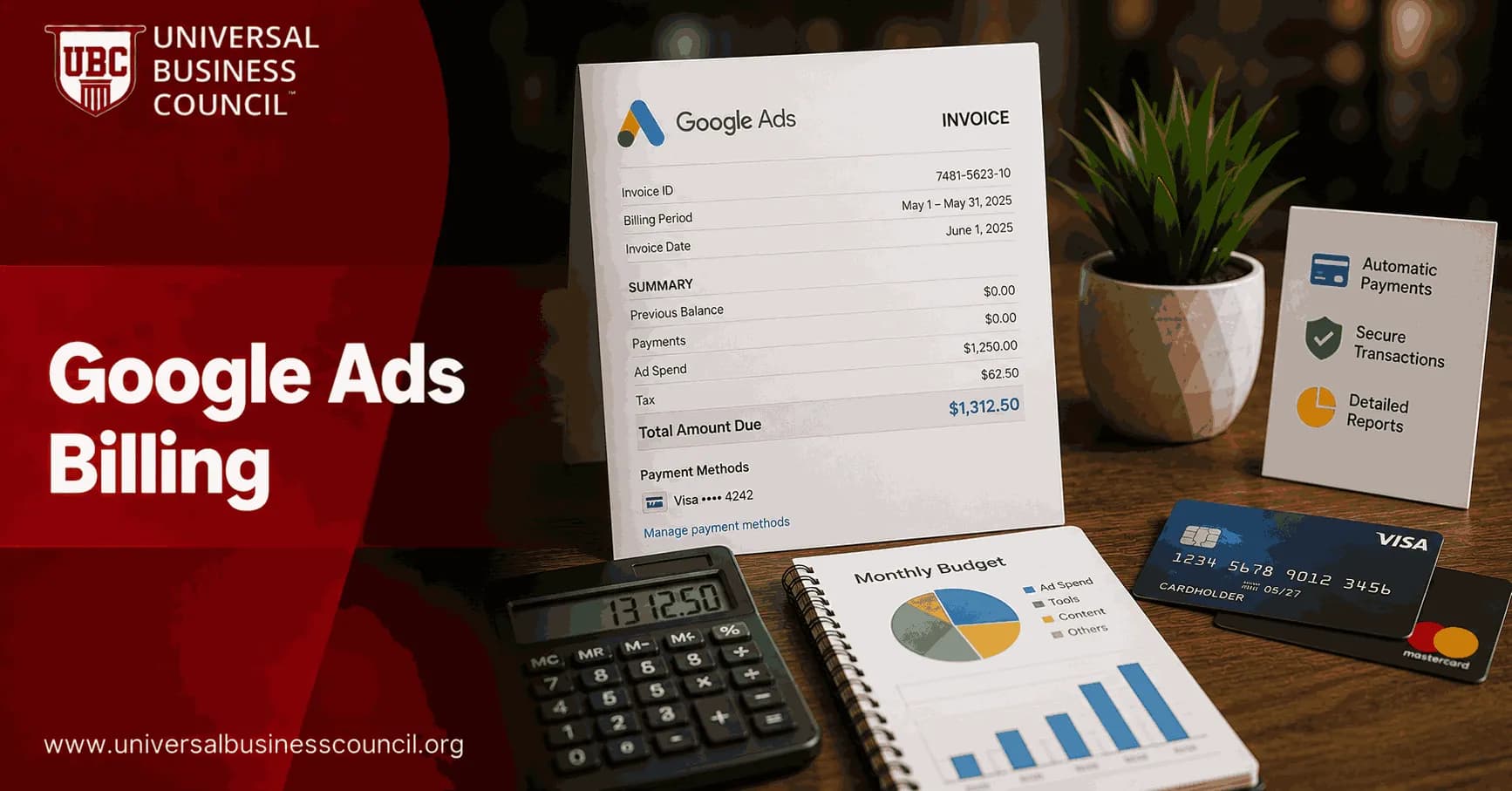
Google Ads billing is not just an admin setting. It controls when your ads keep running, how finance reconciles spend, and whether a payment problem pauses a campaign at the worst possible moment. If you manage paid search for a company, agency, or enterprise account, you need to understand payment models, invoices, billing thresholds, budgets, and the issues that cause avoidable disruption.
Managing Google Ads successfully requires more than launching campaigns. Professionals must also understand billing structures, payment workflows, budget controls, and account governance to avoid unnecessary disruptions. A Certified Google Ads Expert credential helps build practical expertise in these areas, enabling marketers to manage advertising accounts more efficiently while maintaining consistent campaign performance.

How Google Ads Billing Works
Google Ads billing comes down to three practical questions:
How is the account funded? Postpay, prepay, or monthly invoicing.
How does Google collect payment? Card, bank account, ACH, bank transfer, check, PayPal in some markets, or invoice payment.
How is spend controlled? Campaign budgets, shared budgets, billing thresholds, and account settings.
Most advertisers run on automatic postpay. You run ads first, accrue costs, then Google charges you when you reach a billing threshold or on your regular billing date, whichever comes first. This trips up a lot of new advertisers. A charge on your card is not always tied neatly to the end of the month. It may simply mean your account crossed its threshold.
Google Ads Payment Models
Automatic payments, or postpay
Automatic payments are the default setup for many accounts. You add a payment method, your campaigns spend, and Google charges you after the spend is accrued. Google Ads Help describes this as a system built around billing thresholds and monthly billing dates.
This model is simple for small and mid-sized advertisers. It is also easy to underestimate. If your threshold rises from USD 50 to USD 500, then later to a higher figure, your finance team may suddenly see larger transactions than expected. That is normal behaviour, but it should not be a surprise.
Manual payments, or prepay
With prepay, you add money to the account before ads run. Spend draws down from that balance. When the balance is low or gone, ads may stop until you fund the account again.
Prepay is useful when you need tight cash control, have strict approval processes, or operate in a market where cards are less common. The trade-off is operational risk. Someone has to watch the balance. Miss it on a Friday afternoon and your campaigns can go dark over the weekend.
Monthly invoicing
Monthly invoicing is designed for qualified advertisers, often agencies, enterprise advertisers, and larger spenders. Instead of frequent card or bank charges, you receive a consolidated invoice and pay on agreed terms, such as net 30, depending on eligibility and local policy.
This is usually the better model for enterprises. It gives accounting teams cleaner documentation, fewer transactions, and better approval control. It is not ideal for a very small advertiser that needs fast setup and has limited finance support.
Billing decisions also influence broader marketing operations, from campaign planning and budget forecasting to performance reporting and return on investment. A Certified Digital Marketing Expert credential helps professionals develop a wider understanding of marketing strategy, analytics, attribution, and financial planning so that advertising spend aligns with overall business objectives.
Supported Google Ads Payment Methods
Payment methods vary by country, currency, and account type. Google publishes payment availability by location, and you should check it before creating an account for a new market.
Credit and debit cards: Common for fast automatic payments, including Visa and Mastercard in many regions.
Bank accounts and ACH: Often preferred for reliability and lower processing friction, especially in the United States.
Bank transfer or check: Common in monthly invoicing or manual payment arrangements in selected regions.
Direct debit: Available in some countries for automatic payments.
PayPal: Available only in some markets and currencies.
One hard rule matters here. Your business country and currency choices are not casual setup details. Google states that the business country selected during billing setup cannot be changed later, and the account currency generally cannot be changed without creating a new account. If you manage cross-border campaigns, plan the account structure before media spend starts.
Billing Thresholds and Charge Timing
A billing threshold is the spend level that triggers an automatic charge. Many new accounts start around USD 50. As payments succeed and spend grows, Google may raise the threshold. High-volume advertisers can reach much larger thresholds over time.
The practical rule is simple:
You are charged when account costs reach the billing threshold, or
You are charged on the monthly billing date, whichever comes first.
In some accounts, you can request or edit a higher threshold through Tools and Settings > Billing > Settings > How you pay. This can reduce the number of monthly transactions. It can also create bigger charges that trigger bank reviews or card limits. To be blunt, a higher threshold is not always better. It helps accounting, but it can hurt cash flow if nobody warns finance.
Invoices, Statements, and Billing Documents
You can view billing activity inside the Billing section of Google Ads. Depending on your setup and market, you may see transaction history, payment receipts, tax documents, statements, or invoices.
Keep these details current:
Legal business name
Billing address
Tax registration or tax ID, where required
Payments profile contact
Invoice delivery email
Small errors create real delays. A mismatched billing address can cause a card decline. An outdated tax ID can create accounting cleanup later. An invoice email sent to an ex-employee can sit unnoticed until payment is overdue.
For agencies and larger organisations, monthly invoicing supports cleaner reconciliation. Consolidated billing, invoice exports, and audit log tracking earn their keep when several people can change payment settings. A common audit finding in paid media accounts is not overspend from bidding. It is unclear ownership. Nobody knows who changed a billing profile, who approved a threshold change, or why a backup card was removed.
How Budgets Interact With Billing
Campaign budgets and billing thresholds are related, but they are not the same thing.
Campaign daily budget: Controls average daily campaign spend.
Shared budget: Distributes a budget across selected campaigns.
Billing threshold: Controls when Google charges the payment method.
Google Ads can spend more than your daily budget on a given day when traffic opportunity is higher. Google has long described this overdelivery behaviour, where spend rises above the daily amount on some days, while monthly charging is designed around the daily budget multiplied by the average number of days in a month. Always check current Google Ads Help guidance for your account and region.
Here is the mistake to avoid. Do not treat a card charge as your budget cap. Your budget lives in campaign settings. Your billing threshold only affects payment timing.
Common Google Ads Billing Issues and Fixes
Payment declined
Declines usually come from wrong card details, expired cards, mismatched billing addresses, card limits, bank fraud filters, or unsupported payment methods. Repeated advertising charges can look suspicious to banks, especially when thresholds increase.
Fix it this way:
Check the card number, expiry date, CVV, and cardholder name.
Match the billing address exactly to the bank record.
Call the bank and confirm Google Ads charges are allowed.
Add a backup payment method from a different bank.
Restart paused campaigns only after payment status is clear.
Country or currency setup is wrong
This one is painful because it is hard to fix. If the business country or account currency is wrong, you may need a new account. Agencies should be especially careful here. Do not create every client under the same billing assumptions. Match the account to the correct legal entity, tax treatment, and reporting currency.
Unexpected large charges
Large charges often come from threshold increases, not unauthorised spend. Review transaction history, compare charges with accrued costs, and check whether the threshold changed. If your campaigns are scaling, tell finance before the threshold jumps. This small habit prevents a lot of awkward Slack messages.
Forced payment method changes
Google has notified some advertisers that they must move away from credit or debit cards and switch to bank-based payment methods, with monthly invoicing recommended for eligible accounts and bank transfer, check, or direct debit options depending on the account and country.
If your account receives this kind of notice, do not wait until the deadline. Confirm eligibility for monthly invoicing, update payer details, test the new payment process, and document who owns each step.
Modern advertising platforms rely on a combination of cloud infrastructure, APIs, automation, analytics, and secure payment technologies to keep campaigns running efficiently. A Tech Certification helps professionals strengthen these technical skills, making it easier to manage marketing technology stacks, integrate reporting systems, and troubleshoot operational issues across enterprise advertising environments.
Best Practices for Professionals Managing Google Ads Billing
Add a backup method: Use a second card or bank account to reduce campaign downtime.
Start small: Test a new account with a low daily budget before scaling.
Review billing weekly: Check spend, payment status, threshold behaviour, and failed payment alerts.
Separate legal entities: Use the right account structure for different countries, currencies, and tax profiles.
Document ownership: Assign who can change billing settings and who receives invoices.
Train campaign managers: Billing mistakes are media performance risks, not just finance issues.
What Google Ads Billing Means for Certification and Career Skills
If you are preparing for professional certification, do not treat billing as a minor interface topic. Candidates often know bidding strategies cold but stumble on practical account governance: payment models, account currency, billing profiles, invoice access, and the difference between budget limits and payment thresholds.
For working marketers, the value is immediate. You can prevent paused campaigns, reduce reconciliation work, and speak more clearly with finance teams. That matters when leadership tracks CAC, ROAS, pipeline contribution, and monthly budget pacing in the same meeting.
Next Step
Open your Google Ads account today and review Billing > Settings. Confirm the payment model, primary and backup payment methods, billing country, currency, invoice contacts, and current threshold. If you manage multiple accounts, build a simple billing checklist and pair it with a Universal Business Council digital marketing or marketing analytics learning path to strengthen both campaign execution and financial control.
As artificial intelligence, automation, predictive analytics, and advanced digital platforms continue to reshape online advertising, marketers benefit from strengthening their technical knowledge alongside campaign management skills. A Deep Tech Certification helps professionals understand emerging technologies that support modern marketing operations, preparing them to adapt to increasingly data-driven advertising ecosystems.
FAQs
1. What is Google Ads billing?
Google Ads billing is the system used to manage payments, account balances, invoices, taxes where applicable, and spending for advertising campaigns. The available billing options depend on the advertiser's country, payment profile, account type, and eligibility for specific billing methods.
2. What payment methods does Google Ads support?
Google Ads supports various payment methods depending on the region, including credit cards, debit cards, bank accounts for direct debit in eligible countries, bank transfers, and manual payments in certain markets. Some larger businesses may also qualify for monthly invoicing subject to Google's approval requirements.
3. What is the difference between automatic and manual payments?
With automatic payments, Google charges the selected payment method after advertising costs reach a billing threshold or at the end of the monthly billing cycle, whichever occurs first. With manual payments, advertisers add funds to their account in advance, and advertising costs are deducted from the prepaid balance until it is depleted.
4. What is monthly invoicing in Google Ads?
Monthly invoicing is a postpaid billing option generally available to eligible businesses that meet Google's qualification criteria. Approved advertisers receive a monthly invoice summarizing advertising charges and pay according to agreed payment terms instead of using automatic card payments.
5. How do billing thresholds work?
A billing threshold is a spending amount that triggers an automatic payment charge before the monthly billing cycle ends. As an account establishes a positive payment history, Google may adjust the billing threshold over time based on account activity and payment performance.
6. How do campaign budgets relate to billing?
Campaign budgets determine how much advertisers are willing to spend on their campaigns, while billing determines how those advertising costs are collected. Setting an appropriate daily budget helps control advertising spend, although daily costs may vary within Google's documented budget delivery policies.
7. What is the difference between a daily budget and monthly spend?
A daily budget represents the average amount an advertiser wants to spend each day. Google may spend more or less on individual days depending on traffic, but monthly spending for most campaigns is generally limited according to Google's monthly spending limits based on the daily budget.
8. How can advertisers download Google Ads invoices?
Invoices, payment receipts, transaction history, and billing statements are typically available within the Google Ads Billing section. Eligible advertisers can download billing documents for accounting, auditing, tax reporting, and financial recordkeeping purposes.
9. How are taxes handled in Google Ads billing?
Tax treatment varies depending on the advertiser's country, business status, local tax laws, and billing profile. Google may apply taxes, request tax identification information, or display tax-related details on invoices where required by applicable regulations.
10. How do promotional credits affect billing?
Promotional credits are advertising credits offered under specific promotional terms and eligibility requirements. Credits are generally applied according to Google's promotion rules and may reduce eligible advertising costs, but they do not replace standard payment obligations once promotional balances are exhausted.
11. Why was a Google Ads payment declined?
Payments may be declined because of expired cards, insufficient available funds, incorrect billing information, bank security restrictions, payment method verification issues, exceeded spending limits, or suspected fraudulent activity. Reviewing payment details and contacting the payment provider may help identify the cause.
12. What happens if billing problems are not resolved?
If payment issues remain unresolved, Google may temporarily suspend advertising delivery until outstanding billing obligations are addressed. Continued unresolved payment issues could affect account status according to Google's billing and payment policies.
13. How can advertisers manage multiple billing accounts?
Organizations can manage multiple Google Ads accounts through a Google Ads Manager Account (formerly My Client Center or MCC), which helps centralize billing oversight, reporting, user access, and account administration. Billing structures should be configured to align with organizational accounting and operational requirements.
14. How can businesses improve billing management?
Businesses should regularly review invoices, reconcile advertising expenses, maintain valid payment methods, monitor campaign budgets, update billing information promptly, enable account notifications, and coordinate advertising expenditures with finance and accounting teams.
15. What are common Google Ads billing issues?
Common issues include declined payments, expired payment methods, invoice discrepancies, tax information errors, duplicate charges caused by misunderstandings, payment verification delays, promotional credit misunderstandings, and incorrect billing profile settings. Most issues can be resolved by reviewing account information and following Google's billing guidance.
16. How does Google Ads billing support business reporting?
Billing records help organizations monitor advertising costs, prepare financial reports, reconcile marketing expenses, track return on investment (ROI), support budgeting decisions, and maintain documentation for tax and audit purposes.
17. What trends are shaping Google Ads billing in 2025-2026?
Key trends include expanded automation for payment management, improved invoice reporting, enhanced account transparency, stronger fraud prevention measures, broader support for digital payment methods in eligible regions, tighter integration with Google Ads reporting tools, and improved billing notifications.
18. What are best practices for managing Google Ads billing?
Best practices include using reliable payment methods, maintaining accurate billing information, setting realistic campaign budgets, monitoring account spending regularly, downloading invoices for recordkeeping, reviewing payment alerts promptly, assigning appropriate user permissions, and periodically auditing billing settings.
19. What should businesses consider before setting up Google Ads billing?
Businesses should evaluate their preferred payment method, expected monthly advertising budget, tax obligations, invoicing requirements, internal approval processes, account access controls, and financial reporting needs. Understanding Google's billing policies can help reduce administrative issues and support smoother campaign management.
20. What is the future of Google Ads billing?
Google Ads billing is expected to become increasingly automated, transparent, and integrated with broader advertising management tools as digital payments, AI-assisted account management, and financial reporting capabilities continue to evolve. Improved billing insights and streamlined payment workflows may help advertisers manage campaigns more efficiently while maintaining greater financial visibility. Even with smarter billing systems, someone will still discover an expired corporate credit card five minutes before an important campaign launch.
Related Articles
View AllGoogle Ads
Google Ads Policies: Common Disapprovals and How to Avoid Them
Learn the most common Google Ads policy disapprovals, why they happen, and how to prevent issues with claims, landing pages, trademarks, and restricted content.
Google Ads
Smart Bidding in Google Ads: Strategies, Benefits, and Common Mistakes
Learn how Smart Bidding in Google Ads works, when to use Target CPA or Target ROAS, and which mistakes hurt conversion quality and budget efficiency.
Google Ads
Ad Rank Explained: How Google Decides Which Ads Appear First
Learn how Ad Rank works in Google Ads, why quality can beat higher bids, and how to improve ad position through relevance, landing pages, and assets.
Trending Articles
The Role of Blockchain in Ethical AI Development
How blockchain technology is being used to promote transparency and accountability in artificial intelligence systems.
AWS Career Roadmap
A step-by-step guide to building a successful career in Amazon Web Services cloud computing.
Top 5 DeFi Platforms
Explore the leading decentralized finance platforms and what makes each one unique in the evolving DeFi landscape.