

What Is Google Ads? A Beginner's Guide to Paid Search Advertising
What is Google Ads? Google Ads is Google's paid advertising platform for showing search, display, shopping, app, and YouTube ads to people who are actively searching, browsing, or watching content. In paid search advertising, the simplest version is this: you choose keywords, write ads, set a budget, and pay when someone clicks or completes a defined action.
That sounds simple. It is not always easy. The platform can spend money fast if your targeting, tracking, or landing page is wrong. Still, for many businesses, Google Ads is the quickest way to test demand, because campaigns can start producing traffic the same day they go live. SEO, by comparison, often takes months to compound.

Google remains the largest digital ad publisher in the United States. Recent industry estimates put Google at roughly 28 percent of U.S. digital ad revenue, which is why paid search skills matter for marketers, founders, analysts, and technology teams.
How Google Ads fits into paid search advertising
Paid search advertising means placing ads on search engine results pages when users type queries related to your product, service, or problem. Search emergency plumber near me and a local plumbing company can bid to appear above the organic listings. Search best CRM for small business and a software company can compete for that click.
The key difference from organic search is control. With SEO, you earn rankings through content, technical quality, authority, and time. With Google Ads, you can buy visibility, but only as long as the economics work.
That last part matters. A campaign that gets clicks but no customers is not a marketing channel. It is tuition.
What types of ads can you run in Google Ads?
Google Ads is not only search text ads, though search is usually the best starting point for beginners. The main formats:
- Search ads: Text ads shown on Google Search results for keyword-driven queries.
- Display ads: Image or banner ads shown across Google partner websites and apps.
- YouTube ads: Video ads shown on YouTube and Google video partners.
- Shopping ads: Product listings used by ecommerce retailers, usually connected to Merchant Center.
- App campaigns: Ads designed to drive app installs or in-app actions.
- Performance Max: A multi-network campaign type that places ads across Search, Display, YouTube, Discover, Gmail, and Maps using Google's automation.
My view: beginners should usually start with Search campaigns unless they already have strong conversion data. Search gives you clearer intent. Display and YouTube can work, but they often need better creative, sharper audience strategy, and remarketing discipline.
How Google Ads works: the beginner structure
1. Account
Your Google Ads account is created at ads.google.com and connects to billing, your website, and often other Google products such as Google Analytics 4, Google Search Console, YouTube, Merchant Center, or Tag Manager.
Do not skip the setup work. Conversion tracking should be in place before you spend a cent. I have watched new advertisers track page views as conversions, then wonder why a campaign looked profitable while sales stayed flat. Track the action that matters: a purchase, a qualified lead form, a booked call, a phone call, a demo request, or an account signup.
2. Campaigns
A campaign controls the main settings: objective, campaign type, budget, location, language, bidding strategy, ad schedule, and network choices. Google will prompt you to pick goals such as Sales, Leads, or Website Traffic.
For a local service business, the campaign might target a 10-mile radius around the office and run only during business hours. For an ecommerce store, it may target several countries and optimize for purchase value.
3. Ad groups
Ad groups organize related keywords and ads. Keep them tight. A common beginner mistake is stuffing too many unrelated keywords into one ad group, then writing generic copy that matches none of them well.
A law firm should not put divorce lawyer, business contract attorney, and estate planning lawyer into one ad group. Those searches carry different intent, need different landing pages, and rest on different proof points.
4. Ads and assets
Search ads use headlines, descriptions, a final URL, and assets such as sitelinks, callouts, structured snippets, calls, and lead forms. Responsive search ads let you supply multiple headlines and descriptions, then Google tests combinations.
Write plainly. Match the query. If you sell accounting software for contractors, say so. Clever copy usually loses to clear copy in search, because the user is already asking for something specific.
How bidding and the Google Ads auction work
Google Ads runs on an auction. When someone searches, Google evaluates eligible ads on factors such as bid, ad relevance, expected click-through rate, landing page experience, and ad assets. You do not simply buy the top position by bidding more, though bid size still counts.
The common pricing model is pay-per-click, or PPC. You usually pay when someone clicks your ad. Some campaign types and bidding strategies can optimize around actions or conversion value instead.
Beginners will meet bidding options such as:
- Manual CPC: You set maximum cost-per-click bids yourself. Useful for learning, but time-heavy.
- Maximize Clicks: Google tries to get as many clicks as possible within budget. Risky if you care about lead quality.
- Maximize Conversions: Google aims for more conversions, provided tracking is accurate.
- Target CPA: Google tries to generate conversions at a target cost per acquisition.
- Target ROAS: Often used in ecommerce when purchase values are tracked.
Automation is not magic. It needs clean data. If your conversion action counts every newsletter signup as equal to a booked sales meeting, Smart Bidding will chase the easy action, not the valuable one.
The metrics beginners should watch first
Do not drown in dashboards. Start with a small set of metrics that connect spend to business outcomes:
- Impressions: How often your ad was shown.
- Clicks: How many users clicked.
- Click-through rate: Clicks divided by impressions. Low CTR can signal weak relevance or copy.
- Average CPC: Average cost per click.
- Conversion rate: The percentage of clicks that complete your desired action.
- Cost per conversion: Spend divided by conversions.
- ROAS: Revenue divided by ad spend, mainly for ecommerce.
- Search terms: The actual queries that triggered your ads.
The search terms report is where beginners often find wasted spend. A B2B software advertiser bidding too broadly on CRM may turn up searches for free CRM template, CRM jobs, or what does CRM mean. Those clicks can be fine for education, but they are usually poor for direct response.
Negative keywords: small setting, big savings
Negative keywords tell Google which searches should not trigger your ads. They are one of the fastest ways to cut waste.
Common negatives include:
- jobs and careers if you are not recruiting
- free if you sell a paid product and free users rarely convert
- DIY if you provide done-for-you services
- template, example, or PDF if those searches do not produce qualified leads
Be careful, though. Overuse can block good traffic. Review real search terms before you add aggressive exclusions.
Landing pages decide whether clicks become customers
Your ad is only the invitation. The landing page does the selling or the qualifying. Check mobile usability, page speed, and analytics behavior before you scale.
Use Google Analytics 4 to review engagement and conversions. Use PageSpeed Insights to catch slow load times. Use Google Search Console to see what organic queries already bring people to your site.
A practical landing page checklist:
- Make the offer match the ad keyword.
- Put the primary call to action above the fold on mobile.
- Remove distracting navigation if the goal is lead capture.
- Show proof: reviews, case examples, certifications, or client logos where appropriate.
- Track form submissions, calls, purchases, and thank-you pages correctly.
Where Google Ads works best
Local services
Google Ads shines when intent is urgent. Plumbers, dentists, repair companies, clinics, and legal practices can target high-intent local searches and measure calls or bookings. Radius targeting and call assets earn their keep here.
Ecommerce
Retailers can use Shopping, Search, and Performance Max to drive product sales. The main metrics are revenue, ROAS, margin, cart completions, and customer acquisition cost. To be blunt, ROAS alone can mislead you when margins vary by product.
B2B lead generation
B2B campaigns can work, but keyword intent is harder to read. A click for enterprise payroll software may be worth a lot. A click for payroll software definition probably is not. Connect Google Ads to your CRM, such as HubSpot or Salesforce, so you can see which keywords create qualified pipeline, not just form fills.
How AI and automation are changing Google Ads
Google has pushed advertisers toward automated bidding, responsive ads, and Performance Max. That is not a bad thing. It can improve performance once the account has enough reliable conversion data.
The trade-off is visibility. You give up some manual control in exchange for machine learning across placements, audiences, and creative combinations. For beginners, that means the fundamentals matter more, not less: clear goals, clean tracking, useful creative, strong landing pages, and regular search term review where available.
Skills to build before you spend serious budget
If you are learning Google Ads for a role in marketing, analytics, product growth, or enterprise demand generation, focus on the skills that survive platform changes:
- Keyword research and intent mapping
- Campaign structure and budget planning
- Conversion tracking in Google Ads and Google Analytics 4
- Landing page testing and copywriting
- Negative keyword management
- Basic financial metrics: CAC, LTV, ROAS, margin, and payback period
- Experiment design, including testing one major change at a time
For structured development, pair hands-on practice with relevant Universal Business Council learning paths in digital marketing, business analytics, and marketing management. If your catalog includes a dedicated paid search or Google Ads certification, link to it from this section using the exact program title.
What should a beginner do next?
Open Google Keyword Planner and research 10 high-intent keywords for one product or service. Then write a single Search campaign plan before you launch anything: goal, location, daily budget, keywords, negative keywords, landing page, conversion action, and success metric.
If you cannot name the conversion action and the maximum cost you can afford for it, wait. Fix that first. Google Ads is powerful, but it rewards disciplined advertisers far more than busy ones.
Related Articles
View AllGoogle Ads
Google Ads for Dentists: How to Book More Appointments with Paid Search
Learn how Google Ads for dentists can drive more booked appointments through local targeting, high-intent keywords, landing pages, and tracking.
Google Ads
Demand Gen Campaigns in Google Ads: A Practical Guide to Visual, Social-Style Advertising
Learn how Demand Gen campaigns in Google Ads use YouTube, Discover, Gmail, and AI-driven audiences for visual, social-style advertising.
Google Ads
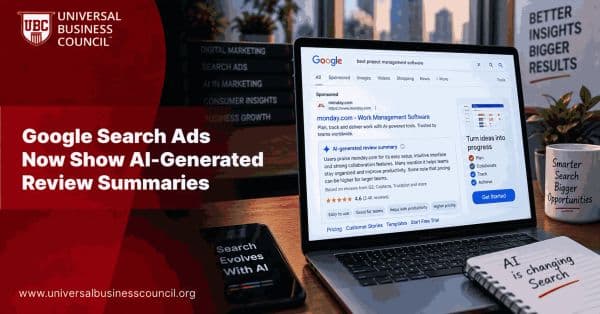
Google Search Ads Now Show AI-Generated Review Summaries
Google Search ads are beginning to show AI-generated review summaries that highlight what customers like about businesses, adding another layer of AI-generated content to sponsored results.
Trending Articles
The Role of Blockchain in Ethical AI Development
How blockchain technology is being used to promote transparency and accountability in artificial intelligence systems.
AWS Career Roadmap
A step-by-step guide to building a successful career in Amazon Web Services cloud computing.
Top 5 DeFi Platforms
Explore the leading decentralized finance platforms and what makes each one unique in the evolving DeFi landscape.