

What Is NullMotion and How Does It Work?
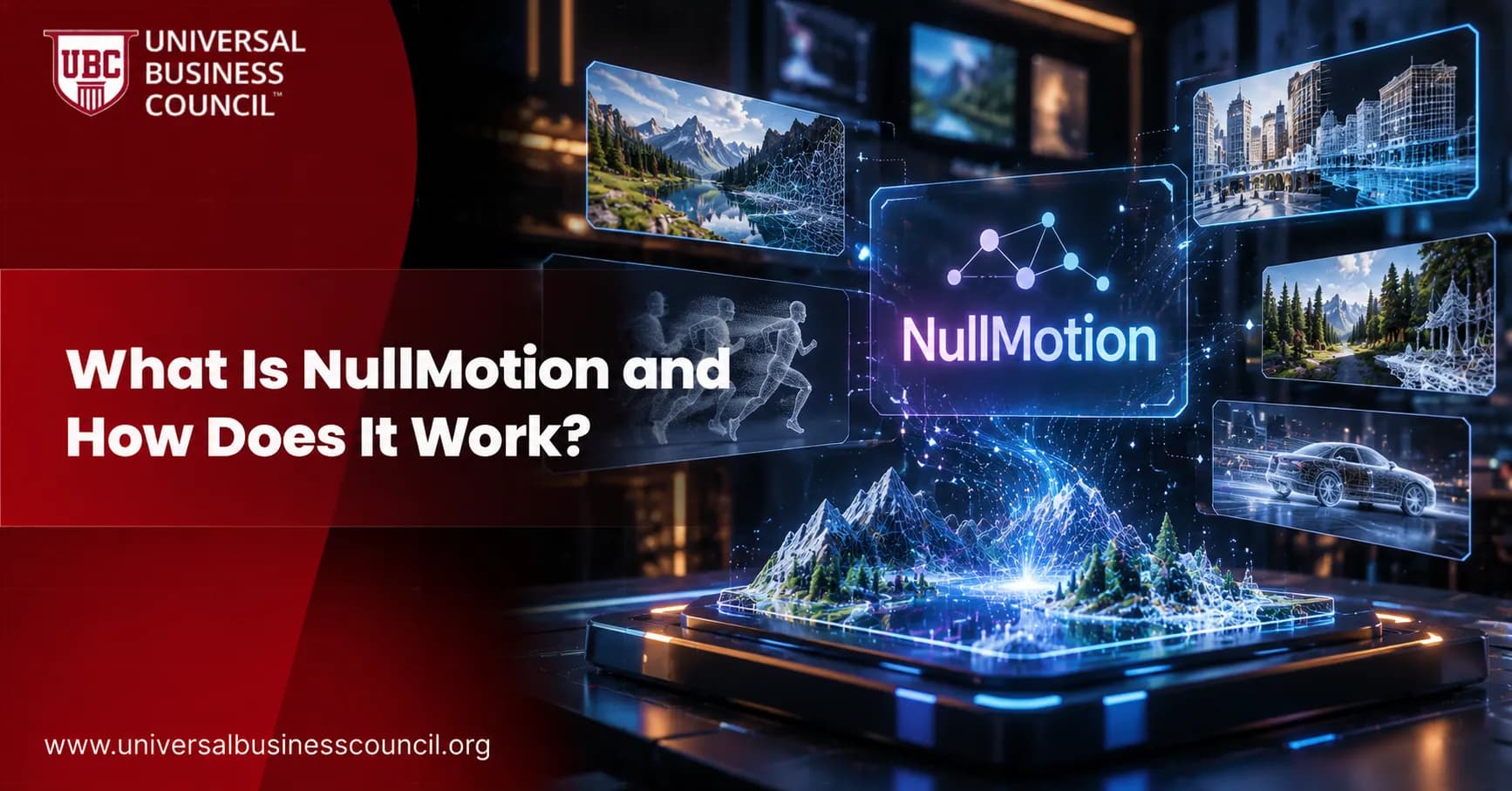
Anyone who has watched a slick product video has probably wondered how it was planned. NullMotion answers that question in a very visual way. It is a free, open-source tool that plays a finished motion-graphics ad and, right beneath it, the simple black-and-white drafts that came first. For creative teams, this kind of storytelling helps ideas land with clients, and it pairs naturally with business skills such as a Marketing Certification that teaches how to present work with a clear purpose. In this guide, you will learn what NullMotion is, how it works, how to run it, and where it fits. The explanations are simple enough for a beginner and detailed enough for a working professional.
What Is NullMotion in Simple Terms?
NullMotion is a local web tool that shows a finished ad and its rough drafts at the same time, perfectly in sync, and lets you save that comparison as one MP4 video. Think of it as a split screen between the final building and the blueprint. The film plays on top. One plain draft for each section of the film plays below it.

The Quick Answer
NullMotion is an open-source launch-film preview tool. It runs on your own computer with Node.js, needs no account, and exports a breakdown video through Chrome or Edge. It does not make ads for you. It helps you show, study, and explain how an ad was built.
Key Facts at a Glance
Creator: Kaihan Wasely, who publishes under the GitHub name blixvip
Home: the blixvip/NullMotion repository on GitHub
First release: version 1.0.0, published on 4 October 2026
Community size: about 1,100 stars and 100 forks when this article was written
Requirements: Node.js 22 or newer
Dependencies: none at runtime, so there is nothing to install
Export: MP4, 1920 pixels wide, 24 Mbps, with the film's audio
License: MIT shown on the repository, with notes about third-party material
Why the Name Appears in So Many Places
Searching for the name can be confusing. The open-source project is the free preview tool described here. A separate hosted product called Null Studio lives at nullmotion.com and handles tasks such as cutting pauses and adding captions. Those features are not part of the open-source code.
Why NullMotion Matters for Creators and Teams
Motion design is often judged only by the final result, yet clients and students learn far more from the thinking behind it. NullMotion makes that thinking easy to show. It also arrives at a time when many creative workers are learning how automation affects their jobs. Structured learning such as the Artificial Intelligence Certifications offered by industry councils can help creators understand modern tools, and NullMotion is a good reminder that human planning still shapes great work.
A Fresh Way to Pitch Ideas
A pitch deck can describe a concept, but a side-by-side breakdown proves it. A director can show the first idea for a hook, then the polished version, and explain every decision between them. Because the result is a single MP4, it is easy to share in an email, a chat, or a meeting.
A Teaching Aid for Students
Beginners often assume professional motion design is complicated from the first frame. NullMotion shows the opposite. Each draft uses flat shapes, Arial type, black and white color, and one simple move. Students see that big results often begin with small ideas.
A Study Guide for Developers
The source code is small and readable. Because it has no dependencies, a developer can open the files and follow the logic without learning a large framework first.
How Does NullMotion Work?
NullMotion works in four stages: it splits a film into sections, builds a draft for each section, plays everything from one shared clock, and exports the result frame by frame. Each stage is explained below.
Stage 1: Splitting the Film Into Sections
A planning script uses FFmpeg scene detection to find real scene changes. It divides each reference film into between three and eight sections and keeps every cut. This means a draft with two beats can switch at the exact moment the film changes scenes.
Stage 2: Building the Drafts
Each draft is a small 640 by 360 pixel HTML scene. It runs on a paused GSAP timeline, which is a timeline you move by hand instead of letting it play on its own. A section is described by one or two beats. Available beat types include text, logo, phone, window, input, chat, cards, list, chart, and cloud. The author writes these beats to match the real frame's layout, wording, and timing.
Stage 3: Playing Everything From One Clock
The page reads the time from the finished film and uses it to move every draft's timeline. Because the video is the only source of time, the drafts cannot drift. The draft for the current section gets an orange outline, while the others keep looping their own part. This design also keeps the project simple. There is no separate timer to manage, so there is less that can go wrong.
Stage 4: Exporting Without Dropped Frames
Export is the clever part. When you press Download and choose Whole preview, NullMotion plays a hidden copy of the film at half speed. A browser feature called requestVideoFrameCallback catches every decoded frame. The drafts are drawn at that exact moment, and WebCodecs encodes the image at 24 Mbps with the frame's own timestamp. The audio is copied from the reference, and a small library named mp4-muxer assembles the MP4.
Nothing is captured in real time, so a busy computer cannot cause skipped frames. The trade-off is time. A film renders at half speed, so the export takes at least twice as long as the film itself.
NullMotion, HyperFrames, and GSAP Explained
Three names appear again and again around this project, and each plays a different role.
What HyperFrames Means Here
In NullMotion, the drafts are called HyperFrames drafts. The name points to a wider open-source movement in which video is written as HTML instead of being built in a timeline editor. The separate HyperFrames framework describes itself as a way to turn HTML, CSS, and media into deterministic MP4 videos. It is published under the Apache 2.0 license and is inspired by Remotion, a tool that does a similar job with React. NullMotion ships its own small engine in that spirit, kept inside one file.
What GSAP Does
GSAP is a popular animation library for the web. In NullMotion it controls how each shape moves inside a draft. Since the timelines are paused and driven by the film's clock, the animation always matches the film.
What WebCodecs Adds
WebCodecs is a browser feature that lets web pages encode video directly. It is the reason NullMotion can create a high-quality MP4 without a separate rendering service. It is also the reason export works only in Chrome and Edge.
Why Technical Literacy Helps
You do not need to be an engineer to enjoy NullMotion, but knowing how browsers handle video makes its design easier to appreciate. Broad learning paths such as a Tech Certification can help beginners connect ideas like encoding, timelines, and browser features into one clear picture.
How to Run NullMotion Step by Step
Setup is short, and it works the same way on most computers.
What You Need First
Node.js 22 or newer to run the local server
Chrome or Edge for MP4 export, since playback works in other modern browsers too
FFmpeg and ffprobe, optional, for your own references and audio extraction
Python 3, optional, for the import script
The Five Steps
Clone the repository with
git clone https://github.com/blixvip/NullMotion.git.Move into the folder and run
npm start.Open http://127.0.0.1:4343 in Chrome or Edge.
Choose a reference from the library.
Press Download, then Whole preview, and wait for the MP4.
There is no npm install step, no API key, and no sign-up. Three samples are included, so the page works on the first run: a 30 second payments ad with seven drafts, a 1 minute 2 second software launch film with eight drafts, and a 3 second motion study with three drafts. According to the project notes, these clips come from other creators and are shown as examples only.
Using Your Own Videos
You can bring your own references with Python and FFmpeg. An importer script reads a project from MotionClone, a companion tool by the same developer, and creates non-destructive segments with thumbnails. A planning script then detects scene cuts. Finally, you describe each section's beats in a drafts file. Sections without a description receive placeholder drafts. Imported media stays on your machine and is ignored by Git, so your footage is not pushed online by accident.
Handy Settings
If port 4343 is busy, start the tool with a different PORT value. To view it from another device, set HOST to 0.0.0.0. Keep the browser tab in front during export, because browsers slow down video in background tabs.
What NullMotion Can and Cannot Do
A fair explanation includes limits, and NullMotion has a few clear ones.
What It Does Well
Plays a film and its drafts together with frame-accurate sync
Exports a clean, high-bitrate MP4 breakdown with audio
Runs locally with nothing to install and nothing sent to a cloud service
Welcomes contributors through good first issues and a Discord community
What It Does Not Do
It does not create drafts automatically. Each draft is written by hand, and the project states that its drafts are authored rather than AI-generated.
It does not export in Firefox or Safari. Those browsers can play the preview only.
It does not include hosted features. Generation, rendering services, and Premiere hooks return a not-connected response by design.
It does not own the footage. Reference films and brand marks belong to their owners and are not covered by the project license.
A Note on Licensing
Early write-ups and some forks said no project-wide license was chosen, while the main repository now shows MIT. Bundled libraries such as GSAP and mp4-muxer keep their own licenses. Before using the code commercially, read the LICENSE and third-party notices yourself.
Who Should Use NullMotion?
Motion Designers and Directors
A breakdown video turns a portfolio piece into a story. It shows that the final film grew from a plan, which builds trust with clients.
Marketers and Agencies
Campaign teams can use the split view to align everyone on direction before costly production begins. It also gives social media managers a polished behind-the-scenes clip that audiences enjoy watching.
Educators and Students
Teachers can pause the page and explain pacing, hierarchy, and timing using a real example. Students can then copy the approach for their own projects.
Open-Source Contributors
The project invites help with new draft beat types, export options, and cross-platform testing. Maintainers say they review pull requests within a couple of days.
Skills That Make Tools Like NullMotion More Useful
Tools are only as valuable as the people using them. A designer who can explain a concept clearly, a developer who understands browser video, and a marketer who can connect creative work to results all get more out of an open-source project like this one.
As artificial intelligence becomes part of everyday business operations, employers increasingly need people who can apply AI knowledge responsibly and effectively. Evaluating candidates on relevant skills, reasoning, and practical understanding can support stronger hiring decisions. HireValid can be explored by organisations seeking structured candidate assessments.
Final Thoughts on NullMotion
So, what is NullMotion and how does it work? It is a small, free preview tool that lines up a finished ad with its first sketches, drives both from one clock, and exports the pair as a smooth MP4. It is young, handmade, and focused, which is exactly why it is easy to understand and easy to learn from. The story it tells is simple: good work starts with a clear plan, and showing that plan makes the result more convincing.
If NullMotion sparks your curiosity about how modern browsers, video, and automation fit together, a path such as a Deep Tech Certification can help you build on that interest with a wider view of emerging technology. Then clone the repository, play the sample ads, and watch a plain black-and-white idea become a finished film.
FAQs
1. What is NullMotion?
NullMotion is an open-source tool designed to help users visualize and analyze motion-graphics advertisements. It displays a finished video alongside simplified animation drafts, allowing designers to compare the final result with the underlying visual structure.
2. How does NullMotion work?
NullMotion synchronizes a finished video with simplified animation drafts representing different scenes. As the video plays, a timeline indicator highlights the corresponding draft, helping users understand how each section relates to the final animation.
3. Is NullMotion an AI-powered video generator?
No. NullMotion is primarily a motion-design preview and breakdown tool rather than an AI video generator. It helps present and analyze existing footage alongside prepared animation drafts instead of automatically creating a complete video from a text prompt.
4. What are the main features of NullMotion?
NullMotion offers synchronized video playback, simplified animation drafts, scene-based visual comparisons, reference-video importing, and MP4 export. These features make it easier to explain animation sequences and present motion-design concepts.
5. Is NullMotion free to use?
NullMotion is available as an open-source project under the MIT License. Users can inspect, modify, and reuse the source code according to the license terms. Separate licensing conditions may apply to third-party assets or dependencies.
6. Who should use NullMotion?
Motion designers, video editors, advertising agencies, creative students, and content creators may find NullMotion useful. It supports animation analysis, creative presentations, design reviews, and educational demonstrations of how motion graphics are structured.
7. How does NullMotion help users understand animation?
By displaying simplified drafts alongside finished footage, NullMotion helps users compare scene composition, movement, timing, transitions, and visual hierarchy. This can make complex animation sequences easier to explain and analyze.
8. Can beginners use NullMotion?
Yes. Beginners can explore sample projects to learn how motion-design scenes are organized and synchronized. They can gradually move on to preparing their own reference videos and corresponding animation drafts as they become more familiar with the workflow.
9. How do you install NullMotion?
The documented setup uses Node.js 22 or newer. Users can clone the repository, open a terminal in the project directory, and run npm start. The local interface can then be opened at http://127.0.0.1:4343.
10. Does NullMotion require an API key?
The local preview workflow does not require an AI API key or paid subscription. Users can explore the included examples on their own computer without setting up an external AI service.
11. Can NullMotion work with existing videos?
Yes. NullMotion supports importing reference footage through its documented workflow. Supporting scripts can use FFmpeg to process video files and identify scene cuts, helping users organize footage into sections for a synchronized breakdown.
12. Can NullMotion export MP4 videos?
Yes. NullMotion can export the synchronized preview as an MP4 video, combining the finished footage and its accompanying animation drafts. Export performance depends on browser support, video resolution, and available system resources.
13. Which browsers work best with NullMotion?
Google Chrome and Microsoft Edge are recommended for the documented export workflow because it relies on browser video technologies such as WebCodecs. Other browsers may have limitations depending on their implementation and version.
14. Can NullMotion automatically recreate animation drafts from a finished video?
No. NullMotion does not automatically reconstruct an entire animation from the reference footage. Users need to prepare the corresponding draft scenes, making the tool more suitable for analysis and presentation than fully automated animation extraction.
15. How is NullMotion different from traditional video-editing software?
Traditional video editors focus on editing, compositing, and finishing video content. NullMotion focuses on comparing completed footage with simplified animation drafts. It can complement an existing creative workflow but does not replace a full-featured editing suite.
16. Can advertising agencies use NullMotion?
Yes. Agencies can use NullMotion to explain creative concepts, demonstrate animation timing, and present the relationship between initial visual ideas and finished advertisements. Exported videos can also support internal reviews and client presentations.
17. Can developers customize NullMotion?
Yes. Developers can examine its open-source code, modify the interface, improve the video-import process, or add features that support their specific workflows. The MIT License permits reuse subject to its terms and applicable third-party licenses.
18. Is NullMotion suitable for commercial use?
It can support commercial design reviews and presentations, provided users comply with the applicable software license and have the necessary rights to their video footage and other assets. Organizations should review dependencies and licensing requirements before redistributing modified versions.
19. What are the limitations of NullMotion?
NullMotion has a focused feature set and requires additional preparation for custom videos. It does not generate animation drafts automatically, and browser compatibility may affect exporting. It is best suited to synchronized previews and visual breakdowns rather than comprehensive video production.
20. Why is NullMotion useful for motion-design workflows?
NullMotion helps make the creative structure behind an advertisement more visible. By synchronizing finished footage with simplified drafts, it supports learning, creative collaboration, visual analysis, and presentations without requiring a complicated production setup.
Related Articles
View All
Artificial Intelligence
What Is Gemini 4 Carbon and How Does It Work?
Gemini 4 Carbon is Google’s strongest AI model, built to find, check and fix software flaws and to handle long engineering tasks. Learn how it works, what its scores mean, and when you can use it.

Artificial Intelligence
How Does Responsible AI Work? A Beginner's Guide
Learn how responsible AI works and how organizations apply ethical principles throughout the AI lifecycle. Explore key practices such as data governance, fairness testing, transparency, accountability, human oversight, and continuous monitoring to understand how responsible AI systems are developed and managed.
Artificial Intelligence
What Is Nanbeige 4.3 and How Does It Work?
Nanbeige 4.3 is an open-weight 33B AI model that reads text, thinks before answering, and calls tools to finish multi-step jobs. See how it works step by step, how it was built to teach smaller models, and what its limits are.
Trending Articles
The Role of Blockchain in Ethical AI Development
How blockchain technology is being used to promote transparency and accountability in artificial intelligence systems.
AWS Career Roadmap
A step-by-step guide to building a successful career in Amazon Web Services cloud computing.
Top 5 DeFi Platforms
Explore the leading decentralized finance platforms and what makes each one unique in the evolving DeFi landscape.