

Google Ads MCC Account: How Agencies Manage Multiple Client Accounts Efficiently
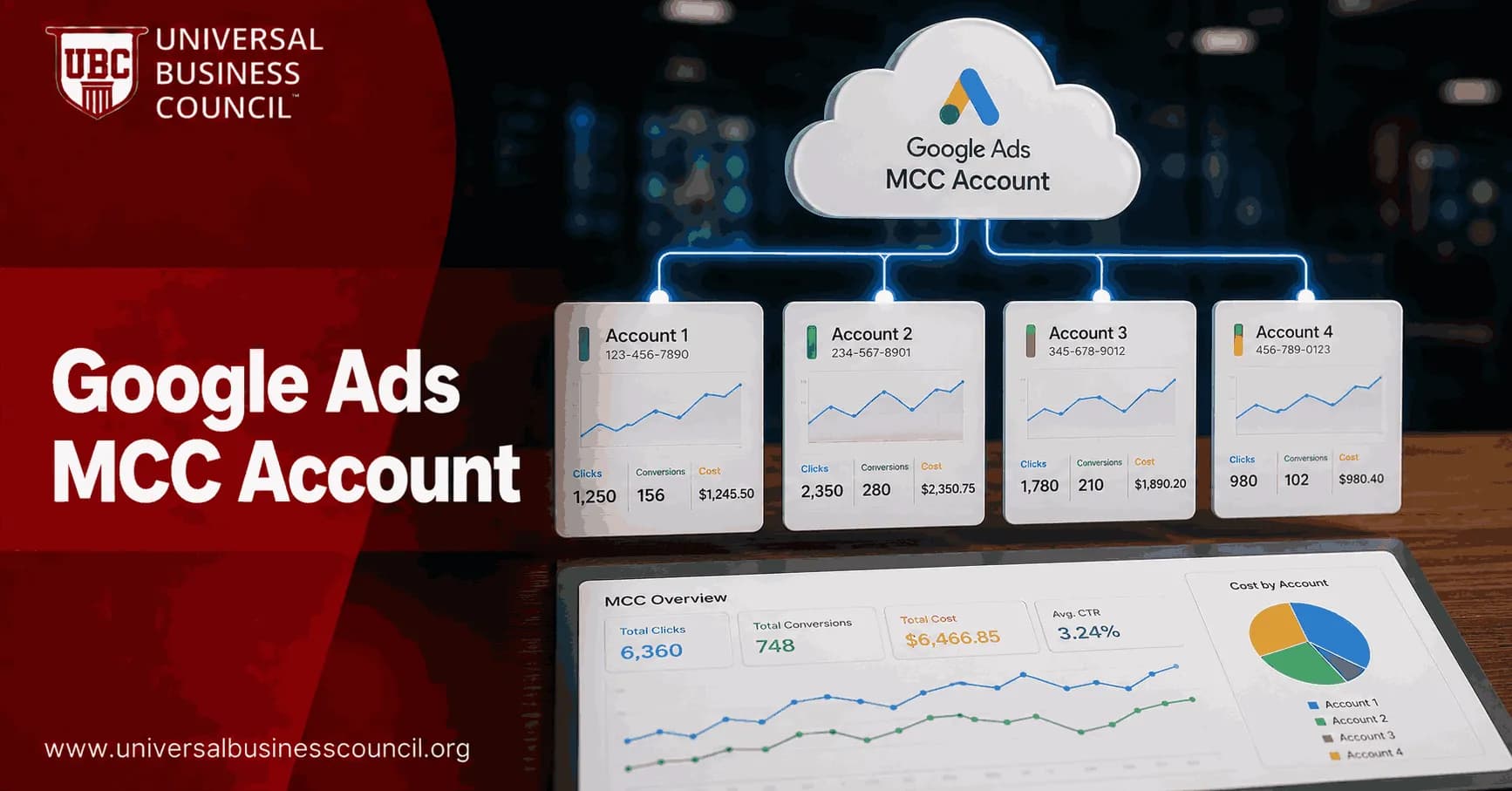
A Google Ads MCC account, now called a Google Ads Manager Account, is the operating system for agencies that manage more than a few client accounts. It gives you one login for access, reporting, permissions, billing workflows, shared assets, and portfolio-level oversight. Used poorly, it becomes a messy folder full of client names. Used well, it keeps budget risk, staff workload, and reporting chaos under control.
Google describes Manager Accounts as the official way to manage multiple Google Ads accounts, including other manager accounts, from one interface. Here is the detail that trips people up: the MCC does not run ads itself. It is a management layer over standard Google Ads accounts.

Managing multiple Google Ads accounts efficiently requires more than familiarity with the platform. Professionals must understand account hierarchies, governance, reporting, permissions, and optimization workflows to maintain consistent performance across clients. A Certified Google Ads Expert credential helps build these practical skills, enabling marketers and agencies to manage large account portfolios with greater confidence and operational efficiency.
What is a Google Ads MCC account?
A Google Ads MCC account is a central account that lets an agency or multi-brand advertiser view and manage many Google Ads accounts without logging in and out all day. You can switch between clients, review performance, apply some bulk changes, manage access, and build cross-account reports.
For a solo consultant with two accounts, a standard login may survive for a while. For an agency with five or more active clients, an MCC should be treated as basic infrastructure. Not fancy. Basic.
What an MCC can help you manage
Client account access: Link client-owned accounts and manage them from one place.
Account hierarchy: Use sub-manager accounts to group clients by region, vertical, team, or service line.
Reporting: Review performance across accounts and export data for dashboards.
Billing workflows: Support centralized billing setups or client-owned billing models.
Shared assets: Apply manager-level negative keyword lists, conversion settings, and other shared resources where appropriate.
Governance: Control who has admin, standard, or read-only access.
Google Ads Help states that a single Manager Account can manage a large number of accounts, subject to Google Ads account limits and configuration. Most agencies will never approach that ceiling, but it shows why the MCC is used by franchise networks, reseller models, large agency groups, and enterprise brand portfolios.
Why agencies rely on MCC for multi-client Google Ads management
The efficiency gain is not just fewer logins. The real gain is control. When account access, naming, billing notes, labels, and reporting live in one structure, your team makes fewer expensive mistakes.
Ask any paid search manager what ruins a Tuesday. It is not usually bid strategy theory. It is discovering that a former contractor still has admin access, that a client account was named three different ways in three reports, or that a new campaign launched without the shared negative keyword list for terms like "free", "jobs", "salary", and "DIY". Those small misses become budget leaks.
Centralized access without taking ownership away from clients
The standard workflow is simple. You enter the client's Google Ads customer ID from your MCC, send a link request, and the client approves it inside their account. The client keeps ownership while the agency receives the right level of management access.
This beats asking clients for passwords, which should be banned in any serious agency. Shared credentials create security risk, audit problems, and awkward offboarding. Use company-owned Google accounts and assign user roles properly.
Cleaner hierarchy for growing teams
A flat MCC with 80 accounts is painful. A structured MCC is manageable. Agencies commonly use sub-MCCs to group accounts by:
Region, such as North America, Europe, or APAC
Business model, such as ecommerce, SaaS, lead generation, or local services
Client tier, such as enterprise, mid-market, or SMB
Internal team ownership, such as Team A, Team B, or franchise support
Choose the hierarchy based on how work is actually assigned. If your teams are vertical specialists, group by vertical. If account directors own regional portfolios, group by region. Do not copy another agency's structure just because it looks tidy in a diagram.
Managing multiple advertising accounts also requires a broader understanding of digital marketing strategy, campaign measurement, analytics, budgeting, and client communication. A Certified Digital Marketing Expert credential helps professionals connect operational account management with wider business objectives, ensuring marketing activities remain aligned with measurable growth goals.
How to structure a Google Ads MCC account for efficiency
Structure is where agencies either save time or manufacture confusion. Fix it early. Retrofitting structure after 100 accounts are already live is possible, but nobody enjoys it.
1. Use consistent naming conventions
A practical naming format might look like this:
Client account: Country - Client Name - Business Unit - Account Type
Campaign: Network - Region - Product or Service - Objective - Match Type
Labels: Vertical, tier, billing model, account owner, review cadence
For example: US - Acme Dental - Lead Gen - Search. Boring? Yes. Useful? Very. Good naming is not creative work. It is operational hygiene.
2. Apply labels at the account level
Labels let you filter and report across the MCC without building a custom spreadsheet every time leadership asks a question. Use labels for:
Industry vertical
Monthly media spend tier
Client lifecycle stage, such as onboarding, active, paused, or churn risk
Primary strategist or account manager
Billing arrangement
The metric leadership often wants is not only ROAS or CPA. They ask, "Which accounts are pacing over budget this month?" or "Which enterprise clients missed lead volume by more than 20 percent?" Labels make those questions easier to answer.
3. Document the MCC map
Keep a short internal reference that explains your MCC hierarchy, naming rules, user roles, onboarding workflow, and billing process. New hires should not need three Slack messages to find a client account.
This is also an internal training opportunity. Universal Business Council readers can connect this topic with related learning in digital marketing operations, marketing analytics, and business management, especially when building repeatable agency processes.
Shared assets that save real time
MCC-level tools cut repetitive setup, but only if you use them carefully. A shared asset applied to the wrong group of accounts can create widespread damage. Start narrow, then expand.
Shared negative keyword lists
Shared negative keyword lists are one of the most useful MCC features for agencies. A lead generation agency might maintain lists for employment terms, research terms, education terms, and low-intent bargain searches.
Do not build one giant negative list for every client. A term like "training" may be useless for a plumbing client but valuable for a professional education provider. Build lists by vertical and intent pattern.
Manager-level conversion actions
Centralized conversion actions can standardize measurement across similar accounts. This matters when you compare CPA, conversion rate, or ROAS across a portfolio. If one client counts every page view as a lead and another counts only qualified form submissions, cross-account reporting becomes fiction.
Before using manager-level conversions, confirm the business logic. For ecommerce, revenue tracking and transaction deduplication matter. For lead generation, define what counts as a qualified conversion. A phone call over 60 seconds is often more useful than every tap on a phone number.
Rules, scripts, and API automation
Google Ads automated rules and scripts can catch problems before humans notice them. Common examples include:
Alert when spend increases sharply without conversions
Pause campaigns when landing pages return errors
Flag accounts with zero impressions after launch
Notify teams when daily budget pacing exceeds a set threshold
Export search term or budget data into reporting tools
Automation is not a substitute for account strategy. It is a guardrail. Scripts work best when naming, labels, and campaign structures are predictable. If every account is named differently, automation becomes fragile.
Modern advertising operations rely on technologies such as APIs, cloud infrastructure, automation platforms, analytics tools, and enterprise data integrations. A Tech Certification helps professionals strengthen these technical capabilities, making it easier to build scalable workflows, improve reporting accuracy, and support efficient management of complex Google Ads environments.
Billing and reporting in an agency MCC
MCC billing setups vary by agency model. Some agencies let clients own billing and payment profiles, then access the account through the MCC. Others use consolidated billing and invoice clients separately for media spend and fees.
Client-owned billing is usually cleaner for transparency. Agency-owned billing can simplify reconciliation, but it adds cash flow risk and demands stronger finance controls. Pick deliberately.
Reporting that works across many clients
Cross-account reporting is one of the biggest MCC benefits. At portfolio level, agencies should monitor:
Spend and budget pacing
Conversions and conversion value
CPA, ROAS, and conversion rate
Impression share lost to budget or rank
Quality Score signals for Search campaigns
Account alerts, disapprovals, and tracking issues
For external dashboards, many agencies connect Google Ads data to Looker Studio, Google Sheets, BigQuery, or third-party reporting tools. Keep the dashboard simple. If a client needs fifteen tabs to understand performance, the report is probably serving the agency more than the client.
Security and governance rules agencies should enforce
MCC access is a serious control point because it touches client data and live media budgets. Treat it like finance system access.
Use company-owned accounts: Avoid personal Gmail accounts for agency staff.
Ban shared passwords: No exceptions.
Assign least-privilege access: Use read-only access for stakeholders who only need visibility.
Audit permissions monthly or quarterly: Remove former employees, contractors, and inactive users.
Separate admin rights: Limit admin access to a small group.
Document client offboarding: Remove access, confirm billing ownership, and archive reporting notes.
Security mistakes are easy to miss during growth. They are also hard to explain to a client after something goes wrong.
Common MCC mistakes that waste budget
Poor Google Ads structure and governance can waste a large share of budget in higher-spend accounts. That is believable if you have audited enough messy accounts. Waste usually hides in plain sight.
No shared negative keyword strategy across similar accounts
Inconsistent conversion tracking across clients
Campaigns grouped by internal preference instead of search intent
Former staff retaining access after leaving
No review cadence for lower-spend accounts
Automated rules applied too broadly
Reports mixing different attribution and conversion definitions
The fix is not more meetings. Build a review cadence. High-spend or complex accounts may need weekly optimization. Smaller, stable accounts may need structured biweekly or monthly reviews. Calendar the work and protect the time.
When an MCC is the wrong answer
An MCC is not a magic fix for weak account management. If you manage one account, you probably do not need it. If your team lacks naming discipline, adding a manager account may simply centralize the mess. And if clients require complete isolation due to legal, regulatory, or procurement rules, you may need a stricter access model with separate governance documentation.
Still, for agencies managing multiple Google Ads accounts, the MCC is the right foundation. Build it before scale forces you to.
Next step for agency teams
If you already manage more than five Google Ads accounts, audit your MCC this week. Check hierarchy, naming conventions, labels, shared negative lists, conversion consistency, billing ownership, and user permissions. Then document the standard.
For professionals building paid media or agency operations expertise, use this as a practical learning path: master Google Ads account structure, measurement, reporting, and governance. Universal Business Council resources in digital marketing and marketing management give teams certification-backed training tied to real operating standards.
As artificial intelligence, predictive analytics, automation, and advanced marketing technologies continue to transform paid advertising, professionals benefit from expanding their technical expertise alongside campaign management skills. A Deep Tech Certification helps build a deeper understanding of these emerging technologies, preparing marketers and agency teams to adapt successfully to increasingly intelligent and automated digital marketing ecosystems.
FAQs
1. What is a Google Ads MCC account?
A Google Ads Manager Account, formerly known as My Client Center (MCC), is a centralized account that allows agencies, marketing consultants, and businesses to manage multiple Google Ads accounts from a single dashboard. It simplifies account administration without requiring separate logins for each client account.
2. What is the difference between an MCC account and a standard Google Ads account?
A standard Google Ads account is used to create and manage advertising campaigns for a single advertiser. A Manager Account (MCC) serves as an administrative hub that links multiple Google Ads accounts, enabling users to oversee campaigns, permissions, billing access, and reporting across numerous clients.
3. Who should use a Google Ads Manager Account?
Manager Accounts are commonly used by digital marketing agencies, freelancers, enterprise marketing teams, franchisors, multinational organizations, and businesses that manage advertising for multiple brands, business units, or clients.
4. How does a Google Ads MCC account work?
A Manager Account links existing Google Ads accounts or newly created accounts under one administrative interface. Authorized users can switch between client accounts, monitor performance, manage user permissions, and access reporting without signing in separately to each account.
5. What are the benefits of using an MCC account?
A Manager Account improves operational efficiency by centralizing account access, simplifying user management, streamlining reporting, supporting bulk actions, and making it easier to oversee multiple advertising accounts while maintaining separate campaign settings for each client.
6. Can agencies manage client accounts without sharing passwords?
Yes. Client accounts can be linked to a Manager Account through Google's account linking process. This allows agencies to access and manage campaigns using their own Google credentials while clients retain ownership and control of their advertising accounts.
7. How do agencies add client accounts to an MCC?
Agencies send a linking request from the Manager Account to the client account using its Google Ads customer ID. Once the client approves the request, the account becomes accessible through the Manager Account while maintaining its own billing, settings, and campaign data.
8. Can a Manager Account create new Google Ads accounts?
Yes. Agencies and businesses can create new Google Ads accounts directly from within a Manager Account. This simplifies onboarding new clients or launching campaigns for additional business units while keeping account management centralized.
9. How does user access management work in an MCC account?
Administrators can assign different permission levels to team members based on their responsibilities. Access controls help organizations apply the principle of least privilege by limiting permissions for campaign management, reporting, billing access, and administrative tasks.
10. How does reporting work in Google Ads Manager Accounts?
Manager Accounts provide consolidated reporting across linked accounts while preserving the ability to analyze individual client performance. Agencies can monitor metrics such as impressions, clicks, conversions, cost, conversion value, and return on ad spend (ROAS) from a centralized interface.
11. Can agencies manage billing through an MCC account?
A Manager Account itself does not automatically consolidate billing for all linked accounts. Depending on eligibility and account configuration, agencies may access billing information, manage payment profiles, or use separate billing arrangements such as monthly invoicing where supported by Google.
12. How does Google Ads Editor work with Manager Accounts?
Google Ads Editor supports downloading and managing multiple accounts linked through a Manager Account. Agencies can perform bulk edits, review changes offline, and upload updates efficiently across numerous campaigns while maintaining account separation.
13. How do agencies organize large numbers of client accounts?
Many agencies organize accounts using descriptive naming conventions, labels, account hierarchies, user groups, standardized campaign structures, reporting templates, and documented operating procedures. Consistent organization improves scalability and reduces administrative complexity.
14. What security best practices apply to Manager Accounts?
Organizations should enable multi-factor authentication, regularly review user permissions, remove inactive users promptly, monitor account activity, protect administrator accounts, use secure password practices, and maintain documented access policies to reduce security risks.
15. What are common mistakes when using an MCC account?
Common mistakes include granting excessive user permissions, failing to review account access regularly, using inconsistent account naming, overlooking billing configurations, making bulk changes without validation, and lacking standardized workflows for campaign management.
16. How do agencies improve efficiency with Manager Accounts?
Efficiency can be improved by using shared reporting dashboards, standardized campaign templates, automated rules where appropriate, Google Ads Editor for bulk updates, consistent naming conventions, centralized documentation, and regular performance reviews across client portfolios.
17. What trends are shaping Google Ads Manager Accounts in 2025-2026?
Key trends include deeper AI-powered campaign management, enhanced reporting capabilities, broader integration with Performance Max campaigns, improved automation, first-party data strategies, stronger privacy-focused measurement, expanded API functionality, and more intelligent account optimization tools.
18. What are best practices for managing multiple Google Ads accounts?
Establish standardized account structures, maintain clear documentation, use consistent naming conventions, review user permissions periodically, implement reliable conversion tracking, monitor account health regularly, validate bulk changes before publishing, and keep communication processes organized across client teams.
19. What should agencies consider before adopting a Manager Account?
Agencies should evaluate team size, client portfolio growth, permission requirements, reporting needs, billing processes, workflow automation, integration with other marketing tools, and internal governance policies. A well-designed account structure can improve operational efficiency while supporting scalable client management.
20. What is the future of Google Ads Manager Accounts?
Google Ads Manager Accounts are expected to remain essential for agencies and enterprises managing multiple advertising accounts as AI-driven optimization, automation, and centralized reporting continue to evolve. Future enhancements will likely strengthen cross-account insights, workflow efficiency, and collaboration while preserving secure client account ownership and administrative control. Managing dozens of client accounts may become increasingly automated, but remembering which client insists on ALL CAPS in every headline will probably remain a uniquely human challenge.
Related Articles
View AllGoogle Ads
Google Ads Campaign Structure: Accounts, Campaigns, Ad Groups, Ads, and Keywords
Learn how Google Ads campaign structure works across accounts, campaigns, ad groups, ads, and keywords, with 2026 best practices for AI-driven performance.
Google Ads
Google Ads Account Setup Checklist for First-Time Advertisers
A practical Google Ads account setup checklist covering strategy, billing, GA4, conversion tracking, campaign structure, keywords, ads, and launch QA.

Google Ads
Google Search Ads Now Show AI-Generated Review Summaries
Google Search ads are beginning to show AI-generated review summaries that highlight what customers like about businesses, adding another layer of AI-generated content to sponsored results.
Trending Articles
The Role of Blockchain in Ethical AI Development
How blockchain technology is being used to promote transparency and accountability in artificial intelligence systems.
AWS Career Roadmap
A step-by-step guide to building a successful career in Amazon Web Services cloud computing.
Top 5 DeFi Platforms
Explore the leading decentralized finance platforms and what makes each one unique in the evolving DeFi landscape.