

Negative Keywords in Google Ads: How to Reduce Wasted Spend
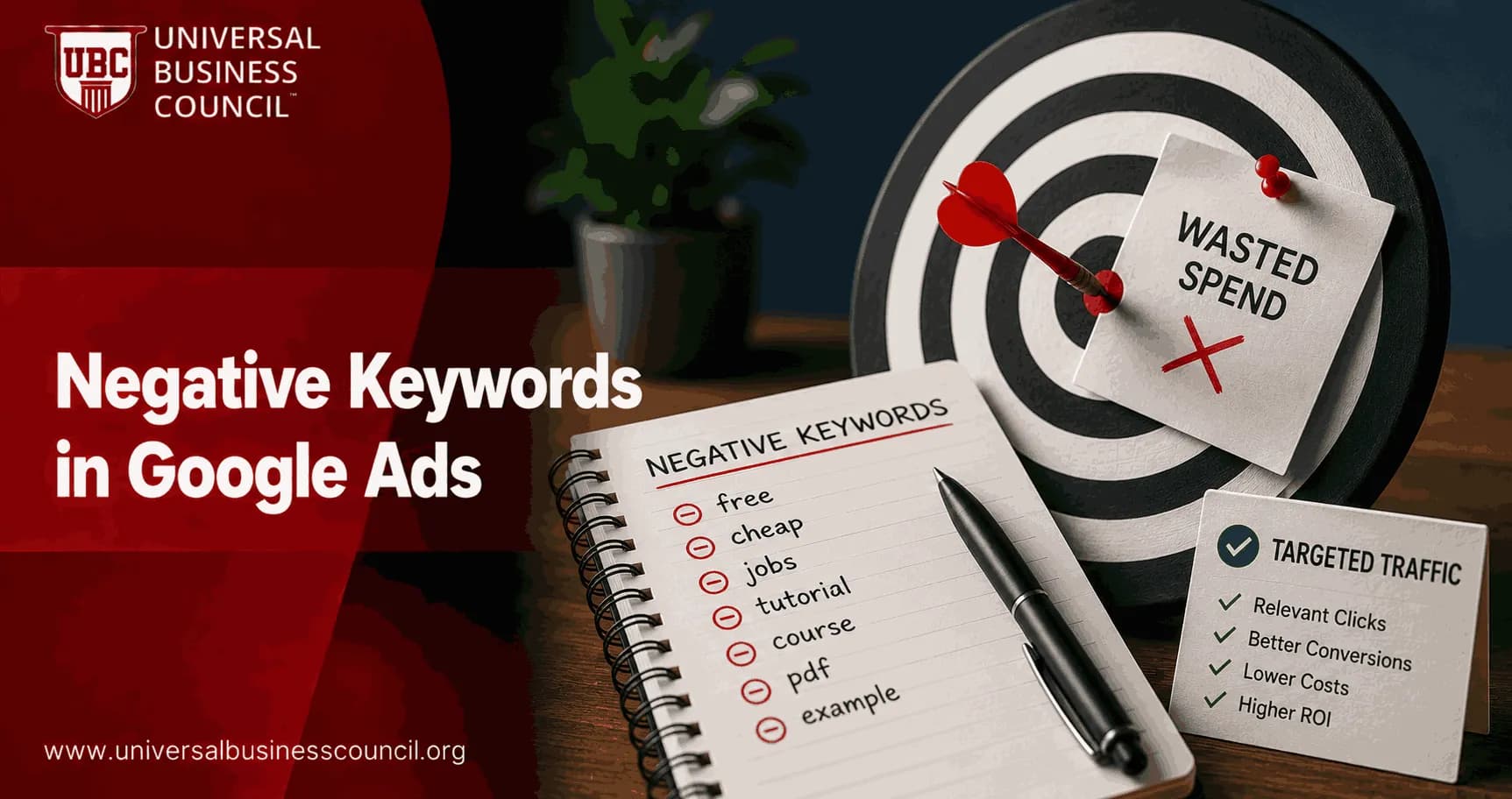
Negative keywords in Google Ads stop your ads from appearing on searches that are irrelevant, low intent, or unsafe for your brand. If you manage paid search, this is one of the few budget controls you can still touch directly, even as broad match, Smart Bidding, and Performance Max take more decisions out of your hands.
Handled well, negative keyword lists can reduce wasted spend by 10-20% and improve conversion rates by 5-15%, based on aggregated account analysis from Google Ads optimization providers. Those numbers are not a promise. They are a useful benchmark. In real accounts, the biggest gains come from boring work: reading Search Terms reports, spotting junk patterns, and saying no before the budget disappears.

Building an effective negative keyword strategy requires more than understanding search intent. Professionals also need expertise in campaign optimization, match types, budget management, and performance analysis. A Certified Google Ads Expert credential helps marketers develop these practical skills, enabling them to reduce wasted spend while improving the efficiency of Google Ads campaigns.
What are negative keywords in Google Ads?
A negative keyword is a word or phrase that prevents your ad from showing when that term appears in a user query. Google Ads Help describes negative keyword lists as a way to exclude terms that are not relevant to your brand, so ads are more likely to reach the right audience.
Think of negative keywords as the inverse of normal targeting. Positive keywords tell Google what you want. Negative keywords tell Google what you do not want.
Common examples include:
Free when you sell paid software or premium services.
Jobs, careers, hiring, salary when you want buyers, not applicants.
Template, definition, examples when B2B lead quality is weak on educational queries.
DIY when you sell managed services.
Explicit or sensitive terms for brand safety.
Small detail, big effect. In B2B lead generation, leadership rarely cares that a campaign has a 7% CTR if Salesforce shows those leads never become opportunities. The metric that survives the Monday meeting is usually cost per qualified lead, pipeline value, or CAC payback. Negative keywords help push spend toward those metrics.
How negative keywords reduce wasted spend
Negative keywords cut waste in three practical ways.
1. They block irrelevant clicks
If you sell enterprise accounting software, you do not want clicks from people searching for free spreadsheet templates. Those clicks may look harmless at $2 or $4 each. Across a month, they quietly drain budget from searches with buying intent such as accounting software pricing or accounts payable automation platform.
2. They improve traffic quality
Cleaner query matching means users are more likely to find what they expected after clicking. That can improve conversion rate, reduce form spam, and give Smart Bidding better signals.
3. They protect brand safety
Some terms should never trigger your ads. Explicit content, controversial topics, unrelated medical or financial queries, and locations you do not cover can all be blocked with account-level or shared negative lists.
Negative keyword management is also closely tied to broader digital marketing objectives such as audience targeting, customer acquisition, conversion optimization, and campaign measurement. A Certified Digital Marketing Expert credential helps professionals understand how search advertising decisions contribute to overall marketing performance and long-term business growth.
Negative keyword match types: broad, phrase, and exact
Negative keyword match types work differently from positive match types, so do not copy your positive keyword logic blindly.
Negative exact match: Blocks only that exact query or very close variants. Use it for one-off bad searches.
Negative phrase match: Blocks queries containing the phrase in that order. Use it for phrases with clear context, such as free trial abuse or customer service number if you are not running support campaigns.
Negative broad match: Blocks queries that contain all your negative terms, regardless of order. Use it for themes, but be careful. Broad negatives can block more than you expect.
My rule: use broad negatives for obvious themes such as jobs or free, phrase match for contextual patterns, and exact match when the query is bad but the broader topic may still be valuable.
What changed for Performance Max and shared lists
Negative keyword management has become more useful for automated campaigns. In 2025, Google raised the Performance Max negative keyword limit sharply, bringing it closer to Search campaign limits, and rolled out shared negative keyword list support for Performance Max. That means you can apply reusable lists across Search and PMax instead of rebuilding exclusions by hand.
For Search campaigns, Google supports up to 10,000 negative keywords per campaign. Shared list limits have been reported differently across documentation and advertiser accounts, and many practitioners have seen expanded capacity since 2025. The safe operating principle is simple: use lists for structure, not as a dumping ground.
A practical negative keyword structure
Use a three-tier setup. It keeps accounts clean and reduces mistakes when new campaigns launch.
Account-level negatives
These are terms that should never be relevant anywhere in the account. Examples:
Jobs, careers, internship, hiring, salary
Free, torrent, cracked, nulled, if those conflict with your offer
Explicit terms and brand safety exclusions
Countries, cities, or regions you do not serve
Shared negative keyword lists
Create themed lists you can apply to selected campaigns. Useful lists include:
Competitor list: Brand names you do not want to target.
Free and bargain list: Free, cheap, coupon, discount, bargain.
Research intent list: Template, definition, example, PDF, tutorial, depending on your funnel.
Brand safety list: Sensitive terms that should be excluded across most campaigns.
Campaign-level negatives
Use these for precise exclusions. A campaign promoting an enterprise plan might exclude small business if that traffic converts poorly, while another campaign aimed at SMB buyers should keep it.
Monthly workflow: how to find wasted spend
Do this every month. Weekly if the account spends heavily.
Open the Search Terms report in Google Ads for Search campaigns, or review the available search term insights for Performance Max.
Set a 30-90 day date range. Use a longer window if conversion volume is low.
Sort by cost. Start with the queries that spent the most.
Filter for zero conversions or poor qualified lead outcomes if you import offline conversions from HubSpot, Salesforce, or another CRM.
Classify each query: irrelevant, low intent, wrong audience, brand unsafe, or possibly useful.
Choose the right negative match type. Do not turn every bad query into a broad negative.
Add reusable patterns to shared lists and campaign-specific problems to campaign negatives.
One warning: do not judge every query after two clicks. That is how negative keyword debt starts. If a term is obviously wrong, block it now. If it is relevant but has not converted yet, wait for enough data.
Modern paid search management also depends on technologies such as analytics platforms, APIs, cloud infrastructure, automation tools, CRM integrations, and reporting systems. A Tech Certification helps professionals strengthen these technical capabilities, making it easier to manage data-driven advertising operations and improve campaign optimization across enterprise environments.
Build a negative keyword list before launch
New campaigns should not launch naked. Before you spend, use Google Keyword Planner to research your target keywords and scan related searches. You are looking for intent problems.
Say your target term is project management software. Keyword Planner may surface searches around free templates, job descriptions, courses, or open-source tools. Some of those are worth chasing with content. Many are poor fits for a direct-response Google Ads campaign.
Add obvious exclusions from day one, especially if the account has little conversion history. Smart Bidding needs data, but it does not need to pay for clearly irrelevant clicks.
When negative keywords can hurt performance
To be blunt, some advertisers overdo it. They block anything that fails to convert in a short window, then wonder why broad match and Smart Bidding stop finding new pockets of demand.
Negative keywords are the wrong tool when:
The query is relevant but early in the buying journey.
You have too little data to judge performance.
The term performs seasonally, such as swimwear in winter or tax software outside filing season.
An old exclusion blocks a product, market, or offer you now support.
A better approach is to keep two lists:
Evergreen negatives: Terms that are always wrong, such as jobs for a buyer campaign.
Seasonal negatives: Terms that may be poor now but deserve review later.
Schedule an annual purge. Remove stale exclusions, watch performance for several weeks, then rebuild based on fresh data. This matters more now because automated bidding systems need room to learn within relevant themes.
How this fits professional Google Ads training
If you are building paid media skills, negative keyword strategy is not a beginner checkbox. It sits at the intersection of campaign structure, search intent, analytics, and budget governance. Universal Business Council learners can connect this topic with related courses in digital marketing, performance marketing, analytics, and campaign management through the Universal Business Council certification catalog.
Certification candidates often trip on match type behavior. Remember this: negative broad match does not behave like positive broad match. It blocks only when all your negative terms appear in the query, though the order can vary. That distinction shows up in real account work and in exam-style scenarios.
Action plan: reduce wasted spend this week
Create account-level negatives for jobs, free offers, explicit terms, and locations you do not serve.
Build shared lists for competitors, bargain seekers, research intent, and brand safety.
Review Search Terms for the last 30-90 days, sorted by cost.
Add only obvious junk immediately. For relevant queries, wait for enough conversion or CRM data.
Separate evergreen and seasonal negatives.
Review old negative lists once per year so they do not block future growth.
Start with your highest-spend campaign today. Open the Search Terms report, find the top 20 non-converting queries by cost, and classify them. You will usually find at least one pattern worth blocking before the next budget cycle.
As artificial intelligence, predictive analytics, automation, and advanced advertising technologies continue to influence paid search, marketers benefit from developing stronger technical expertise alongside platform knowledge. A Deep Tech Certification helps professionals understand these emerging technologies, preparing them to adapt confidently as AI-driven advertising and marketing technology continue to evolve.
FAQs
1. What are negative keywords in Google Ads?
Negative keywords are words or phrases that prevent your ads from appearing for specific search queries. By excluding irrelevant searches, advertisers can improve targeting, reduce wasted ad spend, and focus their budget on users who are more likely to convert.
2. Why are negative keywords important?
Negative keywords help improve campaign efficiency by filtering out searches that are unlikely to generate valuable traffic. This can reduce unnecessary clicks, improve return on ad spend (ROAS), increase lead quality, and make campaign performance easier to optimize.
3. How do negative keywords work?
When a user's search contains a negative keyword that matches your exclusion settings, Google Ads generally prevents your ad from participating in that auction. This helps ensure your ads are shown only for more relevant searches that align with your campaign goals.
4. What are the different negative keyword match types?
Google Ads supports negative broad match, negative phrase match, and negative exact match. Each match type determines how closely a user's search query must match the excluded keyword before the ad is prevented from showing, giving advertisers varying levels of control.
5. What is a negative broad match keyword?
A negative broad match excludes searches containing all of the keyword terms, regardless of their order, although close variants and word arrangements may behave differently than positive broad match. Advertisers should review Google's documentation for the latest matching behavior.
6. What is a negative phrase match keyword?
Negative phrase match prevents ads from showing when a search contains the exact keyword phrase in the same order, even if additional words appear before or after the phrase. This option offers more precision than negative broad match.
7. What is a negative exact match keyword?
Negative exact match blocks ads only when the user's search closely matches the exact excluded keyword or phrase according to Google's matching rules. This provides the highest level of control when excluding very specific searches.
8. How do advertisers find negative keywords?
Advertisers commonly identify negative keywords by reviewing the Google Ads Search Terms Report, analyzing website search data, evaluating customer intent, monitoring campaign performance, and identifying irrelevant or low-converting search queries.
9. What are common examples of negative keywords?
Common examples include terms such as "free," "jobs," "careers," "training," "DIY," "cheap," "manual," "torrent," "sample," "template," or unrelated product categories. The appropriate negative keywords depend on the advertiser's products, services, and campaign objectives.
10. How do negative keywords improve campaign performance?
Negative keywords can improve campaign performance by reducing irrelevant impressions and clicks, increasing click-through rate (CTR), improving conversion rates, lowering wasted spend, and helping advertising budgets focus on more qualified search traffic.
11. Can negative keywords improve Quality Score?
Negative keywords do not directly increase Quality Score. However, by improving ad relevance, increasing click-through rates, and attracting more qualified traffic, they may indirectly contribute to stronger campaign performance over time.
12. How do negative keyword lists work?
Negative keyword lists allow advertisers to create centralized exclusion lists that can be applied across multiple campaigns. This simplifies account management and helps maintain consistent exclusions throughout large Google Ads accounts.
13. What mistakes should advertisers avoid when using negative keywords?
Common mistakes include adding overly broad exclusions, accidentally blocking valuable search traffic, failing to review search term reports regularly, ignoring seasonal search behavior, duplicating exclusions unnecessarily, and applying account-wide negative keywords without proper evaluation.
14. Should every Google Ads campaign have negative keywords?
Most search campaigns benefit from thoughtfully selected negative keywords because they help improve targeting efficiency. The specific list should reflect campaign goals, customer intent, product offerings, and ongoing performance analysis rather than using a generic list for every business.
15. How often should negative keywords be reviewed?
Negative keywords should be reviewed regularly, especially after launching new campaigns, expanding keyword coverage, introducing new products or services, or observing changes in search behavior. Frequent reviews help ensure exclusions remain relevant as campaigns evolve.
16. How do negative keywords work with Smart Bidding?
Negative keywords complement Smart Bidding by preventing participation in auctions that are unlikely to deliver relevant traffic. While Smart Bidding optimizes bids using machine learning, negative keywords continue to provide advertisers with direct control over search query exclusions.
17. What trends are shaping negative keyword management in 2025-2026?
Key trends include AI-assisted search term analysis, automated recommendation tools, improved search intent classification, first-party data integration, privacy-focused advertising measurement, enhanced reporting, and closer alignment between keyword strategies and machine learning optimization.
18. What are best practices for managing negative keywords?
Review search term reports frequently, organize shared negative keyword lists, exclude irrelevant intent rather than broad topics, test changes carefully, document major updates, monitor conversion performance after adjustments, and balance automation with ongoing human oversight.
19. What should businesses consider before adding negative keywords?
Businesses should evaluate customer search intent, campaign objectives, product offerings, seasonal demand, keyword strategy, and historical search data before applying exclusions. Overly aggressive negative keyword usage can unintentionally reduce qualified traffic, so decisions should be based on performance data rather than assumptions.
20. What is the future of negative keyword optimization in Google Ads?
Negative keyword management is expected to become more intelligent as Google's AI continues improving search intent understanding, automation, and campaign optimization. Even with increasingly advanced machine learning, advertisers who regularly review search terms, refine exclusions, and align campaigns with user intent will likely achieve more efficient advertising performance. AI may become excellent at predicting intent, but it still appreciates a human who notices that someone searching for "free everything forever" probably isn't tomorrow's highest-value customer.
Related Articles
View AllGoogle Ads
Google Ads Audit: How to Find Wasted Spend and Growth Opportunities
Learn how to run a Google Ads audit that finds wasted spend, fixes tracking issues, tightens search terms, and reveals growth opportunities.

Google Ads
Exact Match Keywords in Google Ads: How to Improve Relevance and Control
Learn how Exact Match Keywords in Google Ads work today, how close variants affect control, and how to improve relevance with negatives and search terms.

Google Ads
Phrase Match Keywords in Google Ads: When and How to Use Them
Learn when phrase match keywords work best in Google Ads, how modern intent matching behaves, and how to control cost with negatives and Smart Bidding.
Trending Articles
The Role of Blockchain in Ethical AI Development
How blockchain technology is being used to promote transparency and accountability in artificial intelligence systems.
AWS Career Roadmap
A step-by-step guide to building a successful career in Amazon Web Services cloud computing.
Top 5 DeFi Platforms
Explore the leading decentralized finance platforms and what makes each one unique in the evolving DeFi landscape.