

Meta Pixel vs Conversions API: Which Tracking Method Do You Need in 2026?
Meta Pixel vs Conversions API is no longer a choice between two competing tracking methods. If you run conversion campaigns on Meta in 2026, you need both. Pixel records browser behavior. Conversions API sends server-side business events. Used together, with proper deduplication, they give Meta cleaner data for attribution, optimization, and reporting.
Pixel-only tracking is now too fragile for serious performance marketing. Ad blockers, iOS privacy controls, browser cookie restrictions, and slow page loads all reduce signal quality. Conversions API closes much of that gap, but it does not fully replace the browser-side context Pixel can capture. The practical answer is simple: run Pixel + Conversions API in the same Meta Dataset and connect matching events with a shared event_id.

What Meta Pixel Does
Meta Pixel is a JavaScript tag that runs in the visitor's browser. It fires events such as PageView, ViewContent, AddToCart, Lead, and Purchase when someone interacts with your site.
It is still useful. Very useful, in fact. Pixel is often the easiest way to see what happens on the front end: product views, form starts, button clicks, checkout steps, and content engagement. You can deploy it through Google Tag Manager, Shopify, WooCommerce, WordPress plugins, or Meta partner integrations.
Where Pixel works well
- Tracking page views and on-site behavior in real time
- Building website custom audiences
- Measuring actions that happen before a confirmed order or lead
- Supporting remarketing campaigns based on viewed products or content
Where Pixel falls short
Pixel depends on the browser. That is the problem. If the browser blocks the script, strips cookies, limits tracking, or the user leaves before the page fully loads, the event may never reach Meta.
In practical account audits, this shows up as a familiar gap: Shopify or the CRM shows more purchases or leads than Ads Manager. Sometimes the gap is small. Sometimes it is ugly. Industry estimates often place Pixel-only conversion capture around 40 to 60 percent of actual conversions, depending on traffic mix, consent settings, browser behavior, and implementation quality.
What Conversions API Does
Conversions API, often called CAPI, sends events directly from your server, backend, CRM, app, or commerce platform to Meta. Instead of relying only on a browser script, you send confirmed business events such as purchases, qualified leads, subscriptions, trial starts, upgrades, and offline sales.
This matters because server-side events are based on first-party systems. Your order database knows whether the purchase happened. Your CRM knows whether a lead became sales-qualified. Your billing system knows whether a trial converted into paid revenue.
Where Conversions API works well
- Sending confirmed
Purchaseevents from the backend - Passing order value, currency, product IDs, and customer identifiers
- Sending CRM events such as
LeadorQualified Lead - Improving match quality with hashed email, phone, external ID, and other consented first-party data
- Recovering events that browser tracking missed
Meta describes Conversions API as a more reliable and direct connection between marketing data and its systems. The key word is complement. CAPI was not designed to make Pixel irrelevant. It was built to strengthen the data pipeline.
Meta Pixel vs Conversions API: The Practical Difference
Think of Pixel as the browser listener and Conversions API as the server reporter.
- Pixel source: the user's browser
- CAPI source: your server, CRM, commerce platform, app, or backend
- Pixel strength: front-end behavior and real-time on-site actions
- CAPI strength: confirmed outcomes and richer first-party data
- Pixel risk: browser blocking, cookie loss, page-load failure
- CAPI risk: poor setup, missing parameters, duplicate events, or weak data governance
To be blunt, Pixel-only is now a temporary setup. It is acceptable while you are launching a small test or fixing a broken account. It should not be your long-term measurement system if you optimize for purchases, leads, trials, or subscriptions.
Why You Need Both in 2026
Meta's tracking model has moved toward Datasets, where Pixel, server events, app events, offline events, and messaging events can feed the same data structure. Pixel has not been deprecated. It is now one signal source among several.
Meta also retired the older Offline Conversions API in mid-2025, replacing that path with standard Conversions API feeding into Datasets. That change makes the direction clear: Meta wants advertisers to send cleaner, centralized event data from multiple sources.
More recent Meta updates continue in the same direction, with AI-enriched Pixel events and simpler, guided Conversions API setup options. The first helps Pixel attach more page and product context. The second makes CAPI easier for advertisers without dedicated server teams.
The message is not subtle. Meta wants Pixel and CAPI running together, with deduplication.
Deduplication: The Detail That Breaks Many Setups
If Pixel and Conversions API both send the same purchase, Meta needs to know it is one event, not two. That is where event_id comes in.
For example, when an order is completed, the browser Pixel can send a Purchase event with event_id=ORDER12345. Your server sends the same Purchase event to CAPI with the same event_id=ORDER12345. Meta then deduplicates the two signals and counts one purchase.
This is the most common implementation mistake I see in Meta tracking reviews: teams install CAPI, celebrate, then forget to check duplicate event rates in Events Manager. The result can be inflated purchases, strange ROAS swings, and campaign learning that never quite settles.
Use this deduplication checklist
- Send the same event name from Pixel and CAPI, such as
PurchaseorLead. - Pass the same
event_idfrom browser and server for that event. - Keep event timestamps close enough for Meta to match them.
- Validate events in Meta Events Manager.
- Check Event Match Quality and deduplication diagnostics after launch.
Performance Impact: Why This Is Not Just a Tracking Clean-Up
Better data changes bidding. Meta reports that advertisers using Conversions API alongside Pixel for web events can see a lower cost per result compared with Pixel-only setups. Treat that as a platform-reported benchmark, not a promise. Still, even a smaller gain can matter when CAC is under pressure.
Independent guidance points in the same direction: Pixel-only setups can miss a large share of real conversions, often estimated in the 20 to 60 percent range depending on browsers, devices, ad blockers, and consent behavior. Combined Pixel + CAPI setups tend to capture far more conversion activity, especially when Advanced Matching is configured correctly.
Here is the operational effect: if Meta sees more real purchases, it has more qualified conversion data to train delivery. If it sees only a partial view, it may optimize toward the wrong users. That is how campaigns quietly burn budget. The ad creative may be fine. The offer may be fine. The signal is the weak link.
Best Setup by Business Type
E-commerce
Use Pixel for product views, add-to-cart behavior, search, and checkout steps. Use Conversions API for confirmed purchases from your backend or commerce platform.
Pass value, currency, content IDs, quantity, and customer identifiers where consent allows. For catalog campaigns, make sure product IDs match your Meta catalog. A mismatch here can hurt dynamic ads even when the event technically fires.
Lead generation and B2B
Pixel can track form views, form starts, and landing page behavior. CAPI should send the lead outcome that leadership actually cares about. That might be a qualified lead, a booked demo, an opportunity created, or a closed-won deal.
Do not optimize forever on raw form fills if your CRM shows low quality. Send better funnel events from HubSpot, Salesforce, or your marketing automation platform when possible.
SaaS and subscriptions
Use Pixel for sign-up pages and pre-trial behavior. Use CAPI for trial starts, paid conversions, upgrades, renewals, and churn signals. If LTV matters more than first purchase value, your server-side data is the source of truth.
Small advertisers
If you do not have developers, start with Meta's partner integrations or the simplified CAPI options in Events Manager. The guided setup options reduce the technical barrier. You still need to test. Easy setup does not mean correct setup.
When Pixel-Only or CAPI-Only Makes Sense
Pixel-only can work for a short launch, a content audience build, or a low-risk test. It is the wrong choice for sustained conversion optimization.
CAPI-only can work when browser tracking is not practical, such as some offline, CRM, or backend-only workflows. But it misses front-end behavior unless you separately collect and send those interactions.
Pixel + CAPI is the standard setup for most advertisers optimizing toward revenue, leads, or subscriptions. Make server-side events your conversion source of truth. Keep Pixel for behavioral context.
Skills Marketers and Developers Need Next
This is no longer only a media buying issue. Strong Meta measurement now sits at the intersection of paid media, analytics, CRM operations, consent management, and data engineering.
If you are building your professional capability, use this topic as a bridge into wider study. Universal Business Council learners can connect this subject with related courses in digital marketing, marketing analytics, performance management, and business strategy. The useful skills are practical: event taxonomy, CAC and LTV analysis, GA4 validation, Meta Events Manager diagnostics, CRM lifecycle tracking, and privacy-aware first-party data use.
Final Recommendation
For 2026, the answer to Meta Pixel vs Conversions API is clear: use both, inside one Dataset, with deduplication handled through a shared event_id.
Start with your highest-value events first. For most accounts, that means Purchase, Lead, Qualified Lead, Subscribe, or Trial Start. Test them in Events Manager, confirm deduplication, compare Ads Manager against your backend, then improve match quality with consented first-party identifiers.
Your next step: audit one conversion event today. Check whether it fires from Pixel, whether CAPI also sends it, whether the event_id matches, and whether Meta reports deduplication. That single check often finds the tracking issue that has been hiding in plain sight.
Related Articles
View AllMeta Ads
Meta Conversions API Explained: How CAPI Improves Ad Tracking
Meta Conversions API improves ad tracking by sending server-side events to Meta, recovering lost signals and improving attribution, optimization, and cost efficiency.
Meta Ads
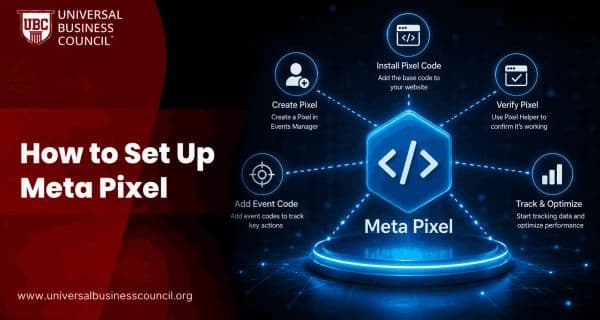
How to Set Up Meta Pixel
Setting up Meta Pixel allows you to track website visitors, measure conversions, build custom audiences, and optimize Meta Ads for better performance. This step-by-step guide explains how to install, verify, and test Meta Pixel on your website.
Meta Ads
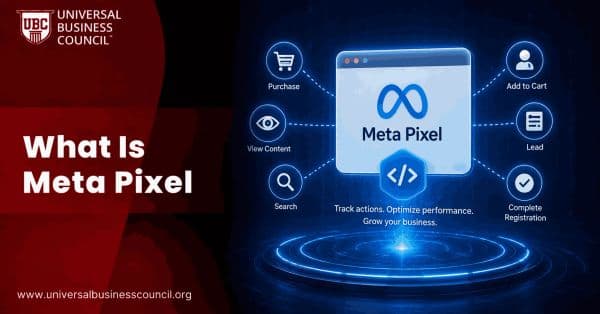
What Is Meta Pixel?
Meta Pixel is a tracking tool that helps businesses measure website conversions, optimize ad performance, and build remarketing audiences. Learn how Meta Pixel works, why it matters, and how to implement it for more effective Facebook and Instagram advertising.
Trending Articles
The Role of Blockchain in Ethical AI Development
How blockchain technology is being used to promote transparency and accountability in artificial intelligence systems.
AWS Career Roadmap
A step-by-step guide to building a successful career in Amazon Web Services cloud computing.
Top 5 DeFi Platforms
Explore the leading decentralized finance platforms and what makes each one unique in the evolving DeFi landscape.