

What Is Meta Pixel?
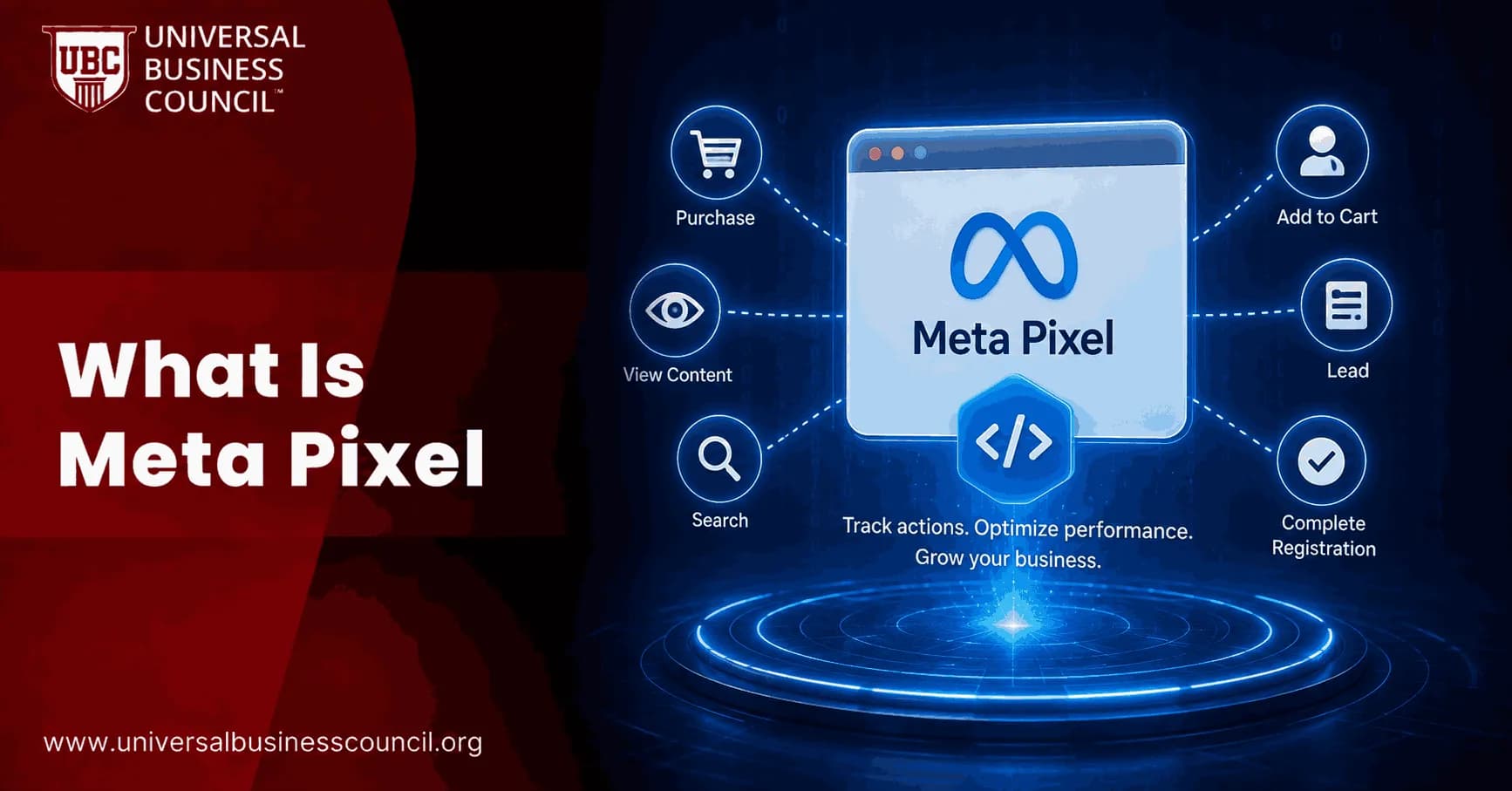
Every time a Meta ad campaign produces a profitable return, there is a piece of code quietly working in the background making it possible. That code is the Meta Pixel, and it is arguably the most important tool in modern digital advertising. Without it, your Meta campaigns are operating blind spending budget, collecting clicks, and hoping for results without being able to prove what worked, target the people most likely to convert, or teach the algorithm how to find your best customers.
This guide explains the Meta Pixel completely, from first principles through to the advanced implementation details that separate basic advertisers from expert practitioners. Whether you are installing a pixel for the first time or trying to understand why your current tracking is producing inaccurate data, every answer you need is in this guide.

For marketing professionals who want to develop platform-level expertise in how Meta's advertising ecosystem actually works including how pixel data drives campaign performance a Certified Meta Ads Expert credential provides the applied, expert-level training that transforms technical understanding into consistently profitable campaigns.
What Is Meta Pixel? The Plain-Language Definition
The Meta Pixel is a small piece of JavaScript code that you install on your website. Once installed, it runs invisibly in the background every time someone visits your site, tracking what actions they take which pages they view, what they add to cart, whether they complete a purchase, and dozens of other behaviors and sends that data back to your Meta ad account in real time.
It is completely free. There is no cost to create, install, or use the pixel. You only pay for the ads you run.
Think of the Meta Pixel as a bridge between what happens on your website and what Meta knows about your advertising performance. Without it, Meta can see that someone clicked your ad. With it, Meta can see exactly what that person did after clicking and use that information to find more people who will behave the same way.
A Quick Note on Naming in 2026
Meta Pixel was previously called the Facebook Pixel (or FB Pixel). You will still see both names used interchangeably across the industry.
In 2026, Meta has also introduced a terminology change inside its platform: pixels are now called datasets in Events Manager. Meta merged web, app, and offline events into a single unified view. Your dataset ID and your pixel ID are the same number they refer to the same object. If you see "dataset" where you used to see "pixel," do not be alarmed. They are the same tool with an updated label.
What Does the Meta Pixel Actually Do?
The Meta Pixel performs four distinct functions inside your advertising account. Each one builds on the others, and together they determine how well your campaigns can perform.
Function 1: Conversion Tracking
The most fundamental job of the Meta Pixel is measuring conversions. When someone clicks your ad and then completes a purchase, submits a lead form, or takes any other action you care about on your website, the pixel fires an event that records that conversion in your Meta Ads Manager.
Without conversion tracking, you can see how many people clicked your ad but not how many of those clicks turned into actual business results. Conversion tracking tells you your cost per purchase, your cost per lead, and your return on ad spend the metrics that determine whether your campaigns are profitable.
Function 2: Algorithm Optimization
This is where the pixel becomes genuinely powerful. Every conversion event the pixel records teaches Meta's algorithm something about who converted. It analyzes the characteristics, behaviors, and interests of the people who purchased after clicking your ad, and uses that pattern to identify other users on Meta's platforms who share those same characteristics.
Over time, with enough conversion events, Meta's algorithm becomes increasingly precise at identifying your ideal customer within your target audience. A campaign with 1,000 recorded purchase events will deliver significantly better performance than an identical campaign with only 50, because the algorithm has twenty times more signal to learn from.
Meta recommends a minimum of 50 conversion events per ad set per week for the algorithm to exit its learning phase and begin delivering with consistent efficiency. Below that threshold, the algorithm is still exploring and has not yet built a reliable model of your converting customer.
Function 3: Custom Audience Creation
The Meta Pixel automatically builds audiences from your website visitors. You can create Custom Audiences based on any segment of that traffic: all website visitors in the last 30 days, people who visited specific product pages, users who added items to cart but did not purchase, people who spent more than 60 seconds on a specific page, and dozens of other combinations.
These audiences are the foundation of retargeting reaching people who already know your brand and have shown behavioral signals of interest. Because they are warm audiences rather than cold ones, they consistently convert at higher rates and lower costs than campaigns targeting people who have never encountered your business before.
Function 4: Lookalike Audience Generation
Using your pixel-based Custom Audiences as a source, Meta can build Lookalike Audiences finding new users across Meta's platforms who share the same statistical profile as your existing website visitors, buyers, or any other segment you define.
A Lookalike Audience built from your confirmed purchasers consistently outperforms interest-based targeting because it uses behavioral and transactional evidence rather than assumed demographic categories. Lookalikes built from Meta Pixel purchase data are typically the highest-performing cold audience available for scaling customer acquisition.
How the Meta Pixel Works Technically
The Base Code
When you create a pixel in Meta Events Manager, Meta generates a unique numeric ID (15 to 16 digits) tied to your ad account. You receive a base code snippet a block of JavaScript that you paste into the <head> section of every page on your website.
When a browser loads any page on your site, this script executes automatically. It reads available browser identifiers (cookies, browser fingerprint data), constructs a tracking request containing information about the page visit and the visitor, and fires an HTTP request to Meta's tracking endpoint. This process happens invisibly, in milliseconds, every time a page loads.
The base code on its own fires a PageView event telling Meta that someone visited this URL. By itself, that is useful for building page-visit audiences. But the real power comes from adding specific event codes on top of the base.
Standard Events
Standard events are pre-defined actions that Meta recognizes across its advertising system. When these events are set up correctly, Meta can use them for campaign optimization, conversion tracking, and audience creation. The nine most commonly used standard events are:
Purchase: Fires when a transaction is completed. This is the most valuable event for e-commerce campaigns and the primary signal for the algorithm to optimize toward buyers.
Lead: Fires when someone submits a lead form or sign-up. The primary optimization event for lead generation campaigns.
AddToCart: Fires when a product is added to the shopping cart. Used for retargeting abandoned cart segments and as a mid-funnel optimization signal.
InitiateCheckout: Fires when the checkout process begins. A higher-intent signal than AddToCart for retargeting sequences.
ViewContent: Fires when a product or content page is viewed. Used for product interest retargeting and as a warming signal for the algorithm.
CompleteRegistration: Fires when a registration form is fully submitted.
Search: Fires when a visitor uses your site's search function.
AddPaymentInfo: Fires when payment information is entered during checkout.
Contact: Fires when a contact form is submitted.
For most e-commerce businesses, the five events that drive the most campaign value are Purchase, AddToCart, InitiateCheckout, ViewContent, and Lead (for service-focused pages). For lead generation businesses, Lead, CompleteRegistration, and Contact are the primary events.
Custom Events
Beyond the standard library, you can define custom events for any specific action on your site that Meta does not have a pre-built event for: playing a video, clicking a specific button, scrolling to a specific depth, downloading a file, or completing a multi-step process. Custom events give you tracking precision for complex user journeys that standard events do not cover.
Event Parameters
Events carry parameters additional data points that provide context about the conversion. A Purchase event, for example, can include parameters for the transaction value, the currency, the order ID, the product category, and the quantity purchased. These parameters enable Meta to optimize for revenue value rather than just conversion count, and they enable reporting breakdowns that reveal which products or categories drive the most advertising value.
The Privacy Problem: Why Pixel Data Is Incomplete in 2026
Here is the critical thing every Meta advertiser needs to understand: the Meta Pixel, on its own, does not capture all your conversions in 2026. It never will again. The reason is a combination of technical limitations that have fundamentally changed the tracking landscape.
iOS App Tracking Transparency
In 2021, Apple introduced App Tracking Transparency (ATT), requiring all apps including Facebook and Instagram to ask users for permission before tracking them across apps and websites. The majority of users decline. When a user declines ATT and then clicks a Meta ad and completes a purchase on your website, the pixel may not be able to associate that purchase with the ad click because the cross-app identifier that previously connected them is no longer available.
Ad Blockers
Between 25% and 30% of web users run an ad blocker in 2026. Most ad blockers block Meta's tracking domain (connect.facebook.net) entirely, preventing the pixel script from loading at all. For users running an ad blocker, zero pixel events fire regardless of what actions they take on your website.
Browser Privacy Restrictions
Safari and Firefox apply Intelligent Tracking Prevention, which limits how long cookies set by third-party scripts can persist. Even for users who have not installed an ad blocker, the pixel's ability to match their website behavior to their Meta profile degrades over the cookie retention window.
In-App Browser Inconsistencies
When users click a Meta ad inside the Facebook or Instagram app, the link opens in Meta's in-app browser. JavaScript execution in these environments is inconsistent, and cookie behavior differs from standard browsers meaning some pixel events do not fire even when users take the tracked action.
The combined result of these limitations: pixel-only tracking misses between 15% and 40% of actual conversions. A campaign reporting a cost per acquisition of $50 may have a true cost per acquisition closer to $30 to $40 once missing conversions are recovered. This gap is large enough to make profitable campaigns appear unprofitable and to cause advertisers to cut budget from their best-performing campaigns.
The Solution: Conversions API (CAPI)
The Conversions API is a server-side tracking method that solves the browser-level limitations described above. Instead of relying on code running in the visitor's browser, the Conversions API sends conversion data directly from your server to Meta's servers, bypassing ad blockers, iOS restrictions, and browser privacy settings entirely.
Because the data travels server-to-server rather than through the visitor's browser, it is not affected by any client-side privacy protection. A user who declined ATT, runs an ad blocker, and is browsing in a private window can still have their conversion recorded through the Conversions API if your server has the data.
Why You Need Both Pixel and CAPI Together
The Conversions API does not replace the Meta Pixel. It supplements it. The pixel captures browser-side signals, including behavioral data like page views, scroll depth, and add-to-cart events that happen before a conversion occurs. The CAPI captures server-confirmed conversion data that the pixel may miss due to privacy restrictions.
Running both together provides the most complete picture of your advertising performance. The practical outcome: implementing the Conversions API alongside the pixel typically recovers 15% to 35% of attributed conversions that pixel-only setups miss, which directly improves the algorithm's ability to optimize and reduces reported cost per acquisition.
In 2026, operating Meta Ads without both the pixel and CAPI running simultaneously is not a best practice; it is a structural disadvantage that leaves a significant portion of your campaign's learning signal on the table.
Deduplication: Preventing Double-Counting
When both the pixel and CAPI are running, the same conversion event may be received by Meta twice, once from the browser pixel and once from your server. Without deduplication, this would inflate your reported conversion numbers.
Meta's deduplication system handles this automatically, but you must provide a consistent event_id parameter with each event. The pixel sends the event with a unique event_id, and the CAPI sends the same event with the identical event_id. Meta's system matches them and counts only one conversion. When implemented correctly, the deduplication rate should be above 90%, visible in your Events Manager verification.
How to Set Up the Meta Pixel: Step-by-Step
Step 1: Access Events Manager
Log into your Meta Business Manager account and navigate to Events Manager. This is where all pixels (now called datasets) are created and managed.
Step 2: Create a New Dataset
Click "Connect Data Sources" and select "Web." Meta will prompt you to create a new dataset. Give it a descriptive name that identifies the website it will track (for example, "YourBrand Website"). In 2026, Meta provides the option to set up the Meta Pixel only, or the Meta Pixel and Conversions API together. You can start with the pixel and add CAPI later.
Step 3: Install the Base Code
Meta generates your base code snippet containing your unique pixel ID. You add this code to the <head> section of every page on your website. The installation method depends on your platform:
Direct code: Paste the snippet manually into your theme's HTML header file.
Google Tag Manager: Add the pixel as a new tag using Meta's GTM template or a custom HTML tag.
CMS integrations: WordPress (using Meta Pixel for WordPress or a performance plugin), Shopify (via the Facebook & Instagram Sales Channel integration), and WooCommerce (via the Meta Pixel & Google Analytics plugin) all offer simplified installation paths that add the base code without manual HTML editing.
Step 4: Add Standard Events
After the base code is installed, add standard events to the specific pages and actions you want to track. Events can be added through code (adding event-specific JavaScript to thank-you pages and action buttons), through Google Tag Manager triggers, or through your CMS integration's event configuration settings.
Step 5: Enable Advanced Matching
In Events Manager under your pixel settings, enable Automatic Advanced Matching. This feature collects hashed personally identifiable information (email addresses, phone numbers, names) from form fields on your website and uses it to improve the match rate between your pixel events and Meta user profiles. It significantly improves Event Match Quality without requiring additional code changes.
Step 6: Verify With the Pixel Helper
Install the Meta Pixel Helper Chrome extension and visit your website. The extension shows you which events are firing, confirms your pixel ID, and flags any errors in your implementation. Every page should show a green PageView event. Key conversion pages should show the appropriate standard events.
Step 7: Test in Events Manager
In Events Manager, use the Test Events tool to confirm that events are being received correctly. Navigate your website while the test is running and verify that each action fires the expected event with the correct parameters.
Event Match Quality: The Metric That Determines Tracking Accuracy
Event Match Quality (EMQ) is a score from 0 to 10 that Meta assigns to each event type, indicating how accurately the pixel data can be matched to Meta user profiles. A higher EMQ means more of your conversion events can be attributed to specific Meta ad clicks and specific users.
The minimum target EMQ is 6.0. Below 6.0, matching gaps are significant enough to materially affect campaign optimization and attribution. Above 8.0, the matching is strong and the algorithm has high-quality signal to work with.
EMQ is improved by passing more user identifiers with each event: email address (hashed), phone number (hashed), first name, last name, browser cookie ID, and external user ID. Automatic Advanced Matching handles this for many scenarios without additional code, but custom implementations and server-side CAPI configurations benefit from explicitly including these identifiers.
Broader Digital Marketing Context: Where Meta Pixel Fits
The Meta Pixel is the foundational tracking layer of the Meta advertising ecosystem, but it sits within a broader digital marketing infrastructure that includes Google Analytics, CRM systems, email marketing platforms, and cross-channel attribution tools. Understanding how all of these systems interact, where data discrepancies come from, and how to build a complete measurement framework across all channels requires the kind of cross-platform expertise developed through a Certified Digital Marketing Expert credential, which gives practitioners the comprehensive strategic and technical foundation to manage data-driven marketing programs effectively across Meta, Google, and beyond.
Common Meta Pixel Problems and How to Fix Them
Events Not Firing
Symptom: The Pixel Helper shows no events on pages where they should be firing. Cause: The base code is missing from that page, or the event code is not installed correctly. Fix: Confirm the base code is present in the page source. Check that event-specific code is placed on the correct page (Purchase events should fire on the order confirmation page, not the checkout page).
Duplicate Events
Symptom: Events Manager shows double or triple the expected number of conversions. Cause: The event code is firing multiple times per page load, or CAPI events are being counted alongside pixel events without deduplication. Fix: Confirm each event fires only once per user action. Implement event_id deduplication for all events tracked by both pixel and CAPI.
Low Event Match Quality
Symptom: EMQ score below 6.0 for key events. Cause: Insufficient user identifiers being passed with events. The pixel cannot match many events to Meta profiles. Fix: Enable Automatic Advanced Matching. Add hashed email and phone parameters to CAPI events. Verify domain is confirmed in Business Settings.
Conversion Numbers Do Not Match Analytics
Symptom: Meta Ads Manager reports 100 purchases; Google Analytics reports 60. Cause: Attribution windows, view-through conversion counting, modeled conversions, and cross-device tracking differences between platforms create inherent discrepancy. Fix: This is expected, not a bug. Use consistent relative measurement over time rather than expecting perfect absolute accuracy across platforms.
Meta Pixel and the Technical Infrastructure of Digital Advertising
Implementing the Meta Pixel at a professional level requires technical competence across web development fundamentals, tag management systems, data layer architecture, and server-side API implementation. For practitioners who want to develop genuine technical literacy across the infrastructure that modern digital advertising runs on including JavaScript event systems, server-to-server data pipelines, cookie management, and API integration a Tech Certification covering web technology, data infrastructure, and marketing technology systems provides the structured technical education that turns practitioners into architects of their own tracking and measurement systems.
Advanced Meta Pixel Topics for Professionals
Offline Conversions
Businesses with offline conversion paths, phone calls, in-store purchases, in-person consultations can upload offline event data to Meta's Offline Conversions tool and match it against Meta user profiles to attribute offline conversions to specific Meta campaigns. This closes the attribution loop for businesses where the final conversion does not happen on the website.
Custom Conversions
Custom Conversions are rules-based events created within Events Manager using URL conditions or event conditions, without requiring code changes to your website. For example, you can create a custom conversion that fires when a user visits any URL containing "/thank-you" without adding specific pixel event code to that page. Custom Conversions are useful for rapid tracking additions and for building conversion events from URL-based signals.
Domain Verification
Since iOS 14.5, Meta requires domain verification before pixel data from that domain can be used for optimization in iOS campaigns. Verification is completed in Business Settings under Brand Safety and Domains. Without verified domain status, iOS tracking is limited, and your pixel cannot fully leverage the ATT-consented data available from iOS users.
Aggregated Event Measurement
Meta's Aggregated Event Measurement (AEM) protocol limits iOS campaign optimization to a maximum of eight prioritized events per verified domain, ranked in order of importance. You configure this ranking in Events Manager. When an iOS user converts, Meta can only attribute the highest-priority event in your configured list that fired during that session. Configuring event priority correctly ensures your most valuable conversion events take precedence over lower-value events in iOS attribution.
The Future of Meta Pixel: Where Tracking Is Heading
The trajectory of web tracking in 2026 is unambiguously moving away from browser-side data collection toward server-side, first-party data systems. Third-party cookies have been deprecated across most major browsers. ATT continues to limit cross-app tracking on iOS. New privacy regulations in multiple jurisdictions impose additional consent and data handling requirements.
Meta's Conversions API, combined with first-party data collection through CRM integration, email matching, and server-confirmed purchase events, is the architecture of the tracking stack that will remain effective as browser-side tracking becomes increasingly constrained. The Meta Pixel will continue to serve an important role as the browser-side complement to server-side data, but its role is evolving from primary data source to one layer within a more comprehensive measurement framework.
Understanding how the next generation of AI-powered tracking and attribution systems works at a technical level, including how machine learning models are used to fill privacy-induced measurement gaps through modeled conversions, is becoming a meaningful differentiator for advanced practitioners. A Deep Tech Certification covering AI, machine learning, and data science fundamentals provides the technical depth to understand how probabilistic attribution models work, how first-party data systems are structured, and how the algorithmic systems underlying platforms like Meta actually make decisions from the signal data they receive.
Conclusion
The Meta Pixel is the foundational layer of the Meta advertising ecosystem. It connects your website to your ad campaigns, enabling conversion tracking that proves what works, algorithm optimization that finds your best customers automatically, Custom Audience creation that powers retargeting, and Lookalike Audience generation that scales customer acquisition efficiently.
In 2026, the pixel works best when paired with the Conversions API, which recovers the 15% to 40% of conversion data that browser-side tracking misses due to ad blockers, iOS privacy settings, and browser restrictions. Together, pixel plus CAPI provides the most complete conversion signal available the highest-quality input into Meta's optimization algorithm and the most accurate measurement of true campaign performance.
For practitioners who want to master the full depth of Meta's advertising technology, building on pixel expertise through structured credentials makes the difference: a Certified Meta Ads Expert for platform mastery, a Certified Digital Marketing Expert for cross-channel strategic depth, a Tech Certification for the technical infrastructure literacy that modern advertising demands, and a Deep Tech Certification for the AI and data science foundation that the future of digital tracking is built on. Together, these credentials provide the complete professional toolkit for working with the Meta Pixel and the broader digital advertising stack at the highest level of expertise.
Frequently Asked Questions
1. What is Meta Pixel?
Meta Pixel is a small JavaScript code snippet installed on your website that tracks visitor actions, sends conversion data to your Meta ad account, and enables campaign optimization, retargeting audiences, and conversion measurement across Facebook and Instagram advertising.
2. Is Meta Pixel free?
Yes. Creating, installing, and using the Meta Pixel is completely free. You only pay for the Meta Ads campaigns you run that use the data it collects.
3. What was Meta Pixel called before?
Meta Pixel was previously called Facebook Pixel (or FB Pixel). The name changed when Facebook rebranded to Meta. In 2026, Meta also refers to pixels as "datasets" inside Events Manager, though the pixel ID and dataset ID are the same number.
4. What does the Meta Pixel track?
The Meta Pixel tracks page views, purchases, add-to-cart events, lead form submissions, checkout initiations, content views, searches, payment info entries, registration completions, and any custom events you configure for your specific website.
5. How does the Meta Pixel work?
The Meta Pixel is a JavaScript snippet in your website's header that executes when a page loads, collecting visitor data and firing HTTP requests to Meta's tracking servers. Additional event codes fire when specific user actions occur, such as completing a purchase.
6. What is the difference between Meta Pixel and Conversions API?
The Meta Pixel tracks events in the visitor's browser (client-side). The Conversions API tracks events from your server directly to Meta (server-side), bypassing ad blockers and iOS restrictions. Meta recommends running both together for the most complete data.
7. Why does Meta Pixel miss some conversions?
Ad blockers prevent the pixel script from loading for 25% to 30% of users. iOS App Tracking Transparency restricts cross-app tracking. Browser privacy protections limit cookie lifespan. These limitations cause pixel-only tracking to miss 15% to 40% of actual conversions.
8. What is Event Match Quality (EMQ)?
Event Match Quality is a score from 0 to 10 indicating how accurately pixel events can be matched to Meta user profiles. Scores above 6.0 are the minimum target; above 8.0 indicates strong matching. EMQ is improved by passing more user identifiers with each event.
9. What is the Meta Pixel learning phase?
The learning phase is the period when Meta's algorithm is gathering data to optimize delivery. It requires 50 conversion events per ad set per week to exit. Once the learning phase ends, delivery becomes more stable and cost-efficient.
10. How do I install the Meta Pixel?
Create a pixel (dataset) in Meta Events Manager, copy the base code snippet, and add it to the <head> section of every page on your website. Installation can be done manually, through Google Tag Manager, or through platform-specific integrations for Shopify, WordPress, and WooCommerce.
11. What is the Meta Pixel Helper?
The Meta Pixel Helper is a free Chrome browser extension that shows you which pixel events are firing on any webpage, confirms your pixel ID, and flags implementation errors. It is the primary tool for verifying correct pixel installation.
12. What are Meta Pixel standard events?
Standard events are pre-defined actions Meta recognizes: Purchase, Lead, AddToCart, InitiateCheckout, ViewContent, CompleteRegistration, Search, AddPaymentInfo, and Contact. Using standard events enables full campaign optimization and audience creation features.
13. What is deduplication in Meta Pixel tracking?
Deduplication prevents the same conversion from being counted twice when both the Pixel and Conversions API are running. Both systems must send the same unique event_id with each event. Meta matches them and records only one conversion. Correct deduplication should achieve above 90% rate.
14. What is domain verification and why is it required?
Domain verification confirms to Meta that you are authorized to run pixel tracking from a specific website. It is required for iOS-compatible campaign optimization. Without it, tracking from iOS users with ATT consent is limited.
15. What is Aggregated Event Measurement?
Aggregated Event Measurement is Meta's protocol that limits iOS campaign optimization to a maximum of eight prioritized conversion events per verified domain. You configure event priority in Events Manager, ensuring your most valuable events take precedence in iOS attribution.
16. What are custom events in Meta Pixel?
Custom events are user-defined tracking events for website actions that Meta's standard event library does not cover. They can track video plays, button clicks, scroll depth, file downloads, or any specific user behavior relevant to your business.
17. How long does Meta Pixel data persist?
The default data retention period for Meta Pixel events is 180 days. Custom Audiences built from website visitors can use visitor data going back up to 180 days.
18. What is Automatic Advanced Matching?
Automatic Advanced Matching is a pixel feature that collects hashed personal information (email, phone, name) from form fields on your website to improve Event Match Quality. It requires no additional code changes and is enabled in Events Manager pixel settings.
19. Can I use Meta Pixel without running ads?
Yes. You can install the Meta Pixel and collect website data even before running any campaigns. Having pixel data already accumulated when you start advertising means your Custom Audiences and algorithm optimization begin with an existing dataset rather than starting from zero.
20. What is the most important Meta Pixel setup step most advertisers skip?
Most advertisers skip the Conversions API implementation, relying on the pixel alone. This is the single most impactful setup step after basic pixel installation, recovering 15% to 35% of attributed conversions lost to browser privacy restrictions and directly improving campaign optimization quality and accuracy.
Related Articles
View All
Meta Ads
How to Set Up Meta Pixel
Setting up Meta Pixel allows you to track website visitors, measure conversions, build custom audiences, and optimize Meta Ads for better performance. This step-by-step guide explains how to install, verify, and test Meta Pixel on your website.
Meta Ads
Meta Pixel vs Conversions API: Which Tracking Method Do You Need in 2026?
Meta Pixel vs Conversions API is not an either-or decision in 2026. Learn why Pixel + CAPI with deduplication is the standard for Meta Ads tracking.
Meta Ads
Meta Pixel Setup Guide: Install, Test, and Track Website Events
Learn how to create, install, test, and improve Meta Pixel events in Events Manager, including GTM, CMS setup, Conversions API, and event quality checks.
Trending Articles
The Role of Blockchain in Ethical AI Development
How blockchain technology is being used to promote transparency and accountability in artificial intelligence systems.
AWS Career Roadmap
A step-by-step guide to building a successful career in Amazon Web Services cloud computing.
Top 5 DeFi Platforms
Explore the leading decentralized finance platforms and what makes each one unique in the evolving DeFi landscape.