

Meta Pixel Setup Guide: Install, Test, and Track Website Events
Setting up the Meta Pixel is not just a technical task. It decides whether your Meta Ads account can measure purchases, leads, carts, subscriptions, and other actions with enough accuracy to support real budget decisions. In 2025 and 2026, the Meta Pixel sits inside Meta Events Manager as part of your web data sources, often paired with the Conversions API for more reliable tracking.
If you have ever opened Ads Manager and seen purchases missing, duplicate leads, or a conversion rate that suddenly looks too good, you already know the pain. In one account audit, the Lead event was firing on the landing page load instead of the form thank-you state. Reported leads looked strong. The CRM told a different story. That kind of mistake is common, and it is exactly why testing matters.

What Meta Pixel Tracks Today
The Meta Pixel is a JavaScript snippet that loads on your website and sends browser-side event data to Meta. It can track actions such as PageView, ViewContent, AddToCart, Lead, and Purchase. Meta then uses those events for reporting, audience building, retargeting, and campaign optimization.
You manage the Pixel in Meta Events Manager, usually under Data Sources. Meta has moved toward a dataset model, so your Pixel ID and Dataset ID now matter for both browser tracking and server-side connections.
For serious performance marketing, use the Pixel with the Conversions API. Browser tracking alone is weaker than it used to be because of cookie limits, browser controls, and consent requirements. Server-side events help fill gaps, improve event match quality, and reduce the chance that your optimization data is incomplete.
Before You Create a Meta Pixel
Do a short permissions and planning check first. It saves time later.
- Meta Business access: You need a Meta Business account with access to Business Suite and Events Manager.
- Correct permissions: Make sure you have admin or suitable access to the Business account, ad account, and website data source.
- Website access: You need a way to add code to the head section, use a CMS plugin, or publish tags through Google Tag Manager.
- Event plan: Decide which actions are worth tracking before you touch the code. Do not track every click just because you can.
For ecommerce, start with ViewContent, AddToCart, InitiateCheckout, and Purchase. For lead generation, start with PageView and Lead, then add qualified lead or booked demo events through your CRM or backend if possible.
How to Create a Meta Pixel in Events Manager
The current setup path is straightforward, although Meta changes labels from time to time. The workflow below reflects the Events Manager pattern shown in current Meta guidance.
- Log in to Meta Business Suite.
- Open All Tools, then choose Events Manager.
- Select Connect Data Sources.
- Choose Web, then continue.
- Select Meta Pixel.
- Name the Pixel clearly, for example, Brand Main Website Pixel.
- Add your website URL if Meta asks for it. This helps Meta suggest partner integrations.
- Create the Pixel and note the Pixel ID and Dataset ID.
Use boring names. That is not a joke. Six months from now, Brand Pixel 2 Test Final tells nobody which website, region, or ad account owns the data.
Install the Meta Pixel on Your Website
Option 1: Manual installation
Manual installation is best for custom websites or teams that control their own release process.
- In Events Manager, choose your Pixel.
- Select the setup option to install code manually.
- Copy the base Pixel code.
- Paste it into the head section of every page, ideally before the closing head tag.
- Publish the change through your normal deployment process.
The base code includes the Pixel initialization and a default PageView event. In simplified form, you will see calls like fbq('init', 'PIXEL_ID') and fbq('track', 'PageView'). Replace the placeholder with your actual Pixel ID.
Option 2: CMS and partner integrations
If you use WordPress or another supported CMS, a partner integration may be quicker and safer than editing templates. In Events Manager, choose the partner setup route, select your platform, install the official plugin where required, and connect it to your Business account, ad account, and Pixel.
For WordPress, many teams use Meta's official integration. After connection, verify events in Events Manager. Never assume the plugin is working just because it says connected.
Option 3: Google Tag Manager
Google Tag Manager is a strong choice for marketing teams that manage multiple pixels and analytics tags. Add the GTM container to your site, then create a Custom HTML tag containing the Meta Pixel base code. Fire it on all pages.
For conversion events, use GTM triggers. For example, fire Lead after a confirmed form submission, not just when someone clicks the submit button. Click triggers can overcount because validation errors, spam filters, and broken forms still receive clicks.
Configure Website Events That Matter
Meta supports standard events and custom events. Use standard events whenever they match the action. Meta's optimization systems understand events like Purchase and Lead without extra interpretation.
- PageView: Fires on page load across the site.
- ViewContent: Useful for product pages, service pages, articles, and key landing pages.
- AddToCart: Fires when a cart action is confirmed.
- Lead: Fires after a successful form submission, signup, or inquiry.
- Purchase: Fires on the order confirmation page with value and currency parameters.
Custom events are useful when your business has a specific action that does not fit Meta's standard list. Think demo booked, quote started, or subscription trial started.
Use the Event Setup Tool for simple events
The Event Setup Tool lets you mark buttons, links, and page views without writing code. In Events Manager, open your Pixel settings, launch the Event Setup Tool, enter the page URL, and choose the page element or URL rule that should trigger the event.
This is practical for simple lead pages. It is not my first choice for complex funnels, single-page apps, or checkout flows. For those, code-based events or GTM data layer events are cleaner and easier to audit.
Use code or data layer events for accuracy
For checkout, SaaS signup, gated content, or multi-step forms, fire events from actual success states. A Lead event should fire when the form is accepted. A Purchase event should fire when payment is complete and the order ID exists.
Send useful parameters where appropriate. For Purchase, include value and currency. For ecommerce, pass content IDs that match your catalog if you plan to run dynamic ads.
Test Your Meta Pixel Setup
Check with Meta Pixel Helper
Install the Meta Pixel Helper Chrome extension. Visit your site, click the extension icon, and review the detected Pixel IDs and events. A green status is a good sign, but do not stop there.
Look for the common problems:
- The wrong Pixel ID is firing.
- The Pixel appears only on some pages.
- Purchase fires without value or currency.
- Lead fires on page load instead of confirmed submission.
- Duplicate events fire from both a plugin and GTM.
Use Test Events in Events Manager
The Test Events tab is the better end-to-end check. Open Events Manager, select your Pixel, go to Test Events, enter your website URL, and browse the site from the test window. Trigger the actions you configured.
Events should appear within a few seconds with the event name, timestamp, source, and parameters. Test from at least two browsers if the funnel matters. Also test mobile. Many tracking issues hide in mobile menus, embedded forms, and payment redirects.
Watch Event Match Quality
Event Match Quality shows how well Meta can match an event to a person using identifiers and device data. Meta scores it on a scale up to 10, and a rating of 6.0 or higher gives you a reasonable buffer for matching accuracy.
You improve match quality by sending better first-party information in a privacy-aware way, often through the Conversions API. Email, phone, external ID, IP address, user agent, and browser identifiers can all help when collected and transmitted properly under your consent and privacy policies.
When to Add Conversions API
Add the Conversions API when Meta Ads performance matters to revenue, pipeline, or paid acquisition reporting. Browser-only tracking is acceptable for a tiny test campaign, but it is not enough for a mature account.
The Conversions API can send server-side events from your website backend, CRM, ecommerce platform, or marketing automation system. Meta can then deduplicate browser and server events when event IDs are configured correctly. This matters. Without deduplication, you may count the same purchase or lead twice.
For B2B, the Conversions API is especially useful because the form submission is rarely the real business outcome. A qualified lead, sales accepted lead, or booked consultation is often more valuable than the raw form fill. Send those downstream events back when your systems allow it.
Privacy, Consent, and Governance
Do not treat Pixel setup as separate from privacy governance. Your implementation should respect applicable laws, consent settings, and internal data policies. Work with your legal or privacy team where required, especially if you send hashed customer identifiers through the Conversions API.
Keep a simple tracking register with event names, triggers, parameters, owner, and last test date. It sounds dull. It prevents expensive confusion when a developer changes a form, a plugin updates, or a new agency adds a second Pixel.
Skills Worth Building Next
If you manage paid media, analytics, or marketing operations, Meta Pixel setup is a baseline skill. The next layer is understanding conversion architecture, CAC, LTV, ROAS, attribution limits, CRM feedback loops, and experiment design.
For structured learning, review Universal Business Council's course catalog for related programmes in digital marketing, marketing analytics, and business management. If you already run Meta campaigns, pair that study with a practical audit: open Events Manager, test your top three conversion events, inspect Event Match Quality, and document what needs fixing this week.
Related Articles
View All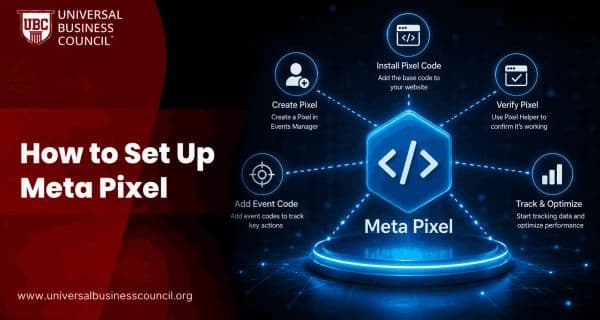
Meta Ads
How to Set Up Meta Pixel
Setting up Meta Pixel allows you to track website visitors, measure conversions, build custom audiences, and optimize Meta Ads for better performance. This step-by-step guide explains how to install, verify, and test Meta Pixel on your website.
Meta Ads
What Is Meta Pixel?
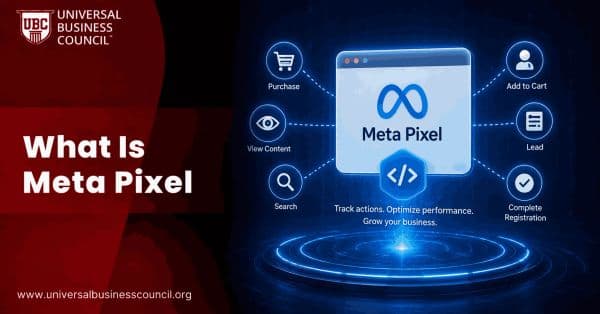
Meta Pixel is a tracking tool that helps businesses measure website conversions, optimize ad performance, and build remarketing audiences. Learn how Meta Pixel works, why it matters, and how to implement it for more effective Facebook and Instagram advertising.

Meta Ads
Meta Lead Ads Guide: How to Generate Leads on Facebook and Instagram
Learn how Meta Lead Ads generate leads on Facebook and Instagram, with setup steps, form design tips, CRM integration, and quality metrics.
Trending Articles
The Role of Blockchain in Ethical AI Development
How blockchain technology is being used to promote transparency and accountability in artificial intelligence systems.
AWS Career Roadmap
A step-by-step guide to building a successful career in Amazon Web Services cloud computing.
Top 5 DeFi Platforms
Explore the leading decentralized finance platforms and what makes each one unique in the evolving DeFi landscape.