

Meta Ads Manager Guide: Create, Manage, and Analyze Campaigns
A solid Meta Ads Manager guide starts with one rule: decide what business result you want before you touch the green Create button. Ads Manager can build campaigns for Facebook, Instagram, Messenger, and Meta's partner placements, but the platform will only optimize toward the objective, event, audience, and budget logic you give it.
Choose Traffic when you actually need qualified leads, and Meta will find clickers. Not buyers. That mistake quietly burns budget in small accounts every week.

What Is Meta Ads Manager?
Meta Ads Manager is Meta's main interface for creating, managing, and analyzing paid campaigns across Facebook and Instagram. It sits inside Meta Business Manager and Meta Business Suite, where you control business assets such as Pages, ad accounts, pixels, audiences, payment methods, permissions, and reports.
Meta's own business documentation describes Ads Manager as the place where advertisers create ads, choose objectives, set budgets, define audiences, select placements, publish campaigns, and review results. The structure has stayed consistent because it works: campaign, ad set, ad.
- Campaign level: choose the objective, campaign name, and sometimes campaign budget settings.
- Ad set level: define audience, budget, schedule, placements, optimization event, and delivery controls.
- Ad level: build the creative, copy, destination URL, tracking settings, and call to action.
Learn that hierarchy cold. Many early errors come from changing the wrong level. A budget problem usually lives at ad set level. A weak hook is at ad level. A bad objective is at campaign level.
Before You Create a Campaign
Set up Meta Business Manager correctly
Go to business.facebook.com and create or access your Meta Business account. Add your Facebook Page, Instagram account, ad account, payment method, and the people who need access. Use role-based permissions. Do not give every freelancer full admin access because it feels faster on a Monday morning.
For teams, this setup matters as much as the campaign itself. Clean asset ownership prevents reporting gaps, billing surprises, and the painful situation where an agency leaves with the pixel still attached to its own business account.
Install tracking before spending
Install the Meta Pixel and configure the Conversions API where possible. The Pixel tracks browser events. Conversions API sends server-side events, which improves measurement when browser tracking is limited by privacy settings, cookies, or device restrictions.
Use Meta Events Manager to verify events such as:
- PageView
- ViewContent
- Lead
- AddToCart
- InitiateCheckout
- Purchase
Create custom conversions for actions that matter to your funnel, such as a pricing page request, demo booking, application submission, or paid subscription. Do this first. If you wait until after launch, your first week of data may be nearly useless.
How to Create a Campaign in Meta Ads Manager
1. Click Create and choose the right objective
Open Ads Manager, go to the Campaigns tab, and click Create. Meta's current objective set usually includes categories such as Awareness, Traffic, Engagement, Leads, App Promotion, and Sales, though labels can shift as Meta updates the interface.
Pick based on the result you need:
- Awareness: useful for reach, recall, and top-of-funnel exposure.
- Traffic: acceptable for content visits, but weak if you need purchases.
- Engagement: useful for social proof, video views, and messages.
- Leads: best for instant forms, calls, messages, and lead events.
- Sales: best for ecommerce purchases, subscriptions, and tracked conversion events.
To be blunt, Traffic is overused. If your landing page has a real conversion event, test Leads or Sales instead. Meta's delivery system optimizes for the objective you choose, not the objective you had in mind.
2. Name campaigns so future you can read them
Use a naming system that tells you what is inside the campaign without opening it. For example:
US_Sales_Prospecting_Broad_Q1_2026
For ad sets, include audience and placement logic. For ads, include creative type and offer. This sounds boring until you inherit 78 campaigns called "New Campaign" and "Test 4 final final." Good naming saves hours.
3. Set budget and schedule
Choose a daily budget if you want steady control. Choose a lifetime budget if the campaign has a fixed end date, such as a webinar, launch, or seasonal sale.
Start with a budget that can generate enough events for Meta to learn. Meta's delivery guidance has long referred to about 50 optimization events in a 7-day period as a useful threshold for leaving the learning phase. If your budget cannot get close to that, optimize for a higher-funnel event first, such as Lead instead of Purchase, then move deeper once volume improves.
4. Define your audience
At ad set level, set location, age, gender if needed, language, and detailed targeting. You can also use Custom Audiences from site visitors, customer lists, app users, or engaged social users. Lookalike Audiences help you prospect for people similar to your best customers.
Do not make the audience tiny unless you have a reason. A local legal practice might need narrow geography. A national ecommerce brand usually needs more room for Meta's delivery system to find buyers.
5. Choose placements
Meta will often recommend automatic placements. For many accounts, that is a sensible starting point because it lets the system find lower-cost inventory across Facebook Feed, Instagram Feed, Stories, Reels, and other placements.
Manual placements are useful when creative is built for a specific format. A 9:16 vertical video may work well in Reels and Stories. A text-heavy square graphic might fall flat there. Match the asset to the surface.
6. Build the ad creative
At ad level, choose your format: single image, video, carousel, collection, or another available format. Then add primary text, headline, description, destination URL, display link, and CTA.
Strong Meta ads make the offer clear in the first few seconds. For video, design for sound-off viewing. Use captions. Show the product, proof, or problem early. A beautiful 20-second brand intro often loses the auction before the useful part appears.
How to Manage Campaigns After Launch
Once your ads are live, resist the urge to edit every small fluctuation. Meta campaigns need enough delivery data to stabilize. Check for obvious problems first: rejected ads, broken URLs, missing events, unusually high CPM, or spend going to the wrong country.
Use Ads Manager to:
- Pause underperforming ads.
- Duplicate winning ads into new tests.
- Adjust budgets at campaign or ad set level.
- Exclude audiences that are no longer relevant.
- Test new creative angles.
- Compare automatic placements against manual placement sets.
Make one major change at a time when possible. If you change the audience, budget, creative, and conversion event on the same day, you will not know what caused the result.
A/B testing that actually teaches you something
Good A/B tests isolate one variable. Test one hook against another. Test broad targeting against a lookalike. Test instant forms against a website lead event. Do not test five things and call the winner "insight." That is just noise with a label.
For professional development teams, this is where structured training helps. Universal Business Council content on digital marketing strategy, analytics, and campaign management connects Meta execution with broader marketing planning.
How to Analyze Campaigns in Meta Ads Manager
Track the metrics that match the objective
Do not judge every campaign by the same metric. An Awareness campaign should not be judged mainly by CPA. A Sales campaign should not be celebrated because it has cheap clicks.
Core Meta Ads Manager metrics include:
- Impressions: total ad views.
- Reach: unique people reached.
- CTR: click-through rate, useful for judging creative relevance.
- CPC: cost per click.
- CPM: cost per 1,000 impressions.
- Conversion rate: percentage of visitors or clicks that complete the desired action.
- CPA: cost per action or conversion.
- ROAS: revenue divided by ad spend.
For ecommerce, ROAS and CPA matter more than likes. For lead generation, cost per qualified lead matters more than cost per raw form fill. I have seen campaigns produce cheap leads that sales teams hated because half the forms had personal email addresses, vague budgets, and no buying timeline. Low CPL can still be bad marketing.
Use columns and breakdowns
Customize columns in Ads Manager so your reporting view matches the campaign goal. A Sales view might include purchases, purchase conversion value, ROAS, CPA, CTR, CPM, and frequency. A lead generation view might include leads, cost per lead, landing page views, CTR, and conversion rate.
Then use Breakdown to inspect performance by:
- Placement
- Device
- Age
- Gender
- Region
- Time
Look for patterns, not excuses. If Instagram Reels has cheap clicks but no conversions, the creative may be entertaining rather than persuasive. If desktop has higher CPA but larger average order value, cutting it too early may reduce profit.
Separate cold and warm audiences
One of the biggest reporting traps is mixing prospecting and remarketing in the same interpretation. Warm audiences often convert better because they already know you. That does not mean the campaign is growing the business.
Analyze cold prospecting, warm retargeting, existing customers, and returning purchasers separately where your setup allows it. Track cost per new customer, not only cost per purchase. Leadership usually cares about CAC, LTV, payback period, and profitable growth. Your Ads Manager reporting should connect to those numbers.
Common Mistakes to Avoid
- Launching without Pixel and Conversions API checks: you cannot optimize what you do not measure.
- Choosing Traffic for conversion goals: cheap visits rarely equal qualified demand.
- Changing budgets too often: constant edits can disrupt learning and hide true performance.
- Using one creative for every placement: Feed, Stories, and Reels need different visual thinking.
- Reading CTR in isolation: high CTR with poor conversion rate often means the promise and landing page do not match.
- Ignoring frequency: high frequency with falling CTR can signal audience fatigue.
Where Meta Ads Manager Is Going
Meta keeps pushing advertisers toward more automation, broader targeting, Advantage-style campaign features, and stronger first-party measurement through tools such as Conversions API. That does not remove the need for skill. It changes the skill.
The best operators will spend less time micromanaging tiny interest stacks and more time on offer quality, event setup, creative testing, audience segmentation, and financial interpretation. That is the work that still separates a profitable account from a busy one.
Your Next Step
Open Ads Manager and audit one live or recent campaign. Check the objective, tracking events, budget logic, audience structure, creative format, and reporting columns. Then build one clean test with a clear hypothesis. To strengthen the wider skill set, connect this Meta Ads Manager guide with Universal Business Council learning paths in digital marketing analytics, paid media strategy, and campaign performance management.
Related Articles
View All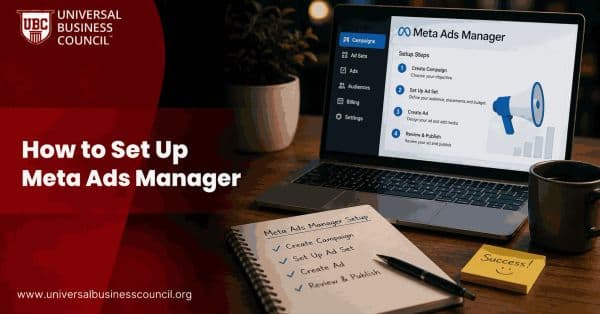
Meta Ads
How to Set Up Meta Ads Manager
Meta Ads Manager is the primary platform for creating, managing, and optimizing advertising campaigns across Facebook, Instagram, Messenger, and the Meta Audience Network. This guide explains how to set up Ads Manager and prepare your account for effective campaign management.
Meta Ads
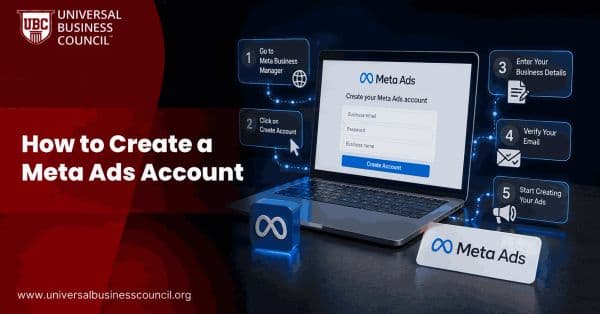
How to Create a Meta Ads Account
Creating a Meta Ads account is the first step toward advertising on Facebook, Instagram, Messenger, and the Meta Audience Network. This guide walks you through setting up your account, configuring billing, connecting business assets, and launching your first campaign.

Meta Ads
Meta Lead Ads Guide: How to Generate Leads on Facebook and Instagram
Learn how Meta Lead Ads generate leads on Facebook and Instagram, with setup steps, form design tips, CRM integration, and quality metrics.
Trending Articles
The Role of Blockchain in Ethical AI Development
How blockchain technology is being used to promote transparency and accountability in artificial intelligence systems.
AWS Career Roadmap
A step-by-step guide to building a successful career in Amazon Web Services cloud computing.
Top 5 DeFi Platforms
Explore the leading decentralized finance platforms and what makes each one unique in the evolving DeFi landscape.