

How to Build High-Quality Traffic Campaigns with Meta Ads
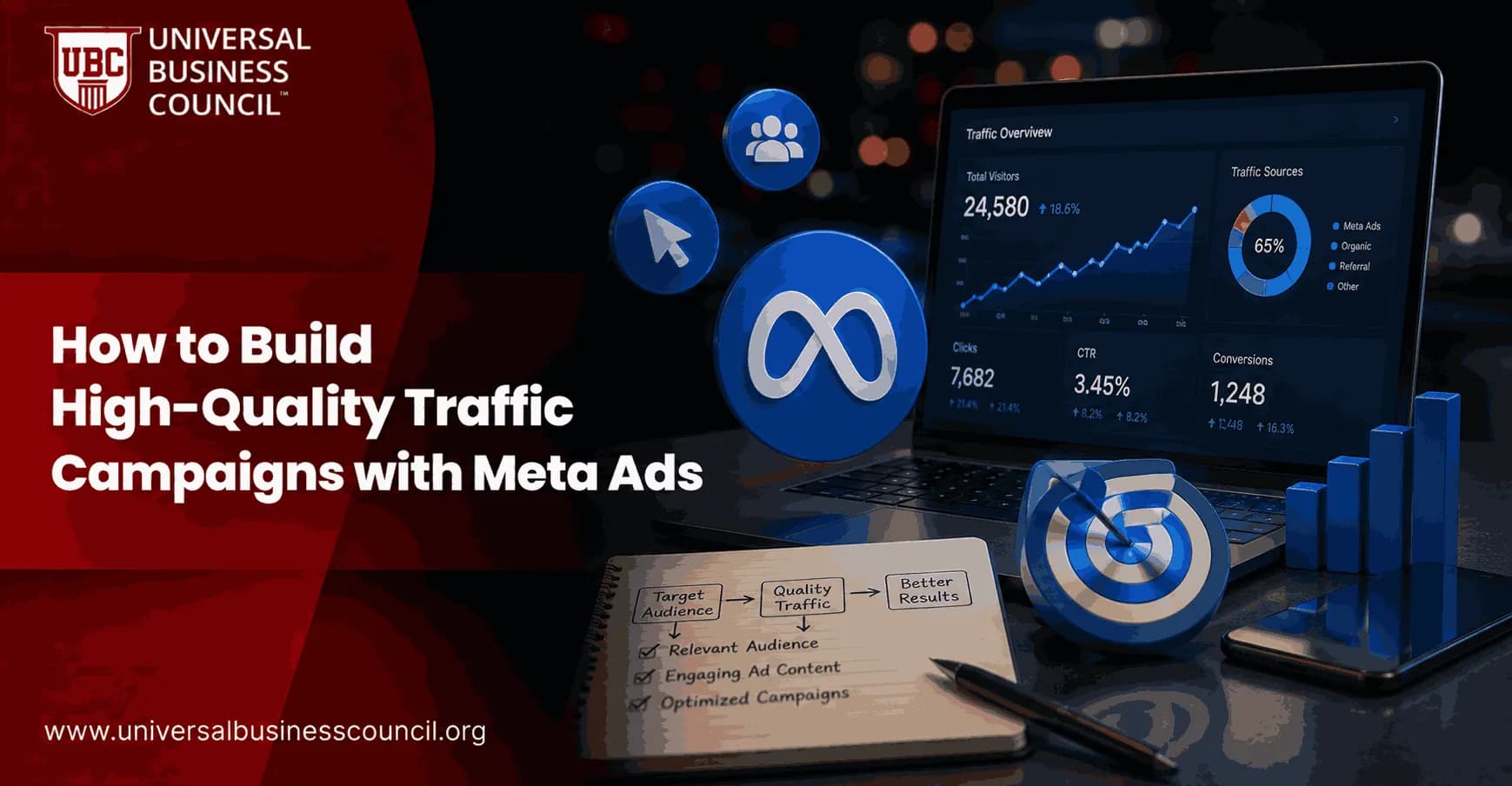
High-quality traffic campaigns with Meta Ads are not built by chasing the cheapest click. They are built by matching the Traffic objective to a real business job, tracking what people do after the click, filtering audiences, and testing creative against landing page engagement. Cheap traffic that bounces in four seconds is not traffic. It is waste with a nice CPC.
Meta defines the Traffic objective as a way to send people to a website, app, Messenger, WhatsApp, or a phone call. That sounds simple. It is not. The setup choices you make in Ads Manager decide whether you attract qualified visitors or people who click almost anything.

As Meta's advertising platform increasingly relies on AI-driven optimization, marketers need practical expertise in campaign objectives, audience strategy, traffic quality, and performance analysis. A Certified Meta Ads Expert credential helps professionals develop these skills, enabling them to build traffic campaigns that generate meaningful business results rather than just low-cost clicks.
When the Traffic Objective Makes Sense
Use the Traffic objective when the main action you want is a visit. That includes blog promotion, product education, comparison pages, local store pages, and retargeting warm audiences to useful content.
Do not use it as a cheaper substitute for Leads or Sales. If you need form fills, use the Leads objective. If you need purchases, use Sales. Meta's delivery system optimizes toward the action you choose, so a campaign optimized for traffic will look for people likely to visit, not people likely to buy.
To be blunt, many underperforming Meta accounts have the same problem. A business wants pipeline, but the campaign is trained to find clickers. The reports look busy. The CRM looks empty.
Driving valuable website traffic also requires a broader understanding of customer journeys, conversion optimization, analytics, and attribution. A Certified Digital Marketing Expert credential helps professionals strengthen these capabilities, allowing them to combine Meta's automation with sound digital marketing strategy and long-term performance measurement.
Define What High-Quality Traffic Means Before You Launch
Start with the business question. What should a qualified visitor do after the click?
Read at least 50 percent of a guide
Spend more than 45 seconds on a product page
Visit two or more pages
Start a form
Join a remarketing audience for a later Leads or Sales campaign
Do not judge traffic only by CTR or CPC. Those are delivery metrics, not business metrics. In Google Analytics 4, review engagement rate, average engagement time, key events, landing page performance, and source or medium data from UTMs. In HubSpot or Salesforce, check whether visitors later become leads, opportunities, or customers.
Here is a practical audit rule. If a Traffic campaign has a low CPC but GA4 shows almost no engaged sessions, fix the promise in the ad or the page before you increase spend. More budget only buys more of the same problem.
Set Up Tracking Before You Touch Budget
Tracking is the part people skip when they are in a hurry. It is also the part that decides whether Meta can learn anything useful.
Install Meta Pixel and Conversions API
Use the Meta Pixel for browser-side events and the Conversions API, often called CAPI, for server-side event sharing. Meta recommends CAPI to improve measurement reliability, especially as browser restrictions and privacy controls reduce signal quality.
Deduplicate events correctly. If the same event is sent by both the Pixel and CAPI without matching event IDs, reporting can inflate. That makes optimization decisions messy fast.
Use UTMs on Every Ad
Add UTM parameters to each destination URL. Keep naming clean:
utm_source: meta
utm_medium: paid_social
utm_campaign: traffic_content_q1
utm_content: hook_angle_video_01
This lets you compare ad angles in GA4, not just inside Ads Manager. It matters because Meta may reward a creative for clicks while GA4 shows that those visitors leave immediately.
Choose the Right Optimization Setting
For most high-quality website traffic campaigns, optimize for landing page views when the Pixel is installed and firing properly. Link clicks count the click. Landing page views indicate that the page actually loaded and the visitor arrived.
If your site is new, tracking is unreliable, or volume is very low, you may need to start with link clicks. Move to landing page views as soon as the data supports it. This one switch often removes a surprising amount of accidental or low-intent traffic.
Reliable campaign optimization also depends on strong technical foundations, including analytics implementation, API integrations, server-side tracking, and data management. A Tech Certification helps professionals strengthen these complementary technical skills, enabling them to build more accurate measurement systems that improve campaign performance and reporting quality.
Build Audiences That Filter for Intent
Meta's broad targeting can work well, but only when the account has useful signals. Give the system better inputs.
Use CRM and High-Value Customer Data
Upload customer lists, lead lists, and lifetime value data where consent and policy allow. Build lookalike audiences from customers who actually matter, not everyone who ever downloaded a free checklist.
For B2B, a list of closed-won customers is usually stronger than a list of low-quality leads. For ecommerce, purchasers with higher LTV make better seed data than one-time discount buyers.
Exclude the Wrong People
Exclusions are not glamorous. They save money.
Exclude current customers from introductory content campaigns
Exclude recent converters if the next step is not relevant
Exclude job seekers, students, or support visitors if they distort performance data
Use location filters when your service area is limited
For local campaigns, keep geography tight. A restaurant, clinic, or training center does not need clicks from people three cities away unless there is a clear reason.
Structure Campaigns Around Intent, Not Convenience
A simple structure works best for most teams:
Prospecting Traffic: broad audiences, lookalikes, and interest clusters sending users to educational or comparison content.
Warm Traffic: video viewers, page engagers, and past site visitors sent to deeper content or offer pages.
Conversion Campaigns: Leads or Sales campaigns aimed at people who showed intent.
This keeps Traffic campaigns in their proper role. They create qualified pools and educate buyers. They do not carry the full revenue target alone.
Use Advantage campaign budget when you are testing several audience strategies and want Meta to allocate spend across ad sets. If you need strict control for a clean test, use ad set budgets for the first round.
Budget Enough to Learn, Without Overspending Early
Small tests can start around 20 dollars per ad set per day for 3 to 5 days, especially for local or niche campaigns. Larger accounts that rely on broad optimization may need much higher spend. Some advanced practitioners run 500 dollars per day or more when they want Meta's learning systems to gather data quickly.
The point is not the exact number. The point is sample size. Do not kill an ad after 12 clicks. Also, do not let a poor ad burn money for two weeks because the dashboard feels inconclusive.
Use three-day review windows for active tests. Check landing page views, cost per landing page view, CTR, GA4 engagement, and downstream actions. If an ad gets clicks but no engagement, cut it or rewrite it.
Create Ads That Prequalify the Click
The best Traffic ads do two jobs. They earn attention and they repel the wrong click.
A vague headline like Improve Your Marketing may get curiosity clicks. A sharper headline like See the 7 Metrics Your CMO Will Ask For in QBR attracts fewer people, but better ones. That is a good trade.
Test Different Creative Angles
Launch with 3 to 10 creatives, depending on budget. Use different formats and angles:
Short video explaining the problem
Carousel showing page sections or product benefits
Static image with a direct claim
Founder or expert quote
Data-led hook tied to a real business pain
Test headlines and CTAs as well. Learn More works for education content. Get a Free Quote fits service pages. Shop Now fits ecommerce. Do not use a high-intent CTA if the page cannot support it.
Match the Landing Page to the Ad Promise
A strong Meta Ads traffic campaign can still fail on a weak landing page. The page must load quickly on mobile, continue the same message from the ad, and make the next action obvious.
Check these before launch:
The headline matches the ad's promise
The page is readable on a mobile screen without pinching
The CTA appears above the fold and again after key sections
Forms are short enough for mobile users
Page speed is acceptable on 4G connections
Analytics events fire correctly
One common budget leak is sending every ad to the homepage. Homepages serve many audiences. Traffic campaigns need focused destinations. Send comparison ads to comparison pages, educational ads to articles, and local ads to location-specific pages.
Use Advantage+ Placements Carefully
Meta recommends Advantage+ placements because the system can distribute ads across Facebook, Instagram, Messenger, and Audience Network. In many accounts, this improves delivery efficiency.
Still, inspect placement reports. If Audience Network produces cheap clicks with weak engagement, separate that issue from the average. Automation is useful, but it is not a substitute for checking quality.
Measure Traffic Campaigns Like a Funnel Asset
Your weekly report should answer three questions:
Did the campaign attract real visitors, measured by landing page views and engaged sessions?
Did those visitors show intent, measured by scroll, time on page, form starts, page depth, or remarketing pool growth?
Did they contribute later to leads, sales, or CRM opportunities?
If the answer to the first question is yes but the second is no, your creative is probably overpromising or your targeting is loose. If the second is yes but the third is no, the issue may be offer fit, lead capture, or follow-up.
Skills Professionals Should Build Next
High-quality traffic campaigns with Meta Ads sit at the intersection of paid media, analytics, customer data, and conversion strategy. If you manage campaigns professionally, strengthen those areas together rather than studying Ads Manager in isolation.
For internal learning pathways, connect this topic with Universal Business Council courses in digital marketing strategy, marketing analytics, campaign management, and customer relationship management. The practitioners who stand out are not the ones who know every button. They are the ones who can explain why a campaign produced traffic that sales teams actually value.
Your next step: audit one live Traffic campaign today. Check objective fit, Pixel and CAPI status, UTM naming, landing page view optimization, audience exclusions, GA4 engagement, and CRM follow-through. Fix the weakest link before you add budget.
As artificial intelligence and automation continue to reshape digital advertising, professionals who understand emerging technologies will be better prepared to adapt to future marketing platforms and evolving measurement frameworks. A Deep Tech Certification helps build expertise in AI, automation, advanced analytics, and digital innovation, supporting long-term success in modern performance marketing.
FAQs
1. What are Meta Traffic Campaigns?
Meta Traffic Campaigns are advertising campaigns in Meta Ads Manager designed to drive users from Facebook, Instagram, Messenger, and other supported Meta platforms to destinations such as websites, landing pages, mobile apps, or messaging experiences. Their primary objective is to increase qualified visits rather than direct conversions.
2. Why are Meta Traffic Campaigns important?
Traffic Campaigns help businesses increase website visits, introduce new products or services, promote content, generate awareness, and build audiences for future remarketing campaigns. They can also support broader marketing strategies by driving potential customers into the sales funnel.
3. How do Meta Traffic Campaigns work?
Advertisers select the Traffic objective, choose a destination, define their audience, upload creative assets, and set a budget. Meta's machine learning then delivers ads to users who are more likely to click or visit the selected destination based on campaign optimization settings.
4. What destinations can Traffic Campaigns use?
Traffic Campaigns can direct users to websites, landing pages, blog articles, eCommerce stores, mobile apps, Messenger conversations, Instagram Direct, WhatsApp (where supported), or other supported destinations within the Meta advertising ecosystem.
5. How does Meta optimize Traffic Campaigns?
Meta uses machine learning to analyze user behavior, engagement history, contextual signals, device information, and previous campaign performance to identify users who are more likely to visit the selected destination or complete the chosen optimization event.
6. What is the difference between link clicks and landing page views?
Link clicks measure how many users clicked an advertisement, while landing page views count users who successfully loaded the destination page after clicking. Landing page views often provide a better indication of actual website traffic because they account for page loading.
7. Which businesses benefit from Traffic Campaigns?
Traffic Campaigns are commonly used by eCommerce businesses, publishers, SaaS companies, educational organizations, bloggers, media companies, travel businesses, local service providers, nonprofits, and brands promoting new products or content.
8. What audience targeting options are available?
Advertisers can use geographic targeting, demographics, interests, behaviors, custom audiences, customer lists, remarketing audiences, lookalike audiences where supported, and AI-assisted targeting features such as Advantage+ Audience.
9. What creative formats work best for Traffic Campaigns?
Effective formats include single-image ads, carousel ads, short-form videos, Reels, Stories, collection ads, educational content, product demonstrations, customer testimonials, and strong calls to action that encourage users to visit the destination.
10. How important are landing pages?
Landing pages play a major role in campaign success. Fast-loading, mobile-friendly pages with relevant messaging, intuitive navigation, clear calls to action, and a positive user experience are more likely to keep visitors engaged and encourage further action.
11. What metrics should advertisers monitor?
Important metrics include landing page views, Click-Through Rate (CTR), Cost Per Click (CPC), Cost Per Landing Page View, bounce rate, average session duration, pages per session, conversion rate, Return on Ad Spend (ROAS), and overall website engagement.
12. How can businesses improve traffic quality?
Traffic quality can often be improved by targeting relevant audiences, writing accurate ad copy, matching creative with landing page content, optimizing page speed, excluding low-value audiences where appropriate, and continuously testing creative, targeting, and landing page experiences.
13. Should Traffic Campaigns be used for sales?
Traffic Campaigns can contribute to sales by bringing users into the marketing funnel, but businesses whose primary goal is purchases may achieve better results using Meta Sales Campaigns that optimize directly for conversion events rather than clicks or visits.
14. How do Traffic Campaigns support remarketing?
Website visitors generated through Traffic Campaigns can be added to remarketing audiences using the Meta Pixel or Conversions API. Businesses can later show tailored advertisements to these visitors based on their previous interactions with the website.
15. What common mistakes should advertisers avoid?
Common mistakes include optimizing only for clicks instead of landing page views, sending traffic to slow or poorly designed pages, targeting overly broad audiences, using weak calls to action, failing to implement conversion tracking, and evaluating success solely by traffic volume instead of business outcomes.
16. What are best practices for Meta Traffic Campaigns?
Best practices include installing the Meta Pixel and Conversions API, optimizing landing page speed, using compelling creative assets, aligning ad messaging with page content, testing multiple audiences and creatives, monitoring user engagement, and continually refining campaigns based on performance data.
17. How do Traffic Campaigns fit into a digital marketing strategy?
Traffic Campaigns complement SEO, content marketing, email marketing, Google Ads, social media marketing, influencer partnerships, lead generation campaigns, and conversion-focused advertising by increasing website visibility and supporting customer acquisition throughout the marketing funnel.
18. How does privacy affect Traffic Campaign measurement?
Privacy regulations and browser tracking restrictions have changed how website traffic and user behavior are measured. Businesses increasingly rely on first-party data, server-side tracking through the Conversions API, privacy-focused analytics, and aggregated reporting to evaluate campaign performance.
19. What trends are shaping Meta Traffic Campaigns in 2025-2026?
Key trends include AI-powered audience optimization, predictive click modeling, generative AI creative production, server-side measurement, first-party data strategies, personalized landing page experiences, automated creative testing, and greater integration between Meta Ads and customer analytics platforms.
20. What is the future of Meta Traffic Campaigns?
Meta Traffic Campaigns are expected to become more intelligent as AI further automates audience selection, bidding, creative optimization, and performance analysis. While automation will continue improving campaign efficiency, long-term success will still depend on delivering relevant content, high-quality landing pages, and meaningful user experiences that encourage visitors to take valuable actions beyond simply clicking an advertisement. A click may open the door, but it's the destination that decides whether anyone stays long enough to become a customer.
Related Articles
View All
Meta Ads
How to Run Awareness Campaigns on Meta Ads
Learn how to run awareness campaigns on Meta Ads with the right objective, audience, creative, budget, metrics, and funnel strategy.
Meta Ads
Meta Ads Manager Guide: Create, Manage, and Analyze Campaigns
A practical Meta Ads Manager guide for setting up campaigns, managing budgets and audiences, tracking events, and analyzing ROAS, CPA, CTR, and conversions.
Meta Ads
Meta Ads Major Updates: What Brand Owners Must Know
Meta has launched Ads Super Burst, started testing First Impression Ads, and expanded Reels Trending Ads. Learn what each update does, what is still a test, and how brand owners can plan smarter campaigns.
Trending Articles
The Role of Blockchain in Ethical AI Development
How blockchain technology is being used to promote transparency and accountability in artificial intelligence systems.
AWS Career Roadmap
A step-by-step guide to building a successful career in Amazon Web Services cloud computing.
Top 5 DeFi Platforms
Explore the leading decentralized finance platforms and what makes each one unique in the evolving DeFi landscape.