

How to Set Up Meta Ads Manager
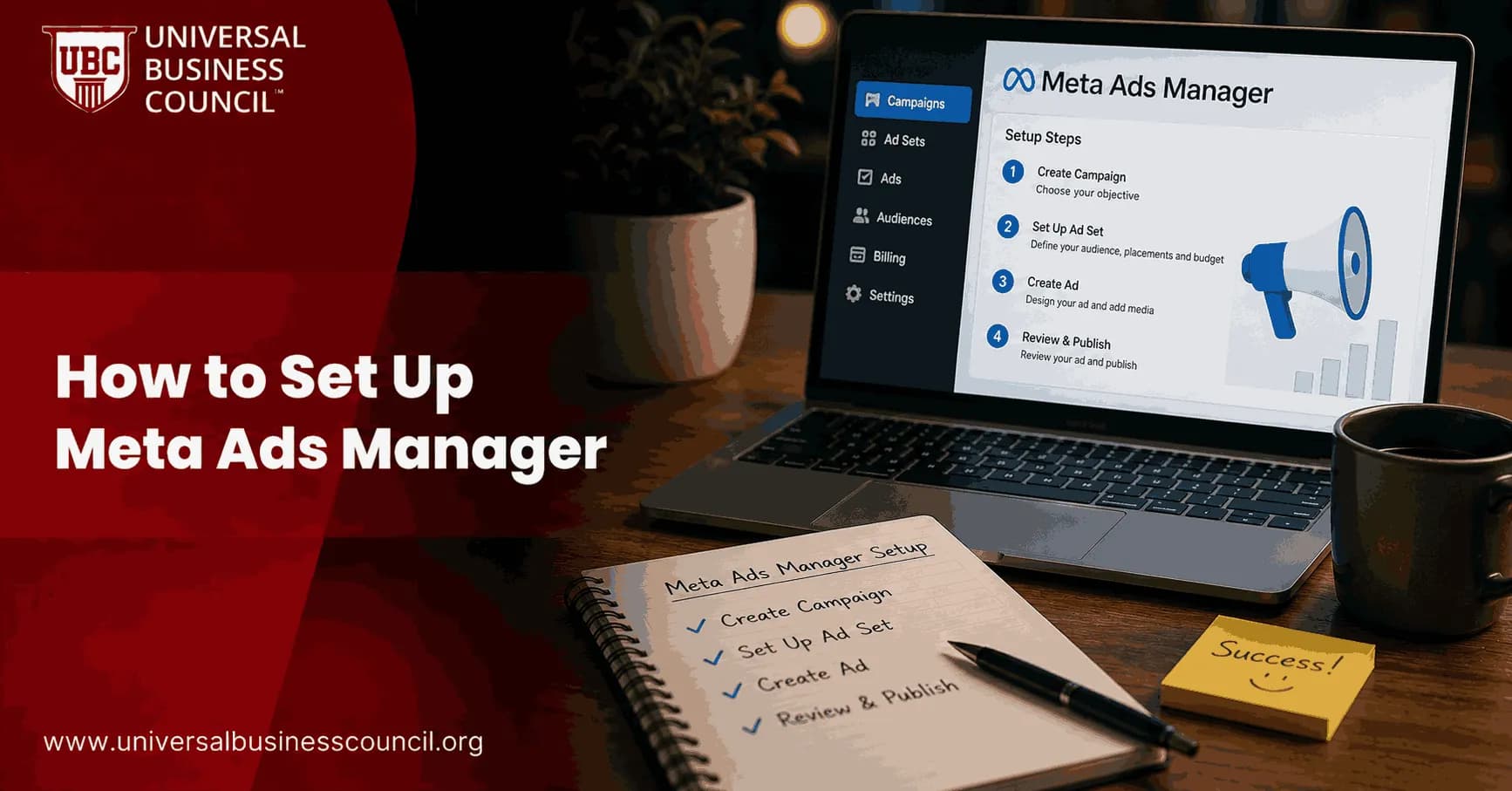
Introduction: The Advertising Platform That Reaches 3 Billion People
If you are planning to advertise your business on Facebook and Instagram in 2026, you are tapping into one of the most powerful advertising platforms in the world. Meta Ads reach over 3 billion people across Facebook, Instagram, Messenger, and the Audience Network.
Meta Ads Manager is the control centre where every campaign begins and ends. It is where you choose who sees your ads, how much you spend, what your ads look like, and how your results are measured. Understanding how to navigate it is the single most important practical skill for any digital advertiser.

Meta Ads Manager is the tool where you build, run, and measure paid ads across Facebook, Instagram, Messenger, and WhatsApp from one place. It lives inside your business's Meta account and organises every campaign into three levels: campaign, ad set, and ad.
This guide walks you through how to access Meta Ads Manager, how every section of the interface works, how to configure a campaign from objective to launch, how to read your reporting accurately, and what the 2026 changes mean for your setup. Whether you have never opened Ads Manager before or you are an intermediate advertiser looking to strengthen your foundation, every section applies to you.
Professionals who want to build verified, role-specific credentials in Meta advertising covering the full Ads Manager workflow from account architecture to campaign optimisation benefit from becoming a Certified Meta Ads Expert through the Universal Business Council. This certification maps directly to the skills in this guide and is recognised across the digital marketing industry.
What Is Meta Ads Manager? A Plain-Language Definition
Meta Ads Manager organises all advertising into three levels. Understanding this structure is essential before anything else: Campaign level sets the objective what you want to achieve, whether traffic, leads, purchases, or awareness. Ad Set level defines the audience, placement, budget, and schedule. Ad level contains the creative the actual image, video, and copy that users see.
The three-level structure means that one campaign can contain multiple ad sets, and each ad set can contain multiple ads. This design allows you to test different audiences in the same campaign (at the ad set level) and different creative approaches for the same audience (at the ad level) all tracked separately within one organised structure.
Meta Ads Manager is distinct from Meta Business Suite, which handles day-to-day content management and basic boosting. Ads Manager is the professional advertising platform where serious campaigns are built, managed, and optimised.
How to Access Meta Ads Manager
There are four ways to reach Meta Ads Manager:
Direct URL: Go to adsmanager.facebook.com in any browser. This is the fastest route.
Through Facebook: Log into Facebook, click the menu grid in the top right, scroll to the Professional section, and click Ads Manager.
Through Meta Business Suite: From business.facebook.com, click Ads in the left navigation menu.
Through the mobile app: Meta Ads Manager is available as a standalone app for iOS and Android, providing campaign monitoring and basic management from your phone.
From the Ads Manager, go to Advertising Settings in the menu. There are three things you should do before you start advertising. First, go to Account Controls and confirm who sees your ads and where they appear. Second, navigate to Audience Segments and define your engaged audience and existing customers. Third, confirm your payment method is active and correctly configured.
Understanding the Meta Ads Manager Interface
When you open Meta Ads Manager, you see a dashboard with four main sections. Understanding what each section does before you start building campaigns prevents the confusion that causes most beginners to make expensive mistakes.
The Campaign Table
When you open Ads Manager, you see a table with three main tabs: Campaigns, Ad Sets, and Ads. Each tab displays items from its respective level, with columns for metrics. The filter bar at the top allows you to narrow what you see by status, objective, audience, and date range.
The Campaign tab shows all your campaigns and their top-level performance total spend, reach, results, and cost per result. Clicking into a campaign shows the ad sets within it. Clicking into an ad set shows the individual ads.
The Performance Columns
By default, Meta Ads Manager shows a standard set of columns: delivery status, budget, amount spent, reach, impressions, results, cost per result, and click-through rate. However, you can and should customise these columns to show the metrics that matter for your specific campaign type.
If you use the same column configuration repeatedly, save it. Click Customise Columns, set up your desired columns, and save the view with a descriptive name. This saves the time of reconfiguring the display every session.
For conversion campaigns, add columns for purchases, cost per purchase, purchase ROAS, and add-to-cart events. For lead generation campaigns, add cost per lead and lead form completion rate. For traffic campaigns, add landing page views, link clicks, and CPC.
The Filter Bar
The filter bar allows you to narrow the campaigns shown in the table by status (active, paused, completed), objective, delivery status, and custom metrics. Useful filters include performance-based filters such as "CPA greater than a specified amount" or "Impressions less than 1,000." These help you surface campaigns that need attention without reviewing every row manually.
The Reporting Panel
In the top right of Meta Ads Manager, the Reports button allows you to export campaign data in CSV or Excel format, reflecting exactly what is visible in the current table view. For scheduled reporting, navigate to Reports > Create Custom Report, configure your metrics and dimensions, and set up automatic delivery via email on a daily, weekly, or monthly schedule.
Setting Up Your First Campaign in Meta Ads Manager: Step by Step
Step 1 Choose Your Buying Type
Click the green Create button in Meta Ads Manager. The first choice is your buying type.
Budget and bid strategy: How you want Meta to optimise your spend lowest cost, cost cap, or minimum ROAS.
Auction is the standard option and is correct for virtually all performance-based advertising. Your ad competes in real-time auctions for placements, and Meta's algorithm optimises delivery toward your objective.
Reservation (previously called Reach and Frequency) allows you to book ad delivery in advance, guaranteeing a specific reach and frequency within a defined period. This is typically used for large brand awareness campaigns, not performance advertising.
For beginners and most intermediate advertisers, choose Auction.
Step 2 Select Your Campaign Objective
Meta has reduced objectives into six main categories in 2026: Awareness, Traffic, Engagement, Leads, App Promotion, and Sales.
This choice directly determines how Meta's algorithm optimises your campaign. Each objective tells Meta what kind of user action to seek out. Choosing the wrong objective is one of the most expensive mistakes in Meta advertising.
Awareness: Meta delivers your ad to as many people as possible within your audience and budget, optimising for reach and video views. Use this for brand building.
Traffic: Meta shows your ad to people most likely to click a link and visit your website, app, or other destination. Use this for driving visitors to content or landing pages.
Engagement: Meta optimises for post interactions likes, comments, shares, and page follows. Use this for building social proof and community engagement.
Leads: Meta shows your ad to people most likely to fill out a lead form, either on Facebook (Instant Form) or on your own landing page. Use this for collecting contact information.
App Promotion: Meta targets people most likely to install or engage with a mobile application.
Sales: Meta targets people most likely to complete a purchase or conversion event on your website. This is the most commonly used objective for e-commerce and direct-response advertising. It requires the Meta Pixel or Conversions API to be installed and generating conversion data.
Name your campaign clearly. A good naming convention tells you at a glance what the campaign is testing for example, "Sales_TopFunnel_Advantage+_July2026" is far more useful than "Campaign 1."
Step 3 Configure Campaign Budget Optimisation (CBO) or Ad Set Budget
Budget can be set at the campaign level using Campaign Budget Optimisation (CBO), or at the individual ad set level.
Campaign Budget Optimisation (CBO): You set a single daily or lifetime budget at the campaign level, and Meta's algorithm distributes that budget across your ad sets based on where it finds the most efficient results. This is the recommended approach in 2026, as Meta's AI typically outperforms manual budget allocation.
Ad Set Budget (ABO): You set an individual daily budget for each ad set. This gives you more manual control, but requires more active management. Use ABO when you specifically want equal spend across different audience segments for testing purposes, or when CBO is giving disproportionate spend to one ad set.
Let the algorithm work. For beginners, let Meta distribute budget via CBO and avoid over-constraining the delivery with too many budget or bid restrictions during the early learning phase.
Step 4 Define Your Audience at the Ad Set Level
The Ad Set level is where you define who sees your ads. Meta Ads Manager offers three primary audience types:
Custom Audiences: Built from people who already know you website visitors via the Pixel, email list uploads, video viewers, and page engagers. These audiences have higher conversion rates than cold audiences.
Retention windows for custom audiences: website visitors can be captured up to 180 days back (with purchase events extending to approximately 730 days). Facebook Page and Instagram engagement audiences can reach back up to 365 days. Lead form engagement audiences extend up to 90 days.
Lookalike Audiences: Meta finds people who are statistically similar to your best customers. One of the most effective targeting tools create a lookalike from your top 100 customers for powerful cold audience targeting. A one-percent Lookalike is the narrowest and most similar to your source audience. A five-to-ten-percent Lookalike is broader and typically reaches a larger but less precisely matched group.
Interest-Based and Demographic Targeting: For accounts without existing customer data, targeting by interests, behaviours, and demographics is the starting point. Be aware that these audiences are broader and less precise than custom or lookalike audiences.
In 2026, Advantage+ Audience is a notable addition. When selected, Meta's AI determines the optimal audience for your campaign automatically, drawing on all signals across the platform. This option is most effective when your Pixel already has significant conversion data for brand-new accounts, manual audience configuration typically outperforms it.
Step 5 Set Placements
Placements define where your ads will appear: Facebook Feed, Instagram Feed, Instagram Stories, Instagram Reels, Audience Network, and Messenger.
Advantage+ Placements (Automatic): The recommended default in 2026. Meta distributes your ads across all eligible placements and shifts budget toward wherever your specific audience responds best.
Manual Placements: You select exactly which placements receive your ads. For beginners, limiting placements to Facebook and Instagram is a reasonable starting approach because that is where most conversions come from for most offer types. Avoid Audience Network, Messenger, and Threads when first testing keep your data clean and interpretable.
Set your ad schedule whether the campaign runs continuously from a start date, or within a specified date range. Set an end date if you are running a promotion with a deadline.
Step 6 Create Your Ad at the Ad Level
The Ad level is where you build what users actually see. In Meta Ads Manager, click into an ad set and select Create Ad.
Choose your format: Format options include single image, video, carousel, and collection. Each serves a different creative purpose. The single image is the most straightforward to create, test, and analyse for new advertisers.
Upload your media: Images should meet Meta's technical specifications typically 1080 x 1080 pixels for Feed placements and 1080 x 1920 pixels for Stories and Reels. Video should be shot in the correct aspect ratio for its placement before editing. Keep Reels videos to 15 to 60 seconds and ensure they hook the viewer within the first two seconds.
Write your copy:
Primary text: the main body of your ad, appearing above the image or video in Feed. Keep it focused on the benefit to the user.
Headline: the bold text below the image, typically a three to seven word statement of value.
Description: optional additional text below the headline, useful for adding supporting context.
Call-to-action button: choose from Shop Now, Learn More, Sign Up, Get Quote, Contact Us, and other options. Match the CTA to the action you want users to take.
Set your destination URL: Where the user goes after clicking your ad. Always send ad traffic to a dedicated landing page that matches your ad's promise. Homepages kill conversions.
Add UTM parameters to your URL to track campaign source, medium, campaign name, and content in Google Analytics alongside your Meta reporting.
Step 7 Review and Publish
Before clicking Publish, review each level:
At the campaign level, confirm your objective, buying type, and budget structure.
At the ad set level, confirm your audience definition, placement selection, budget or CBO setting, and scheduling.
At the ad level, confirm your creative, copy, CTA, and destination URL.
Click Publish. Your ad enters Meta's review process. Most ads are reviewed within 24 hours. Some take up to three business days if they require more detailed review.
Understanding the Meta Ads Manager Learning Phase
After publishing, your campaign enters the learning phase, a period during which Meta's algorithm tests different users and delivery patterns to determine the most efficient way to achieve your objective.
The Meta Pixel and its data are essential for exiting the learning phase efficiently. Without the Pixel tracking conversions back to your campaign, Meta cannot optimise for purchase or lead events it can only optimise for clicks.
The learning phase typically requires 50 optimisation events per ad set within a seven-day window to complete. Under-funded campaigns that generate fewer than 50 events per week may never exit the learning phase, leaving the algorithm perpetually guessing.
During the learning phase, expect higher costs and less stable delivery than what you will see once the phase is complete. Avoid making significant changes during this period; changes reset the learning phase and require the algorithm to start over.
Reading Your Results Correctly in Meta Ads Manager
One of the most common mistakes in Meta Ads Manager is misinterpreting the data. Understanding what the numbers mean and what they do not mean prevents expensive misallocations of budget.
The primary metrics that indicate commercial success are cost per result (cost per purchase, cost per lead, or cost per conversion), Return on Ad Spend (ROAS), and conversion rate from impression to result.
The diagnostic metrics that explain why your cost per result is what it is are CPM (cost per 1,000 impressions measures audience competition and targeting efficiency), CTR (click-through rate measures how compelling your ad is to the audience seeing it), and CPC (cost per click a function of both CPM and CTR).
Expect Meta's figures to disagree with GA4 or your sales records. Different tools count differently. Treat Meta's numbers as the platform's view and your CRM as the source of truth. Meta Ads Manager uses an attribution window by default, 7-day click and 1-day view to assign credit for conversions. GA4 uses its own model. The two will rarely match exactly.
Meta Ads Manager for Professional Advertisers: Advanced Configuration
For intermediate and professional Meta Ads Manager users, several advanced configuration options significantly improve campaign performance.
Custom Conversions: Create custom conversion events that are specific to your business for example, a "high-value lead" conversion that only fires when a specific type of form is submitted, rather than any form on your website.
Bid Strategies: Beyond lowest cost (the default), Meta offers cost cap (which tries to keep the average cost per result at or below a specified amount) and minimum ROAS (which only spends when it can achieve a minimum return on ad spend target). These strategies are most useful at scale when you need predictable cost-per-result performance.
A/B Testing: The built-in A/B testing tool allows you to systematically test one variable at a time audience, creative, placement, or campaign objective with statistical confidence. Use this to build a knowledge base of what works rather than changing multiple variables simultaneously.
For digital marketing professionals who want a comprehensive, multi-platform credential covering social advertising, SEO, analytics, content strategy, and brand marketing the skills that together define a complete digital marketing function a Certified Digital Marketing Expert from the Universal Business Council provides the breadth and analytical depth required for senior-level marketing roles.
Common Meta Ads Manager Setup Mistakes to Avoid
Using the wrong objective for your goal. Selecting Traffic when you want Sales causes Meta to optimise for clicks from users who are unlikely to purchase. Always match the objective to your actual commercial outcome.
Setting the budget too low to exit the learning phase. Campaigns that cannot generate 50 conversion events per ad set within seven days never optimise effectively. Ensure your daily budget is sufficient for your product price and conversion rate.
Changing campaigns during the learning phase. Every significant change resets the learning phase counter. Define your structure, fund it appropriately, and let it run for at least seven days before evaluating performance.
Running too many ad sets simultaneously. Each ad set needs its own budget allocation to generate sufficient conversion data. Running 10 ad sets on a $50-per-day budget gives each ad set $5 per day far too little to generate meaningful results or exit the learning phase.
Not monitoring placement performance. Even with automatic placements enabled, reviewing placement-level performance data in the Breakdown menu reveals which specific placements drive your conversions and which consume budget without results.
Technology professionals building technical infrastructure around Meta Ads Manager including API integrations, automated reporting systems, custom conversion tracking, and data pipeline management benefit from verified technical credentials. A Tech Certification from the Global Tech Council provides the practical, credential-backed knowledge needed to design and maintain the data systems that professional advertising operations depend on.
For professionals who want to understand the emerging technology landscape reshaping digital advertising including AI-driven campaign optimisation, blockchain-based identity and privacy frameworks, and the Web3 advertising models that are beginning to influence the industry a Deep Tech Certification from the Blockchain Council provides the foundational knowledge of the technologies that will define the next generation of advertising platforms.
Frequently Asked Questions (FAQs)
What Is Meta Ads Manager?
Meta Ads Manager is Meta's professional advertising platform where you build, manage, and measure paid advertising campaigns across Facebook, Instagram, Messenger, and the Audience Network. It organises campaigns into three levels Campaign, Ad Set, and Ad and provides complete control over targeting, creative, budget, and performance reporting.
Is Meta Ads Manager the Same as Facebook Ads Manager?
Yes. Facebook Ads Manager was rebranded as Meta Ads Manager following Meta's company rebrand in 2021. The tool is the same platform. You may encounter both names in older tutorials, but they refer to the same interface at adsmanager.facebook.com.
How Do I Access Meta Ads Manager?
Visit adsmanager.facebook.com directly, navigate through Meta Business Suite at business.facebook.com, or use the Meta Ads Manager mobile app available on iOS and Android.
Is Meta Ads Manager Free to Use?
Yes. Accessing and using Meta Ads Manager is completely free. Costs only arise when you run paid advertising campaigns. There are no platform fees, monthly charges, or minimum spend requirements.
What Is the Difference Between Meta Ads Manager and Meta Business Suite?
Meta Ads Manager is the professional campaign-building and optimisation interface. Meta Business Suite is the operational dashboard for day-to-day content scheduling, messaging management, and basic insights. You need both Business Suite for organic operations and Ads Manager for paid campaigns.
What Are the Three Levels in Meta Ads Manager?
The three levels are Campaign (sets the objective and buying type), Ad Set (defines audience, placement, budget, and schedule), and Ad (contains the creative image or video, copy, headline, call-to-action, and destination URL). One campaign contains multiple ad sets, and one ad set contains multiple ads.
What Is the Difference Between CBO and ABO?
CBO (Campaign Budget Optimisation) sets one budget at the campaign level and lets Meta's algorithm distribute it across ad sets for the best overall results. ABO (Ad Set Budget Optimisation) sets individual budgets at each ad set level, giving you more manual control. CBO is the recommended default in 2026 for most campaigns.
What Are the Six Campaign Objectives Available in 2026?
The six objectives are Awareness, Traffic, Engagement, Leads, App Promotion, and Sales. Meta simplified from eight objectives in previous years. Each objective tells the algorithm what type of user action to optimise for.
How Long Does the Meta Ads Manager Review Process Take?
Most ads are reviewed and approved within 24 hours. Some reviews take up to three business days for ads in sensitive categories or requiring additional policy review. If an ad is disapproved, Meta shows the specific policy violated and allows you to edit and resubmit.
What Is the Learning Phase in Meta Ads Manager?
The learning phase is the period after a campaign launches during which Meta's algorithm tests delivery patterns to find the most efficient way to achieve the campaign objective. It typically requires 50 optimisation events per ad set within seven days to complete. During this phase, costs may be higher and less stable than after optimisation.
What Is a Custom Audience in Meta Ads Manager?
A custom audience is built from people who have already interacted with your business website visitors tracked by the Meta Pixel, email list uploads, video viewers, Instagram profile visitors, or Facebook Page engagers. Custom audiences convert at higher rates than cold audiences because they already have some familiarity with your brand.
What Is a Lookalike Audience?
A lookalike audience is generated by Meta's algorithm, which finds new users statistically similar to a source audience you define typically your existing customers or best-converting website visitors. A one-percent lookalike is the most similar to the source. A five-to-ten-percent lookalike is broader but reaches more people.
What Is Advantage+ Audience in Meta Ads Manager?
Advantage+ Audience is Meta's AI-powered audience option that automatically determines the best target audience for your campaign without manual demographic or interest selection. It performs best for accounts with existing Pixel conversion data. For new accounts, manually configured audiences typically outperform it until sufficient data exists.
How Do I Build a Retargeting Audience in Meta Ads Manager?
Navigate to Audiences in Meta Business Portfolio. Click Create Audience > Custom Audience > Website. Select the events you want to retarget (all website visitors, specific page viewers, or purchase events), choose your lookback window (up to 180 days for standard events, up to 730 days for purchase events), and save the audience. Then select it at the Ad Set audience targeting stage when creating your campaign.
What Are Retention Windows for Custom Audiences?
Website custom audiences can extend up to 180 days back (with purchase events up to approximately 730 days). Facebook Page and Instagram engagement audiences can be built from up to 365 days of activity. Lead form engagement audiences extend up to 90 days. Shorter windows tend to create smaller but more recently engaged audiences; longer windows are larger but include users whose engagement may be older and less fresh.
Why Does Meta Ads Manager Show Different Results Than Google Analytics?
Meta uses its own attribution model by default, seven-day click and one-day view to assign conversion credit. Google Analytics uses its own attribution logic. The two tools count conversions differently, which causes the numbers to diverge. Meta Ads Manager shows Meta's view; your CRM or analytics platform shows actual completed transactions. Both are useful to use Meta for campaign-level optimisation and your CRM for true business impact.
What Is a Good CTR in Meta Ads Manager?
Click-through rates vary significantly by industry, audience type, and creative format. Average CTRs across Meta placements typically range from 0.5 to 2.0 percent for most industries in 2026. Retargeting campaigns and high-relevance audiences tend to achieve higher CTRs than cold audience campaigns. Your benchmark should be your own historical performance rather than industry averages.
How Do I Reduce Cost Per Result in Meta Ads Manager?
Improving your cost per result requires addressing all three levers: CPM (reach your audience more efficiently through better targeting or placement selection), CTR (improve your creative to capture more clicks per impression), and conversion rate (improve the landing page experience so more clicks become conversions). Each lever affects the final cost per result independently.
What Metrics Should I Customise in My Meta Ads Manager Column View?
For conversion campaigns: add purchases, cost per purchase, purchase ROAS, and add-to-cart events. For lead campaigns: add cost per lead and lead form completion rate. For traffic campaigns: add landing page views, link clicks, and CPC. For all campaign types: keep reach, frequency, CPM, CTR, and amount spent visible at all times.
How Do I Know If My Meta Ads Are Working?
Evaluate performance against your specific business objective rather than generic benchmarks. For Sales campaigns, assess purchase ROAS against your target (typically 2x to 4x depending on margins). For Lead campaigns, assess cost per lead against what your business can profitably pay for a qualified contact. For Awareness campaigns, assess CPM and frequency against your reach goals. Profitable campaigns will show costs below your target threshold; unprofitable campaigns need audience, creative, or offer changes.
Related Articles
View AllMeta Ads
How to Set Up a Meta Ads Account the Right Way
Learn how to set up a Meta Ads account with the right business structure, permissions, billing, tracking, and domain verification before launch.
Meta Ads
Meta Ads Manager Guide: Create, Manage, and Analyze Campaigns
A practical Meta Ads Manager guide for setting up campaigns, managing budgets and audiences, tracking events, and analyzing ROAS, CPA, CTR, and conversions.
Meta Ads
How to Set Up Meta Business Manager: Step-by-Step Guide for Businesses
Learn how to set up Meta Business Manager, add assets, assign permissions, verify your business, configure pixels, and manage Facebook and Instagram ads properly.
Trending Articles
The Role of Blockchain in Ethical AI Development
How blockchain technology is being used to promote transparency and accountability in artificial intelligence systems.
AWS Career Roadmap
A step-by-step guide to building a successful career in Amazon Web Services cloud computing.
Top 5 DeFi Platforms
Explore the leading decentralized finance platforms and what makes each one unique in the evolving DeFi landscape.