

AI Guardrails Explained: How to Control Risks in Generative AI Applications

Every generative AI application ships with the same quiet risk: sooner or later it will say or do something nobody planned for. AI guardrails are the controls that narrow the gap between what you intended and what actually happens. This guide explains what AI guardrails are, the main types, how to design and test them and where they fall short. If you want structured training in this area, the Certified Responsible AI Expert program is a good place to start.
What are AI guardrails?
AI guardrails are technical and procedural controls that keep an AI system's inputs, outputs and actions within acceptable limits. They can block harmful requests, filter unsafe responses, hide sensitive data, keep the system on topic and stop it from taking actions it should not take.

Think of them as lane markers and barriers on a road. They do not drive the car, but they reduce the chance that a mistake turns into a crash. They also work best when there are several of them, because any single barrier can fail.
Why generative AI needs guardrails
A language model is flexible by design. That flexibility is the reason it is useful and also the reason it is hard to control. Without guardrails, a customer-facing assistant may:
Answer questions far outside its job
Produce offensive, biased or unsafe content
Reveal confidential or personal data
Follow instructions hidden in user input or documents
Make promises or give advice the company cannot stand behind
Trigger actions in connected systems that nobody approved
The main types of AI guardrails
Input guardrails
These check what goes into the model. They can detect attempts to override instructions, block banned topics, mask personal data before it reaches the model and reject inputs that are too long, malformed or suspicious.
Output guardrails
These check what comes out. They screen for harmful or off-policy content, redact sensitive details, enforce tone and format and verify that claims are backed by supplied sources. If a response fails, the system can regenerate it, refuse politely or pass the conversation to a person.
Topic and scope controls
Clear boundaries keep an assistant on its task. A banking help bot, for instance, should decline to give medical advice and should know when to hand off to a human.
Action and permission guardrails
When models can call tools, limits matter most. Apply least privilege, restrict which tools may be used, cap spending and message volume and require human approval for sensitive actions.
Policy and process guardrails
Not every guardrail is software. Acceptable use policies, approval steps for new use cases, review of prompts and monitoring routines are all part of the picture.
How to design guardrails that work
Start from the risks
List what could go wrong in your specific application and rank those risks by harm and likelihood. Build guardrails for the top items first, instead of adding every filter available.
Layer your defenses
Combine model-level safety, system instructions, input and output checks, access limits and human review. If one layer misses something, another may catch it.
Balance safety and usefulness
Overly strict guardrails frustrate users by refusing harmless requests. Overly loose ones let harm through. Track both kinds of error, wrongly blocked and wrongly allowed, and tune the settings over time.
Make failure graceful
Decide what happens when a guardrail fires. Good responses explain briefly, offer an alternative and route to a person when needed. Silent failures and cryptic errors damage trust.
Testing and monitoring guardrails
Guardrails that have never been attacked are guardrails of unknown strength. Test them with realistic misuse, adversarial prompts and edge cases, using both people and automated tools. Keep a library of past failures and rerun it after every change to the model, prompts or filters.
Measures worth tracking
How often guardrails trigger, and for which rules
False positives, meaning harmless requests that were blocked
False negatives, meaning harmful content that got through
Time taken to fix newly found gaps
User complaints and escalations
What guardrails cannot do
Guardrails reduce risk but do not remove it. Clever attackers find bypasses, language is slippery and filters can miss context. They are also not a substitute for good data, sound design and accountable owners. Treat guardrails as one part of a wider safety program that includes testing, monitoring, human oversight and incident response.
Brand voice and customer experience
Guardrails also protect the brand by keeping tone, claims and promises consistent. Marketing and support teams should help write the rules about what the assistant may say. Marketers who want a broader base can explore the Certified Digital Marketing Expert program.
Skills, records and trusted people
Implementing guardrails calls for solid engineering, and the programming and technology certifications from Global Tech Council can help build that base. Guardrail rules, test results and trigger logs need to be dependable, and those exploring tamper-evident records can look at the deep tech certifications from Blockchain Council. When hiring engineers or reviewers who will shape these controls, HireValid can help verify backgrounds and credentials.
Conclusion: using AI guardrails to control generative AI risk
AI guardrails are the controls that keep a generative AI application's inputs, outputs and actions within acceptable limits. They are needed because language models are flexible and can wander off topic, produce unsafe content, reveal data, follow hidden instructions or trigger unapproved actions. The main types are input checks, output checks, topic and scope controls, action and permission limits and policy and process rules.
Good design starts with a ranked list of risks, layers several defenses, balances safety against usefulness and handles failures gracefully. Testing with adversarial prompts, measuring false positives and false negatives and rerunning a library of past failures keep the controls honest. Remember that guardrails reduce risk without removing it, so pair them with strong data, human oversight and clear ownership. Choose one live application, list its top five risks and check which guardrail covers each one. The Certified Responsible AI Expert program mentioned earlier can help your team build deeper skills in AI guardrails.
FAQs
1. What are AI guardrails?
Controls that keep an AI system's inputs, outputs and actions within acceptable limits.
2. Why are guardrails needed for generative AI?
Because the models are flexible and can produce unexpected or harmful behavior.
3. What types of guardrails exist?
Input, output, topic and scope, action and permission, and policy and process controls.
4. What is an input guardrail?
A check on what goes into the model, such as blocking suspicious prompts or masking personal data.
5. What is an output guardrail?
A check on what the model produces, such as filtering unsafe content or redacting sensitive details.
6. Can guardrails stop prompt injection?
They help, but they cannot stop it entirely, so combine them with access limits.
7. Are system prompts enough as guardrails?
No. They can be bypassed, so use additional technical and process controls.
8. What are false positives and false negatives?
False positives block harmless requests. False negatives let harmful content through.
9. How do we balance safety and usability?
Track both kinds of error and tune the rules based on real usage.
10. What should happen when a guardrail triggers?
Explain briefly, offer an alternative or hand over to a person.
11. How do we test guardrails?
Use adversarial prompts, edge cases and a library of past failures after every change.
12. How often should guardrails be reviewed?
Regularly, and after any change to the model, prompts, data or use case.
13. Do guardrails slow down the system?
They can add a little delay. Design for efficiency and test the impact.
14. Who owns guardrails?
The system owner, with input from security, legal and the business.
15. Can guardrails protect personal data?
Yes, by masking or redacting sensitive details in inputs and outputs.
16. Are guardrails needed for internal tools?
Yes, though the level can match the risk, such as data access limits and logging.
17. What are action guardrails?
Limits on what connected tools a model can use, including approvals and spending caps.
18. Can small teams implement guardrails?
Yes. Start with scope limits, basic filters and human review for sensitive cases.
19. Do guardrails satisfy regulation?
They support compliance but are one part of the wider controls regulators expect.
20. Where can I learn more?
Training such as the Certified Responsible AI Expert program and guidance such as the OWASP list for LLM applications.
Related Articles
View All
Artificial Intelligence
AI Red Teaming Explained: Testing Generative AI for Safety and Security
Learn what AI red teaming is and how it helps test generative AI systems for safety, security, and reliability. Explore common testing methods, potential vulnerabilities, prompt injection risks, and best practices for identifying weaknesses and improving AI safeguards.
Artificial Intelligence
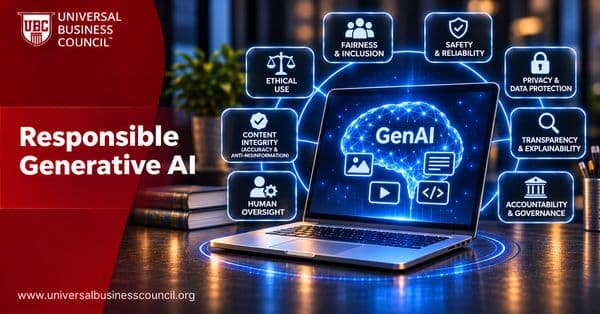
Responsible Generative AI: Risks, Principles and Best Practices
Learn what responsible generative AI means and how organizations can develop and use generative AI systems ethically. Explore key principles, including fairness, transparency, privacy, accountability, safety, and human oversight, along with practical strategies for reducing risks and building trustworthy AI applications.

Artificial Intelligence
Federated Learning and Responsible AI: Benefits, Risks and Limitations
Explore how federated learning supports responsible AI by allowing machine learning models to train across decentralized data sources without directly sharing raw data. Learn about its benefits for privacy and collaboration, along with risks, technical limitations, security concerns, and practical applications.
Trending Articles
The Role of Blockchain in Ethical AI Development
How blockchain technology is being used to promote transparency and accountability in artificial intelligence systems.
AWS Career Roadmap
A step-by-step guide to building a successful career in Amazon Web Services cloud computing.
Top 5 DeFi Platforms
Explore the leading decentralized finance platforms and what makes each one unique in the evolving DeFi landscape.