

What Is Meta Business Manager?
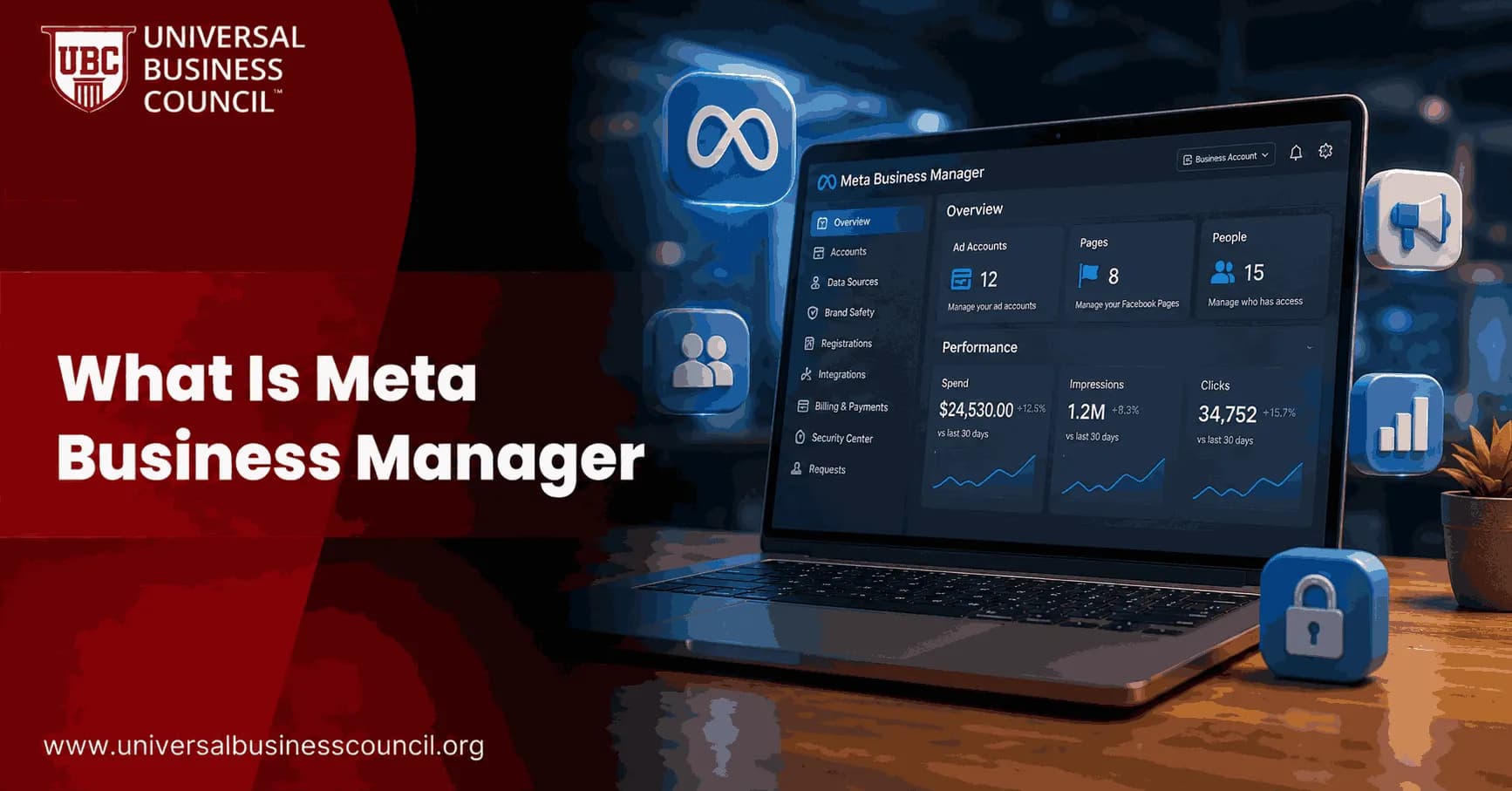
If you have ever tried to run a Facebook or Instagram ad, manage a business page, or work with a marketing agency, you have likely come across the term Meta Business Manager. For beginners, the name alone can feel intimidating, and for professionals, understanding how it fits into a broader advertising strategy is essential. This guide explains, in plain language, what Meta Business Manager is, how it works, and why it matters, whether you are opening your very first ad account or managing dozens of client accounts.
Meta Business Manager is a free, centralized platform created by Meta (the company behind Facebook, Instagram, Messenger, and WhatsApp) that allows businesses to manage their pages, ad accounts, team members, and other digital assets from a single dashboard. Instead of juggling multiple personal logins or losing track of who has access to what, Meta Business Manager brings everything into one organized workspace.

This article breaks down everything you need to know, from core features to setup steps, common points of confusion, and a practical path for building genuine expertise in managing Meta's advertising ecosystem.
What Is Meta Business Manager, Exactly?
At its core, Meta Business Manager is your company's account on Meta's platforms. Officially, Meta now refers to this system as "Business Portfolios," though the older name, Meta Business Manager, remains far more widely recognized and commonly used across the industry.
Rather than tying your business activity to a personal Facebook profile, Meta Business Manager creates a separate business identity. This identity houses all your "assets," which include Facebook Pages, Instagram accounts, ad accounts, pixels, product catalogs, and payment methods. Each asset can be shared with specific people or partner businesses, and access can be granted or revoked without ever exposing anyone's personal profile.
This structure matters because it solves a real problem. Before centralized business account systems existed, agencies and teams often had to share personal login credentials to manage a client's Facebook page or ad account, which created serious security and accountability risks. Meta Business Manager eliminates that need entirely.
Why Businesses Use Meta Business Manager
Understanding why this platform exists helps clarify its value. Businesses of every size, from solo entrepreneurs to global enterprises, rely on Meta Business Manager for several practical reasons.
First, it separates personal and business activity. Employees and agency partners can access business assets without ever seeing or using anyone's personal Facebook profile. Second, it centralizes control. Instead of managing five different pages through five different logins, everything sits under one business umbrella. Third, it enables collaboration. Multiple team members, freelancers, or agencies can be granted precise levels of access, from full administrative control to limited, view-only permissions.
Finally, Meta Business Manager is required for any serious advertising operation. Personal Facebook profiles can no longer create new ad accounts directly, which means Meta Business Manager has effectively become the standard entry point for running professional campaigns across Facebook, Instagram, Messenger, and WhatsApp.
For marketers who want to build structured, verifiable expertise in this space, a certification such as Certified Meta Ads Expert can provide a formal foundation, covering not just the mechanics of Meta Business Manager but the broader strategy behind running effective campaigns across Meta's platforms.
Key Features of Meta Business Manager
Meta Business Manager includes a wide range of tools designed to help businesses manage advertising, content, and team access efficiently. Below are the core features every user, beginner or professional, should understand.
Asset Management
All of your business's digital properties, including Pages, Instagram accounts, ad accounts, and product catalogs, live inside Meta Business Manager as "assets." This structure allows you to view, organize, and manage everything from one central location rather than switching between separate logins.
Ad Account Management
Meta Business Manager allows businesses to create, manage, and monitor multiple ad accounts simultaneously. This is particularly useful for agencies managing several clients or for larger companies running campaigns across different regions or product lines.
Team and Permission Controls
One of the most valuable aspects of Meta Business Manager is granular permission control. Business owners can assign specific roles, such as admin, advertiser, or analyst, to different team members. This ensures that employees only have access to what they actually need, reducing the risk of accidental changes or unauthorized access.
Business Asset Groups
Business Asset Groups allow companies to bundle related assets together and grant access to an entire group at once, rather than assigning permissions one asset at a time. This is especially helpful for larger organizations or agencies managing many clients, since it saves time and reduces the chance of human error when onboarding new team members.
Ads Manager Integration
Within Meta Business Manager, Ads Manager serves as the primary tool for building, launching, and tracking advertising campaigns. It provides detailed options for audience targeting, budget control, creative testing, and performance measurement across all of Meta's platforms.
Meta Pixel and Conversion Tracking
The Meta Pixel is a small piece of code placed on a business's website that tracks visitor actions, such as purchases or sign-ups, and feeds that data back into Meta Business Manager. This information helps advertisers measure campaign performance and build more accurate audience targeting based on real user behavior.
AI-Powered Optimization Tools
Meta has increasingly integrated artificial intelligence into its advertising ecosystem. Advantage+ campaigns use automated targeting and creative optimization to improve results with less manual setup, while underlying systems such as the Andromeda and GEM algorithms power automated ad delivery decisions. Additionally, generative AI tools now assist with drafting ad copy and suggesting captions, reducing the manual workload for content creation.
Meta Business Manager vs. Meta Business Suite vs. Ads Manager
One of the most common sources of confusion for beginners is the overlap between Meta Business Manager, Meta Business Suite, and Ads Manager. Since all three tools come from the same company and share parts of the same interface, it is easy to mix them up.
Meta Business Manager functions as the overarching account structure, the container that holds all of a business's assets, permissions, and advertising accounts. Meta Business Suite, by comparison, is a more streamlined, day-to-day management tool focused on content publishing, messaging, and basic insights, and is generally better suited to small businesses and content creators who do not need complex, multi-account setups. Ads Manager, meanwhile, is the specific tool used within Meta Business Manager for building and optimizing advertising campaigns.
In simple terms, think of Meta Business Manager as the foundation, Meta Business Suite as a simplified operational layer built on top of that foundation, and Ads Manager as the specialized advertising engine that both platforms rely on.
How to Set Up Meta Business Manager: A Step-by-Step Guide
Setting up Meta Business Manager is straightforward once broken into clear steps, even for complete beginners.
Step 1: Create Your Business Account Visit Meta's business platform and choose to create a new business account. You will need an existing personal Facebook profile to begin this process, though your business activity will remain separate from your personal account.
Step 2: Enter Business Details Provide your business name, your name, and a business email address. Meta will typically ask you to verify this email before proceeding further.
Step 3: Add Your Assets Once your business account is created, add your existing Facebook Page, Instagram account, and any ad accounts you plan to manage. If you do not yet have these assets, Meta Business Manager allows you to create them directly within the platform.
Step 4: Set Up Team Access Invite team members or agency partners and assign appropriate permission levels based on their role. This step is critical for maintaining security and accountability as your team grows.
Step 5: Install the Meta Pixel If you have a website, install the Meta Pixel to begin tracking visitor actions. This data becomes increasingly valuable as you scale your advertising efforts, since it enables more precise targeting and performance measurement.
Step 6: Configure Payment Methods Add a payment method to your ad account so that campaigns can run without interruption. Meta Business Manager allows multiple payment methods to be added for different ad accounts if needed.
Once these steps are complete, your business is fully set up to run campaigns, manage content, and collaborate with team members through Meta Business Manager.
Is Meta Business Manager Free? Understanding the Costs
A common question among beginners is whether Meta Business Manager costs anything to use. The platform itself is completely free. There is no subscription fee, no setup charge, and no cost simply to create and maintain a Meta Business Manager account.
The actual cost businesses incur comes from advertising spend. When you run campaigns through Ads Manager, you pay only for the ads themselves, based on your chosen budget and bidding strategy. There is no minimum campaign budget enforced at the account level, though individual ad sets typically require a minimum daily budget.
Optional add-ons, such as Meta Verified, which provides account verification badges and enhanced support, are available for a separate monthly subscription fee per asset. However, this is entirely optional and not required to use Meta Business Manager or run standard advertising campaigns.
Who Should Use Meta Business Manager?
Meta Business Manager is designed to scale across a wide range of users, which makes it relevant to almost anyone doing business on Facebook or Instagram.
Small business owners benefit from the ability to separate personal and business activity while still keeping campaign management simple. Marketing agencies rely heavily on Meta Business Manager to manage multiple clients securely, using partner access and permission controls to avoid ever needing a client's personal login credentials. Content creators and influencers use it to manage brand partnerships and run promotional campaigns professionally. Enterprise advertisers, meanwhile, depend on its advanced features, such as detailed audit logs, bulk management tools, and business asset groups, to manage large-scale, multi-account advertising operations.
Because the platform is free and scales from simple single-account setups to complex enterprise structures, there is effectively no business too small or too large to benefit from using it correctly.
Common Challenges When Using Meta Business Manager
Despite its usefulness, many users, particularly beginners, encounter friction when first navigating Meta Business Manager.
One frequent challenge is the interface itself, which many users describe as unintuitive, especially compared to simpler tools like Meta Business Suite. New users often expect to launch a campaign immediately, only to find that Meta requires several verification and setup steps first, which can feel slow or confusing without guidance.
Another common issue involves permission management. In larger teams or agencies, incorrectly assigned roles can lead to either restricted access that slows down work or, conversely, overly broad access that creates security risks. Establishing a clear internal process for assigning roles from the beginning helps prevent this problem.
Mobile usability is another area where users report difficulty, since certain advanced features function better on desktop than on the mobile app. Teams that frequently work on the go should plan for this limitation when structuring their workflow.
Finally, keeping up with frequent feature updates, including the growing role of AI-driven tools, requires ongoing learning. What worked as a best practice a year ago may already be outdated, particularly as automated optimization tools continue to expand.
Building Real Expertise: Beyond Basic Platform Knowledge
Learning to click through Meta Business Manager's interface is only the starting point. Genuine expertise requires understanding audience strategy, budget optimization, creative testing, and how Meta's advertising ecosystem fits into a broader digital marketing plan.
For professionals who want to formalize this knowledge, structured certification offers a practical path. A Certified Digital Marketing Expert credential, for example, extends beyond Meta's ecosystem alone, covering broader digital marketing principles such as search strategy, content marketing, and multi-channel campaign planning. This wider perspective helps professionals understand how Meta Business Manager fits into a full marketing strategy, rather than treating it as an isolated tool.
Combining platform-specific knowledge with broader digital marketing fundamentals tends to produce far stronger long-term results than learning Meta Business Manager in isolation.
Best Practices for Managing Meta Business Manager Effectively
To get the most value from Meta Business Manager, a few practical habits make a significant difference.
Regularly audit team permissions, especially as staff or agency relationships change, to ensure access levels remain accurate and secure. Use Business Asset Groups for larger teams to simplify onboarding and reduce administrative overhead. Install and properly configure the Meta Pixel early, since accumulated conversion data becomes increasingly valuable for targeting as your campaigns scale. Additionally, review AI-driven recommendations, such as Advantage+ suggestions, critically rather than accepting them automatically, since automated tools work best when paired with human oversight and brand judgment.
Consistently applying these practices helps businesses avoid the most common pitfalls while making full use of what the platform offers.
The Future of Meta Business Manager and AI-Driven Advertising
Meta continues to expand artificial intelligence throughout its advertising ecosystem, and this trend shows no sign of slowing down. Automated campaign optimization, AI-generated creative suggestions, and increasingly sophisticated targeting algorithms are becoming standard rather than optional features within Meta Business Manager.
For marketers, this shift means that manual, granular campaign management is gradually being supplemented, though not entirely replaced, by automated systems. As a result, professionals who understand both the underlying strategic principles and the platform's evolving automated tools will be best positioned to adapt as these changes continue to unfold.
Learning Path: From Meta Business Manager to Full Digital Marketing Mastery
For learners who want a structured route from beginner-level platform knowledge to professional-grade expertise, the following path offers a logical progression.
Start by mastering Meta Business Manager itself through hands-on practice, setting up ad accounts, managing assets, and running small test campaigns. Once comfortable with the basics, pursue the Certified Meta Ads Expert certification to build structured, verified expertise specifically in Meta's advertising ecosystem, including campaign strategy, audience targeting, and performance optimization.
From there, broaden your skill set with the Certified Digital Marketing Expert certification, which extends your knowledge beyond Meta's platforms into full-spectrum digital marketing strategy. For professionals who want to round out their technical versatility further, additional Tech Certification options provide exposure to broader technology domains that increasingly intersect with modern marketing, such as automation and data-driven decision-making. Finally, those interested in how emerging technologies like blockchain and Web3 are reshaping digital business can explore Deep Tech Certification options to stay ahead of the next wave of digital transformation.
Following this progression, from hands-on platform familiarity, to Meta-specific certification, to broader digital marketing and deep tech expertise, creates a well-rounded, career-relevant skill set rather than fragmented, platform-only knowledge.
Conclusion
Meta Business Manager is the foundational platform for anyone serious about managing business activity, running advertising campaigns, or collaborating with a team across Facebook, Instagram, Messenger, and WhatsApp. It is free to use, scales from small businesses to global enterprises, and centralizes assets, permissions, and advertising tools into a single, organized workspace.
While the platform's interface can feel overwhelming at first, understanding its core structure, features, and setup process makes it far more approachable, whether you are a complete beginner or an experienced marketing professional. Combining hands-on use of Meta Business Manager with structured learning, starting with a Certified Meta Ads Expert credential and expanding into a Certified Digital Marketing Expert path, gives professionals both the practical skills and the verified expertise needed to succeed in an increasingly automated, AI-driven advertising landscape.
Frequently Asked Questions
1. What is Meta Business Manager used for?
Meta Business Manager is used to manage Facebook Pages, Instagram accounts, ad accounts, and team permissions from a single centralized business account.
2. Is Meta Business Manager free to use?
Yes, Meta Business Manager is completely free; businesses only pay for actual advertising spend when running campaigns.
3. What is the difference between Meta Business Manager and Meta Business Suite?
Meta Business Manager is the overarching account structure for managing assets and permissions, while Meta Business Suite is a simplified, day-to-day tool focused on content publishing and basic insights.
4. Do I need a personal Facebook account to create Meta Business Manager?
Yes, an existing personal Facebook profile is required to create a Meta Business Manager account, though business activity remains separate from personal use.
5. Can multiple people access the same Meta Business Manager account?
Yes, business owners can invite team members or agency partners and assign specific permission levels to control what each person can access.
6. What is the Meta Pixel, and why is it important?
The Meta Pixel is a tracking code installed on a website that records visitor actions, helping advertisers measure performance and build more accurate audience targeting.
7. Is Meta Business Manager suitable for small businesses?
Yes, the platform scales from simple single-account setups to complex enterprise operations, making it accessible for businesses of any size.
8. What happens if I don't use Meta Business Manager for advertising?
Personal Facebook profiles can no longer create new ad accounts directly, making Meta Business Manager effectively required for professional advertising.
9. How do I add a new team member to Meta Business Manager?
You can invite new team members through the business settings section and assign them a specific role, such as admin, advertiser, or analyst.
10. What are Business Asset Groups?
Business Asset Groups allow businesses to bundle related assets together and grant access to an entire group at once, simplifying permission management for larger teams.
11. Can agencies manage multiple clients through one Meta Business Manager account?
Yes, agencies commonly use Meta Business Manager to manage multiple client ad accounts and pages securely through partner access, without needing personal login credentials.
12. What is Meta Verified, and is it required?
Meta Verified is an optional paid subscription that provides account verification badges and enhanced support; it is not required to use Meta Business Manager.
13. How does AI factor into Meta Business Manager today?
AI-driven tools, such as Advantage+ campaigns and automated targeting algorithms, are increasingly integrated to optimize ad delivery and assist with creative content generation.
14. Is there a minimum advertising budget required?
There is no minimum campaign budget at the account level, though individual ad sets typically require a small minimum daily budget.
15. What is the biggest challenge beginners face with Meta Business Manager?
Many beginners find the interface unintuitive at first, particularly the multiple verification and setup steps required before launching a first campaign.
16. Can I manage WhatsApp and Messenger through Meta Business Manager?
Yes, Meta Business Manager supports managing assets and campaigns across Facebook, Instagram, Messenger, and WhatsApp from one centralized account.
17. Should I get certified in Meta advertising, or is hands-on practice enough?
While hands-on practice builds familiarity, formal certification helps validate strategic knowledge and structured skills that go beyond basic platform navigation.
18. How is Meta Business Manager different from Ads Manager?
Meta Business Manager is the overall account structure that houses assets and permissions, while Ads Manager is the specific tool used within it to build and manage advertising campaigns.
19. Can I use Meta Business Manager on mobile devices?
Yes, though several advanced features function more smoothly on desktop, and some users find the mobile experience less convenient for complex tasks.
20. What skills complement Meta Business Manager expertise for a marketing career?
Broader digital marketing knowledge, data analysis skills, and familiarity with emerging technologies all complement platform-specific expertise and strengthen long-term career prospects.
Related Articles
View All
Meta Ads
How to Set Up Meta Business Manager: Step-by-Step Guide for Businesses
Learn how to set up Meta Business Manager, add assets, assign permissions, verify your business, configure pixels, and manage Facebook and Instagram ads properly.
Meta Ads
How to Set Up Meta Ads Manager
Meta Ads Manager is the primary platform for creating, managing, and optimizing advertising campaigns across Facebook, Instagram, Messenger, and the Meta Audience Network. This guide explains how to set up Ads Manager and prepare your account for effective campaign management.

Meta Ads
Meta Events Manager Explained: How to Manage Pixels, Events, and Domains
Learn how Meta Events Manager works, including Pixel setup, CAPI, event testing, domain verification, AEM, and tracking governance.
Trending Articles
The Role of Blockchain in Ethical AI Development
How blockchain technology is being used to promote transparency and accountability in artificial intelligence systems.
AWS Career Roadmap
A step-by-step guide to building a successful career in Amazon Web Services cloud computing.
Top 5 DeFi Platforms
Explore the leading decentralized finance platforms and what makes each one unique in the evolving DeFi landscape.