

Google Ads for E-commerce Stores: Strategies to Increase Sales Profitably
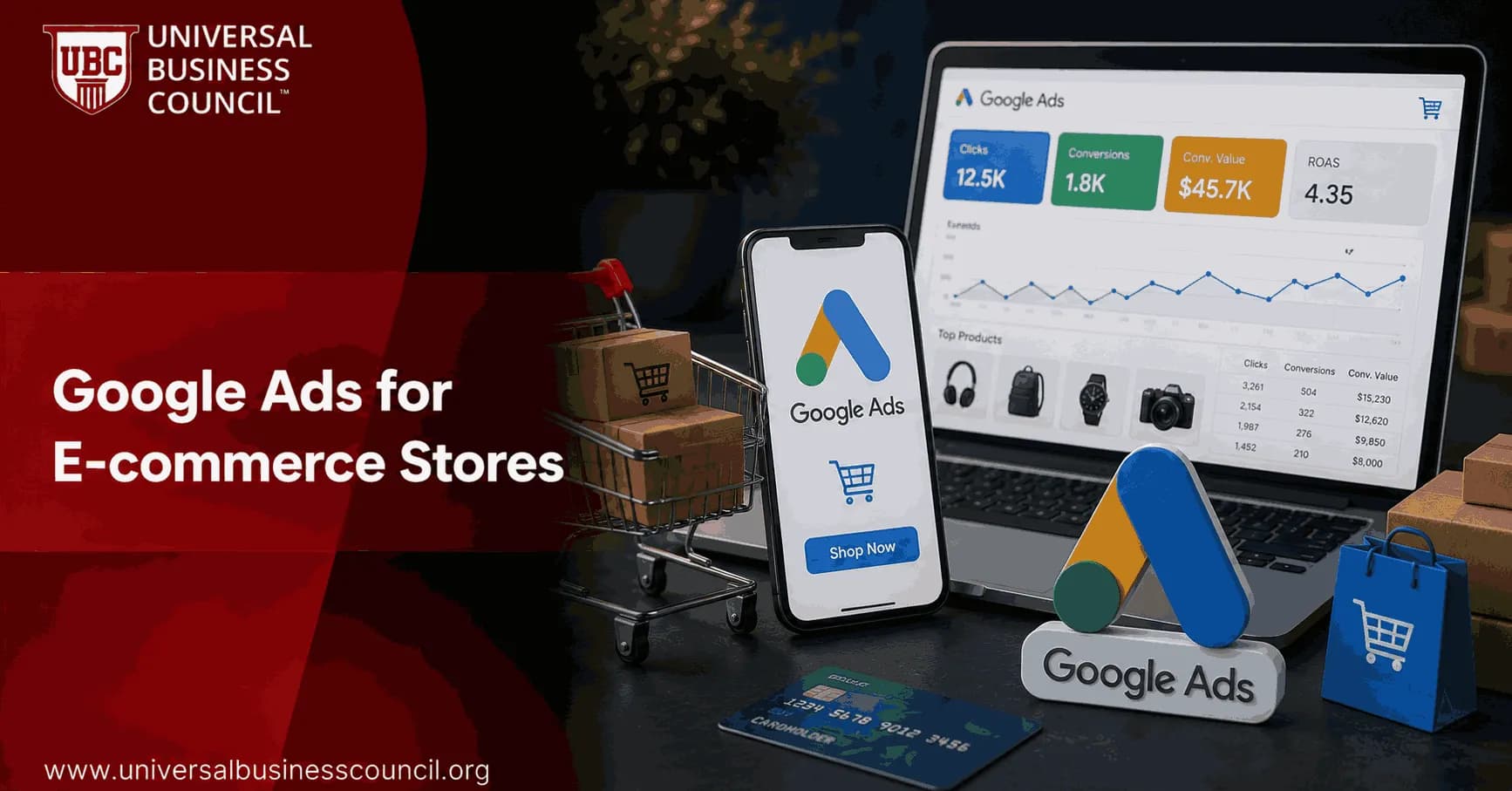
Google Ads for e-commerce stores works best when you treat it as a profit system, not a traffic tap. The winners usually have clean product data, tight campaign structure, measured conversion value, and bidding rules tied to margin. The losers often have one Performance Max campaign, a messy feed, and no idea whether a sale made money.
That sounds blunt because it is. Google Ads can produce strong returns for e-commerce retailers, but only from well-managed accounts. If your Merchant Center feed has missing GTINs, stale prices, or vague product titles, automation has poor input and your budget pays for the lesson.

Running consistently profitable Google Ads campaigns requires more than understanding bidding strategies alone. A Certified Google Ads Expert credential helps professionals build practical skills in campaign structure, keyword targeting, Shopping ads, Performance Max optimization, conversion tracking, and ROI-focused advertising, creating a stronger foundation for managing e-commerce campaigns effectively.
Start with the product feed before you touch bids
Your product feed is the targeting engine behind Shopping and Performance Max. Google matches products to searches using titles, descriptions, attributes, prices, availability, GTINs, and product categories. If that data is thin, your ads enter weaker auctions.
Use search-friendly titles rather than internal SKU names. For example, Women's Blue Linen Midi Dress, Summer Collection is far stronger than Dress 4402. That small change matters because shoppers search by product type, color, material, size, and use case.
Feed fixes that usually move the needle
Resolve Merchant Center errors first: Disapproved products cannot serve. Warnings can also limit reach.
Sync price and availability: Inaccurate pricing or stock status can trigger disapprovals until corrected and reviewed.
Add GTINs where available: GTINs help Google identify the exact product and match it to relevant demand.
Use full attributes: Add brand, gender, size, color, material, age group, and product category where relevant.
Create custom labels: Segment products by margin, seasonality, bestseller status, clearance, or inventory depth.
Here is a common audit finding. A best-selling product sits inside the same campaign as low-margin clearance items. Smart Bidding then optimizes toward revenue, not profit. Use labels so your 60 percent margin hero SKU is not treated like a 12 percent margin stock-clearance item.
Build a campaign portfolio, not a single campaign
The strongest setup for Google Ads for e-commerce stores is usually a mix of Shopping, Search, Performance Max, and selective Demand Gen or Display. Each campaign type has a job. Do not ask one format to do all of them.
While Google Ads plays a central role in customer acquisition, long-term e-commerce growth also depends on SEO, content marketing, email campaigns, analytics, and conversion optimization working together. Earning a Certified Digital Marketing Expert credential helps professionals understand how these channels complement paid advertising to create a more sustainable digital marketing strategy.
Standard Shopping for high-intent product searches
Standard Shopping is still the right starting point for many stores because it gives you visibility and control. Start there before expanding into Search, Performance Max, and Demand Gen.
Use Shopping to capture searches such as wireless noise cancelling headphones, black leather ankle boots, or ergonomic office chair with lumbar support. These people are close to buying. Your job is to show the right product, price, image, shipping offer, and review proof.
Segment campaigns around commercial reality:
High-margin products
Bestsellers
Seasonal collections
Clearance stock
Low-impression products, often called zombie SKUs by performance teams
Give your top revenue drivers enough budget to learn. Put zombie products in a lower-bid catch-all campaign so they can gather data without draining spend.
Search campaigns for category and problem-aware queries
Search ads fill gaps Shopping may miss. A query like best hiking boots for winter or affordable standing desk for home office has clear buying intent, but it may need ad copy that answers the concern before the click.
Start with exact and phrase match. Broad match can work later when you have strong conversion data, Smart Bidding, and a disciplined negative keyword list. For a new account, broad match often buys messy intent. I have seen search term reports where a premium furniture store paid for clicks containing free plans, DIY, and used. None of those people were likely to buy a new $900 desk.
Structure Search campaigns using single-theme ad groups. Keep each ad group focused on one clear theme so the ad copy can match the keyword and landing page. Better relevance can improve Quality Score, which Google says is influenced by expected CTR, ad relevance, and landing page experience.
Performance Max for scale, with guardrails
Performance Max can reach Search, Shopping, YouTube, Display, Gmail, Maps, and Discover using your Merchant Center feed and creative assets. Google positions it as a core retail campaign type, and it can work very well. But it is not magic.
Do not run Performance Max alone if you need control. A practical setup is to keep Standard Shopping and Search active, then add PMax once the account has roughly 30 or more monthly conversions. Many e-commerce specialists recommend moving from Maximize Conversion Value to Target ROAS once there are about 30 to 50 conversions.
For PMax, provide:
Clean product feed data
Customer lists and past purchaser audiences as signals
Strong lifestyle images
Vertical video assets for mobile placements
Clear asset groups by product category or customer intent
A useful guardrail is to set a higher Target ROAS for PMax than for manual Shopping or Search. That pushes automation toward more profitable incremental sales instead of letting it absorb easy brand demand and claim credit.
Demand Gen and Display for remarketing and awareness
Demand Gen replaced Discovery campaigns and is useful for visual reach across Google surfaces. Use it for product-rich image and video campaigns, especially for remarketing or customer lookalike audiences.
Display is usually better as a retargeting tool than a cold acquisition channel for most smaller e-commerce stores. If PMax already covers your remarketing needs, adding Display may only duplicate spend. Test it, but make it prove itself.
Separate brand and non-brand performance
Brand traffic usually has very high ROAS because the shopper already knows you. That is useful, but it can hide weak prospecting. If your brand campaign and cold acquisition campaign sit in one blended report, leadership may think the account is healthier than it is.
Separate:
Brand Search: Your company name, product line names, branded misspellings.
Non-brand Search: Category and problem queries from people who may not know you.
Shopping by category: Products grouped by margin and sales potential.
PMax: Asset groups and listing groups aligned to product strategy.
Track ROAS, gross margin, CAC, conversion rate, average order value, and new customer share. ROAS alone can flatter a campaign that sells low-margin products or repeatedly converts existing customers.
Use Smart Bidding when the data is ready
Smart Bidding works when Google receives enough clean conversion value data. That does not mean you should switch on Target ROAS on day one.
For low-data accounts, start with Manual CPC, Enhanced CPC, or Maximize Clicks while you build reliable conversion tracking. Once you have enough sales data, move to Maximize Conversion Value. Then test Target ROAS.
Set Target ROAS by margin, not ego
The right Target ROAS depends on your margin, repeat purchase rate, shipping cost, and cash flow.
High-margin products: Use a lower ROAS target if you want scale.
Low-margin products: Use a higher ROAS target to protect profit.
New customer acquisition: Accept a lower first-order ROAS only if LTV supports it.
Clearance: Optimize for stock movement, but do not pretend it is profitable growth.
When changing Target ROAS, avoid daily tinkering. Give the algorithm two to three weeks unless tracking breaks or spend goes wildly off course.
Make negative keywords a weekly habit
Negative keywords are not glamorous. They save money. Build a list from day one and review search terms every week, especially in early campaign stages.
Common e-commerce negatives include words such as free, used, repair, manual, template, DIY, and wholesale, depending on your offer. Be careful with negatives in Performance Max and Shopping because broad exclusions can block valuable long-tail demand.
Fix the landing page before blaming Google Ads
If traffic is qualified but sales are weak, inspect the landing page. Does it answer the search intent? Does it load quickly on mobile? Are shipping costs clear before checkout? Can the buyer see returns, delivery dates, reviews, size guidance, and payment options?
For e-commerce, small friction points hurt. A hidden shipping fee or vague return policy can erase the gain from a perfect campaign structure. Align ad copy and landing pages around the same promise, such as free shipping, 30-day returns, eco-friendly materials, or next-day dispatch, but only if those claims are true.
Measurement setup: the part you cannot skip
Google Ads for e-commerce stores depends on conversion value. Set up Google Analytics 4 e-commerce tracking, import purchases into Google Ads, and verify revenue, tax, shipping, refunds, and duplicate transactions. If your tracking overstates revenue by 15 percent, Smart Bidding will confidently chase the wrong customers.
At minimum, report on:
Revenue and conversion value
ROAS and profit-adjusted ROAS
Gross margin by product group
New versus returning customers
CTR and CPC by campaign type
Search term waste
Product approval rate in Merchant Center
Modern e-commerce advertising relies on technical capabilities such as analytics implementation, API integrations, data management, cloud-based platforms, and marketing automation. A Tech Certification helps professionals strengthen these complementary skills, enabling more accurate campaign measurement, improved data quality, and better decision-making.
Professionals studying digital marketing through Universal Business Council can connect this topic with related learning in paid media strategy, marketing analytics, e-commerce management, and performance measurement. Google Ads performance sits at the intersection of analytics, customer behavior, and commercial decision-making, so those subjects reinforce each other.
Your 30-day action plan
Week 1: Clean Merchant Center errors, rewrite weak product titles, add missing GTINs and attributes.
Week 2: Split brand and non-brand campaigns. Build Standard Shopping around category, margin, and bestseller labels.
Week 3: Launch focused Search campaigns using exact and phrase match. Add negatives from the first search term review.
Week 4: Review conversion volume. If tracking is clean and sales are consistent, test Maximize Conversion Value or a conservative Target ROAS strategy.
Start with the feed. Then structure campaigns by intent and profit. After that, let Smart Bidding work with clean data, not guesswork. If you want to build deeper capability, study paid search, analytics, and e-commerce strategy together rather than treating Google Ads as a standalone button-pushing skill.
As artificial intelligence, predictive analytics, automation, and machine learning continue to reshape digital advertising, professionals who invest in a Deep Tech Certification can develop a broader understanding of the technologies driving modern marketing platforms. This knowledge supports more informed decisions when optimizing campaigns, evaluating automation, and adapting to the next generation of advertising tools.
FAQs
1. What is Google Ads for e-commerce?
Google Ads for e-commerce is an online advertising platform that helps retailers promote products across Google Search, Shopping, YouTube, Gmail, Discover, and the Google Display Network. Businesses can use different campaign types to attract shoppers, generate qualified traffic, and increase online sales while monitoring advertising performance.
2. Why should e-commerce businesses use Google Ads?
Google Ads allows e-commerce stores to reach customers who are actively searching for products or demonstrating purchase intent. With detailed targeting, measurable performance metrics, and AI-powered optimization features, businesses can adjust campaigns based on real-time data and changing customer behavior.
3. Which Google Ads campaign types work best for e-commerce?
Popular campaign types include Shopping Ads, Performance Max campaigns, Search campaigns, Display campaigns, Demand Gen campaigns, and YouTube campaigns. The most effective combination depends on business objectives, product categories, target audiences, and available advertising budgets.
4. What are Google Shopping Ads?
Google Shopping Ads display product images, prices, merchant names, ratings where available, and other product information directly in search results. They use product data from Google Merchant Center and can help shoppers compare products before visiting a retailer's website.
5. What is Performance Max for e-commerce?
Performance Max is an AI-powered campaign type that delivers ads across Google's advertising inventory using automation and machine learning. It combines audience signals, creative assets, product feeds, and conversion goals to optimize campaign performance, while still benefiting from ongoing monitoring and refinement.
6. How important is Google Merchant Center?
Google Merchant Center is essential for retailers running Shopping Ads and many Performance Max campaigns. It stores product feed information such as titles, descriptions, prices, availability, images, and shipping details that Google uses to display product listings.
7. How should product feeds be optimized?
Product feeds should contain accurate titles, detailed descriptions, high-quality images, correct pricing, availability, GTINs where applicable, and relevant product attributes. Regular feed updates help improve product visibility and reduce disapprovals caused by outdated information.
8. How can keyword research improve e-commerce campaigns?
Keyword research helps identify search terms with strong purchase intent, seasonal demand, and product-specific relevance. Using a combination of branded, category, competitor, and long-tail keywords can improve campaign targeting and traffic quality.
9. Why are long-tail keywords valuable for online stores?
Long-tail keywords often reflect highly specific buying intent and may face less competition than broader search terms. Although search volume may be lower, these queries can attract shoppers who are closer to making a purchase.
10. How should product landing pages be optimized?
Landing pages should provide clear product information, fast loading speeds, mobile-friendly design, transparent pricing, customer reviews where appropriate, high-quality images, and straightforward checkout processes. A strong user experience supports higher conversion rates and better advertising efficiency.
11. What bidding strategies are commonly used for e-commerce?
Common Google Ads bidding strategies include Maximize Conversions, Maximize Conversion Value, Target ROAS (Return on Ad Spend), and Manual CPC for selected scenarios. The most suitable strategy depends on campaign goals, available conversion data, and business profitability targets.
12. How can AI improve Google Ads performance?
AI helps automate bidding, optimize audience targeting, generate creative recommendations, predict conversion likelihood, identify high-performing product combinations, and improve campaign efficiency. Advertisers should continue reviewing campaign performance and making strategic adjustments based on business objectives.
13. Which metrics should e-commerce advertisers monitor?
Important metrics include impressions, click-through rate (CTR), conversion rate, cost per click (CPC), cost per acquisition (CPA), return on ad spend (ROAS), conversion value, average order value (AOV), cart abandonment rate, and customer lifetime value (CLV).
14. How does remarketing support e-commerce sales?
Remarketing allows businesses to reconnect with previous website visitors or shoppers who did not complete a purchase. Personalized ads featuring recently viewed or related products can encourage customers to return and complete their transactions.
15. How important is mobile optimization?
A significant share of online shopping occurs on mobile devices. Mobile-optimized websites with responsive design, fast page speeds, simplified navigation, and streamlined checkout experiences can improve customer satisfaction and conversion performance.
16. How can seasonal campaigns increase sales?
Seasonal campaigns allow retailers to align advertising with holidays, promotional events, product launches, and peak shopping periods. Planning campaigns in advance, updating product feeds, and adjusting budgets based on expected demand can improve campaign effectiveness.
17. What common mistakes should e-commerce advertisers avoid?
Common mistakes include using incomplete product feeds, sending traffic to slow or poorly designed landing pages, ignoring negative keywords, failing to track conversions accurately, overlooking mobile users, relying entirely on automation without review, and neglecting regular campaign optimization.
18. How should e-commerce businesses measure profitability?
Profitability should be evaluated using metrics such as ROAS, gross profit, contribution margin, customer acquisition cost (CAC), customer lifetime value (CLV), repeat purchase rate, and overall business profitability rather than focusing solely on clicks or sales volume.
19. What role does A/B testing play in Google Ads?
A/B testing helps advertisers compare different headlines, descriptions, product images, landing pages, calls to action, audience signals, and bidding approaches. Continuous testing enables businesses to make data-informed decisions and improve campaign performance over time.
20. What are the best Google Ads strategies for increasing e-commerce sales profitably?
Successful e-commerce advertising combines optimized product feeds, high-quality landing pages, effective keyword targeting, AI-assisted bidding, conversion tracking, remarketing, continuous testing, and regular performance analysis. As Google's advertising platform continues to evolve, retailers that balance automation with strategic oversight and focus on long-term profitability rather than short-term sales alone will be better positioned for sustainable growth. More clicks are easy to buy. Profitable customers are the real achievement, and they rarely arrive just because a campaign has an impressive dashboard.
Related Articles
View All
Digital Marketing
Google Ads for B2B Lead Generation: Campaign Strategies That Work
Learn how to use Google Ads for B2B lead generation with intent-led Search, Smart Bidding, Performance Max, CRM tracking, and better landing pages.
Digital Marketing
Google Ads Bidding Strategies Explained for Beginners
Beginner guide to Google Ads bidding strategies, including Manual CPC, Maximize Clicks, Target CPA, Target ROAS, and when to use each.

Digital Marketing
Google Ads Remarketing Guide: How to Re-Engage Website Visitors
A practical Google Ads remarketing guide for re-engaging website visitors with audience segmentation, dynamic ads, RLSA, first-party data, and better measurement.
Trending Articles
The Role of Blockchain in Ethical AI Development
How blockchain technology is being used to promote transparency and accountability in artificial intelligence systems.
AWS Career Roadmap
A step-by-step guide to building a successful career in Amazon Web Services cloud computing.
Top 5 DeFi Platforms
Explore the leading decentralized finance platforms and what makes each one unique in the evolving DeFi landscape.