

What Are Meta Ads? A Beginner's Guide to Facebook and Instagram Advertising
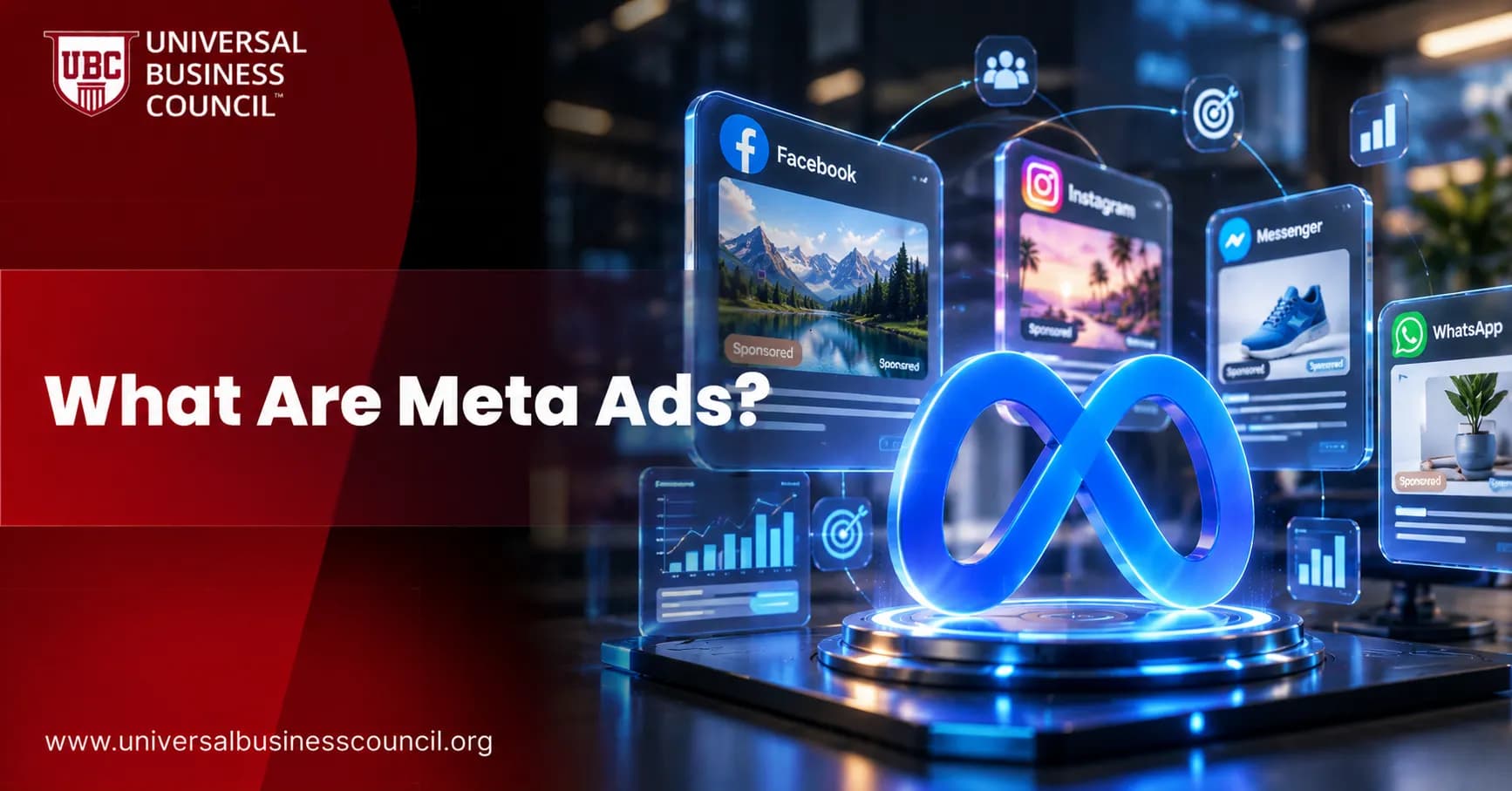
Meta Ads are paid advertisements that run across Meta's apps, including Facebook, Instagram, Messenger, WhatsApp, Threads, and the Audience Network. For most beginners, the practical starting point is simple. Meta Ads are how you buy targeted Facebook and Instagram advertising from one place: Meta Ads Manager.
The platform is not keyword-based like Google Search Ads. It is built around people, behaviour, interests, creative, and prediction. That difference matters. You are usually interrupting a scroll, not answering a search query. Your ad has to earn attention fast. Professionals looking to develop their paid social advertising skills can explore the Certified Meta Ads Expert program.

Check New Updates in 2026: https://www.universalbusinesscouncil.org/meta-ads/meta-ads-major-updates/
What Are Meta Ads?
Meta Ads are the paid media system operated by Meta Platforms. The name became common after Facebook changed its company name to Meta in 2021, though many marketers still say Facebook Ads out of habit.
Inside Meta Ads Manager, you can create campaigns, set budgets, choose audiences, upload creative, track results, and adjust delivery across Meta's inventory. The setup flow follows a clear order: choose an objective, define an audience, select placements, set a budget, choose a format, and publish. For a broader understanding of these marketing principles, Marketing Certification programs can complement practical experience with campaign planning and strategy.
Where Meta Ads Can Appear
Your ads can show in several places, depending on the placements you choose:
Facebook: Feed, Stories, Reels, Marketplace, in-stream video, and other surfaces.
Instagram: Feed, Stories, Reels, Explore, and Shopping placements.
Messenger: Inbox placements and sponsored message formats.
WhatsApp: Ads connected to business messaging experiences.
Threads: Newer inventory within Meta's app ecosystem.
Audience Network: Partner apps and websites outside Meta's own apps.
Beginners often want to manually pick only Facebook Feed or Instagram Feed. Sometimes that is sensible for a controlled creative test. But for most early campaigns, Advantage+ placements are worth testing, because Meta can shift delivery toward the placements producing cheaper results.
How Meta Ads Work
Meta Ads use an auction. You compete with other advertisers for impressions, but the highest bid does not always win. Meta weighs your bid, estimated action rate, and ad quality or relevance. In plain English, the system asks three things: who is likely to act, which ad experience is best, and what is the advertiser willing to pay?
This is why weak creative can quietly burn budget even when targeting looks perfect. I have watched new advertisers spend days tweaking interests while ignoring the first three seconds of a Reel. That is backwards. If the hook fails, no audience setting will save the campaign.
The Three-Level Campaign Structure
Meta campaigns are organised into three levels:
Campaign level: Choose your objective, such as awareness, traffic, engagement, leads, app promotion, or sales.
Ad set level: Set the audience, placements, budget, schedule, optimisation event, and delivery settings.
Ad level: Add the image, video, headline, primary text, call to action, destination URL, lead form, or Instant Experience.
Do not rush the objective. A traffic campaign optimises for clicks. A leads campaign optimises for leads. A sales campaign optimises for purchases or conversion events when tracking is set up correctly. Choose traffic when your real goal is qualified leads, and you may get cheap clicks that never speak to sales.
Main Meta Ad Formats for Facebook and Instagram
Meta supports several ad formats. Each has a job.
Single image ads: Good for clear offers, simple messages, and fast production.
Video ads: Strong for demonstrations, testimonials, founder explanations, tutorials, and Reels-style creative.
Carousel ads: Useful when you need to show multiple products, features, locations, or proof points.
Collection ads: Built for ecommerce catalogues and mobile shopping journeys.
Lead ads: Let users submit details inside Facebook or Instagram without visiting your website.
Instant Experience: A full-screen mobile experience that opens after a tap.
Flexible ads: Allow Meta to adapt combinations of creative assets for different placements.
For a beginner, start with one simple image ad and one short vertical video. Test both. In many local service and B2B lead campaigns, the plain image with a direct offer beats the polished brand video. Not always. Often enough that you should test it.
Targeting Options in Meta Ads
Meta Ads are known for targeting. The major distinction from search advertising is that Meta targets people based on who they are and what they do, rather than what they type into a search box.
Core Audiences
Core targeting includes:
Location, age, gender, and language.
Interests based on pages, content engagement, and topics.
Behaviours such as device use, purchase signals, and activity patterns.
Interest targeting can work, but do not overbuild it. A common beginner mistake is stacking ten interests into one ad set, then assuming Meta knows exactly who you mean. Broad targeting with strong creative often gives the algorithm more room to find buyers.
Custom Audiences
Custom audiences let you reach people who already know you. Common examples include:
Website visitors tracked with the Meta pixel or server-side events.
Customer lists uploaded from a CRM, where privacy rules and consent allow it.
People who engaged with your Facebook Page or Instagram account.
Video viewers, lead form openers, and shopping activity audiences.
Retargeting is usually where beginners see the clearest early wins. The classic workflow is straightforward: someone visits your site, the Meta pixel records the visit, and later that person sees a tailored ad on Facebook or Instagram. For ecommerce, that might mean an abandoned cart carousel. For a consulting firm, it might mean a case-study ad shown to webinar registrants.
Lookalike Audiences
Lookalike audiences help you find new people similar to a source audience, such as purchasers or qualified leads. Use good source data. A lookalike built from newsletter signups can behave very differently from one built on paying customers.
Meta Ads vs Search Ads
Here is the beginner-friendly split:
Factor | Meta Ads | Search Ads |
|---|---|---|
Targeting basis | Demographics, interests, behaviours, and past actions | Keywords and search queries |
User intent | Discovery while scrolling | Active search intent |
Best use | Awareness, demand creation, retargeting, visual offers | Capturing existing demand |
Creative role | Critical, especially video and mobile-first visuals | Important, but query relevance carries more weight |
To be blunt, Meta Ads are not always the right first channel. If you sell emergency plumbing, high-intent search usually beats social ads, because people search when the pipe bursts. If you sell a new skincare product, a course, a gym trial, or a visual consumer product, Meta can introduce the offer before someone knows to search for it.
What Metrics Should Beginners Track?
Meta Ads Manager reports impressions, reach, clicks, conversions, cost per result, and return on ad spend (ROAS). With Facebook and Instagram each counting well over a billion active users, reach is rarely the problem. Measurement discipline is.
Track these first:
CPM: Cost per 1,000 impressions. This tells you how expensive the audience is to reach.
CTR: Click-through rate. Low CTR can signal weak creative or poor audience fit.
CPC: Cost per click. Useful, but not the final answer.
Cost per lead or purchase: The metric your budget actually cares about.
Conversion rate: The percentage of visitors who take the intended action.
ROAS: Revenue divided by ad spend, mainly for ecommerce and tracked sales campaigns.
Lead quality: Check CRM outcomes, not just form fills.
One practical warning. Meta's reported leads can look healthy while the sales team complains. That usually means the form is too easy, the offer is vague, or the follow-up is slow. Add one qualifying question to a lead form and volume may drop, but sales acceptance often improves. Leadership tracks revenue, pipeline, CAC, LTV, and payback period, not just cheap leads.
Marketing analytics also depends on understanding the technology behind tracking, attribution, and reporting. Professionals interested in broadening their technical knowledge can explore Tech Certification programs alongside practical advertising experience.
How to Launch Your First Meta Ads Campaign
Use this simple process:
Define one business goal. Pick sales, leads, bookings, app installs, or awareness. Do not mix goals in one campaign.
Set up tracking. Install the Meta pixel, configure conversion events, and check that your CRM or ecommerce platform records the same outcomes.
Choose a narrow offer. A free audit, product bundle, trial, webinar, consultation, or limited catalogue set is easier to test than a vague brand message.
Create two or three ads. Test a short vertical video, a static image, and perhaps a carousel.
Start with a controlled budget. Give the campaign enough spend to learn, but avoid changing settings every few hours.
Review by placement and creative. Look beyond campaign averages. Reels may behave very differently from Feed.
Cut what fails, scale what proves itself. Increase budgets gradually once you have reliable conversion data.
Where Meta Ads Fit in Professional Marketing Skills
Meta Ads are not just button-clicking. Good advertisers understand positioning, segmentation, creative testing, analytics, and budget management. If you are building a career in paid social or managing agency and in-house teams, pair platform practice with structured study.
This guide connects naturally to Universal Business Council courses in digital marketing, social media marketing, marketing analytics, brand strategy, and marketing management. If a dedicated paid social course sits in the catalogue, it is the logical companion to hands-on practice.
Common Beginner Mistakes
Changing campaigns too soon: Let delivery collect enough data before judging performance.
Using only one ad: You need creative variation to learn what the market responds to.
Optimising for clicks instead of outcomes: Cheap traffic can be expensive if nobody converts.
Ignoring mobile landing pages: Most users arrive from mobile placements. Slow pages kill results.
Trusting platform numbers without checking the CRM: Always compare Meta data with sales, bookings, or revenue records.
Assessing Blockchain Talent and Practical Skills
As blockchain technology continues to transform industries, organisations need professionals who understand its practical applications and technical foundations. Hiring the right talent requires more than reviewing qualifications; employers must also evaluate relevant knowledge and problem-solving skills. Platforms like HireValid can help organisations explore structured candidate assessments for more informed hiring decisions.
What to Learn Next
Meta Ads give you access to one of the largest paid social ecosystems in the world. The channel is accessible to most businesses, and it plays a central role in both DTC ecommerce and B2B lead generation. The opportunity is real, but the work is practical: tracking, creative, offer clarity, and careful measurement.
Your next step is straightforward. Open Meta Ads Manager, map one campaign using the campaign, ad set, and ad structure above, and build a small test around one measurable goal. Then strengthen the skill set with a relevant Universal Business Council course in digital marketing, analytics, or marketing management, so you can connect campaign performance to business results. Professionals seeking to expand their understanding of emerging technologies can also explore Deep Tech Certification as an additional learning option.
FAQs
1. What are Meta Ads?
Meta Ads are paid advertisements businesses use to reach audiences across platforms such as Facebook, Instagram, Messenger, and other placements available through Meta's advertising system. They help businesses promote products, generate leads, increase website traffic, and build brand awareness.
2. What is Meta Ads Manager?
Meta Ads Manager is Meta's advertising platform for creating, managing, and monitoring paid campaigns. Advertisers can use it to select campaign objectives, define target audiences, set budgets, choose placements, create advertisements, and measure campaign performance.
3. How do Facebook and Instagram ads work?
Facebook and Instagram ads work through an advertising auction that considers factors such as the advertiser's bid, estimated action rates, and ad quality. Advertisers define their objectives and audiences, while Meta's delivery system determines which eligible people are most likely to respond.
4. What are the different types of Meta Ads?
Common Meta ad formats include image ads, video ads, carousel ads, collection ads, Stories ads, and Reels ads. The available formats and placements depend on campaign objectives, creative specifications, and account eligibility.
5. How much does it cost to run Meta Ads?
Meta Ads do not have one fixed price. Advertising costs depend on the audience, competition, campaign objective, location, placement, and creative quality. Businesses can set daily or lifetime budgets and adjust spending based on campaign performance.
6. How do beginners create their first Meta Ads campaign?
Beginners can create a campaign by opening Meta Ads Manager, selecting an advertising objective, setting a budget, choosing an audience, selecting placements, uploading creative assets, and publishing the campaign. Tracking results after launch helps identify opportunities for improvement.
7. What are the main objectives of Meta Ads?
Meta Ads campaign objectives generally include awareness, traffic, engagement, leads, app promotion, and sales. The appropriate objective depends on the business goal, such as introducing a new brand, collecting enquiries, increasing app installations, or generating purchases.
8. How does audience targeting work in Meta Ads?
Meta Ads targeting allows advertisers to reach people using available audience options, such as location, age, interests, engagement, and customer data where permitted. Custom and lookalike audiences can also help businesses reach existing customers or people with similar characteristics.
9. What is the difference between Facebook Ads and Instagram Ads?
Facebook Ads appear in eligible Facebook placements, while Instagram Ads appear in placements such as the Feed, Stories, and Reels. Both can be managed through Meta Ads Manager, allowing advertisers to compare performance and select suitable placements for their audiences.
10. What is the Meta Pixel, and why is it important?
The Meta Pixel is a website tracking tool that helps businesses measure actions visitors take after interacting with advertisements. It can support conversion measurement, campaign optimization, and audience creation. Businesses should configure it correctly and follow applicable privacy and consent requirements.
11. What is the Conversions API in Meta advertising?
The Conversions API allows businesses to send supported marketing events from their servers or other integrations to Meta. When configured appropriately, it can complement browser-based tracking and improve measurement reliability, subject to data quality, deduplication, and privacy requirements.
12. What makes a successful Meta Ads creative?
A successful Meta Ads creative communicates one clear message, captures attention quickly, and includes a relevant call to action. High-quality visuals, concise copy, mobile-friendly layouts, and a strong connection between the advertisement and its landing page can improve campaign effectiveness.
13. How do you measure Meta Ads performance?
Advertisers commonly monitor impressions, reach, clicks, click-through rate (CTR), cost per click (CPC), cost per thousand impressions (CPM), conversions, cost per acquisition (CPA), and return on ad spend (ROAS). The most useful metrics depend on the campaign objective.
14. What is the difference between organic social media and Meta Ads?
Organic social media includes unpaid posts, videos, and other content shared on business profiles. Meta Ads involve paid distribution to selected audiences. Organic content helps build ongoing engagement, while paid campaigns can extend reach and support specific marketing objectives.
15. How can small businesses benefit from Meta Ads?
Small businesses can use Meta Ads to reach local customers, promote products, generate enquiries, increase website visits, and retarget interested audiences. Starting with a manageable budget and measuring meaningful results can help businesses determine which campaigns deserve additional investment.
16. What are common Meta Ads mistakes beginners should avoid?
Common mistakes include choosing the wrong campaign objective, targeting an overly broad or narrow audience, using weak creative assets, neglecting conversion tracking, changing campaigns too frequently, and failing to test variations. Beginners should establish clear goals and evaluate performance using relevant metrics.
17. What is A/B testing in Meta Ads?
A/B testing compares different versions of an advertising campaign to determine which performs better against a defined objective. Advertisers may test creative assets, headlines, audiences, or landing pages while controlling other variables to produce more useful results.
18. How can Meta Ads generate leads for businesses?
Meta Ads can generate leads through lead forms, website enquiry pages, messaging experiences, or other supported conversion paths. Businesses should use clear offers, request only necessary information, and follow up promptly to improve the chances of converting leads into customers.
19. Are Meta Ads suitable for e-commerce businesses?
Yes. E-commerce businesses can use Meta Ads to promote products, reach potential buyers, retarget eligible audiences, and encourage purchases. Product catalogs, conversion tracking, engaging creatives, and relevant landing pages can support performance when configured correctly.
20. How can beginners improve their Meta Ads results?
Beginners can improve results by setting measurable goals, testing different creative concepts, tracking conversions, reviewing audience performance, and optimizing landing pages. Regular analysis of cost per result and overall business outcomes helps determine whether campaigns are delivering meaningful value.
Related Articles
View All
Meta Ads
Meta Lead Ads Guide: How to Generate Leads on Facebook and Instagram
Learn how Meta Lead Ads generate leads on Facebook and Instagram, with setup steps, form design tips, CRM integration, and quality metrics.
Meta Ads
Facebook Ads vs Instagram Ads
Facebook Ads and Instagram Ads both run through Meta's advertising platform, but they reach audiences differently. Learn how they compare in demographics, ad formats, engagement, costs, and conversions to determine which platform is best for your business.
Meta Ads
Meta Ads Manager Guide: Create, Manage, and Analyze Campaigns
A practical Meta Ads Manager guide for setting up campaigns, managing budgets and audiences, tracking events, and analyzing ROAS, CPA, CTR, and conversions.
Trending Articles
The Role of Blockchain in Ethical AI Development
How blockchain technology is being used to promote transparency and accountability in artificial intelligence systems.
AWS Career Roadmap
A step-by-step guide to building a successful career in Amazon Web Services cloud computing.
Top 5 DeFi Platforms
Explore the leading decentralized finance platforms and what makes each one unique in the evolving DeFi landscape.