

Google Ads Budget Planning: How Much Should Beginners Spend?
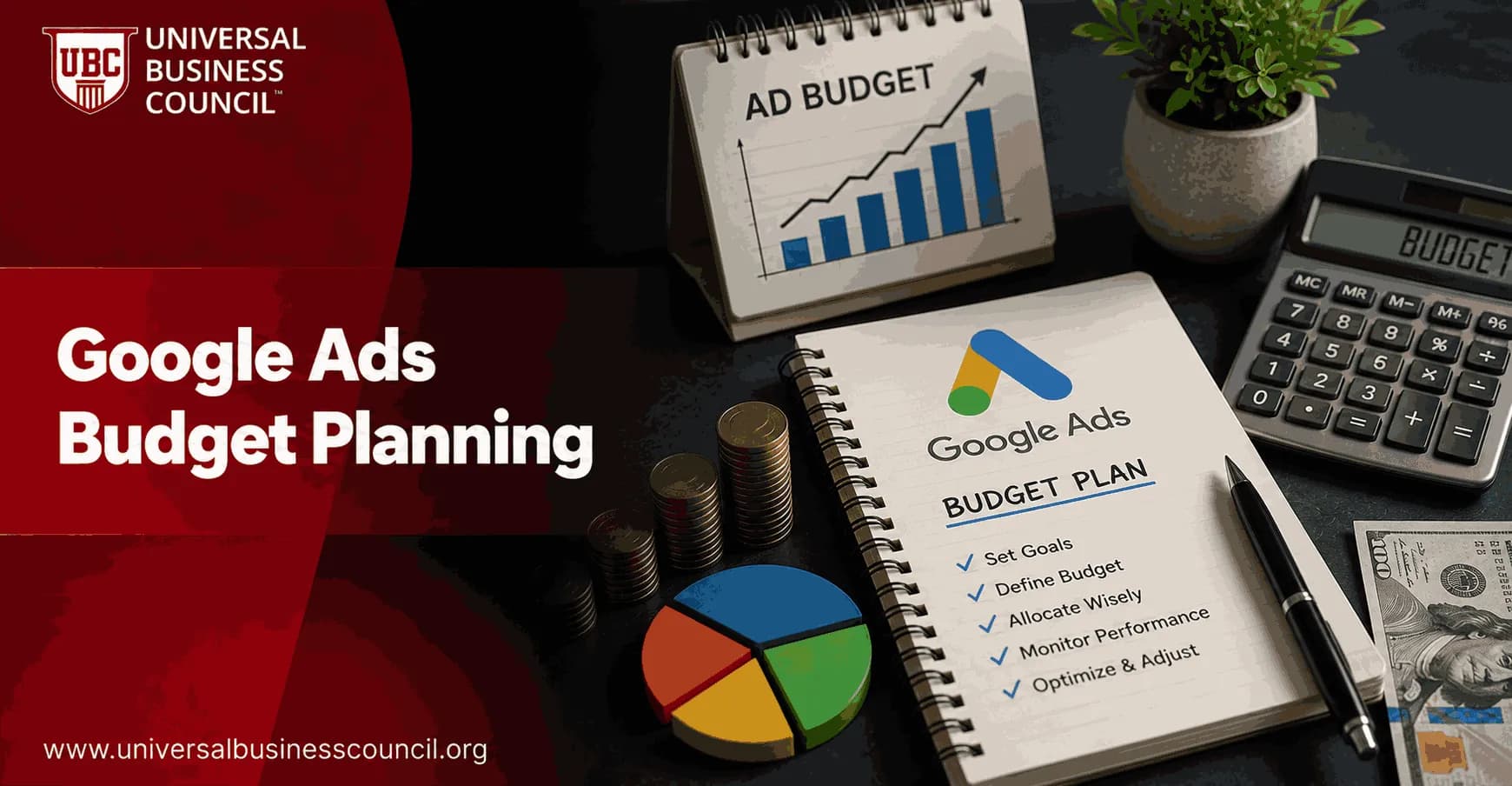
Google Ads budget planning should start with math, not guesswork. For most beginners, a sensible test budget is $20-$50 per day per campaign, or about $600-$1,500 per month. In competitive search markets, a better starting point is often $50-$100 per day, or $1,500-$3,000 per month.
That does not mean every beginner should spend $3,000 next month. Set your budget from four inputs: your goal, average cost per click, expected conversion rate, and customer value. Miss one of those numbers and your budget becomes a guess.

Successful budget planning requires more than choosing a daily spend. A Certified Google Ads Expert credential helps professionals develop practical skills in campaign budgeting, keyword research, bidding strategies, conversion tracking, and performance optimization, making it easier to allocate advertising budgets based on measurable business goals rather than assumptions.
How Google Ads Budget Planning Works
Google Ads budgets are usually set at the campaign level as an average daily budget. The platform may spend more or less on a given day depending on traffic, but it uses your daily budget to manage spend across the month.
The conversion is simple:
Daily budget = Monthly budget / 30.4
If you can spend $1,200 per month, your daily campaign budget is about $39.47. Round it to $40 and keep the account easier to manage.
Beginners make one expensive mistake here. They split a small budget across too many campaigns. A $900 monthly budget spread across Search, Display, Performance Max, and YouTube rarely gives any one campaign enough data. Start narrower. Search first. High intent first.
What Beginners Usually Spend on Google Ads
Current market guidance points to a few practical ranges. WordStream's 2025 Google Ads benchmarks put the average cost per click across Google Ads at roughly $5.26 and the average cost per lead near $70. Those numbers explain why older advice about $5 per day campaigns is often unhelpful now.
Very small local or niche campaigns: $10-$20 per day can work if CPCs are low and targeting is tight.
General beginner test campaign: $20-$50 per day is a practical starting range.
Competitive Search campaign: $50-$100 per day is more realistic for faster learning.
Local lead generation in competitive cities: $4,000-$7,500 per month is common in hard markets such as plumbing, legal, HVAC, or emergency services.
Ecommerce and B2B lead generation: $1,500-$3,000 per month is often the minimum useful range when CPCs are not cheap.
To be blunt, the right beginner budget is not the smallest amount Google will accept. It is the smallest amount that produces enough clicks and conversions to teach you something.
Budget allocation is most effective when paid search is viewed as part of a broader customer acquisition strategy. A Certified Digital Marketing Expert credential helps professionals understand how Google Ads works alongside SEO, content marketing, email marketing, analytics, and conversion optimization to improve marketing efficiency and long-term business growth.
The 10 Clicks Per Day Rule
A useful rule of thumb is to aim for at least 10 clicks per day per campaign. Nothing magic about it. That is simply enough traffic to start seeing patterns in search terms, ad copy, landing pages, and conversion tracking.
Use this formula:
Minimum daily budget = Average CPC x 10
If Keyword Planner shows an average CPC of $3, you need about $30 per day. If your CPC is $8, you need about $80 per day. That is why a dentist in a major city cannot plan like a niche craft store with low-cost keywords.
At an average CPC of $5.26, a $20 daily budget buys only about 3 to 4 clicks per day. A $50 daily budget buys around 9 to 10 clicks. That second campaign will learn faster, even if both are technically running.
Build Your Budget From Your Goal
Good budget planning works backward from the result you want. Do this before you launch.
Lead generation formula
For service businesses, B2B firms, and local providers, start with the lead target.
Daily budget = Target daily conversions x Average CPC / Conversion rate
Example:
Target: 1 lead per day
Average CPC: $4
Landing page conversion rate: 10%
You need about 10 clicks to get 1 lead. At $4 per click, the daily budget is $40, or about $1,200 per month.
If your conversion rate is only 3%, the same goal needs about 33 clicks per day. At $4 per click, that is $132 per day. This is why landing page quality matters as much as media spend.
Ecommerce ROAS formula
For ecommerce, use revenue and margin. A campaign can show a positive return on ad spend and still lose money if margins are thin.
Budget = Expected revenue / Target ROAS
If you want $4,000 in monthly revenue from Google Ads and your target ROAS is 400%, your monthly budget is $1,000. But check contribution margin, shipping, returns, and payment fees before calling it profitable.
Budget Scenarios for Common Beginners
Local service business
If you run a plumbing firm, locksmith service, dental clinic, repair shop, or local legal practice, begin with high-intent searches only. Use terms such as emergency plumber in Austin or same day dental appointment near me, not broad single-word keywords.
A moderate local market can often start at $30-$60 per day. In highly competitive cities, that may be too low. Watch cost per lead, answered call rate, booked appointment rate, and revenue per job. Do not judge the campaign from form fills alone.
Ecommerce store
For ecommerce, plan at least $40-$70 per day if your CPCs are moderate. You need enough traffic to test product titles, shopping feeds, Search terms, and landing pages. A $300 monthly ecommerce budget can run, but it usually cannot answer many useful questions.
B2B or SaaS lead generation
B2B campaigns often have fewer clicks and higher CPCs. A beginner budget of $1,500-$3,000 per month is a reasonable floor for many English-speaking B2B markets. Track lead quality in HubSpot, Salesforce, or your CRM. Google Ads may show conversions, but sales will tell you which leads were worth buying.
Micro-budget testing
If you only have $10-$20 per day, keep the account simple. One Search campaign. A small group of exact match and phrase match keywords. One clear conversion action. No Display. No broad awareness campaigns.
Expect slower learning. You may need 2-3 months before the data is stable enough to make a confident decision.
What to Set Up Before Spending
Beginners waste budget when measurement is wrong. I have seen account reviews where the campaign looked successful because it counted every thank-you page reload as a new lead. The sales team had only a handful of real enquiries. Fix tracking first.
Install conversion tracking through Google Ads or Google Tag Manager.
Connect Google Analytics 4 so you can inspect engagement and assisted paths.
Separate primary and secondary conversions. Purchases and qualified leads are primary. Page views are not.
Use Keyword Planner to estimate CPCs by location and intent.
Set a monthly cap before launch, then divide by 30.4.
Review search terms weekly and add negative keywords quickly.
If you are building paid media capability across a team, this is a good point to connect your learning plan with Universal Business Council courses in digital marketing, marketing analytics, and marketing management. Budget planning is not only a platform skill. It is a management skill.
Effective budget management also depends on strong technical foundations, including analytics implementation, conversion tracking, CRM integration, marketing automation, and data management. A Tech Certification helps professionals strengthen these complementary technical skills, leading to more accurate reporting and better-informed advertising decisions.
How Long Should You Test Before Scaling?
Give a new Google Ads campaign at least 2-3 months, unless tracking is broken or the offer is clearly wrong. Short tests can mislead you. One bad week does not prove the channel failed, and one lucky lead does not prove it works.
During the first 90 days, track:
CPC: Are clicks affordable for your market?
CTR: Are ads matching search intent?
Conversion rate: Is the landing page doing its job?
CPA: Can you afford the cost per lead or sale?
ROAS: Are ecommerce campaigns producing enough revenue?
Lead quality: Are sales teams getting real prospects or poor-fit enquiries?
Scale only when CPA or ROAS makes sense. If the campaign spends $1,000 and produces $600 in gross profit, spending $5,000 usually gives you a bigger problem, not a bigger business.
Your First Google Ads Budget Decision
Use this starting point:
Low competition niche: $20-$40 per day per campaign.
Normal beginner Search campaign: $40-$60 per day.
Competitive market: $50-$100 per day or more.
Very small experiment: $10-$20 per day, with tight targeting and patient expectations.
Your next step is simple. Open Keyword Planner, find your likely CPC, multiply it by 10, and compare that daily number with your target CPA and customer value. If the numbers work, launch one focused Search campaign and protect the first 90 days from constant tinkering.
As artificial intelligence, predictive analytics, automation, and privacy-focused measurement continue to reshape digital advertising, earning a Deep Tech Certification can help professionals build a deeper understanding of the technologies behind modern marketing platforms. This knowledge supports smarter budget planning, stronger optimization strategies, and better long-term marketing performance.
FAQs
1. What is Google Ads budget planning?
Google Ads budget planning is the process of determining how much to invest in advertising while aligning spending with business goals, target audience, competition, and expected return on investment (ROI). A well-planned budget helps businesses test campaigns, measure results, and scale advertising more effectively over time.
2. How much should beginners spend on Google Ads?
There is no universal budget that fits every business. The appropriate starting budget depends on factors such as industry competition, keyword costs, geographic targeting, customer lifetime value, and marketing objectives. Beginners often benefit from starting with a manageable test budget that allows enough data to evaluate campaign performance before increasing investment.
3. What factors influence a Google Ads budget?
Important factors include keyword competition, average cost per click (CPC), campaign objectives, target locations, audience size, conversion rate, profit margins, customer acquisition cost (CAC), and overall marketing budget. Seasonal demand and industry trends can also affect spending requirements.
4. How does cost per click affect budget planning?
Cost per click represents the amount paid when someone clicks an advertisement. Industries with highly competitive keywords generally have higher CPCs, meaning advertisers may need larger budgets to generate sufficient traffic and conversion data.
5. Should beginners focus on daily or monthly budgets?
Google Ads uses daily budgets to manage campaign spending, while businesses often plan marketing expenses monthly or quarterly. Monitoring both daily performance and overall monthly spending provides better financial control and helps prevent unexpected budget overruns.
6. How many campaigns should beginners launch?
New advertisers often achieve better results by starting with a limited number of focused campaigns rather than managing many campaigns simultaneously. Concentrating on a few well-structured campaigns simplifies optimization and performance analysis.
7. Which campaign types are best for beginners?
Search campaigns are commonly recommended for beginners because they target users actively searching for products or services. Depending on business goals, Shopping, Performance Max, Local, or Demand Gen campaigns may also be appropriate after establishing reliable conversion tracking.
8. Why is conversion tracking essential before increasing budgets?
Conversion tracking measures actions such as purchases, form submissions, phone calls, or appointment bookings. Without accurate conversion data, increasing advertising budgets may simply amplify ineffective campaigns rather than improve business results.
9. How should keyword selection influence budget decisions?
Choosing highly relevant keywords with strong commercial intent helps improve budget efficiency. Long-tail keywords often have lower competition and may attract users who are closer to making a purchasing decision, although performance varies by industry.
10. Should beginners use automated bidding?
Automated bidding strategies such as Maximize Conversions or Target CPA can be helpful once campaigns have sufficient conversion data. New accounts with limited historical performance may require careful monitoring while Google's machine learning gathers information.
11. How important are landing pages for budget efficiency?
High-quality landing pages improve user experience and can increase conversion rates, helping advertisers generate more value from existing budgets. Fast-loading pages, relevant messaging, and clear calls to action contribute to stronger campaign performance.
12. How can AI improve budget management?
AI can optimize bids, allocate budgets across campaigns, predict conversion opportunities, identify audience patterns, and recommend performance improvements. Advertisers should regularly review AI-generated recommendations to ensure they align with profitability goals and business strategy.
13. Which metrics should beginners monitor?
Key metrics include impressions, click-through rate (CTR), cost per click (CPC), conversion rate, cost per acquisition (CPA), return on ad spend (ROAS), conversion value, quality score, customer acquisition cost (CAC), and customer lifetime value (CLV).
14. When should advertisers increase their budgets?
Budgets may be increased after campaigns consistently achieve business objectives, maintain profitable acquisition costs, and generate reliable conversion data. Scaling gradually allows advertisers to monitor whether additional spending continues to produce efficient results.
15. What common budgeting mistakes should beginners avoid?
Common mistakes include starting with unrealistic expectations, spreading budgets across too many campaigns, ignoring negative keywords, increasing budgets too quickly, failing to monitor conversion tracking, and focusing only on clicks instead of business outcomes.
16. How does seasonality affect Google Ads budgets?
Demand for many products and services fluctuates during holidays, promotional events, and seasonal buying periods. Advertisers may adjust budgets throughout the year to reflect anticipated customer demand and market competition.
17. Should beginners spend more on branding or conversions?
The appropriate balance depends on business objectives. Companies seeking immediate leads or sales often prioritize conversion-focused campaigns, while businesses building long-term market presence may allocate part of their budget toward brand awareness initiatives alongside performance campaigns.
18. How should small businesses measure advertising success?
Success should be measured using business-focused metrics such as qualified leads, sales, revenue, return on ad spend, customer acquisition cost, profit margins, and customer lifetime value rather than relying solely on clicks or impressions.
19. How can advertisers prepare for Google Ads changes in 2026?
Businesses should stay informed through official Google Ads announcements, evaluate new AI-driven features, maintain accurate first-party data where appropriate, review campaign performance regularly, and adapt budget strategies based on measurable results rather than assumptions.
20. What is the best Google Ads budget strategy for beginners?
The most effective strategy is to begin with a realistic testing budget, implement accurate conversion tracking, focus on high-intent keywords, optimize landing pages, monitor key performance metrics, and scale spending only after campaigns demonstrate consistent business value. As Google's advertising platform continues to evolve, advertisers who combine disciplined budget management with continuous optimization and strategic use of AI will be better positioned to improve long-term profitability. Spending more money does not automatically create better campaigns. The algorithms appreciate your budget, but they are still remarkably fond of relevance and good decisions.
Related Articles
View All
Digital Marketing
Google Ads Budget Planning: How Much to Spend and How to Control It
Learn how to plan a Google Ads budget using CPC, CPA, CLV, ROAS, POAS, ad scheduling rules, and automation-aware budget controls.

Digital Marketing
Best Google Ads Course Topics Every Beginner Should Learn
Learn the essential Google Ads course topics beginners need, from campaign setup and keywords to GA4 tracking, Smart Bidding, and Performance Max.
Digital Marketing
Google Ads for Small Businesses: A Limited Budget Guide
A practical Google Ads guide for small businesses with limited budgets, covering CPC planning, search campaigns, tracking, bidding, keywords, and optimization.
Trending Articles
The Role of Blockchain in Ethical AI Development
How blockchain technology is being used to promote transparency and accountability in artificial intelligence systems.
AWS Career Roadmap
A step-by-step guide to building a successful career in Amazon Web Services cloud computing.
Top 5 DeFi Platforms
Explore the leading decentralized finance platforms and what makes each one unique in the evolving DeFi landscape.