

Google Ads for Small Businesses: A Limited Budget Guide
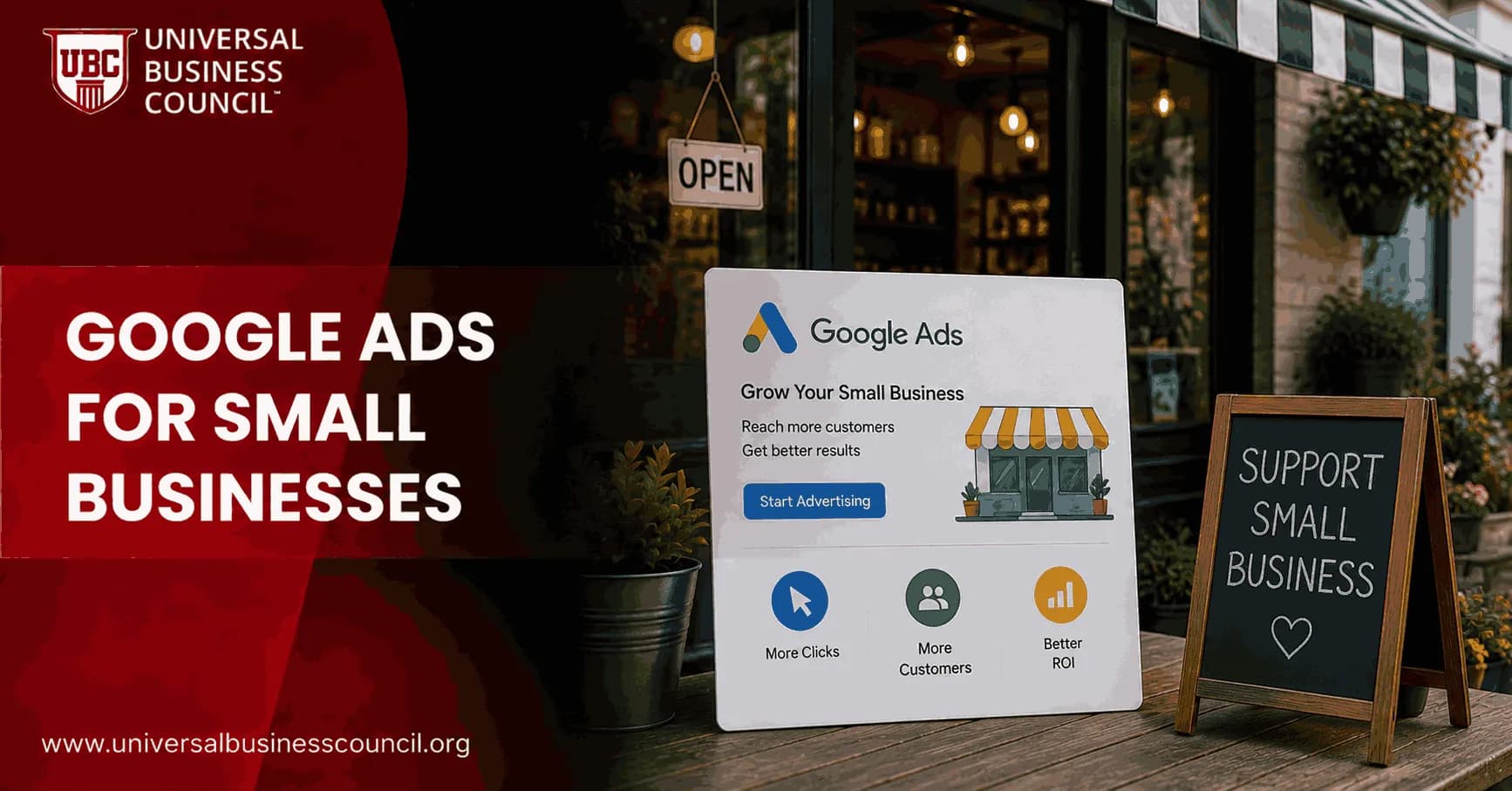
Google Ads for small businesses works when you stop treating it like a traffic machine and start treating it like a demand capture tool. On a limited budget, your job is not to be everywhere. Your job is to show up for the few searches that already carry buying intent, track every useful action, and cut waste before it snowballs.
That sounds simple. It is not easy. A $20 per day campaign can vanish into vague searches, poor locations, late-night clicks, and untracked calls before you have collected enough data to learn anything. The upside: small budgets still produce profitable campaigns when the structure is tight and the expectations are honest.

Building profitable campaigns on limited budgets requires a solid understanding of keyword targeting, conversion tracking, bidding strategies, and ongoing optimization. Many professionals strengthen these practical skills through a Certified Google Ads Expert credential, which provides structured knowledge for managing campaigns efficiently while maximizing return on ad spend.
What counts as a limited Google Ads budget?
There is no universal number, because cost per click swings sharply by industry. A florist in a small town and a personal injury attorney in a major city are not playing the same auction.
Practitioner benchmarks still help. Many agencies treat a small Google Ads budget as under $3,000 per month, with a tiny budget closer to $600 per month, or roughly $20 per day. A realistic starting range for many small companies lands somewhere between $1,000 and $2,500 per month. For early experiments, $10 to $20 per day is a common test range.
Here is the rule I would apply before launching: can you afford around 10 clicks per day for at least six to eight weeks? Campaigns need enough search volume to produce learning. If your average CPC is $4, a $10 daily budget will not teach you much. You may get two clicks, no leads, and a false sense that Google Ads does not work.
Start with search, not every campaign type
For most small businesses, Search campaigns come first. Not Display. Not YouTube. Not a broad Performance Max campaign with zero conversion history. Search is where you meet people who are already asking for the thing you sell.
This holds especially for local service providers, clinics, restaurants, training providers, consultants, and niche product sellers. Someone searching emergency plumber near me is far closer to action than a person passively seeing a banner ad.
While Search campaigns are often the best starting point, long-term success also depends on understanding broader customer acquisition strategies, analytics, and marketing planning. A Certified Digital Marketing Expert program helps professionals connect paid search campaigns with wider business and digital marketing objectives to support sustainable growth.
Use this simple starting structure:
One Search campaign focused on a single core service or product.
Three to five ad groups grouped by service type or buying intent.
Five to ten keywords per ad group, mainly phrase match and exact match.
Display Network turned off for your search campaign.
Search partners off at the start if the budget is very tight.
Do not advertise your whole business on day one. Pick the offer with the best margin, the clearest buying intent, and the simplest path to a lead or sale.
Build your budget from CPC, not hope
Before you set a daily budget, open Google Keyword Planner and check estimated CPCs for your core terms. Then do the math.
A practical formula:
Daily budget = average CPC x 10
If your likely CPC is $3, budget around $30 per day. If your CPC is $8, you may need $80 per day to collect 10 clicks. That figure may feel uncomfortable. Better to know it before you launch than after.
For higher-ticket services, you can sometimes work with fewer leads if each customer is worth enough. A B2B training provider might be content with a handful of qualified inquiries a month. Even so, the campaign still needs enough clicks to separate bad keywords from good ones.
Conversion tracking is not optional
If you do only one technical task before launch, set up conversion tracking. Without it, you are buying clicks and guessing which ones matter.
Track actions that connect to revenue:
Form submissions on thank-you pages.
Phone calls from ads and landing pages.
Bookings, purchases, or quote requests.
Qualified lead events imported from a CRM such as HubSpot or Salesforce.
Micro conversions, such as contact page visits, only when lead volume is very low.
Google's own Ads Help documentation puts conversion tracking at the center of bidding and measurement, and Smart Bidding depends on reliable conversion data. If your tracking counts every page view as a lead, the system will optimize toward junk. Brutal, but true.
A common audit problem is call tracking that records every 10-second call as a conversion. For a local service business, many of those calls are wrong numbers, job applicants, or price shoppers. Set a sensible call duration threshold, often 60 seconds or longer, and review call quality when you can.
Keyword strategy for small budgets
Limited budget campaigns should avoid loose keyword targeting at the start. Broad match can work in mature accounts with strong conversion data, but it burns money fast in a new small account.
Use high-intent phrase and exact match terms
Begin with searches that show commercial intent. For example:
emergency HVAC repair near me
book tax consultant in Austin
same day flower delivery Brooklyn
corporate leadership training provider
These are not research queries. They are close to action.
Add negative keywords early
Check the search terms report often during the first month. Daily is not excessive for a tiny budget.
Add negatives for terms such as:
Jobs, salary, hiring, career.
Free, template, PDF, DIY.
Used, cheap, wholesale, if those do not fit your offer.
Competitor locations you do not serve.
Informational searches that never convert.
I have watched small local campaigns waste most of a week's budget on searches like how to fix AC yourself or plumbing jobs near me. Nothing dramatic happened. The budget just leaked away. Negative keywords stop that leak.
Local targeting: be smaller than feels comfortable
Small budget advertisers often target too much geography. A 40-mile radius may look reasonable in the interface, but it can pull in neighborhoods you rarely serve and areas where travel time ruins your margin.
Use tighter controls:
Target your best cities, zip codes, or close suburbs.
Choose presence only location targeting, so ads show to people physically in your target area.
Exclude locations that produce poor leads.
Mention the city or neighborhood in ad copy where it improves relevance.
For home services, start with areas where you already win profitable jobs. For restaurants and local retailers, focus on delivery zones, nearby neighborhoods, and areas with real foot traffic potential.
Bidding: when to use Manual CPC, Maximize Clicks, or Target CPA
There is no single bidding strategy for every small business. The right choice depends on conversion volume.
If you have little or no conversion data
Start with Manual CPC or Maximize Clicks with a CPC cap. This keeps you in control while you learn which keywords and ads attract qualified traffic.
Do not set bid caps so low that you never enter the auction. Cheap clicks are useless if they come from weak searches or low-value locations.
If you have 15 to 30 conversions in 30 days
Now Smart Bidding becomes reasonable. Wait for roughly 15 to 30 conversions in a 30-day window before moving fully into Target CPA, and set daily budgets at about three to five times your target CPA so the algorithm has room to learn.
If your target CPA is $40, a $20 daily budget is too tight for that strategy. You are asking the system to hit a target while giving it almost no room to test.
Ad copy that pre-qualifies clicks
On a limited budget, every click should know what it is getting into. Do not hide key details just to lift click-through rate. A high CTR with poor lead quality is expensive vanity.
Strong small business ad copy often includes:
The service and location.
A clear call to action, such as Call today or Request a quote.
Service boundaries, such as residential only or a minimum project size.
Proof points, such as licensed technicians, same-day appointments, or industry specialization.
Price ranges when they help filter out poor-fit prospects.
Responsive search ads should carry varied headlines, not 15 versions of the same phrase. Test benefit-led messages against practical ones. Sometimes Open Saturday beats a polished brand statement because it answers the buyer's real question.
Weekly optimization checklist
Set a weekly routine. Put it on the calendar.
Review search terms. Add negative keywords and pull out new exact match winners.
Check conversions by keyword. Pause terms that spend without leads.
Inspect location performance. Shift budget toward zip codes that produce qualified inquiries.
Review device data. If mobile drives calls, protect it. If desktop wastes spend, reduce it.
Check the ad schedule. Cut hours that spend but do not convert.
Audit landing pages. Make the phone number visible, shorten forms, and match the ad's promise.
Compare CPA to lead quality. A cheap lead that never closes is not cheap.
Effective campaign optimization also relies on the technology behind digital advertising, including analytics platforms, tag management systems, CRM integrations, cloud infrastructure, APIs, and privacy-focused measurement. A broader Tech Certification can help marketers better understand these technical systems and use them to improve campaign tracking, reporting, and decision-making.
For professional marketers, this is where formal training pays off. If you manage paid media budgets for clients or internal teams, connect this work to a relevant digital marketing, analytics, or management certification pathway.
What to avoid when the budget is tight
Do not run five campaign types at once. You will split the data too thin.
Do not optimize for impressions. Leads, calls, bookings, and revenue matter more.
Do not switch bidding strategies every few days. You reset learning and muddy the readout.
Do not trust automation without tracking. Bad data makes automated bidding worse, not better.
Do not chase the cheapest CPC. Low-cost clicks are often low intent.
Where small budget Google Ads is heading
Google Ads keeps moving toward more automation, more modeled measurement, and fewer manual controls. Performance Max, responsive search ads, automated assets, and Smart Bidding all point in that direction.
Small businesses should not fight the trend blindly. Use automation once you have enough clean data. Until then, hold control where it counts: search intent, location, budget, conversion quality, and negative keywords.
Privacy changes also make first-party data more valuable. If you can feed qualified lead outcomes back into Google Ads through offline conversion imports or CRM integrations, you give the system better signals than a basic form submit ever will.
Your next step
If you are starting Google Ads for small businesses on a limited budget, build one focused Search campaign this week. Pick one offer, estimate CPCs, budget for about 10 clicks per day, set up conversion tracking, and write your first negative keyword list before launch.
If your role includes running campaigns for clients or internal teams, pair hands-on account work with structured study through a relevant Universal Business Council digital marketing certification. The skill is not just launching ads. It is knowing what to cut, what to measure, and when to scale.
As artificial intelligence, marketing automation, predictive analytics, and privacy-enhancing technologies continue to shape digital advertising, professionals who combine marketing expertise with technical knowledge will be better prepared for future opportunities. A Deep Tech Certification provides structured learning in these emerging technologies, helping marketers adapt to an increasingly data-driven advertising landscape.
FAQs
1. What is Google Ads, and why is it useful for small businesses?
Google Ads is a pay-per-click (PPC) advertising platform that enables businesses to display ads across Google Search, YouTube, Google Maps, the Google Display Network, and other Google properties. For small businesses, it offers the ability to reach potential customers actively searching for products or services while maintaining control over budgets and targeting.
2. Can small businesses succeed with a limited Google Ads budget?
Yes. Small businesses can achieve positive results with modest budgets by focusing on highly relevant keywords, local audiences, accurate conversion tracking, and continuous campaign optimization. Success depends more on campaign quality and targeting than on spending the most money.
3. How much should a small business spend on Google Ads?
There is no universal budget because costs vary by industry, competition, and business goals. Many small businesses begin with a manageable daily budget, monitor performance, and gradually increase spending as campaigns demonstrate measurable returns.
4. Which Google Ads campaign type is best for beginners?
Search campaigns are often the best starting point because they target users actively searching for products or services. As businesses gain experience, they may expand into Display, Shopping, Video, Performance Max, or Demand Gen campaigns based on their marketing objectives.
5. Why is keyword research important on a limited budget?
Keyword research helps identify search terms with strong commercial intent while avoiding unnecessary spending on irrelevant traffic. Prioritizing highly relevant keywords allows businesses to maximize the impact of every advertising dollar.
6. Should small businesses focus on local keywords?
Yes. Businesses serving specific geographic areas often benefit from targeting city names, neighborhoods, or "near me" searches. Local keyword strategies can improve relevance and reduce competition compared to broader national campaigns.
7. What are negative keywords, and why do they matter?
Negative keywords prevent ads from appearing for irrelevant searches that are unlikely to generate customers. Maintaining a strong negative keyword list helps reduce wasted clicks and improves overall campaign efficiency.
8. How important is ad copy?
Compelling ad copy attracts qualified users by clearly communicating value, addressing customer needs, and including a strong call-to-action. Ads should accurately reflect the products or services offered while matching user search intent.
9. Why are landing pages important?
Landing pages influence whether visitors become customers after clicking an advertisement. Fast-loading, mobile-friendly pages with relevant content, trust signals, and clear calls-to-action typically support stronger conversion rates.
10. How can conversion tracking help small businesses?
Conversion tracking measures valuable customer actions such as purchases, phone calls, appointment requests, or lead form submissions. Accurate tracking enables businesses to understand which campaigns generate meaningful business results and where improvements are needed.
11. Which bidding strategy is suitable for limited budgets?
The best bidding strategy depends on campaign objectives and available performance data. New advertisers often begin with simpler approaches while collecting conversion data, then evaluate automated bidding strategies as campaigns mature.
12. How does Quality Score affect advertising costs?
Quality Score reflects Google's assessment of keyword relevance, advertisement quality, and landing page experience. Higher Quality Scores may contribute to more efficient advertising by helping businesses compete effectively without relying solely on higher bids.
13. How can AI help small business advertisers?
Google's AI assists with automated bidding, audience optimization, responsive ad creation, budget allocation, and campaign recommendations. Small businesses can use these features to improve efficiency while continuing to review performance and maintain strategic control.
14. What metrics should small businesses monitor?
Key metrics include impressions, clicks, click-through rate (CTR), conversion rate, cost per click (CPC), cost per acquisition (CPA), return on ad spend (ROAS), conversion value, and Quality Score. Monitoring these metrics helps businesses optimize campaigns based on measurable outcomes.
15. Should small businesses use remarketing?
Remarketing can be an effective strategy because it targets users who have already visited the business's website or interacted with its brand. Re-engaging interested visitors may improve conversion opportunities without relying entirely on new customer acquisition.
16. What common mistakes should small businesses avoid?
Common mistakes include targeting overly broad keywords, skipping negative keywords, neglecting conversion tracking, sending users to generic landing pages, ignoring mobile optimization, and making major campaign changes before enough data has been collected.
17. How often should campaigns be reviewed?
Campaigns should be reviewed consistently, with the frequency depending on traffic volume and budget. Regular monitoring helps identify opportunities to improve keywords, bidding, audience targeting, ad copy, and landing page performance.
18. Can Google Ads compete with larger companies?
Yes. Small businesses can compete effectively by focusing on niche markets, local searches, specialized services, and highly targeted keywords. Relevance, customer experience, and efficient campaign management often matter as much as advertising budgets.
19. How can small businesses improve ROI over time?
Improving ROI requires ongoing optimization through keyword refinement, better landing pages, stronger ad copy, audience segmentation, A/B testing, and accurate conversion measurement. Consistent improvements often deliver better long-term results than frequent, dramatic campaign changes.
20. What is the best Google Ads strategy for small businesses with limited budgets?
Small businesses should prioritize clear goals, targeted keyword research, local audience targeting, compelling advertisements, optimized landing pages, accurate conversion tracking, and disciplined budget management. By focusing on qualified traffic instead of maximum reach and continuously refining campaigns based on performance data, businesses can improve clicks, conversions, and return on investment without requiring enterprise-level advertising budgets. A limited budget is not necessarily a disadvantage. It tends to encourage thoughtful decisions, which is a refreshing change from the ancient marketing tradition of throwing money at a problem and hoping analytics eventually become encouraging.
Related Articles
View All
Digital Marketing
Google Ads Remarketing Guide: How to Re-Engage Website Visitors
A practical Google Ads remarketing guide for re-engaging website visitors with audience segmentation, dynamic ads, RLSA, first-party data, and better measurement.
Digital Marketing
Google Ads Certification Guide: How to Prepare and Pass
Prepare for Google Ads certification with exam rules, study tips, Skillshop strategy, practice steps, and practical advice to pass with confidence.
Digital Marketing
Google Ads PPC Guide: How Pay-Per-Click Advertising Works
Learn how Google Ads PPC works, from keywords and auctions to CPC, campaign types, tracking, optimization, and practical PPC strategy.
Trending Articles
The Role of Blockchain in Ethical AI Development
How blockchain technology is being used to promote transparency and accountability in artificial intelligence systems.
AWS Career Roadmap
A step-by-step guide to building a successful career in Amazon Web Services cloud computing.
Top 5 DeFi Platforms
Explore the leading decentralized finance platforms and what makes each one unique in the evolving DeFi landscape.