

Google Ads PPC Guide: How Pay-Per-Click Advertising Works
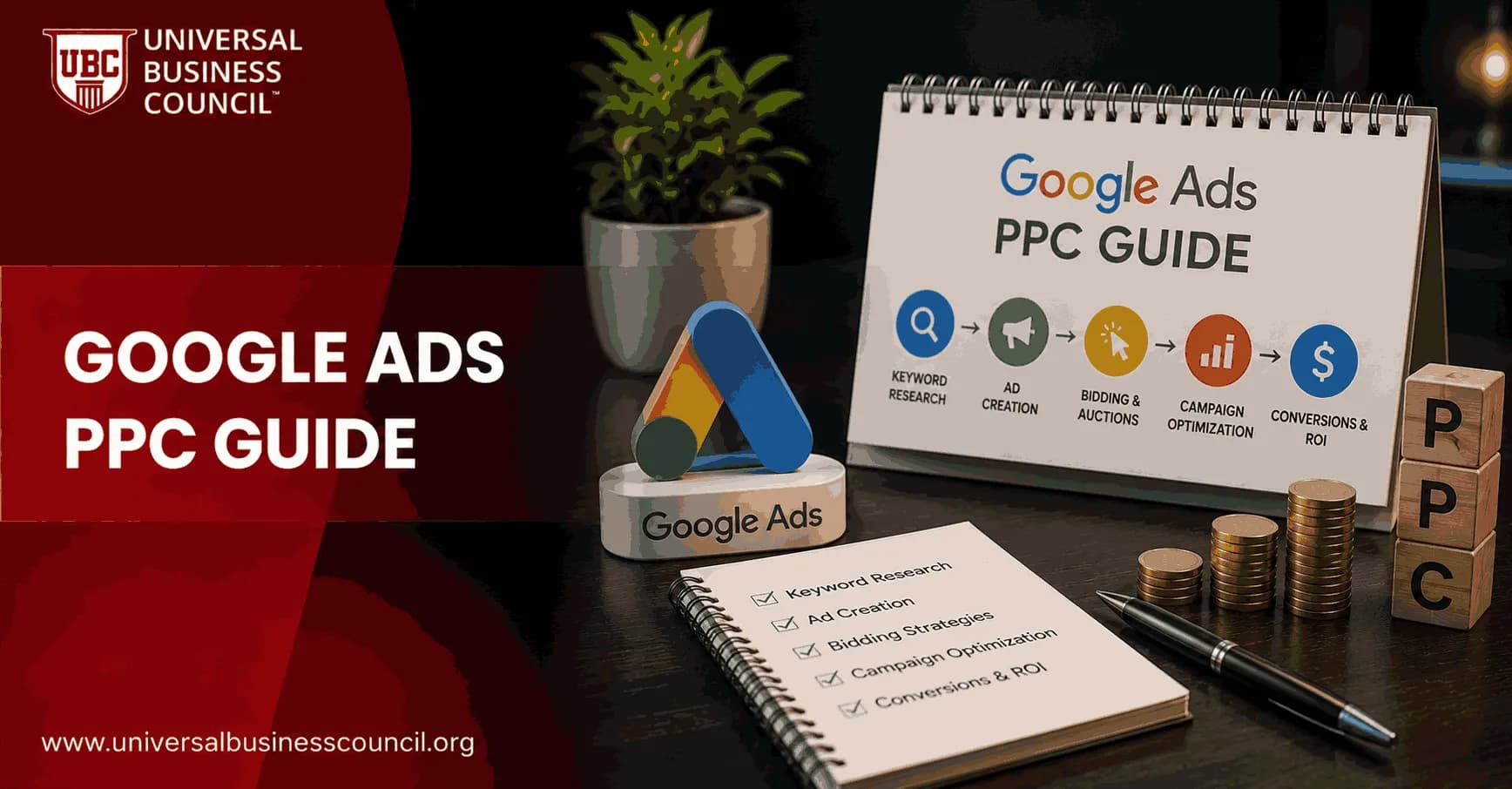
Google Ads PPC is the pay-per-click advertising system that lets you show ads on Google Search, YouTube, Shopping, the Google Display Network, and other Google properties. You bid for visibility, but you usually pay only when someone clicks your ad. Simple idea. Harder execution.
That is why PPC advertising attracts both small businesses that need leads this week and large enterprises with dedicated media teams. The channel can produce traffic within hours. It can also burn budget quietly if your conversion tracking, keyword match types, and landing pages are weak.

As Google Ads continues to evolve with AI-driven automation and smarter bidding systems, developing practical platform expertise has become increasingly valuable. Earning a Certified Google Ads Expert credential can help marketers strengthen their understanding of campaign structure, optimization, conversion tracking, and performance measurement while building confidence in managing live PPC accounts.
What Is PPC, and Where Does Google Ads Fit?
Pay-per-click advertising is a digital media model where an advertiser pays when a user clicks an ad, rather than paying only for exposure. Google Ads is Google's main advertising platform for running PPC campaigns across search, display, video, shopping, and app placements.
Think of the difference this way:
PPC is the payment model.
Google Ads is the platform where you build, target, measure, and optimize campaigns.
Google Search ads are one campaign type inside Google Ads, usually triggered by user search queries.
Google's own Ads documentation states that advertisers can set budgets, choose targeting, create ads, and pay for interactions such as clicks. Google Ads remains the dominant PPC platform, mostly because of the search reach it commands and the buying intent behind so many queries.
How Google Ads PPC Works
1. A User Searches, and Keywords Trigger Eligibility
Search campaigns begin with keywords. You choose terms that match how your buyers search. A local accounting firm might target tax accountant near me. A software company might target CRM implementation consultant.
When someone searches on Google, the platform checks whether your keywords, match types, location settings, audience signals, budget, and policy status make your ad eligible. If they do, your ad can enter the auction.
Here is where first-time advertisers make an expensive mistake. They treat keywords as a wish list instead of a control system. Broad match can work, especially with mature conversion data, but a brand-new account with loose broad match and no negative keywords can pay for irrelevant searches before anyone notices. Check the search terms report early. Not next month. This week.
2. Google Runs a Real-Time Ad Auction
Every eligible search can trigger a real-time auction. You are not simply buying the top spot with the highest bid. Google uses Ad Rank, which is influenced by your bid, ad quality, expected click-through rate, ad relevance, landing page experience, auction competitiveness, and the expected impact of ad assets.
A simplified way many PPC trainers explain cost is:
Actual CPC = Competitor Ad Rank divided by your Quality Score, plus $0.01
The real system is more complex, but the lesson holds. Better relevance can reduce your cost-per-click. If your ad speaks directly to the query and your landing page answers the user's need, you may pay less than a competitor with a higher bid and weaker relevance.
PPC performance also depends on a broader understanding of customer acquisition, content strategy, analytics, and conversion optimization. Many professionals expand these skills through a Certified Digital Marketing Expert program, enabling them to align Google Ads campaigns with wider marketing objectives and long-term business growth.
3. The User Clicks, and You Pay
In standard CPC bidding, you pay when someone clicks your ad. A click may send the visitor to a landing page, product page, lead form, app listing, or phone call action. Impressions alone usually do not create a CPC charge.
Google Ads also supports other pricing approaches, depending on campaign type and goal:
CPC for clicks, common in search and traffic campaigns.
CPM for every thousand impressions, often used for awareness.
Viewable CPM for impressions that meet viewability standards.
CPE for defined engagements, such as interactions with certain ad formats.
For performance campaigns, do not judge success by low CPC alone. A $2 click that never converts is expensive. A $30 click that becomes a $4,000 sales opportunity may be cheap.
Main Google Ads Campaign Types
Google Ads PPC is not limited to blue text ads on search results. The platform includes several campaign types, each suited to a different job.
Search campaigns: Text ads on Google Search results, best for high-intent demand such as emergency services, B2B software, legal queries, and product comparisons.
Shopping campaigns: Product ads with image, price, and merchant details. Useful for ecommerce brands with clean product feeds.
Display campaigns: Visual ads across websites and apps in the Google Display Network. Good for remarketing and awareness, weaker for cold lead quality if targeting is loose.
YouTube campaigns: Video ads for awareness, consideration, and remarketing.
Performance Max: Goal-based campaigns that run across multiple Google inventory sources. Useful, but only when conversion tracking and asset quality are strong.
A clear position: if you are new to PPC and you need leads, start with Search. It gives you clearer intent and cleaner learning. Display and YouTube can work, but they are rarely the best first dollar for a small lead-generation budget.
What Makes Google Ads PPC Different From SEO?
SEO earns visibility over time. PPC buys immediate visibility. Both matter, but they solve different problems.
With Google Ads, your campaign can start showing ads shortly after approval. That makes PPC useful for product launches, seasonal offers, local service demand, and keyword testing. SEO usually needs months of content, technical work, and authority building before traffic becomes predictable.
The trade-off is cost. Stop paying for PPC and traffic can stop quickly. Stop publishing SEO content and rankings may still produce visits for months. A sensible marketing plan often uses PPC for speed and data, then leans on SEO for durable demand capture.
Core Metrics You Need to Track
Google Ads gives you plenty of numbers. Some are useful. Some are distractions.
Impressions: How often your ad was shown.
Click-through rate: The percentage of impressions that became clicks.
CPC: Average cost for each click.
Conversion rate: The percentage of clicks that became leads, purchases, calls, or other defined actions.
Cost per conversion: Spend divided by conversions.
ROAS: Revenue divided by ad spend, common in ecommerce.
CAC and LTV: Customer acquisition cost and lifetime value, critical for SaaS and subscription businesses.
Google has often cited an estimated average return of about $2 in revenue for every $1 spent on Google Ads. Treat that as a broad benchmark, not a promise. Your account economics depend on margins, close rates, sales cycle length, repeat purchase behavior, and tracking quality.
How to Set Up a Google Ads PPC Campaign
Step 1: Define the Business Goal
Do not start with keywords. Start with the outcome. Are you trying to generate demo requests, ecommerce purchases, phone calls, newsletter signups, or store visits? Each goal changes your campaign structure and bidding strategy.
Step 2: Set Up Tracking Before Launch
Install conversion tracking through Google Ads, Google Tag Manager, or Google Analytics 4. Then test it. A thank-you page firing twice will make automated bidding chase bad data. A missing phone call conversion will make mobile traffic look worse than it is.
Accurate campaign measurement relies on more than advertising knowledge alone. Analytics platforms, tag management, APIs, CRM integrations, cloud technologies, and privacy-focused measurement all play an important role in campaign performance. A broader Tech Certification can help professionals understand these technologies and build more reliable reporting and optimization workflows.
Step 3: Build Tight Ad Groups
Group keywords by intent. Buy running shoes online should not sit in the same ad group as how to choose running shoes. One is commercial. The other is research-led. Your ads and landing pages should reflect that difference.
Step 4: Write Ads That Match Intent
Good PPC copy is not clever for its own sake. It answers the search. Include the core offer, proof points, location if relevant, and a clear next action. Use ad assets such as sitelinks, callouts, structured snippets, images, and call assets where they fit.
Step 5: Control Budgets and Bids
Set a daily budget you can afford to learn with. Manual CPC can help in small or early accounts where you want control. Automated bidding, such as Maximize Conversions or Target CPA, can perform well once the account has clean conversion data. Do not hand automation a messy account and expect it to fix your strategy.
Step 6: Review Search Terms and Landing Pages
After launch, look at actual search terms, not just keywords. Add negative keywords. Pause waste. Improve landing pages. If users click an ad for same-day appliance repair and land on a generic homepage with no service area, you paid for confusion.
Common Use Cases for Google Ads PPC
Ecommerce
Shopping ads and Search campaigns can capture buyers comparing product names, categories, prices, and availability. Feed quality matters here. Missing GTINs, weak product titles, and poor images can hurt performance before bidding even begins.
Local Services
Local businesses use PPC to reach people with urgent intent, such as plumber near me, emergency dentist, or tax preparation in Chicago. Location targeting and call tracking are non-negotiable.
B2B Lead Generation
B2B PPC works best when you connect campaign data to CRM outcomes in platforms such as HubSpot or Salesforce. A keyword that produces cheap leads may still be poor if sales marks every lead as unqualified. Leadership cares about pipeline, not just form fills.
The Future of Google Ads PPC
Google Ads keeps moving toward automated bidding, broad matching, audience signals, and campaign types that use machine learning across inventory. That does not remove the need for skill. It changes the skill set.
You will need stronger measurement, better creative inputs, sharper offers, and cleaner first-party data. The human role shifts toward strategy: choosing the right goal, feeding the system reliable conversion signals, judging lead quality, and spotting when automation is optimizing for the wrong thing.
Build PPC Skill the Right Way
If you manage budgets, advise clients, or lead a marketing team, Google Ads PPC is a practical skill, not a theory topic. Learn the auction mechanics first. Then practice campaign structure, tracking, keyword research, landing page evaluation, and ROI analysis.
For continued learning, connect this topic with the relevant Universal Business Council certification or course pages in digital marketing, marketing strategy, and business analytics. Start with one Search campaign framework, build a tracking checklist, and review real search terms after the first week. That single habit will save more budget than most bid tweaks.
As artificial intelligence, machine learning, predictive analytics, and privacy-first technologies continue to shape the future of PPC advertising, marketers who understand both strategy and technology will be better positioned for long-term success. A Deep Tech Certification provides structured knowledge of these emerging technologies, helping professionals adapt to the next generation of digital advertising and data-driven decision-making.
FAQs
1. What is Google Ads PPC?
Google Ads PPC (Pay-Per-Click) is an online advertising model where advertisers pay when someone clicks on their ad. Businesses use PPC campaigns to reach potential customers across Google Search, YouTube, the Google Display Network, Google Maps, and other Google properties, depending on the campaign type.
2. How does Google Ads PPC work?
Advertisers create campaigns, choose keywords or audience targeting, write ads, set budgets, and select bidding strategies. When users perform relevant searches or meet targeting criteria, Google determines ad eligibility through its ad auction, considering factors such as bid, ad quality, and expected user experience.
3. Why is Google Ads PPC important?
Google Ads PPC allows businesses to reach people actively searching for products or services. Unlike many organic marketing strategies that may take time to produce results, PPC can begin generating qualified traffic soon after campaigns become active.
4. What are the main types of Google Ads PPC campaigns?
Google Ads offers several campaign types, including Search, Display, Shopping, Video, App, Performance Max, and Demand Gen campaigns. Each campaign type supports different marketing goals, customer journeys, and advertising formats.
5. What is the Google Ads auction?
The Google Ads auction is the automated process that determines which eligible ads appear for a given search or placement. Google evaluates multiple factors, including bid amount, ad relevance, expected click-through rate, landing page experience, and other quality signals.
6. What is Quality Score?
Quality Score is Google's estimate of the quality and relevance of your keywords, advertisements, and landing pages. Higher Quality Scores may contribute to improved ad positions and potentially lower advertising costs, although Google uses multiple factors in its auction process.
7. How do keyword match types work?
Keyword match types determine how closely a user's search must align with your selected keywords before your ad is eligible to appear. Broad match, phrase match, and exact match provide different levels of reach and targeting precision.
8. What are negative keywords?
Negative keywords prevent advertisements from appearing for irrelevant searches. They help advertisers reduce wasted clicks, improve targeting accuracy, and allocate budgets toward users with stronger purchase intent.
9. How much does Google Ads PPC cost?
Google Ads does not have a fixed cost because advertisers set their own budgets and bidding strategies. Actual costs vary based on competition, industry, keyword demand, Quality Score, geographic targeting, and campaign objectives.
10. What bidding strategies are available?
Google Ads offers manual and automated bidding strategies, including Maximize Clicks, Maximize Conversions, Target CPA, Target ROAS, Maximize Conversion Value, and Target Impression Share. The most appropriate strategy depends on campaign goals and available performance data.
11. Why are landing pages important in PPC?
Landing pages influence user experience and conversion performance. A relevant, fast-loading, and mobile-friendly landing page that aligns with the advertisement can improve engagement and help convert visitors into customers.
12. How does conversion tracking work?
Conversion tracking records valuable user actions after they interact with an advertisement, such as purchases, lead form submissions, phone calls, or app downloads. Accurate tracking enables advertisers to measure campaign effectiveness and optimize based on meaningful business outcomes.
13. What role does AI play in Google Ads PPC?
Google's AI supports automated bidding, audience targeting, responsive ads, budget optimization, asset selection, and campaign recommendations. While AI can improve efficiency, advertisers should continue reviewing performance data and aligning automation with business objectives.
14. How can businesses improve click-through rate (CTR)?
Businesses can improve CTR by writing relevant headlines, matching user search intent, highlighting unique value propositions, using strong calls-to-action, incorporating relevant keywords naturally, and regularly testing different ad variations.
15. What metrics should PPC advertisers monitor?
Important metrics include impressions, clicks, click-through rate (CTR), cost per click (CPC), conversion rate, cost per acquisition (CPA), Quality Score, return on ad spend (ROAS), conversion value, and impression share.
16. What are common Google Ads PPC mistakes?
Common mistakes include selecting overly broad keywords, ignoring negative keywords, sending users to weak landing pages, failing to install conversion tracking, neglecting mobile optimization, setting unrealistic budgets, and making optimization decisions without sufficient performance data.
17. How does remarketing support PPC campaigns?
Remarketing allows advertisers to reconnect with previous website visitors by showing relevant ads as they browse Google properties and participating websites. It can strengthen brand awareness and encourage interested users to return and complete a desired action.
18. Can small businesses succeed with Google Ads PPC?
Yes. Small businesses can compete effectively by targeting niche keywords, focusing on local audiences, optimizing landing pages, using negative keywords, tracking conversions accurately, and continually refining campaigns based on performance insights.
19. How often should Google Ads campaigns be optimized?
Campaign performance should be reviewed regularly, with optimization frequency depending on campaign size, traffic volume, and advertising budget. Ongoing monitoring helps advertisers identify trends, improve efficiency, and adapt to changing customer behavior.
20. What are the best practices for Google Ads PPC success?
Successful Google Ads PPC campaigns combine thoughtful keyword research, compelling ad copy, relevant landing pages, accurate conversion tracking, AI-assisted bidding, audience segmentation, and continuous optimization through testing and analysis. Rather than focusing solely on generating clicks, effective PPC strategies prioritize qualified traffic, measurable business outcomes, and sustainable return on investment. Anyone can pay for clicks. The real skill is paying for the ones that lead to customers instead of becoming expensive souvenirs in your analytics dashboard.
Related Articles
View All
Digital Marketing
Google Ads for Beginners: The Complete PPC Starter Guide
A beginner-friendly Google Ads guide covering PPC setup, keywords, bidding, budgets, tracking, metrics, and a practical 30-day launch plan.
Digital Marketing
What Is Google Ads? A Beginner-Friendly Guide to How It Works
Learn what Google Ads is, how PPC auctions work, key campaign types, costs, conversion tracking, and beginner steps for smarter paid search campaigns.

Digital Marketing
Google Ads Remarketing Guide: How to Re-Engage Website Visitors
A practical Google Ads remarketing guide for re-engaging website visitors with audience segmentation, dynamic ads, RLSA, first-party data, and better measurement.
Trending Articles
The Role of Blockchain in Ethical AI Development
How blockchain technology is being used to promote transparency and accountability in artificial intelligence systems.
AWS Career Roadmap
A step-by-step guide to building a successful career in Amazon Web Services cloud computing.
Top 5 DeFi Platforms
Explore the leading decentralized finance platforms and what makes each one unique in the evolving DeFi landscape.