

Google Ads for Beginners: The Complete PPC Starter Guide
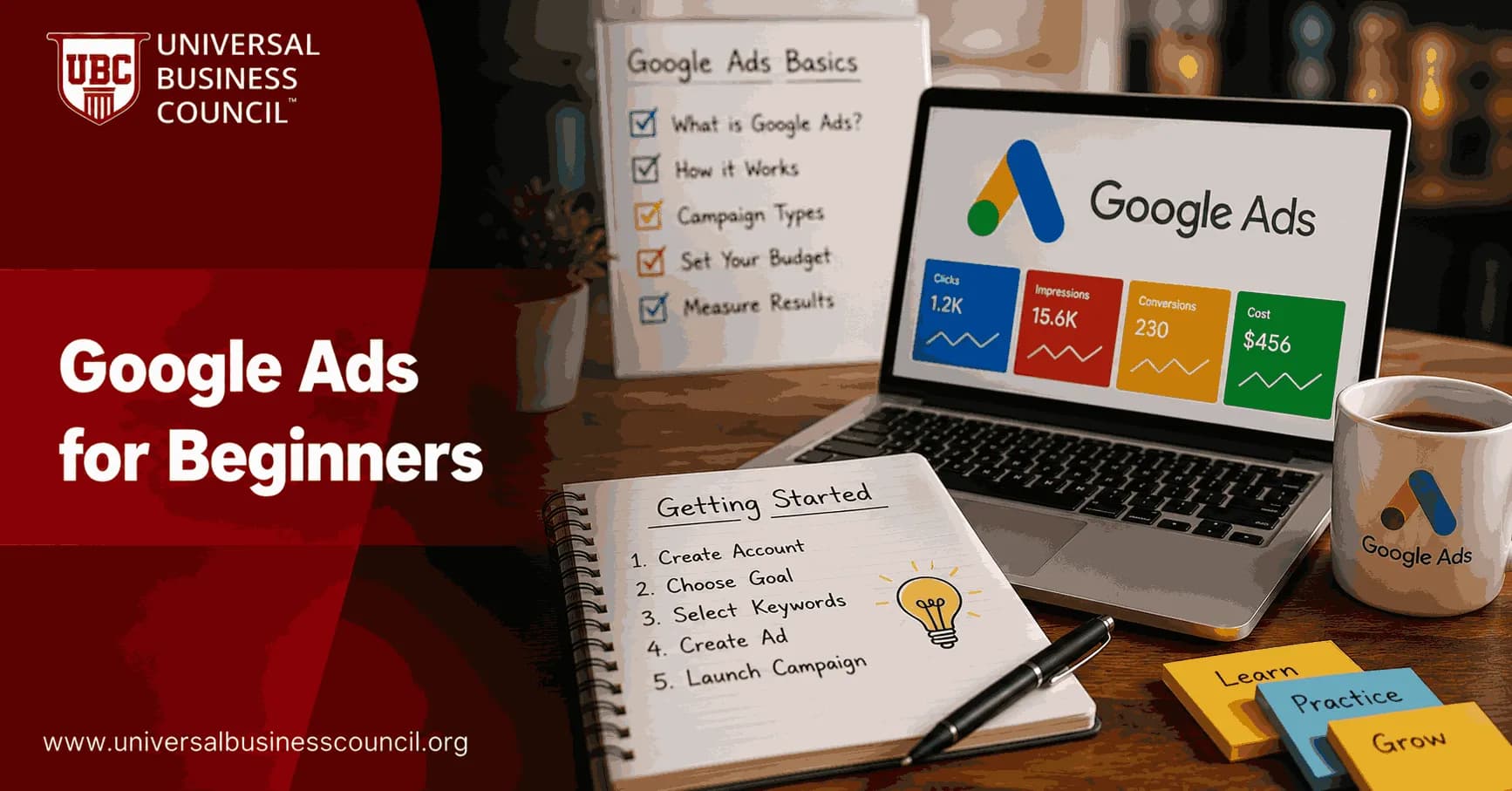
Google Ads for beginners starts with one clear idea: you are paying for attention from people who may already want what you sell. That is the strength of PPC. It is also the trap. A campaign can collect clicks within hours, but profit depends on structure, tracking, and the unglamorous work of cutting waste.
Google Ads is Google's pay-per-click advertising platform for Search, YouTube, Maps, Display, and partner placements. The platform is goal-based, budget-controlled, and measurable in near real time. For a beginner, Search campaigns are usually the best first move because they respond to active demand rather than trying to create it from scratch.

Learning Google Ads becomes much easier when you understand not only how campaigns are built, but also how bidding, keyword intent, conversion tracking, and campaign optimization work together. A Certified Google Ads Expert credential helps professionals develop these practical skills, providing a stronger foundation for building campaigns that generate measurable business results.
What PPC means in Google Ads
PPC means pay-per-click. You usually pay when someone clicks your ad, not simply when the ad appears. In Google Search, advertisers compete in an auction for queries such as emergency plumber near me, CRM for small business, or running shoes size 10.
The highest bid does not automatically win. Google also weighs ad relevance, expected click-through rate, and landing page experience, along with other quality signals. That is why a cleaner account can beat a sloppy competitor with a bigger budget.
The basic Google Ads account structure
Account: Your billing, access, and overall settings.
Campaigns: Where you set objective, budget, location, language, bidding, and campaign type.
Ad groups: Tightly themed groups of keywords and ads.
Keywords: The search terms or close variants that can trigger your ads.
Ads: The headlines, descriptions, and assets users see.
Landing pages: The page where the click lands. This is where money is made or wasted.
Account hierarchy matters more than beginners expect. The classic first mistake is one campaign, one ad group, and dozens of unrelated keywords crammed together. Do not do that. You cannot read the data cleanly, and you end up guessing at what worked.
Start with the right campaign type
Google Ads offers Search, Display, Video, Shopping, App, Demand Gen, and Performance Max options. For most beginners, start with Search. It gives you clearer intent and easier diagnosis.
Display and YouTube can work, but they are less forgiving. They often need better creative, stronger audience strategy, and more patience. Performance Max can be useful once conversion tracking and product feeds are clean, but it is a poor teacher for a first-time advertiser because much of the decision-making is hidden from you.
Use full setup control
New advertisers should avoid the overly simplified setup flows and use the account-only path where available. The guided setup is convenient, but the defaults may not match your economics.
Before launch, check these:
Location targeting. Choose people in your target area, not people merely interested in it, when selling local services.
Language settings.
Ad schedule, especially if calls matter.
Devices, if mobile calls or desktop forms perform differently.
Conversion actions. Track real business outcomes, not every page view.
Advertiser verification requirements, which Google now applies to many accounts for transparency and policy compliance.
Set goals before you touch keywords
A beginner PPC campaign should have one primary goal. Pick one:
Leads: Form submissions, calls, demo requests, quote requests.
Sales: Purchases with revenue tracking.
Traffic: Useful for testing demand, but weaker as a business goal.
Traffic is easy to buy. Good traffic is not. If leadership only asks for clicks, push back. The metrics that actually matter are cost per lead, qualified lead rate, customer acquisition cost, return on ad spend, and lifetime value.
Effective PPC management is also closely connected with broader digital marketing concepts such as customer acquisition, attribution, audience segmentation, and marketing performance analysis. A Certified Digital Marketing Expert credential helps professionals strengthen these capabilities, enabling advertising decisions that support long-term business growth rather than short-term traffic gains.
A simple PPC budget formula
Do the math before you spend. Say your average profit per sale is $500. One in five leads becomes a customer, so each lead is worth $100 before ad cost. If you want to keep at least half of that as contribution margin, your maximum CPA is $50.
If your landing page converts 5 percent of clicks into leads, you need 20 clicks for one lead. A $50 max CPA means your practical max CPC is $2.50. If actual clicks cost $8, the campaign may need a better offer, a better landing page, or a higher close rate. Or it may not work at all.
This small calculation prevents a common beginner disaster: spending $1,000 to learn what a spreadsheet could have warned you about in five minutes.
Keyword research for Google Ads beginners
Use Google Keyword Planner to find search volume, forecasted costs, and related terms. Third-party tools such as Semrush, Ahrefs, and SpyFu help with competitor research, but do not blindly copy competitors. Some are profitable. Some are just burning budget quietly.
Focus on intent-rich phrases. A B2B software firm will usually learn more from best inventory management software for warehouses than from inventory. A local electrician will get cleaner demand from emergency electrician in Austin than from lights.
Understand match types
Exact match: Best for tight control, although Google can still match close variants.
Phrase match: Useful for controlled expansion around a phrase.
Broad match: Powerful with strong conversion data and smart bidding, risky when tracking is weak.
Build negative keyword lists from day one. Check the search terms report after launch. That report is where you find expensive nonsense: jobs, free, template, DIY, PDF, and unrelated meanings of your keywords. Add negatives weekly at first.
Write ads that match intent
Responsive search ads let you provide multiple headlines and descriptions. Google combines them based on predicted performance. Give the system good raw material.
Strong PPC ad copy usually includes:
The keyword theme in natural language.
A clear offer or reason to choose you.
Proof where space allows, such as certified technicians, same-day appointments, or transparent pricing.
A direct call to action.
Keep claims accurate. Google's advertising policies restrict misleading claims, restricted products, trademark misuse, and several sensitive categories. Compliance is not paperwork. Disapproved ads delay learning and can chip away at account trust.
Landing pages decide whether clicks become money
Your ad can be excellent and still fail if the landing page is slow, vague, or overloaded. Send traffic to a page that matches the promise in the ad.
A good PPC landing page has:
A headline that mirrors the search intent.
One primary action: call, buy, book, or submit.
Fast mobile loading.
Short forms. Ask only what sales needs.
Trust signals such as reviews, policies, credentials, or case evidence.
One detail that trips up new advertisers: they track the thank-you page but forget phone calls. For local services, that can hide most of a campaign's value. Use Google Ads call conversions or imported events from Google Analytics 4 when calls matter.
Bidding: manual control or automation?
There is no universal answer. Manual CPC gives you tighter control while you learn how keywords behave. Automated bidding, such as Maximize conversions, can work well when conversion tracking is accurate and there is enough data behind it.
My view: if your account is brand new and the budget is tight, start controlled. Use exact and phrase match, modest bids, and clean measurement. Once you can generate steady conversions, test Maximize conversions or Target CPA. Do not ask automation to rescue poor tracking.
Google keeps pushing goal-based setup and automated bidding, and that direction will only grow. Still, automation needs good inputs: clean conversion actions, useful creative, sensible budgets, and enough conversion volume to learn from.
As Google Ads becomes increasingly automated, technical knowledge of analytics, tag management, CRM integrations, conversion tracking, and marketing technology is becoming equally important. A Tech Certification helps professionals build these complementary skills, making campaign measurement and optimization more accurate and reliable.
The metrics you must read every week
Impressions: Shows whether your ads are eligible and competitive.
CTR: Clicks divided by impressions. Low CTR can signal weak ad relevance or poor keyword targeting.
Average CPC: What you pay per click.
Conversion rate: Conversions divided by clicks. This is often the biggest profit lever.
CPA: Total cost divided by conversions.
ROAS: Revenue divided by ad spend, essential for e-commerce.
Search terms: The actual queries people typed. Read this often.
Do not scale after one lucky sale. Get a few conversions, find break-even, then raise budgets gradually. PPC forums are full of beginners who doubled spend after one good day and gave it all back by Friday.
A practical 30-day starter plan
Days 1 to 3: Define the offer, goal, target CPA, and conversion actions.
Days 4 to 6: Build keyword lists, negative keywords, and campaign structure.
Days 7 to 10: Write ads, build landing pages, set analytics, and complete verification if required.
Days 11 to 17: Launch with a modest daily budget. Watch search terms, CPC, and tracking accuracy.
Days 18 to 24: Pause waste, add negatives, test ad variants, and fix landing page friction.
Days 25 to 30: Compare CPA against target. If data is thin, keep testing. If the economics work, expand carefully.
Where certification fits
Free tutorials are useful. Google's own Skillshop materials and beginner project courses can help you practice setup. If you want a broader professional path, pair platform training with structured education in marketing strategy, analytics, and campaign management.
The strongest PPC practitioners understand more than buttons and settings. They understand positioning, customer value, budgeting, reporting, and how to explain performance to executives. A digital marketing certification from Universal Business Council builds that wider skill set alongside the hands-on platform work.
Next step
Open a blank planning sheet before you open Google Ads. Write your offer, target location, top 20 keywords, negative keyword list, conversion action, target CPA, and starting budget. Then build one Search campaign. Keep it small enough to control and serious enough to learn from.
Looking ahead, AI-driven advertising, privacy-focused measurement, and intelligent automation will continue to reshape paid search. A Deep Tech Certification provides valuable knowledge of emerging technologies, helping marketers understand the technical developments influencing modern advertising platforms and make more informed optimization decisions.
FAQs
1. What is Google Ads?
Google Ads is Google's online pay-per-click (PPC) advertising platform that allows businesses to promote products, services, and websites across Google Search, YouTube, Google Maps, Gmail, the Display Network, Discover, and other eligible Google properties. Advertisers typically pay when users click on their ads or complete other campaign objectives, depending on the bidding strategy.
2. What does PPC mean?
PPC stands for Pay-Per-Click, an online advertising model where advertisers pay when someone clicks their ad. Instead of paying simply for ad visibility, businesses invest in user interactions that can lead to website visits, leads, sales, or other valuable actions.
3. Why should beginners learn Google Ads?
Google Ads enables businesses of all sizes to reach potential customers who are actively searching for products or services. Learning the platform helps marketers understand digital advertising, generate measurable results, and make data-driven marketing decisions.
4. How does Google Ads work?
Google Ads operates through an auction system. When users perform searches or browse eligible websites, Google evaluates advertisers based on factors such as bid amount, ad relevance, Quality Score, and expected user experience to determine which ads appear.
5. What campaign types are available in Google Ads?
Google Ads offers several campaign types, including Search, Display, Shopping, Performance Max, Demand Gen, Video, and App campaigns. Each campaign type is designed to support different marketing goals, such as lead generation, product sales, brand awareness, or app promotion.
6. How do I create my first Google Ads account?
Create an account by signing in with a Google account, selecting Expert Mode for greater control, entering your business information, configuring billing details, and setting your campaign objectives. Planning your account structure before launching campaigns helps support long-term management.
7. How do I choose the right keywords?
Begin with keyword research focused on your products, services, and customer search intent. Use tools such as Google Keyword Planner to identify relevant keywords, and include a mix of high-intent and long-tail search terms to balance reach and relevance.
8. What are keyword match types?
Google Ads offers Broad Match, Phrase Match, and Exact Match to control how closely a user's search query must align with your keywords. Understanding these match types helps balance audience reach with campaign precision.
9. What are negative keywords?
Negative keywords prevent your ads from appearing for irrelevant search queries. They reduce wasted advertising spend, improve traffic quality, and help ensure your budget is focused on users with stronger purchase intent.
10. How do I write effective Google Ads?
Effective ads include relevant keywords, compelling headlines, clear value propositions, and strong calls to action. Ad copy should closely match the user's search intent while accurately reflecting the content of the landing page.
11. What is Quality Score?
Quality Score is Google's estimate of the quality and relevance of your keywords, ads, and landing pages. Higher Quality Scores may contribute to improved ad performance and more efficient advertising costs, although other auction factors also influence results.
12. How important are landing pages?
Landing pages play a critical role in campaign success by providing users with relevant information and a smooth browsing experience. Fast-loading, mobile-friendly, and well-designed landing pages can improve both user satisfaction and conversion rates.
13. What bidding strategies should beginners use?
Many beginners start with Manual CPC or Maximize Clicks to understand campaign performance. As reliable conversion data becomes available, AI-powered strategies such as Maximize Conversions or Target CPA may become appropriate for optimizing campaign outcomes.
14. Why is conversion tracking essential?
Conversion tracking measures valuable actions such as purchases, lead submissions, phone calls, and appointment bookings. Accurate tracking enables advertisers to evaluate campaign success and supports automated bidding strategies.
15. How much should beginners spend on Google Ads?
There is no universal starting budget. Advertisers should begin with an amount they can comfortably test, monitor performance closely, and gradually increase investment as campaigns demonstrate sustainable results and align with business objectives.
16. What metrics should beginners monitor?
Key metrics include impressions, clicks, click-through rate (CTR), cost per click (CPC), conversions, conversion rate, cost per acquisition (CPA), return on ad spend (ROAS), Quality Score, and impression share.
17. What common Google Ads mistakes should beginners avoid?
Common mistakes include skipping keyword research, ignoring negative keywords, launching campaigns without conversion tracking, selecting the wrong campaign type, sending traffic to weak landing pages, making frequent changes without enough data, and focusing only on clicks instead of business outcomes.
18. What Google Ads trends are shaping PPC in 2026?
Important trends include AI-powered Smart Bidding, Performance Max improvements, Enhanced Conversions, first-party data strategies, Consent Mode, server-side tagging, predictive optimization, privacy-focused measurement, and increasing automation across campaign management.
19. How can beginners improve their campaigns over time?
Successful advertisers regularly analyze campaign data, refine keyword targeting, improve ad copy, optimize landing pages, test bidding strategies, update negative keywords, and review conversion performance. Continuous optimization is more effective than making large changes all at once.
20. What is the future of Google Ads for beginners?
Google Ads is expected to become increasingly AI-assisted while continuing to reward advertisers who provide relevant ads, quality landing pages, and accurate conversion measurement. Beginners who build a solid understanding of PPC fundamentals and combine automation with thoughtful human oversight will be better prepared for long-term success. Every expert once stared at a dashboard full of unfamiliar metrics, wondering why three clicks somehow produced twelve reports. The algorithm keeps evolving, so curiosity remains one of the best advertising tools you can bring.
Related Articles
View All
Digital Marketing
Google Ads PPC Guide: How Pay-Per-Click Advertising Works
Learn how Google Ads PPC works, from keywords and auctions to CPC, campaign types, tracking, optimization, and practical PPC strategy.

Digital Marketing
Performance Max Campaigns in Google Ads: Complete Beginner Guide
Learn how Performance Max campaigns work, when to use them, how to set them up, and which controls beginners need in Google Ads.

Digital Marketing
Google Ads Remarketing Guide: How to Re-Engage Website Visitors
A practical Google Ads remarketing guide for re-engaging website visitors with audience segmentation, dynamic ads, RLSA, first-party data, and better measurement.
Trending Articles
The Role of Blockchain in Ethical AI Development
How blockchain technology is being used to promote transparency and accountability in artificial intelligence systems.
AWS Career Roadmap
A step-by-step guide to building a successful career in Amazon Web Services cloud computing.
Top 5 DeFi Platforms
Explore the leading decentralized finance platforms and what makes each one unique in the evolving DeFi landscape.