

What Is Google Ads? A Beginner-Friendly Guide to How It Works
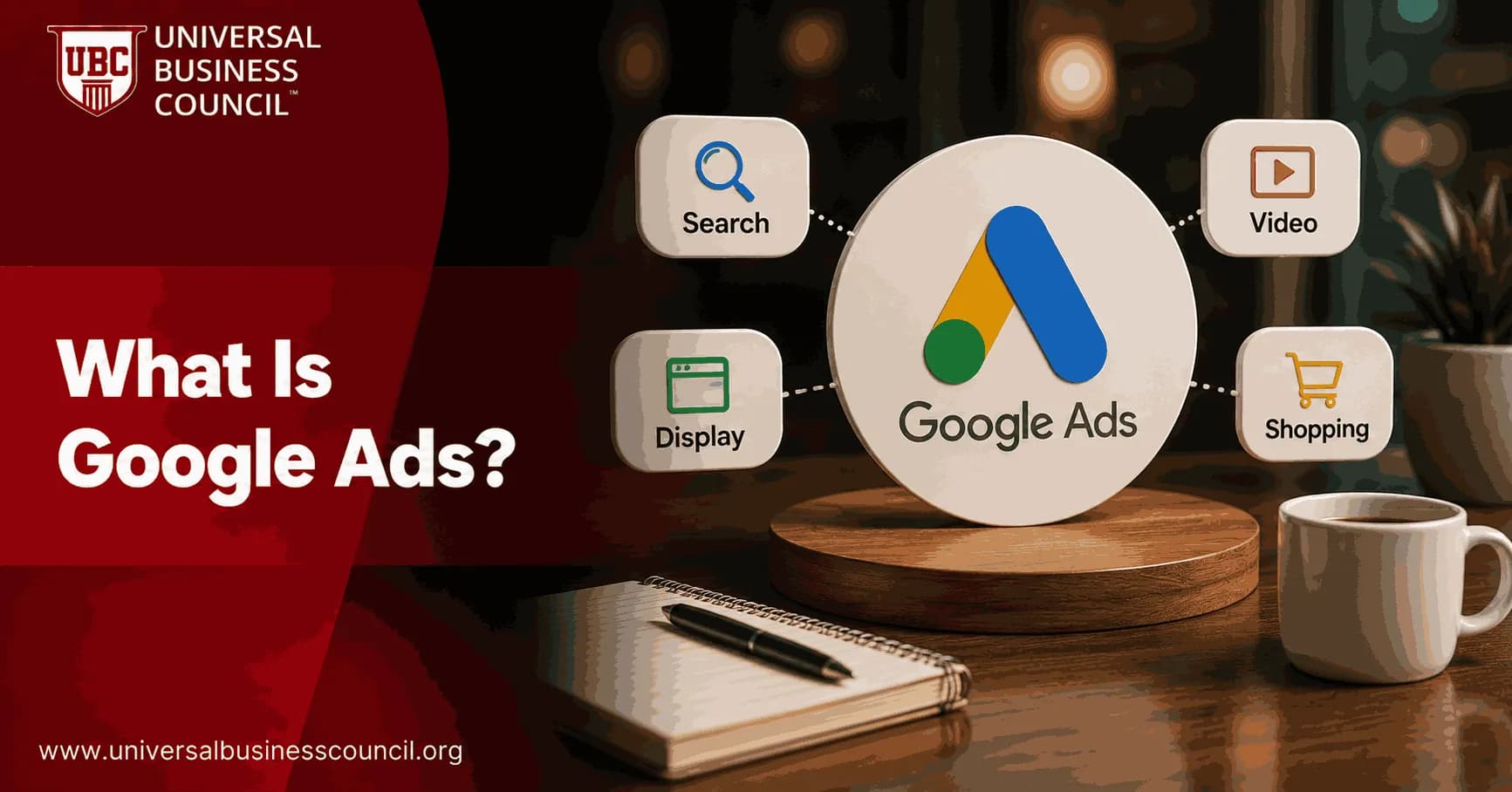
What is Google Ads? It is Google's online advertising platform for showing paid ads on Google Search, YouTube, Google Maps, Google Play, Gmail, Discover, and millions of partner websites. Most beginners meet it as pay-per-click advertising, where you pay when someone clicks your ad. The platform also supports video views, app installs, product listings, and automated cross-channel campaigns.
If you have ever searched for 'emergency plumber near me' and seen sponsored results above the organic listings, you have seen Google Ads at work. The same system can show a YouTube pre-roll ad, a Shopping listing with a product image and price, or a remarketing banner after someone leaves a website without buying.

Understanding how Google Ads works involves more than launching campaigns. It also requires knowledge of keyword targeting, bidding strategies, conversion tracking, and campaign optimization. A Certified Google Ads Expert credential helps professionals build these practical skills, making it easier to create campaigns that focus on measurable business results instead of clicks alone.
What Google Ads Means in Plain English
Google Ads is an auction-based advertising system. Businesses choose who they want to reach, write ads, set budgets, and pay when users take measurable actions such as clicking an ad, viewing a video, calling a business, buying a product, or installing an app.
Google's own documentation describes the platform as a way for businesses to promote products and services, increase awareness, drive website traffic, and grow app activity. There is no required minimum spend. A local repair company can start with a small daily budget while a global retailer runs campaigns across many markets.
The platform supports several major campaign types:
Search campaigns for text ads on Google search results.
Display campaigns for image and responsive ads across websites and apps.
Shopping campaigns for product listings with images, prices, and merchant names.
Video campaigns for YouTube and video partner placements.
App campaigns for installs and re-engagement.
Demand Gen campaigns for visual ads across YouTube, Discover, and Gmail.
Performance Max campaigns for goal-based ads across Google channels from one campaign.
How Google Ads Works
Google Ads runs on a real-time auction. It happens in milliseconds when someone searches, opens YouTube, browses a partner website, or uses another Google property where ads can appear.
You choose keywords, audiences, placements, products, or campaign goals.
You create ads and connect them to landing pages, product feeds, videos, or app listings.
You set a daily budget and a bidding strategy.
Google checks which advertisers are eligible for the available ad slot.
The auction determines which ads show and in what order.
You pay based on the pricing model, usually cost per click or cost per view.
For Search campaigns, the process starts with keywords. If you sell accounting software, you might bid on terms such as 'small business accounting software' or 'invoice software for contractors.' If your keyword, ad, bid, landing page, and account settings fit the search, your ad can enter the auction.
Here is the beginner trap: broad targeting burns budget quietly. A keyword like 'CRM' may attract searches for 'CRM jobs,' 'free CRM template,' 'CRM meaning,' and 'best CRM certification.' Some of that traffic might help. Much of it will not buy. Review the Search Terms report early and add negative keywords such as 'jobs,' 'free,' or 'definition' when they do not match your offer.
Effective paid advertising also depends on a broader understanding of customer intent, attribution, audience targeting, and marketing performance across channels. A Certified Digital Marketing Expert credential helps professionals strengthen these capabilities, ensuring Google Ads campaigns align with wider business and digital marketing objectives.
Key Google Ads Terms Beginners Need to Know
Keywords
Keywords are the words and phrases you target in Search campaigns. Match types control how close a user's search must be to your keyword. Exact match is tighter. Broad match gives Google more room to find related queries, which can work well with strong conversion tracking but wastes money in a weak account.
Ad Groups
Ad groups sit inside campaigns and help you organize related keywords and ads. Keep them focused. Do not put 'women's running shoes,' 'hiking boots,' and 'football cleats' in the same ad group unless you enjoy writing vague ads that help nobody.
Ad Rank and Quality Score
Ad Rank decides whether your ad appears and where. It considers your bid, ad quality, the expected impact of extensions and assets, the context of the search, and auction competition.
Quality Score is a diagnostic rating from 1 to 10 for keywords. Google calculates it from expected click-through rate, ad relevance, and landing page experience. A high Quality Score can reduce your cost per click and improve placement. This is one reason a smaller advertiser can sometimes compete with a larger one.
Conversions
Conversions are the actions that matter to the business: purchases, form submissions, phone calls, quote requests, trial sign-ups, app installs, or booked appointments. Set up conversion tracking before you judge performance. Clicks without conversion data are just expensive curiosity.
Main Google Ads Campaign Types
Search Campaigns
Search campaigns show text ads next to organic search results. They suit high-intent demand. If someone searches 'tax accountant for freelancers,' they are probably closer to action than someone casually watching a video about finance tips.
Use Search when you have clear demand, a defined offer, and landing pages that answer the query quickly.
Display Campaigns
Display ads appear on websites, apps, and Google network properties. They help with awareness and remarketing. They are weaker for direct response if you target too broadly. Treat Display as a visual interruption, not as search intent.
Shopping Campaigns
Shopping campaigns are built for e-commerce. Product data comes from a feed, often managed through Google Merchant Center. The ad can show an image, price, store name, ratings, and delivery details. Feed quality matters. Bad titles, missing GTINs, weak images, or inaccurate pricing will damage performance.
Video Campaigns
Video campaigns run on YouTube and Google video partners. They support brand awareness, product education, and remarketing. For a software product, a 30-second feature demo often beats a glossy brand film. Show the interface. Show the outcome. Then ask for the next step.
Performance Max and Demand Gen
Performance Max uses automation to serve ads across Search, Display, YouTube, Discover, Gmail, Maps, and other Google inventory from one campaign. It works well when you have clean conversion data, strong creative assets, and clear business goals.
Do not use Performance Max to avoid strategy. It still needs correct conversion tracking, audience signals, product feeds where relevant, and creative that matches the buyer's stage. If your conversion setup is wrong, automation will optimize toward the wrong thing faster.
Demand Gen is designed for visually rich placements across YouTube, Discover, and Gmail. It fits brands that need to create interest before the buyer searches.
How Much Does Google Ads Cost?
Google Ads has no fixed price list. Costs depend on industry, competition, keyword intent, geography, Quality Score, and conversion rate. WordStream's industry research has reported an average Google Search Ads cost per click in the United States of about $2.32 across industries, but averages hide a lot. A legal keyword can cost far more. A niche B2B term may be cheaper but lower in volume.
Common pricing models include:
CPC: Cost per click, common in Search and Display.
CPV: Cost per view, common in video campaigns.
CPA bidding: Google bids toward a target cost per acquisition when conversion data is available.
ROAS bidding: Google bids toward return on ad spend, often used in e-commerce.
Track the metrics leadership actually cares about: cost per lead, lead-to-sale rate, customer acquisition cost, lifetime value, ROAS, and payback period. A cheap click is not a win if it never becomes revenue.
Accurate campaign measurement increasingly depends on technical expertise in analytics implementation, conversion tracking, CRM integration, APIs, and marketing technology platforms. A Tech Certification helps professionals develop these complementary skills, improving reporting accuracy and supporting more informed optimization decisions.
Why Google Ads Changed from AdWords
Google launched AdWords in 2000, when paid search was the core product. In 2018, Google renamed it Google Ads because the platform had grown far beyond keyword text ads. It now covers search, video, shopping, apps, maps, discovery placements, and partner inventory.
Automation has become central too. In 2024, Google promoted the 'Ads Power Pair' of Search and Performance Max, reflecting its push toward AI-assisted bidding, creative assembly, and cross-channel delivery. Google has also indicated that ads will appear within AI Overviews, which shows how paid placements are moving into newer search experiences.
How to Start With Google Ads
Start smaller than Google recommends. Seriously. Beginners often launch too many campaigns, too many keywords, and too many geographies on day one. You need signal before scale.
Define one business goal: leads, purchases, calls, app installs, or booked demos.
Set up conversion tracking in Google Ads, Google Analytics 4, or your CRM before launch.
Choose one campaign type: Search is usually the cleanest starting point for high-intent leads.
Build focused ad groups around tightly related keywords.
Write ads that match the search and point to a relevant landing page.
Set a budget you can test with for at least two to four weeks.
Review search terms, CPC, click-through rate, conversions, and cost per conversion weekly.
Cut waste before scaling: add negative keywords, pause weak ads, and improve landing pages.
Where Google Ads Fits in a Digital Marketing Career
Google Ads is not just a media-buying tool. It teaches you how demand, messaging, analytics, conversion rate optimization, and budgeting connect. That is why it belongs in a serious digital marketing skill set.
If you are building a structured learning path, pair Google Ads study with Universal Business Council courses in digital marketing strategy, marketing analytics, and marketing management. Look for UBC learning resources on PPC fundamentals, customer acquisition, campaign measurement, and marketing leadership.
Is Google Ads Right for You?
Use Google Ads when you have a clear offer, a measurable goal, and a website or app that can convert traffic. It is a strong fit for local services, e-commerce stores, SaaS firms, app developers, and B2B lead generation.
It is the wrong first move if your landing page is unfinished, your pricing is unclear, or nobody knows what counts as a qualified lead. Fix those first. Paid traffic magnifies business problems. It does not hide them for long.
Your next step: draft a simple Search campaign plan on paper before opening the platform. Write down the goal, conversion action, target location, first 20 keywords, negative keywords, daily budget, and landing page URL. Then connect that plan to formal training through Universal Business Council digital marketing and analytics courses so you can manage campaigns with evidence, not guesswork.
As AI-powered search, intelligent automation, and privacy-focused measurement continue to transform digital advertising, marketers benefit from understanding the technologies behind these changes. A Deep Tech Certification provides valuable knowledge of emerging technologies, helping professionals adapt to modern advertising platforms and make more informed, data-driven marketing decisions.
FAQs
1. What is Google Ads?
Google Ads is Google's online advertising platform that enables businesses to promote products, services, websites, and mobile apps across Google Search, YouTube, Google Maps, Gmail, Discover, the Google Display Network, and other eligible Google properties. It allows advertisers to reach potential customers based on search intent, interests, demographics, and other targeting options.
2. How does Google Ads work?
Google Ads operates through an auction system. When a user performs a search or visits an eligible website, Google evaluates factors such as bid amount, ad relevance, Quality Score, expected click-through rate, and landing page experience to determine which ads are eligible to appear.
3. What is PPC in Google Ads?
PPC stands for Pay-Per-Click, a pricing model where advertisers generally pay when someone clicks on their ad. Depending on the campaign type and bidding strategy, advertisers may also optimize for impressions, conversions, video views, or other campaign objectives.
4. Why do businesses use Google Ads?
Businesses use Google Ads to increase website traffic, generate leads, drive online sales, promote local services, build brand awareness, and measure advertising performance. The platform offers flexible budgeting and detailed reporting that can support data-driven marketing decisions.
5. Who can use Google Ads?
Google Ads is suitable for businesses of various sizes, including startups, local businesses, e-commerce stores, service providers, nonprofits, agencies, and large enterprises. Campaigns can be tailored to different industries, objectives, and advertising budgets.
6. What are the main Google Ads campaign types?
The primary campaign types include Search, Display, Shopping, Performance Max, Demand Gen, Video, and App campaigns. Each campaign type is designed to help advertisers achieve specific goals such as lead generation, product sales, customer engagement, or app promotion.
7. What is a Google Ads auction?
A Google Ads auction takes place whenever an eligible advertising opportunity becomes available. Google compares advertisers based on multiple factors, including bids, Quality Score, ad relevance, expected performance, and the impact of ad assets to determine ad placement.
8. What is Quality Score?
Quality Score is Google's estimate of the relevance and quality of your keywords, advertisements, and landing pages. Although it is only one factor in the advertising auction, improving Quality Score may contribute to better campaign performance and more efficient advertising costs.
9. How do keywords work in Google Ads?
Keywords help Google determine when your ads may be relevant to a user's search. Advertisers select keywords related to their products or services, and Google matches those keywords with eligible search queries according to the chosen keyword match types.
10. What are keyword match types?
Google Ads offers Broad Match, Phrase Match, and Exact Match to control how closely a user's search must align with selected keywords. Each match type provides a different balance between audience reach and targeting precision.
11. What are negative keywords?
Negative keywords prevent ads from appearing for unwanted or irrelevant searches. Maintaining a well-managed negative keyword list helps improve traffic quality, reduce wasted advertising spend, and increase campaign efficiency.
12. How does bidding work in Google Ads?
Advertisers choose bidding strategies that align with their marketing objectives. Options include Manual CPC, Maximize Clicks, Maximize Conversions, Target CPA, Target ROAS, Maximize Conversion Value, and other AI-assisted bidding strategies.
13. Why is conversion tracking important?
Conversion tracking measures valuable customer actions such as purchases, lead submissions, phone calls, or appointment bookings. Accurate conversion data enables advertisers to evaluate campaign performance and supports automated bidding strategies.
14. How does Google Ads use AI?
Google uses artificial intelligence to assist with bidding, audience targeting, ad delivery, creative optimization, and campaign recommendations. These machine learning systems analyze numerous real-time signals to improve campaign efficiency while still benefiting from human oversight.
15. How much does Google Ads cost?
There is no fixed cost for using Google Ads. Advertising expenses depend on factors such as industry competition, keyword demand, Quality Score, campaign settings, bidding strategy, and daily budget. Businesses can set spending limits that align with their marketing goals.
16. What metrics should beginners monitor?
Key performance indicators include impressions, clicks, click-through rate (CTR), cost per click (CPC), conversions, conversion rate, cost per acquisition (CPA), return on ad spend (ROAS), Quality Score, and impression share.
17. What common mistakes do beginners make?
Common mistakes include launching campaigns without conversion tracking, selecting overly broad keywords, ignoring negative keywords, using weak landing pages, changing campaign settings too frequently, and focusing only on clicks rather than meaningful business outcomes.
18. What Google Ads trends are shaping digital advertising in 2026?
Major trends include AI-powered Smart Bidding, Performance Max enhancements, Enhanced Conversions, first-party data strategies, Consent Mode, server-side tagging, predictive optimization, privacy-focused measurement, and continued automation across campaign management.
19. Is Google Ads suitable for every business?
Google Ads can benefit many organizations, but results depend on factors such as market demand, competition, budget, campaign quality, and ongoing optimization. Businesses should define clear objectives, monitor performance regularly, and adjust strategies based on reliable data.
20. What is the future of Google Ads?
Google Ads is expected to become increasingly AI-driven while continuing to emphasize user relevance, privacy-aware measurement, and first-party data strategies. Advertisers who combine thoughtful campaign planning, accurate conversion tracking, high-quality creative assets, and continuous optimization will be better positioned for sustainable long-term success. Advertising technology keeps getting smarter, yet it still appreciates clear goals and relevant ads more than heroic guesswork. That may be the closest thing the internet has to common sense.
Related Articles
View All
Digital Marketing
Google Ads PPC Guide: How Pay-Per-Click Advertising Works
Learn how Google Ads PPC works, from keywords and auctions to CPC, campaign types, tracking, optimization, and practical PPC strategy.

Digital Marketing
Google Ads Remarketing Guide: How to Re-Engage Website Visitors
A practical Google Ads remarketing guide for re-engaging website visitors with audience segmentation, dynamic ads, RLSA, first-party data, and better measurement.
Digital Marketing
Google Ads Certification Guide: How to Prepare and Pass
Prepare for Google Ads certification with exam rules, study tips, Skillshop strategy, practice steps, and practical advice to pass with confidence.
Trending Articles
The Role of Blockchain in Ethical AI Development
How blockchain technology is being used to promote transparency and accountability in artificial intelligence systems.
AWS Career Roadmap
A step-by-step guide to building a successful career in Amazon Web Services cloud computing.
Top 5 DeFi Platforms
Explore the leading decentralized finance platforms and what makes each one unique in the evolving DeFi landscape.