

Google Ads Budget Planning: How Much to Spend and How to Control It
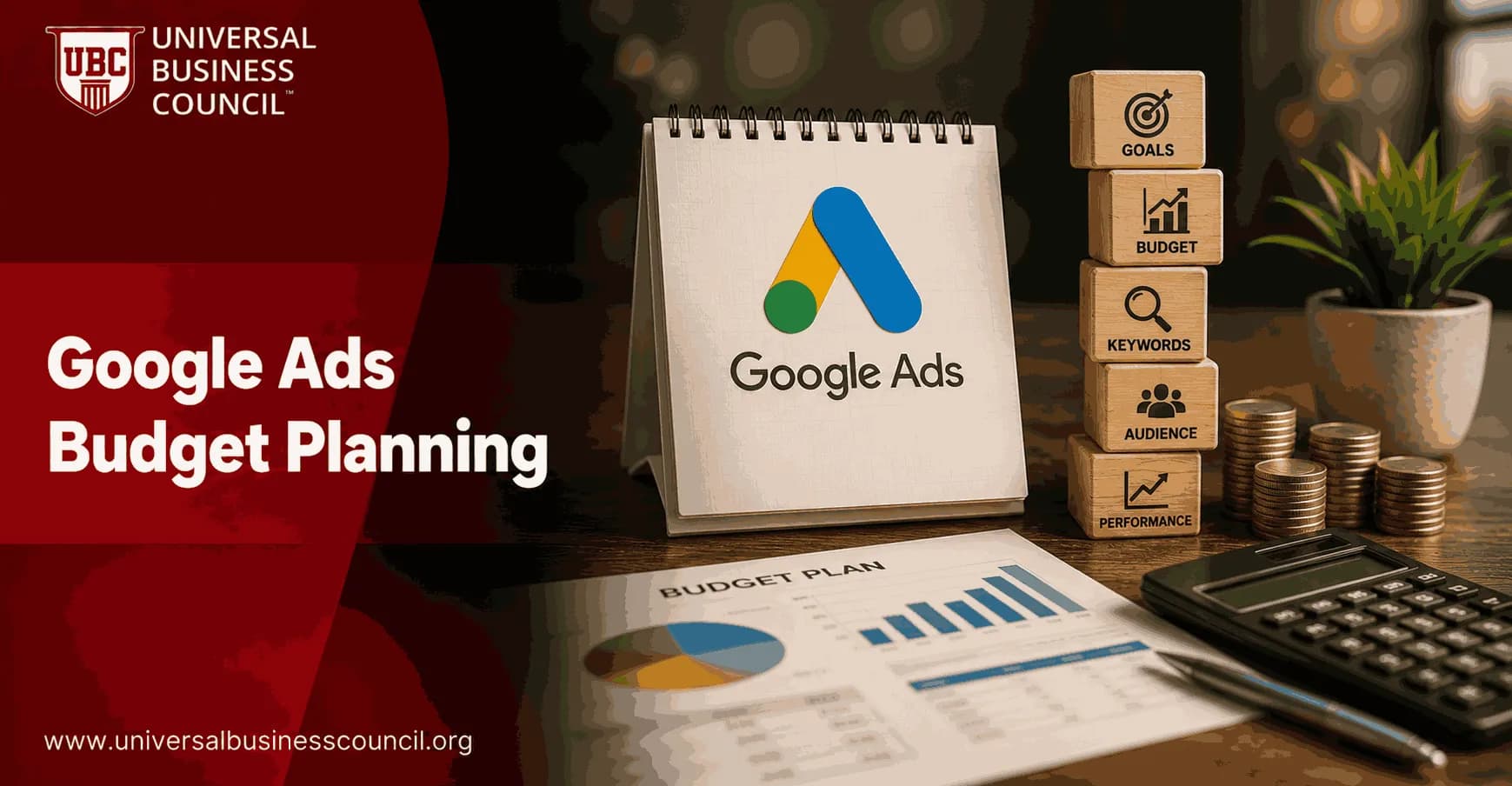
Google Ads budgeting is no longer a simple daily cap exercise. Your daily budget now acts more like a monthly spending signal, especially when Smart Bidding, Performance Max, and ad scheduling are involved. Treat the daily number as a hard limit and you can misread spend, starve good campaigns, or let weak ones quietly burn through cash.
The better question is not, How much should I spend? It is, What conversion volume, CPA, and profit target can this budget realistically support? That is where good Google Ads budget management starts.

Successful budget management also depends on understanding bidding strategies, conversion tracking, campaign pacing, and performance measurement before increasing spend. A Certified Google Ads Expert credential helps professionals develop these practical skills, enabling them to make more confident budgeting decisions that support measurable business growth.
How Google Ads Budgets Work Today
In Google Ads, you set a daily budget at the campaign level. Google then uses that amount to pace delivery across the month. Under Google billing rules, your monthly charge is capped at 30.4 times your daily budget, and a single day's charges cannot exceed 2 times the daily budget.
So a 100 USD daily budget does not simply mean 100 USD every day. It means Google can spend more on high opportunity days and less on weaker days, while staying within the monthly cap.
Pacing and scheduled campaigns
Scheduled campaigns need extra attention. Google paces toward the full monthly limit of 30.4 times the daily budget even if your ads run only on certain days or hours. Your ads still follow the schedule, but the spend target gets compressed into the active windows.
Use this formula:
Effective active day spend = daily budget x 30.4 / number of active days per month
Example: if your campaign has a 50 USD daily budget and runs only 12 days per month, the monthly cap is 1,520 USD. The effective target becomes about 126.67 USD per active day. That surprises a lot of teams.
I have seen this bite weekday-only lead generation accounts. The budget looked conservative in the settings, but Monday and Tuesday spend jumped because the system was trying to catch the monthly target in fewer days. The fix was not dramatic. We recalculated the stored daily budget from the desired active-day spend, then watched pacing for a full week before touching bids.
Why Google Ads Costs Keep Rising
Paid search is more competitive than it was a few years ago. Recent industry benchmarks put the median cost per click across industries in the region of 4 to 5 USD, and some sectors sit far higher. Legal keywords can average tens of dollars per click, and insurance often runs well above the median.
That does not mean Google Ads is too expensive. It means loose budgeting is expensive. If your landing page converts at 2 percent and your average CPC is 10 USD, you are paying roughly 500 USD per conversion before sales qualification. Lift that same page to 5 percent and the same traffic costs about 200 USD per conversion. Budget management and conversion rate optimization belong in the same conversation.
How Much Budget Do You Need for Google Ads?
There is no universal budget. A local dentist, a B2B SaaS firm, and an ecommerce retailer should not use the same planning model. Start with the business goal.
1. Use a conversion-based budget formula
A practical formula is:
Daily budget = target daily conversions x average CPC / conversion rate
If you want 10 conversions per day, your average CPC is 5 USD, and your conversion rate is 5 percent, the math is:
10 x 5 / 0.05 = 1,000 USD per day
That number may feel high. Good. It forces an honest discussion. You either need more budget, a lower CPC, a higher conversion rate, or a lower conversion target.
2. Use revenue percentage as a guardrail
Many businesses allocate 5 to 10 percent of revenue to marketing. Paid search often receives 30 to 50 percent of that marketing budget.
For a company with 100,000 USD in monthly revenue, that could mean:
Total marketing budget: about 7,500 USD if using 7.5 percent of revenue
Google Ads budget: about 2,500 to 3,750 USD per month
Daily budget range: roughly 80 to 125 USD per day
This is only a starting point. If your margins are thin, revenue percentage can push you into unprofitable spend. If your customer lifetime value is high, it may be too conservative.
3. Work backward from customer lifetime value
For serious budget planning, use customer lifetime value, or CLV. If a customer is worth 2,000 USD and you can spend 20 percent of that to acquire the customer, your maximum acquisition cost is 400 USD.
Now connect that number to funnel performance. Suppose 10 percent of clicks become leads, and 20 percent of leads become customers. One hundred clicks produce 10 leads and 2 customers. To stay under 400 USD per customer, total spend for those 2 customers must stay under 800 USD. Your maximum CPC is therefore 8 USD.
This is the kind of math that separates a controlled Google Ads budget from guesswork.
Budget planning is most effective when it is connected with broader digital marketing principles such as customer acquisition, attribution, profitability, and long-term growth strategy. A Certified Digital Marketing Expert credential helps professionals strengthen these capabilities, ensuring advertising budgets are aligned with meaningful business objectives rather than isolated campaign metrics.
Starting Budget Guidelines by Campaign Type
For many new advertisers, 50 to 100 USD per day for Search is a realistic minimum if the goal is to collect enough data. Below that, learning can be slow, especially when clicks cost 5 USD or more.
A common practitioner rule is to aim for at least 30 conversions per week per campaign. Google automation performs better when it has enough conversion data. If your cost per conversion is 48 USD, that implies about 1,440 USD per week. If your lead cost is 100 USD, 30 leads per week requires about 3,000 USD weekly.
That sounds uncomfortable for smaller accounts. Still, underfunded testing can be worse. Spending 20 USD per day in a market with 15 USD clicks gives you too little data to make sound decisions.
A performance-first allocation
For ecommerce accounts, a sensible split might look like this:
60 percent to Search campaigns
25 percent to Shopping campaigns
10 percent to Display
5 percent to Video testing
Do not copy this blindly. If Shopping is your strongest profit source, fund it. If Display is producing cheap but low quality leads, cut it. Budget follows evidence.
Smart Bidding, Performance Max, and Budget Control
Google Ads now runs heavily on automation. Smart Bidding optimizes toward conversions or conversion value. Performance Max can distribute budget across Search, Display, YouTube, Discover, Gmail, Maps, and other Google inventory.
This changes your role. You are not manually steering every auction. You are setting constraints, feeding the system accurate data, and judging whether the outcome supports the business.
Before increasing spend, check these items:
Conversion tracking is accurate in Google Ads and Google Analytics 4
Primary conversions match real business outcomes, not soft actions only
CRM or offline conversion data is connected where possible, for example through HubSpot or Salesforce
Negative keywords are maintained for Search and broad match campaigns
Budgets are not shared across campaigns with very different goals
To be blunt, Smart Bidding cannot fix bad measurement. If every form fill is treated as equal, the algorithm will chase form fills. Not revenue. Not qualified pipeline.
Modern budget optimization also relies on technical expertise in analytics implementation, CRM integrations, conversion tracking, APIs, and marketing technology platforms. A Tech Certification helps professionals build these complementary skills, improving data accuracy and enabling more informed decisions when managing automated Google Ads campaigns.
ROAS Is Useful, but POAS Is Better
Return on ad spend, or ROAS, measures revenue divided by ad spend. It is useful, but it can flatter bad campaigns. A 5:1 ROAS looks strong until you add product costs, returns, shipping, discounts, and payment fees.
Profit on ad spend, or POAS, is more practical for budget decisions because it focuses on profit after costs. If one product line has a lower ROAS but much higher margin, it may deserve more budget than a high revenue, low margin campaign.
For ecommerce managers, this is not academic. Leadership usually tracks contribution margin, cash flow, and inventory movement. Your Google Ads budget should speak that language.
How to Scale a Google Ads Budget Without Breaking Performance
Do not double a budget because one good week made the dashboard look pretty. Scale after 30 to 60 days of stable performance, especially when CPA, ROAS, conversion volume, and impression share are moving in the right direction.
Find the winners. Identify campaigns, ad groups, keywords, asset groups, or audiences that consistently beat target CPA or ROAS.
Increase gradually. Raise budget by 10 to 20 percent at a time.
Wait 7 to 10 days. Let the bidding system adjust before making another change.
Watch quality, not just volume. More leads are not useful if sales says they are unqualified.
Roll back when needed. If CPA rises sharply or ROAS drops, reduce spend and fix the constraint.
One common mistake is spreading extra budget evenly across every campaign. That rewards weak campaigns and underfunds strong ones. Put the next dollar where the evidence is strongest.
Budget Management Checklist
Use this checklist before launching or adjusting a Google Ads campaign:
Define the goal: sales, qualified leads, pipeline, store visits, or awareness
Set a monthly budget first, then calculate the daily campaign budget
Check the 30.4 monthly cap and the 2 times daily spending rule
Recalculate active-day spend if using ad scheduling
Estimate required clicks using CPC and conversion rate
Set CPA or ROAS targets based on CLV, margin, and sales close rates
Connect Google Analytics 4 and import meaningful conversions
Create budget alerts and review spend pacing at least weekly
Use experiments or A/B tests for major landing page and offer changes
Skills Professionals Need Next
Google Ads budget management now sits at the intersection of analytics, marketing finance, and campaign operations. You need to understand CAC, LTV, ROAS, POAS, conversion tracking, GA4 attribution, and automated bidding behavior.
If you are building a formal learning path, pair Google Ads budgeting with Universal Business Council programmes in digital marketing, marketing analytics, and business management. Study it alongside customer acquisition strategy, performance measurement, and marketing planning. The technical platform matters, but the commercial judgment matters more.
Next Step: Build Your Budget Model Before You Open Google Ads
Open a spreadsheet before you open the campaign builder. Enter your target conversions, average CPC, conversion rate, CLV, acceptable CPA, margin, and monthly spend limit. Then calculate the budget you can defend.
After that, set up tracking, launch with a clear test period, and review performance against profit-based targets. If you want to strengthen the wider skill set, explore Universal Business Council digital marketing and marketing analytics courses, then apply the same budget logic to a live account.
As AI-powered bidding, predictive analytics, and privacy-focused measurement continue to influence digital advertising, marketers benefit from understanding the technologies behind these innovations. A Deep Tech Certification provides valuable knowledge of emerging technologies, helping professionals adapt to advanced advertising platforms while making more strategic, data-driven budgeting and optimization decisions.
FAQs
1. What is a Google Ads budget?
A Google Ads budget is the amount an advertiser is willing to spend on campaigns over a specific period. Most advertisers set a daily budget for each campaign, allowing Google Ads to manage ad delivery while aiming to stay within the monthly spending limit based on that daily average.
2. Why is budget planning important in Google Ads?
Budget planning helps businesses control advertising costs, allocate resources efficiently, and measure return on investment (ROI). A well-planned budget also makes it easier to scale successful campaigns while limiting unnecessary spending.
3. How do I determine my Google Ads budget?
Start by defining your marketing objectives, expected customer value, target cost per acquisition (CPA), estimated conversion rate, and overall marketing budget. These factors help determine a realistic advertising investment based on business goals rather than guesswork.
4. What is the difference between a daily budget and a monthly budget?
Google Ads primarily uses daily campaign budgets, but actual daily spending can fluctuate depending on available opportunities. Over a calendar month, Google generally aims not to charge more than the monthly spending limit derived from your average daily budget, subject to applicable platform policies.
5. How much should beginners spend on Google Ads?
There is no universal starting budget. Beginners often begin with an amount they can comfortably test while gathering enough data to evaluate campaign performance before increasing investment based on measurable results.
6. How does Google determine how much I spend each day?
Google may spend more or less than your daily budget on individual days when it predicts stronger opportunities for clicks or conversions. This approach, sometimes referred to as overdelivery, is designed to balance spending across the month rather than maintain identical daily costs.
7. What factors influence my advertising costs?
Advertising costs depend on keyword competition, Quality Score, bidding strategy, audience targeting, campaign type, location, seasonality, industry demand, and the overall competitiveness of the advertising auction.
8. How does Quality Score affect my budget?
A higher Quality Score can contribute to more efficient advertising costs by improving ad relevance and user experience. Better Quality Scores may help advertisers achieve stronger results without increasing their overall budget.
9. Should I split my budget across multiple campaigns?
Yes, if your business has multiple goals, products, services, or target audiences. Allocate more budget to campaigns that support your highest-priority objectives while ensuring each campaign has enough funding to generate meaningful performance data.
10. How do bidding strategies impact my budget?
Bidding strategies determine how Google allocates your budget during ad auctions. Manual CPC offers greater control, while AI-powered options such as Maximize Conversions, Target CPA, and Target ROAS automatically adjust bids to pursue specific campaign objectives.
11. How can keyword selection help control costs?
Choosing relevant, high-intent keywords and incorporating long-tail search terms can improve campaign efficiency. Regularly reviewing search terms and refining keyword targeting helps reduce wasted spending on irrelevant traffic.
12. Why are negative keywords important for budget control?
Negative keywords prevent ads from appearing for searches that are unlikely to generate valuable business outcomes. Maintaining a strong negative keyword list helps reduce unnecessary clicks and improves the efficiency of your advertising budget.
13. How does conversion tracking support budget planning?
Conversion tracking measures valuable customer actions such as purchases, lead submissions, phone calls, or bookings. Reliable conversion data allows advertisers to evaluate cost per acquisition (CPA), optimize budgets, and make informed investment decisions.
14. Can AI help optimize my advertising budget?
Yes. Google's AI-powered features analyze signals such as user intent, device, location, historical performance, and conversion likelihood to optimize bids and budget allocation. These tools are generally most effective when supported by accurate conversion tracking and sufficient campaign data.
15. What metrics should I monitor to manage my budget?
Key metrics include cost per click (CPC), conversions, conversion rate, cost per acquisition (CPA), return on ad spend (ROAS), conversion value, click-through rate (CTR), impression share, budget utilization, and Quality Score.
16. How often should I review my Google Ads budget?
Review your budget regularly, especially after launching new campaigns, introducing new products, experiencing seasonal demand changes, or observing significant shifts in campaign performance. Routine monitoring helps ensure spending remains aligned with business objectives.
17. What common budget planning mistakes should beginners avoid?
Common mistakes include setting unrealistic budgets, ignoring conversion tracking, focusing only on clicks instead of conversions, spreading budgets too thin across many campaigns, neglecting negative keywords, and making major budget changes before enough data has accumulated.
18. What trends are shaping Google Ads budget management in 2026?
Key trends include AI-powered Smart Bidding, predictive budget allocation, Performance Max enhancements, first-party data strategies, Enhanced Conversions, Consent Mode, privacy-focused measurement, server-side tagging, and automated performance forecasting.
19. Can increasing my budget guarantee better results?
No. A larger budget does not automatically produce more conversions or a higher return on investment. Campaign success depends on factors such as targeting, keyword relevance, ad quality, landing page experience, bidding strategy, and ongoing optimization.
20. What is the best long-term strategy for Google Ads budget planning?
The most effective approach combines realistic budgeting, accurate conversion tracking, high-quality keywords, optimized landing pages, AI-assisted bidding, and continuous performance analysis. Businesses that regularly evaluate their campaigns and adjust spending based on reliable data are better positioned to achieve sustainable advertising growth while maintaining financial control. Budgets tend to reward patience more than panic, even if the dashboard occasionally looks like it was designed to test both..
Related Articles
View All
Digital Marketing
Google Ads Budget Planning: How Much Should Beginners Spend?
Learn how much beginners should spend on Google Ads, with daily budget ranges, CPC formulas, CPA checks, and practical first 90-day testing rules.
Digital Marketing
Google Ads for Small Businesses: A Limited Budget Guide
A practical Google Ads guide for small businesses with limited budgets, covering CPC planning, search campaigns, tracking, bidding, keywords, and optimization.

Digital Marketing
How to Use Negative Keywords in Google Ads to Stop Wasted Spend
Learn how negative keywords in Google Ads reduce wasted spend, improve traffic quality, and help you build a cleaner PPC optimization process.
Trending Articles
The Role of Blockchain in Ethical AI Development
How blockchain technology is being used to promote transparency and accountability in artificial intelligence systems.
AWS Career Roadmap
A step-by-step guide to building a successful career in Amazon Web Services cloud computing.
Top 5 DeFi Platforms
Explore the leading decentralized finance platforms and what makes each one unique in the evolving DeFi landscape.