

How to Use Negative Keywords in Google Ads to Stop Wasted Spend
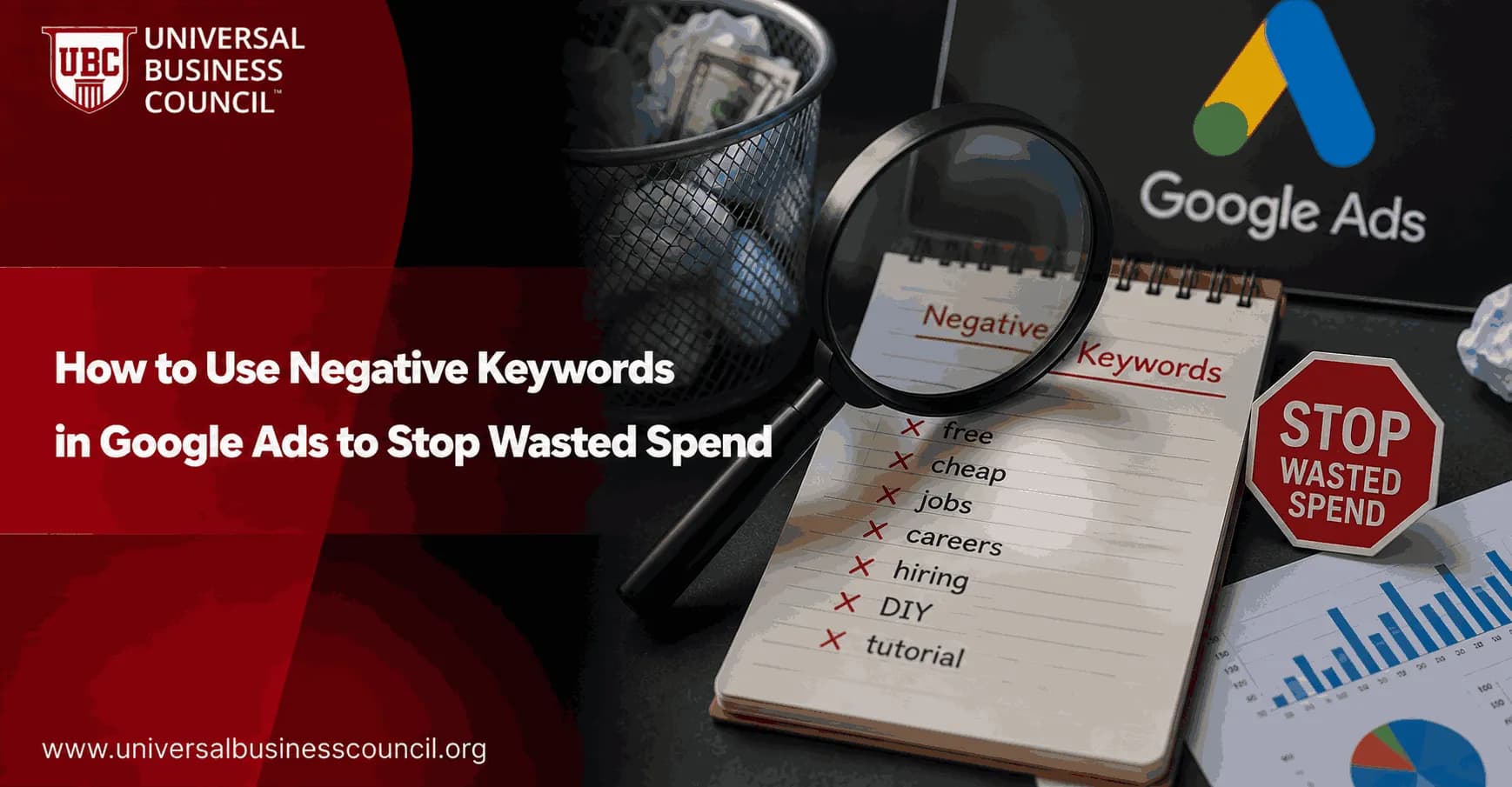
Negative keywords in Google Ads stop wasted spend by telling Google which searches should not trigger your ads. If you run broad match or phrase match keywords without a negative keyword process, you are almost certainly paying for clicks that had no realistic chance of becoming customers.
That sounds basic. It is not. The difference between a profitable Search campaign and a budget drain is often a few dozen exclusions found in the Search Terms report during week one.

Building profitable Google Ads campaigns requires more than choosing the right keywords. A Certified Google Ads Expert credential helps professionals develop practical skills in search intent analysis, keyword strategy, negative keyword management, conversion tracking, and campaign optimization, enabling them to reduce wasted spend and improve advertising performance.
What Are Negative Keywords in Google Ads?
Negative keywords are words or phrases that prevent your ads from showing when a user's search includes those terms. Google Ads Help describes them as exclusions that block irrelevant searches from triggering impressions.
Think of them as quality control. Your positive keywords tell Google where you want to compete. Your negative keywords tell Google where you refuse to spend.
An optometrist might bid on terms related to glasses. Without negative keywords, ads can show for searches such as wine glasses or drinking glasses. Google uses this same type of example in its own documentation because it captures the problem neatly: the word is shared, but the intent is wrong.
Why Negative Keywords Reduce Wasted Spend
Irrelevant clicks hurt more than the media budget. They also distort your data. A campaign filled with low-intent searches can show poor click-through rate, weak conversion rate, and inflated cost per acquisition. If you use automated bidding, bad traffic teaches the algorithm the wrong lesson.
In live account reviews, the fastest waste usually appears in three places:
Free seekers: searches containing free, freeware, open source, torrent, or download.
Job seekers: searches containing jobs, careers, hiring, salary, or internship.
Research-only users: searches containing tutorial, PDF, sample, definition, or examples.
Not every term on that list is bad for every business. A SaaS company with a strong free trial motion should not blindly block free trial. A training provider should not block training. Context matters. To be blunt, copied negative keyword lists cause almost as many problems as missing negative keywords.
Negative keyword optimization becomes even more effective when it is part of a broader digital marketing strategy that includes analytics, audience targeting, content planning, and conversion optimization. A Certified Digital Marketing Expert credential helps professionals understand how these disciplines work together to improve campaign efficiency and overall marketing performance.
How Negative Keyword Match Types Work
Google Ads supports broad, phrase, and exact match negative keywords for Search campaigns. They do not behave like positive keyword match types, and this is where many advertisers get caught.
Broad Match Negative
A broad match negative blocks a search only when the search contains all words in your negative keyword, in any order. If your negative keyword is free CRM, a search for best free CRM software can be blocked because both words appear.
Use broad negatives carefully. They have their place, but they are not the safest default when one word has mixed intent.
Phrase Match Negative
A phrase match negative blocks searches that contain the phrase in the same order, even when other words appear before or after it. This is usually the best choice for trigger terms.
Example: adding free download as a phrase match negative can block CRM free download and accounting software free download, while leaving unrelated queries alone.
Exact Match Negative
An exact match negative blocks only the exact query. Use it when a search is bad, but its component words may still appear in valuable searches.
Example: block glasses repair free exactly if it wastes spend, but keep showing for glasses repair service.
Important Google Ads Rules Professionals Should Know
Google's documentation includes several details that matter in real campaign management:
Negative keywords do not automatically match close variants. Add job and jobs separately if both are wasteful.
Capitalization does not matter. Shoes and shoes are treated the same.
Misspellings may be handled, but you should still monitor Search Terms for variants that slip through.
If a search phrase is longer than 16 words, Google does not evaluate negative keywords after the 16th word.
Accent marks can matter. Google treats cafe and café as separate negative keywords.
Limits also matter at scale. Google guidance notes that an individual campaign can hold up to 10,000 negative keywords, shared negative keyword lists can hold up to 5,000 terms each, and an account can have up to 20 shared lists. For Display and Video, Google considers up to 1,000 negative keywords at the account level.
A Practical Process to Find Negative Keywords
Do not start by guessing. Start with search term data.
1. Open the Search Terms Report
In Google Ads, review the Search Terms report for the campaign or ad group you are optimizing. Sort by cost first. That is faster than scanning alphabetically, because wasted spend is a money problem, not a vocabulary exercise.
A simple rule I use: if a query has spent around one target CPA with no conversion, inspect it. If it has spent two target CPAs with no conversion and the intent is weak, it needs action.
2. Mark the Bad Intent
Classify each poor query. Ask:
Is the whole search irrelevant?
Is one word causing the mismatch?
Is the search informational when the campaign is built for sales?
Is the term relevant, but only for a different campaign?
This step prevents lazy exclusions. For instance, cheap may be a poor fit for a premium consulting campaign, but a useful qualifier for a discount retail campaign.
3. Choose the Right Exclusion Level
Add negative keywords at the level where they belong:
Account level: global exclusions that are never useful, such as adult terms or job-seeker terms for a non-recruitment business.
Shared list: reusable exclusions across similar campaigns, such as free-seeker terms for paid software campaigns.
Campaign level: exclusions tied to one offer, location, margin profile, or audience.
Ad group level: fine control when you need to keep traffic separated between tightly themed ad groups.
Negative Keyword Examples by Business Type
B2B SaaS
A paid CRM vendor may find searches like free CRM software, open source CRM, and CRM freeware. If the business only sells paid plans, add phrase match negatives such as free, freeware, and open source. If the company runs a real free trial, be more precise and block free download or open source instead.
Ecommerce
A premium headphones store may see searches such as cheap headphones or headphones under 20. If those shoppers rarely buy, add phrase negatives for cheap and exact negatives for the worst full queries. Watch margin, not just conversion rate. A sale with no profit is not a win.
Professional Services
A law firm, clinic, or consultant often needs to exclude jobs, salary, templates, sample, DIY, and free advice. Be careful with informational terms if your funnel uses educational content, though. Some high-ticket services convert after several research touches.
Common Mistakes That Waste Budget
Adding negatives once and forgetting them: Review Search Terms weekly in active campaigns, especially after launch or major bidding changes.
Blocking profitable research intent: Reviews, comparisons, and alternatives can convert well in B2B. Do not exclude them automatically.
Ignoring singular and plural variants: Negatives do not work like positive close variants. Add each important version.
Using account-level negatives too aggressively: A global block can quietly damage campaigns that need that term.
Failing to check conversion quality: A query can generate form fills and still be wasteful if sales marks every lead unqualified in Salesforce or HubSpot.
Metrics to Track After Adding Negative Keywords
Do not judge negative keywords only by fewer clicks. Fewer clicks are not automatically better. Track:
CPA: Did cost per acquisition fall?
Conversion rate: Did remaining traffic become more qualified?
CTR: Are ads showing to better-matched searches?
ROAS: For ecommerce, did revenue per ad dollar improve?
Lead quality: Are more leads accepted by sales?
Search impression share: Did you over-restrict reach in valuable auctions?
For serious reporting, connect Google Ads with Google Analytics 4 and your CRM. The search term that looks cheap in Google Ads may produce leads your sales team rejects every Friday afternoon.
Accurate performance analysis also depends on strong technical capabilities such as analytics implementation, CRM integration, marketing automation, data management, and conversion tracking infrastructure. A Tech Certification helps professionals strengthen these complementary technical skills, supporting more reliable reporting and better campaign optimization decisions.
How Often Should You Review Negative Keywords?
For active Search campaigns, review search terms once or twice per week. During the first two weeks of a new broad match campaign, check more often. Small budgets can be reviewed weekly. Large accounts need a scheduled workflow and an owner.
Professionals preparing for digital marketing roles should treat this as a core PPC habit, not an advanced trick. If you are building broader capability in paid media, analytics, or campaign management, explore the Universal Business Council course catalog for related digital marketing and analytics certifications.
Final Step: Build a Negative Keyword Operating Routine
Create three lists this week: account-wide exclusions, campaign-specific exclusions, and review candidates. Then open the Search Terms report, sort by cost, and inspect every query that has spent meaningful budget without a qualified conversion.
Start with phrase and exact match negatives. Keep broad negatives for cases where you are sure. Then check performance next week. Negative keywords in Google Ads work best when you treat them like maintenance on a revenue system, not a one-time setup task.
As artificial intelligence, machine learning, automation, and privacy-focused advertising technologies continue to shape paid search, earning a Deep Tech Certification can help professionals develop a broader understanding of the technologies behind modern advertising platforms. This knowledge supports more informed optimization strategies and prepares marketers for the evolving future of AI-driven digital advertising.
FAQs
1. What are negative keywords in Google Ads?
Negative keywords are words or phrases that prevent your ads from appearing for specific search queries. They help advertisers exclude irrelevant traffic, ensuring budgets are spent on users who are more likely to be interested in the advertised products or services.
2. Why are negative keywords important?
Negative keywords help reduce wasted ad spend by filtering out searches that are unlikely to generate valuable clicks or conversions. They can improve campaign efficiency, increase ad relevance, and contribute to a better return on investment (ROI).
3. How do negative keywords work?
When a user's search contains a negative keyword that matches your exclusion settings, Google Ads generally prevents your ad from participating in that auction. This allows advertisers to avoid paying for clicks from searches that do not align with their business goals.
4. What types of negative keyword match types are available?
Google Ads supports negative broad match, negative phrase match, and negative exact match. Each match type controls how closely a user's search must match the excluded keyword before the ad is prevented from showing.
5. Where can advertisers add negative keywords?
Negative keywords can be added at the account, campaign, or ad group level, depending on how broadly the exclusions should apply. Choosing the appropriate level helps maintain organized and effective campaign management.
6. How do search term reports help identify negative keywords?
Search term reports show the actual queries that triggered your ads. Reviewing these reports regularly helps advertisers discover irrelevant searches and add new negative keywords to improve traffic quality.
7. Which keywords are commonly added as negatives?
The appropriate negative keywords depend on the business. Common examples may include terms such as "free," "jobs," "careers," "training," "DIY," "template," or unrelated products and services that attract low-intent traffic. Advertisers should evaluate each keyword based on campaign objectives rather than relying on generic lists.
8. How often should negative keyword lists be updated?
Negative keyword lists should be reviewed regularly, particularly after analyzing search term reports or launching new campaigns. Frequent updates help campaigns adapt to changing search behavior and reduce unnecessary advertising costs.
9. Can negative keywords improve click-through rate (CTR)?
By filtering out irrelevant impressions, negative keywords can help improve ad relevance and may contribute to stronger click-through rates. Higher-quality traffic also provides more meaningful performance data for ongoing optimization.
10. How do negative keywords affect conversion rates?
Preventing ads from appearing for irrelevant searches can increase the proportion of qualified visitors reaching the website. Although results vary by campaign, improved traffic quality may support higher conversion rates and more efficient customer acquisition.
11. Should Performance Max campaigns use negative keywords?
Google has introduced additional controls and account-level exclusions for Performance Max campaigns over time. Available options may evolve, so advertisers should review the latest official Google Ads guidance to understand which exclusion features apply to their account and campaign type.
12. How can AI help identify negative keyword opportunities?
AI-powered reporting and analytics can highlight search trends, identify low-performing queries, recommend optimization opportunities, and surface patterns that may indicate where additional negative keywords could improve campaign efficiency. Human review remains important before applying exclusions.
13. Which metrics should advertisers monitor after adding negative keywords?
Key metrics include click-through rate (CTR), conversion rate, cost per click (CPC), cost per acquisition (CPA), return on ad spend (ROAS), conversion value, impression share, qualified lead volume, and overall advertising efficiency.
14. Can too many negative keywords hurt campaign performance?
Yes. Overly aggressive exclusions may prevent ads from appearing for relevant searches, limiting reach and reducing potential conversions. Advertisers should carefully review exclusions to ensure valuable search traffic is not unintentionally blocked.
15. What is the difference between negative keywords and keyword exclusions?
Negative keywords prevent ads from showing for specific search queries within Google Ads campaigns. Depending on campaign type, advertisers may also have other exclusion options, such as placement or content exclusions, which serve different purposes than keyword-based filtering.
16. How should businesses organize negative keyword lists?
Businesses often create reusable negative keyword lists based on themes such as employment, education, free resources, competitors where appropriate, or unrelated products. Organized lists simplify campaign management and promote consistency across multiple campaigns.
17. What mistakes should advertisers avoid when using negative keywords?
Common mistakes include failing to review search term reports, adding broad exclusions without analysis, blocking high-intent searches accidentally, neglecting regular updates, and assuming the same negative keyword list is appropriate for every campaign.
18. How do negative keywords contribute to better ROI?
Negative keywords help concentrate advertising spend on searches that are more relevant to business objectives. By reducing low-value clicks, advertisers may improve campaign efficiency, lower acquisition costs, and generate more meaningful conversions from available budgets.
19. How should advertisers maintain effective negative keyword strategies in 2026?
Advertisers should conduct regular search term analysis, evaluate AI-generated insights, review campaign performance, update exclusion lists based on customer behavior, and stay informed about changes to Google Ads features and official best practices.
20. What is the best approach to using negative keywords in Google Ads?
The most effective strategy combines ongoing search term analysis, thoughtful use of negative match types, organized exclusion lists, accurate conversion tracking, AI-assisted optimization, and regular campaign reviews. As Google Ads continues to evolve in 2026, advertisers who consistently refine their negative keyword strategy can reduce wasted spend while improving traffic quality and overall campaign performance. Sometimes the smartest click is the one your ad never receives.
Related Articles
View All
Digital Marketing
How to Use Google Ads to Grow Your Business Online in 2026
Learn how to use Google Ads to grow your business online with AI-first campaigns, smarter bidding, stronger tracking, and disciplined optimization.
Digital Marketing
How to Find High-Intent Long-Tail Keywords for Google Ads
Learn how to find high-intent long-tail keywords for Google Ads using Search Console, Keyword Planner, SERP mining, competitor data, and intent filters.

Digital Marketing
Google Ads Budget Planning: How Much Should Beginners Spend?
Learn how much beginners should spend on Google Ads, with daily budget ranges, CPC formulas, CPA checks, and practical first 90-day testing rules.
Trending Articles
The Role of Blockchain in Ethical AI Development
How blockchain technology is being used to promote transparency and accountability in artificial intelligence systems.
AWS Career Roadmap
A step-by-step guide to building a successful career in Amazon Web Services cloud computing.
Top 5 DeFi Platforms
Explore the leading decentralized finance platforms and what makes each one unique in the evolving DeFi landscape.