

Google Ads Optimization Checklist for Better ROI in 2026
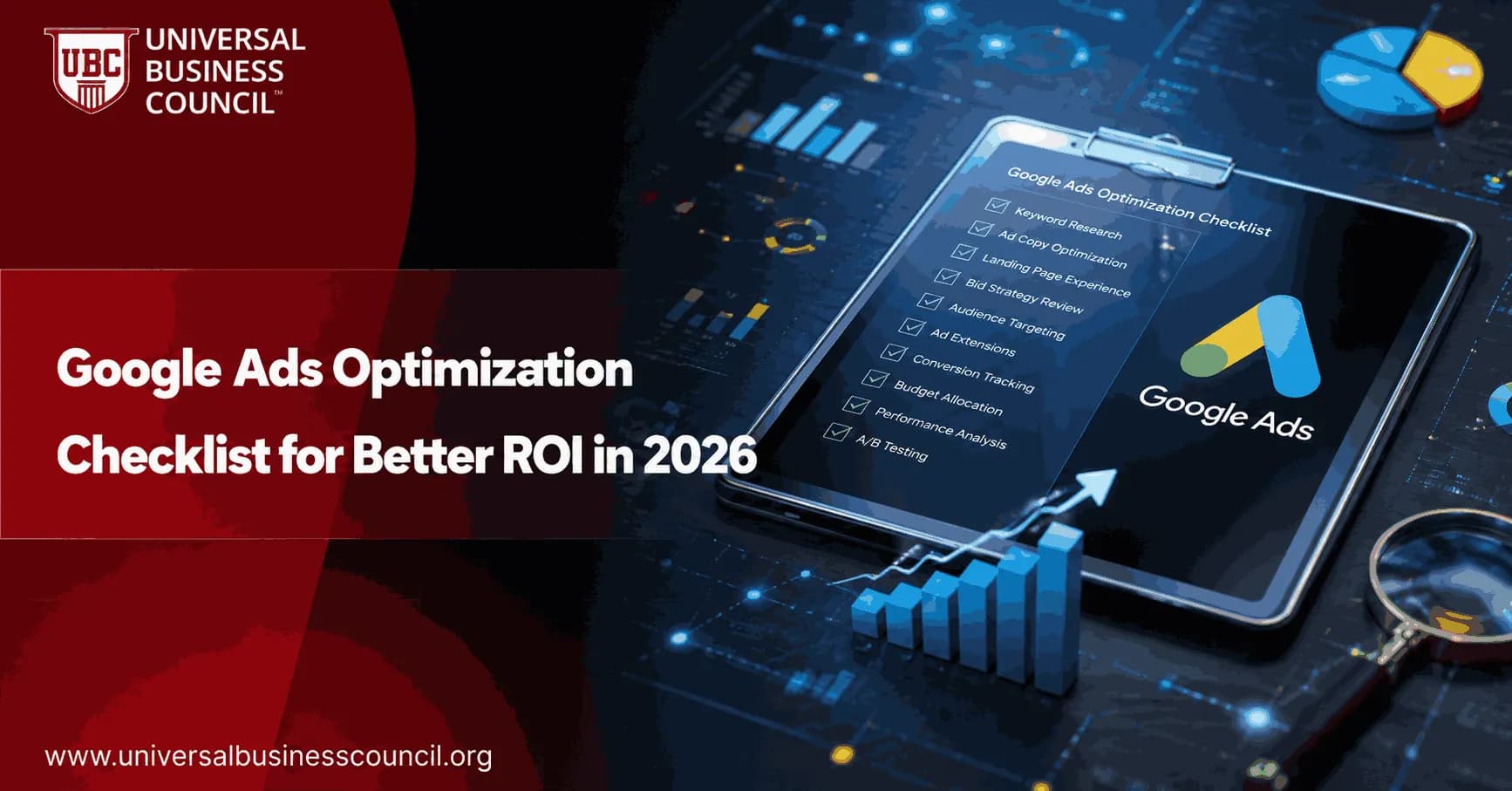
Google Ads optimization checklist work starts with one blunt question: can you trust the conversion data? If the answer is no, every bid change, keyword decision, and landing page test is partly guesswork. In 2026, better ROI comes from clean measurement, tight campaign structure, careful automation, and a weekly habit of removing waste.
That sounds simple. It is not. I have audited lead generation accounts where the form thank-you page fired twice, call conversions counted after eight seconds, and sales teams quietly ignored half the leads marked as conversions. The account looked healthy in Google Ads. The CRM told a different story.

Use this checklist to review the parts of Google Ads that most often affect ROI: tracking, keywords, ads, audiences, bidding, budgets, and landing pages.
Maximizing return on ad spend requires more than adjusting bids or adding keywords. A Certified Google Ads Expert credential helps professionals develop practical skills in campaign optimization, conversion tracking, bidding strategies, audience targeting, and performance analysis, creating a stronger foundation for data-driven decision-making.
1. Start with goals and conversion tracking
Do not optimize a campaign until you know what it is supposed to produce. A purchase is not the same as a trial signup. A booked demo is not the same as a low-intent ebook download.
Define the business goal for each campaign
Ecommerce: revenue, ROAS, average order value, repeat purchase rate.
B2B lead generation: qualified leads, booked meetings, pipeline value, customer acquisition cost.
Local services: calls, quote requests, store visits, booked appointments.
SaaS: trials, product-qualified leads, paid conversions, churn-adjusted LTV.
Match the campaign goal to the funnel stage. Asking a cold prospect to book a 45-minute sales call may work in a niche market, but it often burns budget in broad search campaigns. A comparison page or pricing page usually fits warmer traffic better.
Verify every conversion action manually
Conversion tracking sits near the top of this list for a reason. Test every form, purchase, phone call, download, and signup. Then confirm the event appears in both Google Ads and Google Analytics 4.
Enable auto-tagging in Google Ads.
Check UTM parameters if your reporting depends on them.
Review Google Tag Manager triggers and GA4 events.
Remove duplicate or obsolete conversion actions.
Separate primary conversions from secondary actions.
One practical rule: only use a conversion as a primary bidding signal if it represents real business value. A page view should not guide Target CPA bidding unless you enjoy paying for curiosity.
2. Connect Google Ads to analytics and CRM data
Front-end conversions can mislead you. Lead quality changes the real ROI calculation, so CRM feedback matters more than a cheap cost per lead. A keyword with a low CPA can still be a bad keyword if sales rejects most of the leads it brings in.
Connect Google Ads with GA4, your CRM, and your lead management tools where possible. Then track what happens after the click.
Engagement rate and engagement time in GA4.
Form completion rate by landing page.
Lead status in HubSpot, Salesforce, Zoho CRM, or your internal CRM.
Qualified lead rate by campaign and keyword.
Pipeline value and closed revenue from paid search.
If your team studies digital marketing reporting through Universal Business Council programmes, this is a strong internal linking opportunity: connect the Google Ads process with courses on marketing analytics, campaign management, and business performance measurement.
Effective campaign optimization depends on understanding how paid advertising fits into the wider customer journey. A Certified Digital Marketing Expert credential equips professionals with knowledge of analytics, customer acquisition, content strategy, CRM integration, and multi-channel marketing, helping businesses improve both lead quality and long-term marketing performance.
3. Restructure campaigns around intent
Account structure still matters, even with automation. Smart Bidding can process many signals, but it cannot fix a campaign where informational, competitor, brand, and buying-intent searches all sit in one messy ad group.
Group by intent, not just keyword similarity
Each ad group should serve one clear user intent. Single-intent ad groups are the safer default, though tightly themed ad groups still earn their place for a handful of high-value terms.
Use this structure as a starting point:
Brand campaigns: company and product names.
High-intent non-brand campaigns: buy, pricing, quote, near me, demo, consultant.
Competitor campaigns: competitor alternatives and comparisons.
Research campaigns: how to, best, guide, checklist, examples.
Remarketing campaigns: previous visitors, cart abandoners, returning prospects.
Do not create hundreds of tiny ad groups without enough data. That is where some single-keyword setups go wrong. Use tighter structure for important keywords, not for every low-volume variation.
4. Audit search terms and negative keywords every week
This is the least glamorous part of Google Ads optimization. It is also one of the fastest ways to improve ROI.
Open the search terms report and look for queries that show poor intent, irrelevant meaning, or repeated clicks without conversions. Add negatives at the right level: ad group, campaign, or shared negative list.
Look for waste patterns
Job seekers: careers, salary, hiring, internship.
Freebie intent: free, template, PDF, sample.
Wrong audience: consumer terms in a B2B account, or enterprise terms in a small-business offer.
Support intent: login, troubleshooting, customer service.
Geographic mismatch: cities, states, or countries you do not serve.
Be careful with negatives. I once saw a team block the word 'cheap' across an account, then wonder why a profitable 'cheap business insurance quote' keyword stopped spending. Negative keyword work rewards patience.
5. Improve ads, assets, and message match
Responsive search ads are now standard, but they still need sharp inputs. Aim for at least 'good' ad strength, yet remember that ad strength is not the same as profitability. Treat it as a diagnostic, not a final grade.
Run three to five ad variations per ad group when volume allows. Change one thing at a time when testing: headline angle, offer, proof point, or call to action.
Test ad elements that affect ROI
Problem-focused headline versus outcome-focused headline.
Price or quote language versus consultation language.
Industry-specific proof, such as certified technicians or ISO processes.
Short CTA, such as Get Pricing, versus softer CTA, such as Compare Options.
Landing page path, especially for pricing and demo traffic.
Align the ad with the landing page. If your ad promises a calculator, do not send the visitor to a generic homepage. That mismatch hurts conversion rate and usually drags down Quality Score signals too.
6. Use bidding automation with guardrails
Automation is useful. Passive automation is expensive.
Target CPA and Target ROAS can work well when conversion tracking is clean and the campaign has enough conversion volume. Smart Bidding uses auction-time signals, but the system still depends on the quality of the conversion data you feed it.
Choose the bid strategy by business goal
Maximize conversions: useful for early learning, but watch CPA closely.
Target CPA: good for lead generation when lead quality is stable.
Target ROAS: best for ecommerce or revenue-tracked campaigns.
Manual CPC: still useful in small, controlled tests with limited conversion data.
Avoid sudden target changes. If Target CPA is set at $80 and actual CPA has been $120, dropping the target to $60 overnight can choke traffic. Move in smaller steps and check performance within 24 hours of any major change.
Modern advertising platforms also rely on technical capabilities such as analytics implementation, API integrations, marketing automation, cloud-based data systems, and conversion tracking infrastructure. A Tech Certification helps professionals strengthen these complementary technical skills, enabling more accurate campaign measurement and better optimization outcomes.
7. Shift budget toward proven segments
Better ROI often comes from budget reallocation, not bigger budgets. Review performance by campaign, keyword, location, device, audience, and time of day.
Move spend toward segments with stronger ROAS or lower qualified CPA. Pull spend back where conversion quality is weak.
Segments worth checking
Location: separate high-value regions into their own campaigns if they need different budgets or targets.
Device: mobile may drive calls, while desktop may drive longer B2B forms.
Schedule: some lead gen accounts convert cheaply overnight, but sales quality can be poor.
Audience: returning visitors often convert at a higher rate than cold searchers.
Do not judge a segment on five clicks. Wait for enough data, especially when sales cycles are long.
8. Add audience and remarketing layers
Keywords tell you what someone searched. Audiences add context. Remarketing lists for search ads, known as RLSAs, let you adjust bids or messaging for people who have already visited your site.
Test audience layers such as:
All website visitors from the last 30, 60, or 90 days.
Cart abandoners.
Pricing page visitors.
Past converters, excluded from acquisition campaigns where appropriate.
Customer Match lists, if you meet Google policy and data requirements.
Remarketing is not a cure for weak offers. It works best when the first visit showed real intent.
9. Fix landing pages before blaming Google Ads
Many campaigns do not have a traffic problem. They have a post-click problem.
Use GA4 and landing page reports to review engagement rate, form starts, form completions, and conversion rate. Then test the page.
Landing page checklist
Does the headline match the ad promise?
Is the offer visible above the fold?
Does the form ask only for necessary information?
Is the page fast on mobile?
Are trust signals clear, such as reviews, certifications, guarantees, or case evidence?
Is there one primary CTA?
A/B test pages only when you have enough traffic. If traffic is low, start with a heuristic review: message match, speed, clarity, friction, and proof.
10. Set a practical optimization cadence
Good Google Ads optimization has a rhythm. Too many changes create noise. Too few changes let waste pile up.
Daily for active or high-spend accounts: spend pacing, disapprovals, conversion tracking, CPC spikes, impression share changes.
Weekly: search terms, negative keywords, bid target checks, ad tests, location and device performance.
Biweekly: budget shifts, audience reviews, landing page data, competitor messaging.
Monthly: ROAS, CPA, lead quality, keyword expansion, asset refreshes.
Quarterly: account structure, attribution settings, CRM feedback, offer strategy, full funnel coverage.
Review Google's recommendations with judgment. The optimization score can surface useful issues, but it may also push changes that do not fit your economics. Accepting every recommendation is not strategy.
What to learn next
This Google Ads optimization checklist gives you a working system: measure properly, structure by intent, cut waste, test ads and pages, use automation carefully, and connect spend to revenue. If you manage campaigns for a company or for clients, build your next learning path around paid media analytics, conversion tracking, marketing strategy, and performance reporting.
For a structured route, review the Universal Business Council course catalog and connect this checklist with relevant digital marketing, analytics, and business management certification pathways. Then audit one live campaign this week. Start with tracking. It usually tells you where the money is really going.
As artificial intelligence, predictive analytics, automation, and privacy-focused measurement continue to influence digital advertising, earning a Deep Tech Certification can help professionals build a deeper understanding of the technologies driving modern marketing platforms. This broader technical perspective supports more informed optimization strategies and prepares businesses for the continued evolution of AI-powered advertising.
FAQs
1. What is a Google Ads optimization checklist?
A Google Ads optimization checklist is a structured framework that helps advertisers regularly review and improve campaign performance. It covers areas such as keyword targeting, bidding strategies, ad quality, audience targeting, conversion tracking, landing pages, and reporting to support stronger return on investment (ROI).
2. Why is regular Google Ads optimization important?
Optimization helps advertisers improve campaign efficiency, reduce wasted ad spend, increase conversion rates, and adapt to changing customer behavior. Google's advertising platform continues to evolve, making ongoing performance reviews essential rather than relying on one-time campaign setup.
3. How often should Google Ads campaigns be optimized?
Most campaigns benefit from weekly or biweekly reviews, while high-budget or high-volume accounts may require daily monitoring. Monthly strategic reviews can help evaluate broader trends, budget allocation, seasonal performance, and long-term business goals.
4. Why should conversion tracking be checked first?
Accurate conversion tracking is the foundation of campaign optimization. Without reliable conversion data, bidding strategies, AI optimization, and performance reporting may be based on incomplete or inaccurate information, leading to poor decision-making.
5. How should keyword performance be reviewed?
Advertisers should identify high-performing keywords, pause or refine underperforming terms, add relevant long-tail keywords, and regularly update negative keyword lists. Reviewing search term reports helps ensure campaigns target relevant customer intent.
6. What role do negative keywords play?
Negative keywords prevent ads from appearing for irrelevant searches, reducing wasted clicks and improving campaign efficiency. Regularly expanding negative keyword lists helps improve traffic quality and optimize advertising budgets.
7. How can ad copy be optimized?
Ad copy should clearly communicate value, include relevant keywords where appropriate, highlight unique selling points, and feature compelling calls to action. Testing multiple headlines and descriptions helps identify messaging that resonates with target audiences.
8. Why is Quality Score important?
Quality Score reflects factors such as expected click-through rate, ad relevance, and landing page experience. While it is not the only performance indicator, improving Quality Score may contribute to more efficient ad delivery and potentially lower advertising costs.
9. How should landing pages be optimized?
Landing pages should load quickly, provide relevant content, be mobile-friendly, display clear calls to action, build trust through reviews or certifications where applicable, and minimize friction during the conversion process. Consistency between ad messaging and landing page content improves user experience.
10. Which bidding strategies should advertisers review?
Advertisers should periodically evaluate strategies such as Maximize Conversions, Target CPA, Target ROAS, Maximize Conversion Value, or Manual CPC depending on campaign goals and available conversion data. The best strategy may change as campaigns mature.
11. How should audience targeting be optimized?
Review audience segments, demographics, geographic targeting, devices, customer lists, and remarketing audiences to ensure campaigns reach qualified prospects. Audience insights can help identify opportunities for expansion or refinement.
12. How can AI improve Google Ads optimization?
AI assists with automated bidding, audience modeling, asset recommendations, predictive conversion analysis, budget allocation, and campaign optimization. Advertisers should regularly evaluate AI-driven recommendations to ensure they support profitability and broader business objectives.
13. Which performance metrics matter most for ROI?
Key metrics include click-through rate (CTR), conversion rate, cost per click (CPC), cost per acquisition (CPA), return on ad spend (ROAS), conversion value, customer acquisition cost (CAC), impression share, average order value (AOV), and customer lifetime value (CLV).
14. How important is remarketing in 2026?
Remarketing continues to be an effective strategy for reconnecting with previous website visitors and encouraging conversions. Personalized messaging based on user behavior can improve campaign efficiency while supporting long-term customer relationships.
15. Should advertisers optimize for mobile users?
Yes. Mobile traffic continues to represent a significant share of online activity. Mobile-optimized websites, fast loading speeds, responsive design, click-to-call features, and streamlined forms contribute to better user experiences and stronger conversion performance.
16. How does A/B testing improve campaign performance?
A/B testing allows advertisers to compare different headlines, descriptions, landing pages, calls to action, audience segments, and creative assets. Ongoing experimentation helps identify incremental improvements that can increase overall campaign ROI.
17. What common optimization mistakes should advertisers avoid?
Common mistakes include ignoring search term reports, neglecting negative keywords, relying entirely on automated recommendations, failing to test new ad creatives, overlooking landing page performance, using inaccurate conversion tracking, and making major changes without sufficient performance data.
18. How should budgets be optimized?
Budgets should be allocated based on campaign performance, profitability, conversion value, seasonal trends, and business priorities. Regularly shifting budget toward high-performing campaigns can improve overall account efficiency without simply increasing total spend.
19. How can businesses prepare for future Google Ads changes?
Businesses should stay informed through official Google Ads announcements, monitor evolving AI features, review privacy-related updates, maintain accurate first-party data where appropriate, and continually refine campaign strategies based on measurable performance rather than assumptions.
20. What is the ultimate Google Ads optimization checklist for better ROI in 2026?
An effective optimization checklist includes verifying conversion tracking, reviewing keyword performance, expanding negative keywords, improving ad copy, optimizing landing pages, evaluating bidding strategies, refining audience targeting, monitoring AI recommendations, analyzing key performance metrics, testing creative assets, strengthening remarketing campaigns, and regularly reallocating budgets based on results. As Google's advertising ecosystem continues to evolve, advertisers who combine automation with ongoing strategic oversight and data-driven decision-making will be better positioned to improve long-term ROI. The dashboard may contain hundreds of metrics, but profitable campaigns still depend on making a few consistently smart decisions rather than admiring colorful charts.
Related Articles
View All
Digital Marketing
Google Ads Landing Pages: Best Practices for 2026
Learn how to build Google Ads landing pages that match search intent, load fast on mobile, improve conversion tracking, and support smarter campaign optimization.

Digital Marketing
How to Write High-Converting Google Ads Copy That Filters for Better Clicks
Learn how to write Google Ads copy that matches intent, proves value, improves lead quality, and works with responsive search ads and AI-assisted testing.

Digital Marketing
Google Ads ROI: How to Measure and Improve Campaign Profitability
Learn how to measure Google Ads ROI with conversion tracking, real cost data, ROAS, CPA, and profit-focused optimization tactics.
Trending Articles
The Role of Blockchain in Ethical AI Development
How blockchain technology is being used to promote transparency and accountability in artificial intelligence systems.
AWS Career Roadmap
A step-by-step guide to building a successful career in Amazon Web Services cloud computing.
Top 5 DeFi Platforms
Explore the leading decentralized finance platforms and what makes each one unique in the evolving DeFi landscape.