

Google Ads Campaign Setup Checklist for New Advertisers
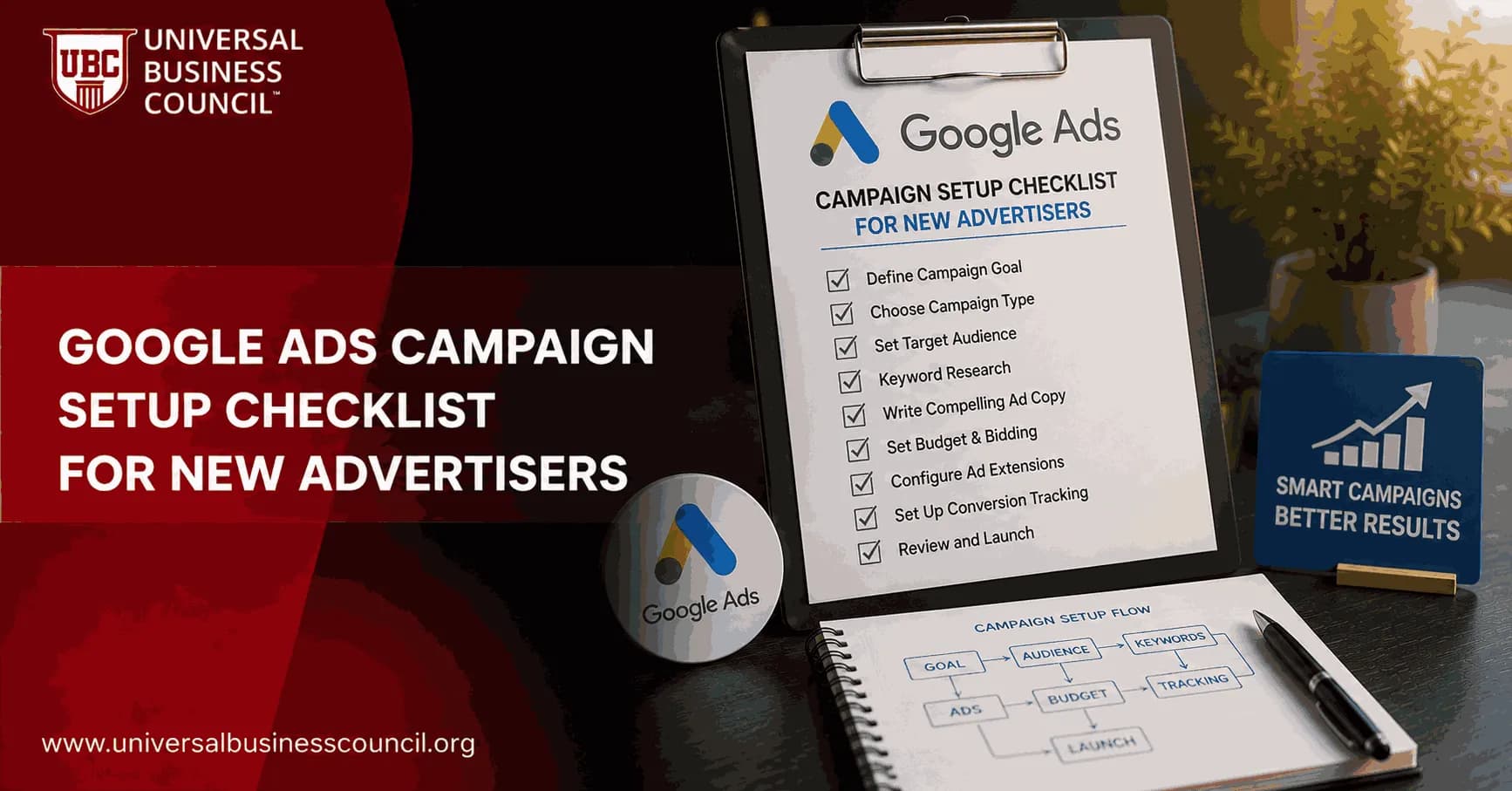
A good Google Ads campaign setup checklist starts before you write a single headline. Launch without conversion tracking, clean location settings, negative keywords, and a landing page that matches the ad promise, and Google will still spend your money. It just will not teach you anything useful.
This checklist is built for new advertisers working in Google's current goal-based environment, where automated bidding, responsive assets, and conversion data shape performance. Google Ads Help walks first-time advertisers through business details, goals, audience, budget, ad creation, billing, and launch. That flow helps, but it is not enough on its own.

As Google Ads continues to introduce AI-powered automation and more advanced campaign tools, marketers benefit from building a stronger understanding of campaign setup and optimization. A Certified Google Ads Expert credential can help reinforce practical skills in campaign planning, conversion tracking, bidding strategies, and performance measurement before managing larger advertising budgets.
1. Set up the Google Ads account correctly
Small setup choices become reporting headaches later. Do this slowly.
Create the account with the right business website. Google uses your site and business information to tailor setup recommendations.
Select billing country, currency, and time zone carefully. These settings affect invoices, reporting dates, and budget delivery. Some cannot be changed easily later.
Add a valid payment profile. Confirm the card, PayPal account, or payment method before launch.
Connect related Google tools. Link Google Analytics 4, Google Tag Manager, YouTube, Merchant Center, or Business Profile if they apply.
One practical warning. If your finance team reports on calendar months but the ad account uses the wrong time zone, month-end CPA reporting turns messy fast. Fix it before the first campaign goes live.
2. Define the business goal before campaign creation
Do not pick a goal because it sounds good in the interface. Pick the action that actually matters.
Common Google Ads goals
Sales: online purchases, subscriptions, paid bookings, or revenue events.
Leads: form submissions, calls, demo requests, quote requests, or consultation bookings.
Website traffic: fine for early-stage volume, weak as a primary goal when you need ROI.
Brand awareness: better suited to Display, Video, and reach-focused campaigns.
For most new advertisers, sales or qualified leads beat clicks as a starting point. Clicks are easy to buy. Buyers are not.
Defining the right campaign objective also requires understanding broader customer acquisition strategies and business goals. Many professionals strengthen these capabilities through a Certified Digital Marketing Expert program, which covers digital strategy, analytics, campaign planning, and performance optimization across multiple marketing channels.
3. Install conversion tracking before launch
Google's own setup guidance treats conversion tracking as a pre-launch requirement, especially for online conversions. Practitioners agree. Without it, automated bidding has no reliable signal to work with.
Track actions that show business value:
Purchase completed
Lead form submitted
Phone call from ad or landing page
Demo booked
Quote request sent
Key button clicks, if they help explain intent
Use Google Tag Manager where you can. Then verify events in Google Ads, GA4 DebugView, and your CRM if you run HubSpot, Salesforce, Zoho, or another lead system.
Field note: the mistake that bites new advertisers is counting every page view or button click as a primary conversion. That trains bidding toward busy users, not profitable ones. Mark only the real outcome as primary. Keep softer actions as secondary signals.
4. Choose the right campaign type
Your campaign type should match the buyer's intent.
Search: best when people already search for your product, service, or problem.
Display: useful for reach, remarketing, and visual offers, weaker for cold direct response.
Video: good for education, product awareness, and remarketing through YouTube.
Shopping or Performance Max: relevant for ecommerce and feed-based advertisers.
If you are new and budget is tight, start with Search. It gives cleaner intent data. Display can quietly burn budget when your targeting, exclusions, and conversion tracking are loose.
5. Build a campaign structure that can learn
New advertisers often create too many campaigns and ad groups. It feels organised, but it splits the budget so thinly that nothing collects enough data.
A simple structure works better:
One campaign per major goal, market, or budget owner
A small number of tightly themed ad groups
Keywords grouped by intent, not by every tiny variation
Separate campaigns only when budgets, locations, or goals differ
Example: a local repair company might run one Search campaign for its service area, with ad groups for emergency plumbing, drain cleaning, and water heater repair. Do not build 40 ad groups on a $30 daily budget.
6. Set location, audience, and schedule settings
Location targeting
Target only places where you can serve customers. For local services, check the location option carefully and favour people present in your target area, not merely interested in it. This one setting can stop you paying for clicks from users researching from outside your market.
Audience signals
Google uses audience inputs to guide recommendations and automated delivery. Add relevant audience lists when you have them, such as:
Website visitors
Past customers
Cart abandoners
CRM lead lists
High-value customer segments
Ad scheduling
Run ads when users can convert and your team can respond. For lead generation, response speed matters. If calls after 6 p.m. go to voicemail, ask whether you really want to pay for them.
7. Research keywords and match types
For Search campaigns, keyword planning is still a core part of any Google Ads checklist.
Brainstorm from the customer's language. Use product terms, problem terms, and buying phrases.
Use Google Keyword Planner. Check volume, competition, and estimated CPC.
Group by intent. Put similar terms into the same ad group.
Choose match types deliberately. Exact match gives more control. Phrase match gives moderate reach. Broad match can work with strong conversion data and smart bidding, but it is risky for brand-new accounts.
Add negative keywords before launch. Common examples include free, jobs, salary, template, definition, DIY, and training, depending on your offer.
Before launch, search your main keywords in an incognito browser. Look at the ads and organic results. If the page is full of job listings, academic articles, or cheap alternatives, your keyword may not carry the intent you expected.
8. Set budget and bidding strategy
Google Ads budgets are daily averages, not hard daily caps. Google Ads Help explains that spend can exceed your average daily budget on some days, up to twice the amount, while monthly charging limits are built around your average daily budget over the month.
Plan budget by month, not by one perfect day.
Bidding options for new advertisers
Manual CPC: gives control, but needs active management.
Maximise clicks: handy for traffic tests, but can chase low-quality clicks.
Maximise conversions: strong once tracking is accurate.
Target CPA: useful when you know your acceptable cost per lead or sale.
Target ROAS: best for ecommerce or revenue-tracked accounts with enough conversion value data.
To be blunt, do not start with target ROAS if your conversion values are missing or unreliable. The system will optimise around bad maths.
9. Write ads and prepare assets
Google's responsive ad formats use multiple headlines and descriptions, then test combinations. Give the system useful material.
Your ad copy should include:
Primary keyword or close variant
Clear benefit
Proof point where available
Specific offer or next step
Direct call to action
Weak: Quality business solutions for your needs.
Stronger: Book a same-day plumbing repair visit. Licensed local technicians. Call now for availability.
Review asset performance after launch. Replace low-rated or low-performing headlines. Add new offers before fatigue sets in.
10. Match the landing page to the ad
Practitioner guides consistently stress message match, page speed, keyword relevance, and focused calls to action. They are right.
Your landing page must answer three questions fast:
Am I in the right place?
Why should I trust this business?
What should I do next?
Use one main CTA. Cut distractions. Keep lead forms short, especially on mobile. Ask for company size, budget, phone number, job title, and project timeline on a cold search click, and expect drop-off.
For speed checks, use Google PageSpeed Insights and test the page on a real phone, not just your desktop browser.
Effective Google Ads campaigns also depend on the technology supporting them, including analytics platforms, tag management systems, APIs, CRM integrations, cloud services, and privacy-aware measurement tools. A broader Tech Certification can help professionals better understand these technical components and build more reliable campaign tracking and optimization processes.
11. Run the final pre-launch checklist
Before publishing, check every item below.
Billing: payment method approved and active.
Goal: campaign objective matches the business outcome.
Conversions: primary and secondary actions set correctly.
Tracking: Google Ads, GA4, and CRM events tested.
Budget: daily budget fits the monthly plan.
Bidding: strategy matches available data.
Locations: target areas and presence settings verified.
Schedule: ads run when conversion handling is possible.
Keywords: match types reviewed.
Negatives: obvious waste terms added.
Ads: spelling, offers, URLs, and CTAs checked.
Landing pages: mobile layout, load speed, forms, and links tested.
Policies: no obvious compliance issues in ad copy or claims.
After launch, check the account the same day for disapprovals, limited status, tracking problems, and unexpected spend.
12. Build your first optimisation rhythm
Setup is not the finish line. Most agency optimisation frameworks stress weekly and monthly review cycles. New advertisers should schedule them from day one.
Weekly checks
Review search terms and add negative keywords
Check spend by campaign and ad group
Review conversions by device, location, and hour
Pause obvious low-quality queries
Check asset performance
Monthly checks
Adjust CPA or ROAS targets if enough data exists
Reallocate budget to stronger campaigns
Test new landing page variations
Refresh ad copy and creative assets
Review lead quality with sales or customer service teams
The metric leadership usually cares about is not click-through rate. It is qualified CPA, pipeline value, ROAS, CAC, or revenue. Build your reporting around those numbers.
Internal learning path for marketers
If you manage paid media as part of a wider role, connect this checklist with broader skills in analytics, consumer behaviour, campaign planning, and marketing strategy. Universal Business Council digital marketing courses and certification resources cover performance marketing, marketing analytics, and management decision-making, which sit directly alongside the work in this checklist.
Start with a controlled launch
Open Google Ads, create one focused campaign, install conversion tracking, and test every form and call action before spending. Keep the first structure simple. Then review search terms within the first few days, not at the end of the month when the budget is already gone.
Your next step: build a one-page launch sheet with goal, budget, keywords, negatives, landing page URL, primary conversion, and first review date. If you cannot fill in those fields, the campaign is not ready to publish.
As artificial intelligence, marketing automation, predictive analytics, and privacy-focused technologies continue to reshape digital advertising, professionals who understand both marketing strategy and emerging technologies will be well positioned for future opportunities. A Deep Tech Certification provides structured learning in these advanced technologies, helping marketers adapt to an increasingly data-driven advertising landscape.
FAQs
1. What is a Google Ads campaign setup checklist?
A Google Ads campaign setup checklist is a step-by-step guide that helps advertisers configure campaigns correctly before launching. It covers essential tasks such as defining objectives, selecting keywords, setting budgets, creating ads, configuring tracking, and reviewing campaign settings to reduce errors.
2. Why should new advertisers use a campaign checklist?
A checklist helps ensure that important setup steps are not overlooked. It promotes consistency, improves campaign quality, reduces avoidable mistakes, and provides a structured approach for launching and managing Google Ads campaigns.
3. What should be the first step before creating a campaign?
Start by defining a clear business objective. Whether the goal is generating leads, increasing online sales, driving phone calls, or boosting brand awareness, having a specific objective helps guide campaign strategy, bidding, targeting, and performance measurement.
4. How should advertisers choose the right campaign type?
Select the campaign type that best aligns with your marketing goals. Google Ads offers Search, Display, Shopping, Video, App, Performance Max, and Demand Gen campaigns, each designed to support different customer journeys and advertising objectives.
5. Why is keyword research important before launching?
Keyword research identifies the search terms your target audience uses when looking for products or services. Choosing relevant, high-intent keywords helps improve ad relevance, attract qualified visitors, and make more efficient use of your advertising budget.
6. Should advertisers use negative keywords?
Yes. Negative keywords help prevent ads from appearing for irrelevant searches, reducing wasted clicks and improving campaign efficiency. Regularly reviewing search terms and updating negative keyword lists is considered a best practice.
7. How should advertisers structure campaigns and ad groups?
Campaigns should be organized by business goals, products, services, or target audiences. Within each campaign, ad groups should contain closely related keywords and ads to improve relevance and simplify ongoing optimization.
8. What budget should new advertisers set?
New advertisers should choose a budget that aligns with their marketing objectives and financial resources. Starting with a manageable budget allows businesses to collect performance data before gradually increasing investment based on measurable results.
9. Which bidding strategy is best for beginners?
The appropriate bidding strategy depends on campaign goals and available conversion data. Beginners often start with strategies aligned with their objectives, such as maximizing clicks for traffic or maximizing conversions once reliable conversion tracking has been established.
10. Why is writing relevant ad copy important?
Relevant ad copy improves the user experience by matching search intent and clearly communicating the value of your product or service. Strong headlines, compelling descriptions, and clear calls-to-action help attract qualified users.
11. How important are landing pages?
Landing pages play a major role in campaign success. A fast-loading, mobile-friendly page with messaging that matches the advertisement and includes a clear call-to-action can improve conversion rates and overall advertising performance.
12. What conversion tracking should be configured?
Advertisers should configure tracking for meaningful business actions such as purchases, lead form submissions, phone calls, appointment bookings, newsletter sign-ups, or app downloads. Accurate tracking provides the data needed for optimization and ROI analysis.
13. Why should advertisers review geographic targeting?
Location targeting ensures ads are shown to users in the markets where the business operates. Proper geographic settings help reduce wasted budget and improve the relevance of advertising campaigns.
14. How should audience targeting be used?
Audience targeting allows advertisers to reach users based on demographics, interests, purchase intent, previous website visits, or customer lists. Combining audience signals with keyword targeting can improve campaign precision.
15. What role does AI play during campaign setup?
Google's AI assists with automated bidding, audience optimization, responsive ad combinations, asset selection, and campaign recommendations. While automation can improve efficiency, advertisers should review AI-generated suggestions to ensure they align with business goals.
16. What settings should advertisers review before launching?
Before launch, review campaign objectives, budget, bidding strategy, keywords, negative keywords, targeting, ad copy, landing page URLs, conversion tracking, scheduling, extensions (assets), and billing settings. A final review can help prevent avoidable setup errors.
17. What metrics should be monitored after launch?
Key metrics include impressions, clicks, click-through rate (CTR), conversion rate, cost per click (CPC), cost per acquisition (CPA), return on ad spend (ROAS), Quality Score, impression share, and conversion value. Monitoring these metrics helps identify opportunities for optimization.
18. What are common setup mistakes new advertisers make?
Common mistakes include skipping keyword research, ignoring negative keywords, using weak landing pages, failing to install conversion tracking, targeting overly broad audiences, selecting inappropriate bidding strategies, and making frequent changes before collecting enough performance data.
19. How often should campaigns be optimized?
Campaigns should be reviewed regularly, with optimization frequency depending on campaign size, traffic volume, and budget. Continuous testing and data-driven adjustments help improve efficiency and long-term advertising performance.
20. What is the ultimate Google Ads campaign setup checklist for new advertisers?
A successful Google Ads campaign starts with clear business goals, thorough keyword research, well-structured campaigns, compelling ad copy, optimized landing pages, accurate conversion tracking, appropriate audience targeting, thoughtful budgeting, and ongoing performance analysis. By following a structured setup checklist and continuously refining campaigns using real performance data, new advertisers can build a stronger foundation for sustainable growth and more effective digital advertising. Launching a campaign without a checklist is a bit like assembling furniture without instructions. It sometimes works, but the leftover pieces tend to become an expensive mystery.
Related Articles
View All
Digital Marketing
Google Ads Tutorial: From Account Setup to Campaign Launch
A practical Google Ads tutorial covering account setup, conversion tracking, campaign structure, keywords, ads, assets, and pre-launch checks.

Digital Marketing
Google Ads ROI: How to Measure and Improve Campaign Profitability
Learn how to measure Google Ads ROI with conversion tracking, real cost data, ROAS, CPA, and profit-focused optimization tactics.

Digital Marketing
Google Ads Metrics Every Marketer Should Track for Better Campaign Decisions
Learn the Google Ads metrics that matter most, from CTR and CPC to CPA, ROAS, Quality Score, impression share, and ROI-focused reporting.
Trending Articles
The Role of Blockchain in Ethical AI Development
How blockchain technology is being used to promote transparency and accountability in artificial intelligence systems.
AWS Career Roadmap
A step-by-step guide to building a successful career in Amazon Web Services cloud computing.
Top 5 DeFi Platforms
Explore the leading decentralized finance platforms and what makes each one unique in the evolving DeFi landscape.