

Google Ads ROI: How to Measure and Improve Campaign Profitability
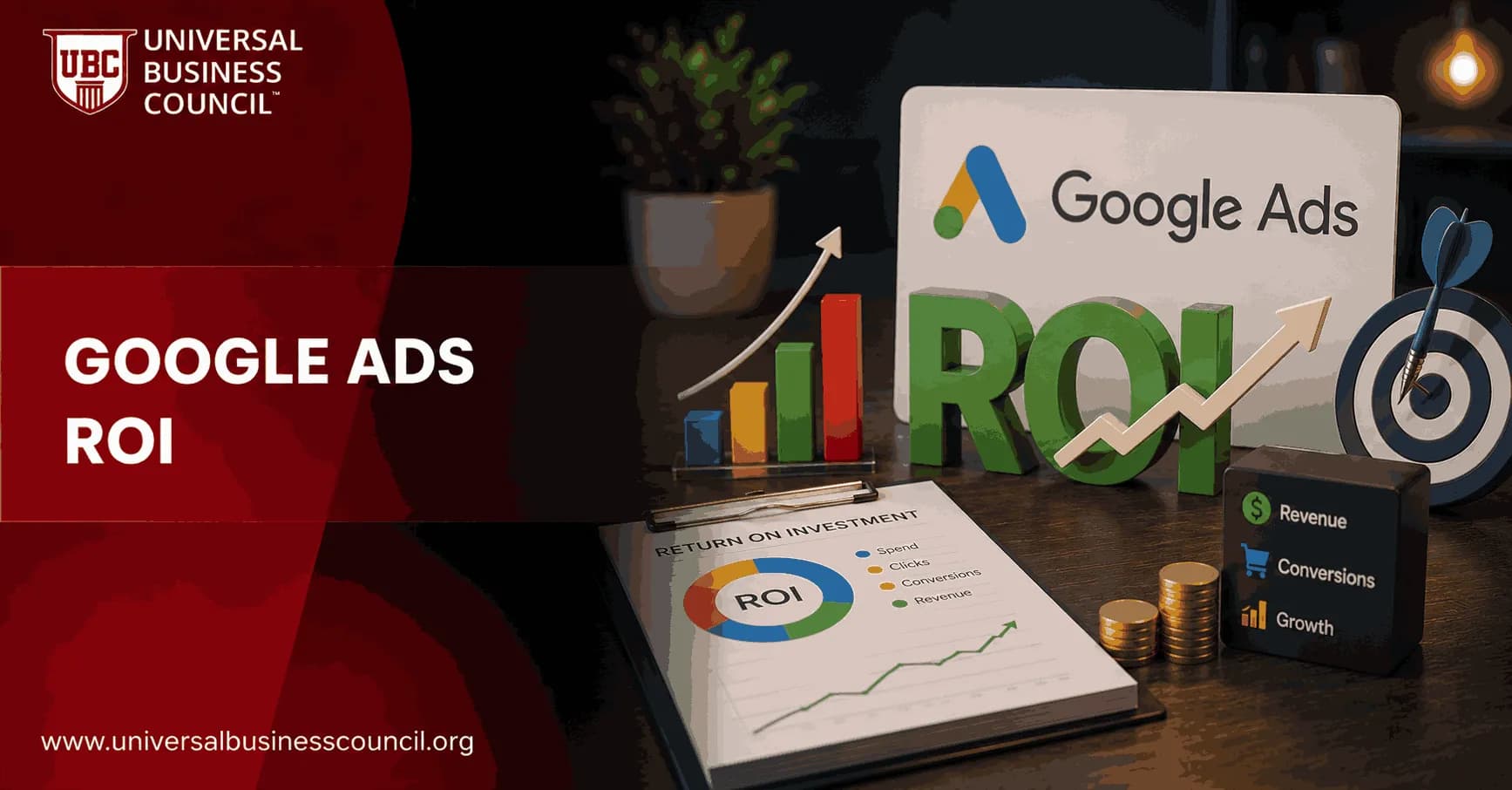
Google Ads ROI is not the same as getting more clicks, lowering CPC, or celebrating a busy lead form. It measures whether your campaigns produce profit after the real costs are counted. That sounds obvious, but many accounts still optimize toward volume because the profit data is missing, delayed, or badly tagged.
If you manage search campaigns, you need a measurement setup that connects Google Ads to revenue, margins, and sales quality. Otherwise, you are guessing with a neat dashboard.

Understanding how to improve advertising profitability requires both technical knowledge and practical experience. Many marketers strengthen these capabilities by earning a Certified Google Ads Expert credential, which focuses on campaign optimization, bidding strategies, conversion tracking, and performance analysis for real-world advertising scenarios.
What Google Ads ROI Actually Measures
Return on investment in Google Ads compares the profit generated by advertising with the cost required to produce that profit. Google frames ROI as a key measure for advertisers because it shows the real effect of campaigns on business outcomes, not just traffic.
A practical version of the formula is:
Google Ads ROI = (Revenue from ads - product costs - advertising costs) / advertising costs x 100
Return on ad spend, or ROAS, is related but narrower:
ROAS = Revenue from ads / ad spend
Here is the trade-off. ROAS is useful for quick campaign comparisons. ROI is better for business decisions because it includes margin. A 4x ROAS can still be poor if you sell low-margin products, pay agency fees, and handle expensive fulfillment. A 2x ROAS can be excellent for a software business with high gross margin and strong customer retention.
Why Clicks Are a Weak Measure of Profitability
Clicks tell you that someone was interested enough to visit. They do not tell you whether the visit was worth anything.
I once watched a lead generation account spend nearly a quarter of its monthly search budget on broad informational searches: pricing examples, templates, job-related queries. CTR looked fine. CPC looked cheap. Sales hated the leads. After adding negative keywords and splitting high-intent terms into separate campaigns, lead volume fell, but sales-qualified opportunities went up. That is the work. Sometimes the best ROI move makes the top-line dashboard look quieter.
For Google Ads ROI, track the metrics that connect to money:
Conversion value: Revenue or assigned value from purchases, leads, subscriptions, or other tracked actions.
Conversion rate: The percentage of clicks that become conversions.
CPA: Cost per acquisition, compared with gross profit per customer.
ROAS: Revenue returned for each dollar of ad spend.
Quality Score: Google's estimate of ad relevance, expected CTR, and landing page experience.
CPC: Useful when modeled against conversion rate and average order value.
Current Google Ads ROI Benchmarks
Industry commentary often cites an average Google Ads return of around 200 percent, meaning roughly 2 dollars in revenue for every 1 dollar spent. Many paid search teams treat 3x to 5x ROAS as strong, especially in competitive markets.
Use those numbers carefully. Benchmarks hide the part that matters most: margin.
If your gross margin is 70 percent, a 3x ROAS may be healthy. If your gross margin is 25 percent, the same 3x ROAS may barely cover product costs, payment fees, staff time, and returns. Your own break-even point matters more than a generic industry average.
Evaluating campaign profitability also requires a broader understanding of customer acquisition, analytics, budgeting, and business strategy. A Certified Digital Marketing Expert program helps professionals connect advertising metrics like ROI and ROAS with overall marketing performance and long-term business growth.
How to Measure Google Ads ROI Step by Step
1. Define the conversion that matters
Start with the business objective. Are you measuring online purchases, quote requests, booked consultations, demo signups, app installs, or paid subscriptions?
Do not track every button click as a primary conversion. That mistake trains Google Ads to chase soft actions. Use primary conversions for outcomes that have commercial value. Keep micro-actions, such as page views or newsletter clicks, as secondary signals.
2. Set up conversion tracking properly
Use Google Ads conversion tracking for actions that happen after an ad click. For e-commerce, pass actual transaction values. For lead generation, assign estimated values based on close rate and average deal value.
Example:
Average closed deal value: $5,000
Lead-to-customer close rate: 8 percent
Estimated lead value: $400
That does not mean every lead is worth $400. It gives Google Ads a more realistic value signal than treating all form fills as equal.
Connect Google Ads with Google Analytics 4 to review user behavior after the click. Use Google Tag Manager to manage tags and events without asking a developer to edit code every week. If you work in B2B, import offline conversions from your CRM when leads become qualified opportunities or customers. Salesforce, HubSpot, and other CRM systems can close that loop.
3. Count total costs
Ad spend is only one part of the investment. For an honest Google Ads ROI calculation, include:
Google Ads media spend
Agency, freelancer, or in-house management cost
Creative production and landing page work
Product cost or cost of service delivery
Software used for tracking, reporting, call tracking, or attribution
This is where many reports get inflated. A campaign that looks profitable inside Google Ads can lose money once cost of goods sold and management fees are included.
4. Calculate ROI and ROAS by segment
Do not stop at account-level ROI. Segment performance by:
Campaign
Ad group
Keyword or search term theme
Device
Location
Audience
Landing page
New versus returning visitors
This is where the money usually shows up. One location may carry the account. One mobile landing page may be killing conversion rate. One keyword theme may drive low-volume, high-margin deals that deserve more budget.
How to Improve Google Ads ROI
Refine keywords and search intent
High ROI usually starts with intent. Put budget behind search terms that show buying behavior, not casual curiosity.
Use exact and phrase match where control matters. Review the search terms report often. Add negative keywords for irrelevant, job-seeker, free, support, and research-only traffic. Broad match can work, but only when conversion tracking is clean and bidding has enough data. If not, it can burn cash quickly.
Separate campaigns by margin and value
Do not group high-margin and low-margin products under one Target ROAS goal. Google will optimize toward conversion value, but it will not understand your profit unless you feed it better data.
Build campaigns around product category, margin band, lead quality, or customer lifetime value. Then set budgets and bidding targets that match business reality.
Improve ad relevance and Quality Score
Quality Score affects CPC, ad rank, and efficiency. Focus on the three parts Google evaluates: expected CTR, ad relevance, and landing page experience.
Write ad copy that matches the query. If the keyword is commercial, do not send the user to a generic blog post. If the ad promises a quote, the landing page should make that quote request obvious.
Small copy changes matter. Replace vague claims with specifics such as pricing range, delivery time, certification level, service area, or use case. Specific ads often filter out bad clicks before you pay for them.
Fix landing page friction
Landing page optimization is often cheaper than buying more traffic.
Match the page headline to the ad promise.
Keep forms short unless qualification is more important than volume.
Show proof near the call to action, such as reviews, case results, accreditations, or client logos where permitted.
Improve load speed, especially on mobile.
Test one major change at a time so you know what worked.
Be blunt with yourself here. If users click an ad for enterprise software pricing and land on a page with no pricing path, no demo option above the fold, and a 12-field form, the campaign is not the only problem.
Use Smart Bidding when the data is ready
Target CPA and Target ROAS can improve Google Ads ROI, but only with reliable conversion data. Automation amplifies your measurement setup. If your tracking rewards weak leads, Smart Bidding will find more weak leads.
Use automated bidding after you have enough conversion volume and clear value signals. Monitor it against profit, not just conversions. For lead generation, import qualified lead and closed-won data where possible.
Modern Google Ads performance depends on technologies that extend beyond advertising itself, including AI-driven automation, analytics platforms, APIs, CRM integrations, cloud services, and privacy-focused measurement. A broader Tech Certification can help professionals understand these supporting technologies and use them more effectively to improve campaign performance and reporting accuracy.
Build remarketing around behavior
Remarketing works best when it is based on intent. A visitor who viewed pricing should not get the same message as someone who read one article and left.
Create audiences for product viewers, cart abandoners, demo page visitors, and returning users. Adjust offers and messages accordingly. Frequency matters too. More impressions are not always better.
Common Mistakes That Reduce Google Ads ROI
Using one conversion value for every lead: This hides lead quality differences.
Ignoring offline sales: B2B campaigns often look wrong until CRM data is imported.
Optimizing for CPA alone: A cheap customer is not useful if that customer has poor lifetime value.
Scaling before tracking is verified: First confirm tags, values, attribution settings, and CRM matching.
Relying on average ROAS: Profit lives in segments, not averages.
Skills Professionals Need to Manage ROI
Improving Google Ads ROI is partly a media buying skill and partly a measurement skill. You need to understand GA4 events, conversion values, attribution, bidding models, landing page testing, and financial metrics such as CAC, gross margin, LTV, and payback period.
If you are building formal capability, look at Universal Business Council programmes in digital marketing, marketing analytics, and business management as structured learning paths. Pair platform knowledge with financial decision-making. That combination is what separates campaign operators from growth leaders.
Your Next Step
Open one active Google Ads campaign this week and calculate ROI using revenue, ad spend, product cost, and management cost. Then segment it by keyword theme and landing page. Cut one waste source, improve one high-intent landing page, and verify one conversion value. That beats chasing another generic benchmark.
As artificial intelligence, predictive analytics, automation, and privacy technologies continue to transform digital advertising, professionals who combine marketing expertise with technical knowledge will be better prepared for future opportunities. A Deep Tech Certification offers structured learning in these emerging technologies, helping marketers adapt to the next generation of data-driven advertising and business innovation.
FAQs
1. What is Google Ads ROI?
Google Ads ROI (Return on Investment) measures how much profit or value a business generates compared to the amount spent on Google Ads campaigns. It helps advertisers evaluate whether their advertising investment is producing meaningful business results rather than simply generating traffic.
2. How do you calculate Google Ads ROI?
A common formula is:
ROI = ((Revenue - Advertising Cost) ÷ Advertising Cost) × 100
For example, if a campaign generates $10,000 in revenue from $2,000 in ad spend, the ROI would be 400%. Businesses may also factor in product costs, operating expenses, and customer lifetime value for a more comprehensive analysis.
3. Why is ROI more important than clicks?
Clicks indicate user interest, but they do not necessarily translate into sales or business growth. ROI focuses on financial outcomes by measuring whether advertising spend contributes to revenue, profitability, or other meaningful business objectives.
4. What is a good Google Ads ROI?
There is no universal benchmark because ROI varies by industry, business model, margins, and customer acquisition costs. A successful ROI is one that supports sustainable profitability while aligning with a company's growth goals and overall marketing strategy.
5. How does conversion tracking improve ROI measurement?
Conversion tracking records valuable customer actions such as purchases, form submissions, phone calls, or subscriptions. Accurate tracking enables advertisers to identify which campaigns, keywords, and ads generate the highest business value.
6. What is the difference between ROI and ROAS?
ROI measures overall profitability after considering advertising costs and, in many cases, broader business expenses. ROAS (Return on Ad Spend) measures revenue generated for every dollar spent on advertising and focuses specifically on advertising efficiency rather than total profit.
7. Which metrics influence Google Ads ROI?
Important metrics include conversion rate, cost per click (CPC), cost per acquisition (CPA), click-through rate (CTR), average order value, customer lifetime value (CLV), Quality Score, impression share, and conversion value.
8. How does Quality Score affect ROI?
Higher Quality Scores can contribute to improved ad relevance, better user experience, and potentially lower cost per click. This may help advertisers achieve more conversions within the same budget, improving overall campaign efficiency.
9. Why are landing pages important for ROI?
A well-designed landing page improves the likelihood that visitors complete a desired action after clicking an ad. Fast loading speeds, relevant messaging, mobile optimization, and clear calls-to-action can all contribute to stronger conversion performance.
10. How can keyword selection improve ROI?
Choosing highly relevant keywords helps attract users who are actively searching for your products or services. Using negative keywords, refining match types, and regularly reviewing search terms can reduce wasted spend and improve campaign profitability.
11. How does audience targeting impact ROI?
Effective audience targeting helps advertisers focus budgets on users who are more likely to convert. Combining audience segments with keyword intent, demographics, and remarketing strategies often leads to more efficient advertising performance.
12. What role does AI play in improving Google Ads ROI?
Google's AI can optimize bidding, audience targeting, budget allocation, ad delivery, and creative combinations based on campaign goals and performance data. Advertisers should continue monitoring results and refining strategies alongside automated recommendations.
13. How can A/B testing increase ROI?
A/B testing compares different headlines, descriptions, landing pages, calls-to-action, and other campaign elements to identify higher-performing variations. Continuous testing supports incremental improvements that can significantly increase long-term return on investment.
14. What are common reasons for poor Google Ads ROI?
Poor ROI may result from broad keyword targeting, weak landing pages, inaccurate conversion tracking, low-quality ad copy, insufficient audience segmentation, poor bidding strategies, or failing to optimize campaigns based on performance data.
15. How does remarketing improve ROI?
Remarketing targets users who have already interacted with your website or brand, making them more likely to convert than entirely new visitors. Re-engaging interested audiences can improve conversion rates while maximizing the value of existing website traffic.
16. Should businesses measure customer lifetime value (CLV)?
Yes. Customer lifetime value provides a broader perspective by estimating the total revenue a customer may generate over the course of their relationship with the business. Considering CLV helps advertisers make more informed decisions about acceptable acquisition costs.
17. How often should Google Ads campaigns be optimized?
Campaigns should be reviewed regularly, although the ideal frequency depends on campaign size, budget, and traffic volume. Consistent monitoring allows advertisers to identify trends, adjust bids, update creatives, refine targeting, and respond to changes in market conditions.
18. Can small businesses achieve a strong Google Ads ROI?
Yes. Small businesses can improve ROI by targeting niche audiences, focusing on high-intent keywords, optimizing local campaigns, tracking conversions accurately, and continuously refining their campaigns based on measurable performance.
19. What tools help measure Google Ads ROI?
Businesses commonly use Google Ads reporting, Google Analytics, conversion tracking, attribution reports, CRM systems, call tracking platforms, and business intelligence dashboards to evaluate advertising performance and connect marketing activity with business outcomes.
20. How can businesses maximize Google Ads ROI?
Maximizing Google Ads ROI requires a combination of strategic keyword selection, compelling ad copy, optimized landing pages, accurate conversion tracking, AI-assisted bidding, audience segmentation, continuous A/B testing, and regular campaign analysis. Rather than focusing solely on traffic or clicks, successful advertisers prioritize measurable business outcomes such as revenue, profitability, and customer lifetime value. In digital advertising, the campaign with the most clicks is not always the winner. The one that consistently generates profitable customers usually earns that title, even if it has far fewer opportunities to brag.
Related Articles
View All
Digital Marketing
Google Ads Tips to Improve Clicks, Conversions, and ROI
Practical Google Ads tips to increase CTR, improve conversion rate, reduce wasted spend, and raise ROI through targeting, tracking, bidding, and landing page fixes.

Digital Marketing
Google Ads Assets Explained: How Extensions Improve Campaign Results
Learn how Google Ads assets, formerly ad extensions, improve visibility, CTR, Ad Rank, and conversions with practical asset types and setup guidance.
Digital Marketing
Google Ads Campaign Setup Checklist for New Advertisers
Use this Google Ads campaign setup checklist to plan goals, tracking, keywords, budgets, ads, landing pages, and launch checks before spending.
Trending Articles
The Role of Blockchain in Ethical AI Development
How blockchain technology is being used to promote transparency and accountability in artificial intelligence systems.
AWS Career Roadmap
A step-by-step guide to building a successful career in Amazon Web Services cloud computing.
Top 5 DeFi Platforms
Explore the leading decentralized finance platforms and what makes each one unique in the evolving DeFi landscape.