

Google Ads Assets Explained: How Extensions Improve Campaign Results
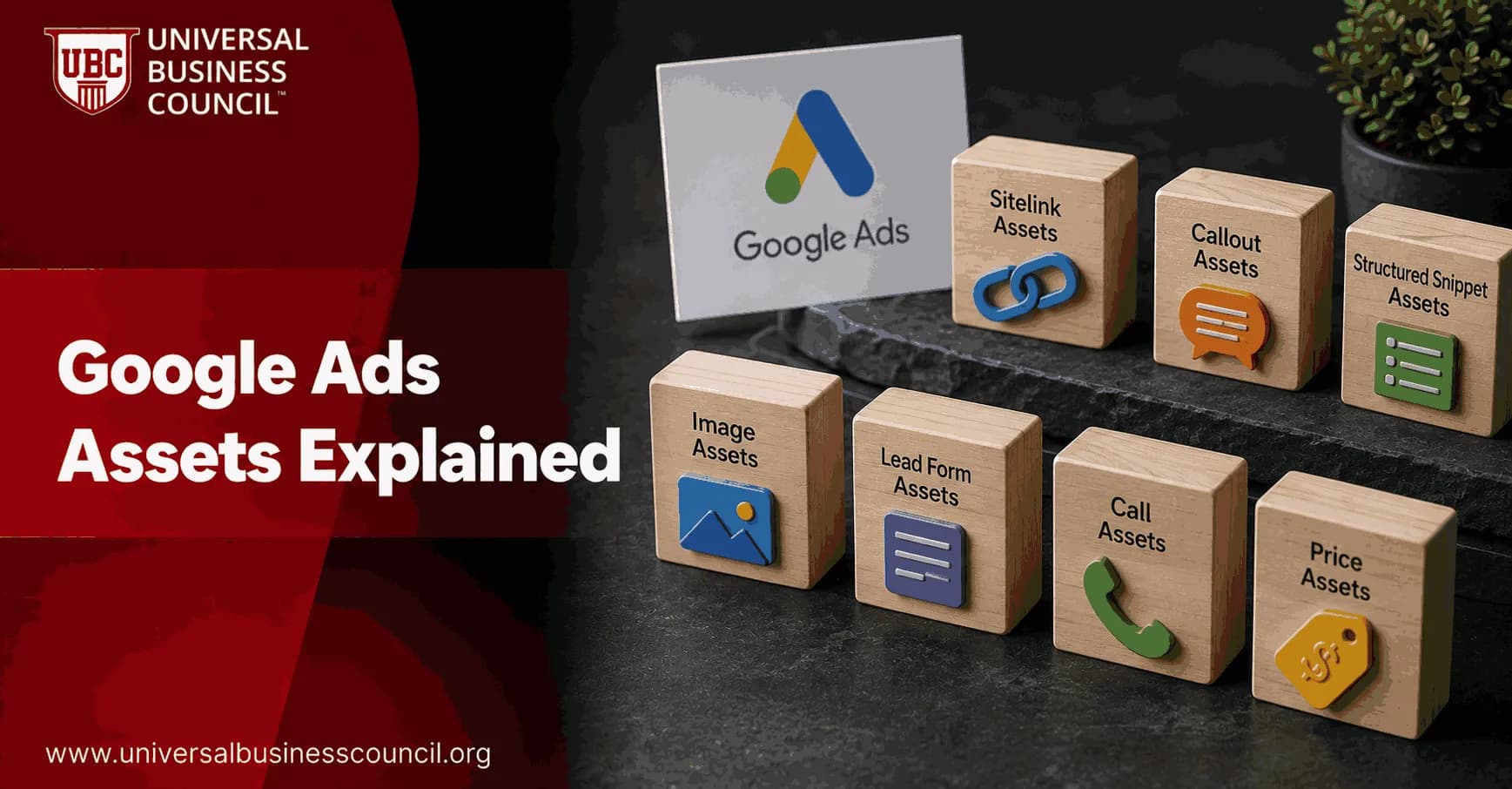
Google Ads assets, still called ad extensions by many PPC managers, are the extra content elements that can appear with your ads: sitelinks, images, call buttons, prices, promotions, business details, and more. They make ads bigger, more useful, and often more competitive in the auction without adding extra media cost.
That last point matters. You do not pay a fee just to add assets. Google charges when a user interacts with the ad, such as clicking a headline, sitelink, or call button. Assets are shown when they are predicted to improve performance, which is why weak or irrelevant assets may sit unused.

Building high-performing Search campaigns requires more than compelling ad copy. A Certified Google Ads Expert credential helps professionals develop practical skills in campaign structure, asset optimization, bidding strategies, conversion tracking, and performance analysis, enabling them to get greater value from every advertising campaign.
What Google Ads assets are now
Google defines assets as content pieces that make up your ad and give people useful business information. In older Google Ads language, these were called ad extensions. The name changed for a reason. These elements are no longer minor add-ons. They are part of how responsive search ads are assembled and evaluated.
Understanding Google Ads assets is even more valuable when viewed within a broader customer acquisition strategy. A Certified Digital Marketing Expert credential helps professionals learn how paid search integrates with SEO, content marketing, analytics, customer journeys, and conversion optimization to improve overall marketing performance.
Assets can include:
Headlines and descriptions, the core text pieces of responsive search ads.
Sitelink assets, which send users to specific pages on your site.
Callout assets, short benefit statements such as free shipping or 24/7 support.
Structured snippet assets, which list service types, brands, destinations, or product categories.
Image assets, which add visual context to Search ads.
Call and location assets, useful for local and service businesses.
Price, promotion, app, lead form, business name, and business logo assets.
The Google Ads API documentation also treats assets as reusable objects. Developers working at scale will see structures such as Asset, AssetSet, and link objects that connect assets to customers, campaigns, ad groups, or ads. That matters for enterprises managing hundreds of campaigns across markets.
How Google Ads assets improve campaign results
They increase visibility on the results page
Search results are crowded. A plain text ad with only headlines and descriptions can look thin beside a competitor using sitelinks, callouts, images, and a location asset. Google says assets give ads greater visibility and prominence by adding more useful content.
This is the simplest benefit. Assets make the ad unit larger. More space means more chances for the searcher to find a relevant path. A hotel ad with sitelinks for rooms, restaurant bookings, spa packages, and directions answers four different intents before the user even reaches the website.
They can affect Ad Rank
Assets also matter inside the auction. Google considers the expected impact of assets when calculating Ad Rank. Better expected performance can help your ad qualify for stronger positions or appear in more auctions.
To be blunt, running Search campaigns without relevant assets is leaving auction strength on the table. I would not launch a serious non-brand Search campaign until at least sitelinks, callouts, structured snippets, and one goal-specific asset are ready. For local lead generation, that might be a call asset. For ecommerce, it might be price or promotion assets.
They improve CTR by matching more user intents
CTR improves when the ad gives people more reasons to click. Google says assets often increase total clicks and provide more interactive ways to reach a business, including calls and map directions.
Sitelinks are especially useful because they reduce the burden on the main ad copy. Your headline can speak to the core offer, while sitelinks handle secondary intent. For example:
Pricing for users comparing costs.
Book demo for high-intent prospects.
Case studies for users needing proof.
Contact us for people ready to talk.
One practical note: sitelinks that all point to near-identical pages are a waste. Send users to genuinely different destinations. Google may still show weak sitelinks, but your conversion data will usually expose the problem quickly.
They can improve conversion quality
More clicks are not always better. Assets should also qualify traffic. Price assets can show starting prices before the click. Promotion assets can attract bargain-driven buyers during a short offer window. Lead form assets can capture interest directly from the ad, though they are not right for every funnel.
Lead form assets, for instance, may raise lead volume but lower lead quality if your sales team needs detailed qualification. Use them when speed matters, such as quote requests or appointment booking. Avoid them when the website experience does a better job explaining a complex product.
Major Google Ads asset types and when to use them
Sitelink assets
Sitelinks add extra clickable links below the main ad. Use them for high-value pages: pricing, services, booking, store locations, product categories, demos, or support. In certification exam scenarios, candidates often miss the hierarchy rule: ad group-level assets override campaign-level and account-level assets. Remember that.
Callout assets
Callouts are short text snippets, commonly up to 25 characters, used to highlight benefits. Good callouts are specific. Bad callouts repeat the headline. Use direct claims such as no setup fee, same-day dispatch, certified trainers, or 24/7 support if they are true and approved.
Structured snippet assets
Structured snippets show a header and a list. They work best when your breadth matters. A consulting firm might list services. A retailer might list brands. A travel business might list destinations. Do not use them as promotional copy. They are for categories, not slogans.
Image assets
Image assets help Search ads stand out, particularly on mobile. Use product shots, venue images, interface screenshots, or clear service visuals. Avoid stock images that say nothing. If a user cannot understand the image in one second, pick another one.
Call, location, and message assets
These are practical assets for local businesses and service providers. A clinic, restaurant, plumber, or training center should make contact easy. Call assets support direct calls. Location assets connect to address and map information, usually through a linked Business Profile. Message assets can help when customers prefer chat.
Price and promotion assets
Retail and ecommerce teams should test these early. Price assets qualify users before the click. Promotion assets support seasonal offers, coupon codes, or limited-time discounts. Be careful with outdated promotions. Nothing damages trust faster than an ad promising an offer the landing page no longer honors.
Business name and logo assets
Identity assets support trust and recognition. They usually require advertiser verification. Google has increased its focus on transparency, and these assets help users identify who is behind the ad. For established brands, this is not optional housekeeping. It is brand protection.
Where to apply assets: account, campaign, or ad group?
Google Ads lets you apply assets at three main levels:
Account level: best for broad brand messages, default sitelinks, business identity, and general callouts.
Campaign level: best for product lines, regions, budgets, or campaign objectives.
Ad group level: best for tight keyword themes and very specific user intent.
The override hierarchy is simple. Campaign-level assets override account-level assets, and ad group-level assets override both. This can save or sink an account. A common first-time manager mistake is setting generic account-level sitelinks, then forgetting to replace them in high-value ad groups. The ad looks complete, but the links do not match the query.
Use account-level assets for consistency. Use campaign and ad group assets for relevance.
Managing assets effectively also relies on technical capabilities such as analytics implementation, API integrations, marketing automation, CRM connectivity, and data management. A Tech Certification helps professionals strengthen these complementary technical skills, supporting better campaign organization, measurement, and optimization across large advertising accounts.
Manual assets versus automatically created assets
The Google Ads asset manager shows the source of each asset, including whether it was advertiser-created or automatically created by Google. Automation can be helpful, but you still need governance.
If you work in finance, healthcare, education, legal services, or any regulated sector, review automatically created assets regularly. Google may pull language from your site that is technically accurate but not approved for ads. The asset manager is not just a reporting screen. Treat it as a compliance checkpoint.
Best practices for better asset performance
Google recommends using as many relevant asset types as possible and often advises using four or more per campaign. That does not mean adding every asset blindly. Relevance wins.
Start with core coverage. Add sitelinks, callouts, structured snippets, and image assets to most Search campaigns.
Match assets to the conversion goal. Use call assets for phone leads, location assets for store visits, app assets for downloads, and price assets for shopping intent.
Write assets like ads, not labels. A sitelink called Services is weak. Emergency Plumbing Repairs is clearer.
Check landing page alignment. Every asset should send the user to the most relevant next step.
Use scheduling for promotions. Set start and end dates where available so old offers do not keep running.
Review asset performance. Look at impressions, clicks, conversions, CTR, conversion rate, cost per conversion, and downstream quality in Google Analytics 4 or your CRM.
Do not judge assets on CTR alone. A promotion asset may pull strong CTR but weak margins. A price asset may reduce CTR while improving conversion rate and sales efficiency. Leadership usually cares about CAC, ROAS, qualified pipeline, or revenue, not just a prettier ad.
How professionals should build an asset strategy
If you manage paid search for a business, treat Google Ads assets as a modular content system. Build a shared asset library, map assets to campaign intent, and document which messages are approved. Developers and enterprise teams should also understand how assets are linked through the Google Ads API, since poor asset governance becomes painful at scale.
If you are studying PPC as part of Universal Business Council's digital marketing curriculum, connect this topic with search strategy, conversion rate optimization, analytics, and marketing management. Learning paths on digital marketing, business analytics, and campaign performance measurement are natural next steps, because asset decisions affect both creative execution and financial outcomes.
Final next step
Open one active Search campaign today and audit four things: asset coverage, asset level, landing page relevance, and source. If you find fewer than four relevant asset types, fix that before changing bids. It is one of the lowest-friction ways to improve Google Ads performance, and it teaches you how the modern ad auction actually works.
As artificial intelligence, automation, machine learning, and privacy-focused advertising technologies continue to reshape digital marketing, earning a Deep Tech Certification can help professionals develop a broader understanding of the technologies powering modern advertising platforms. This knowledge supports more informed optimization strategies and prepares marketers for the future of AI-driven campaign management.
FAQs
1. What are Google Ads assets?
Google Ads assets, formerly known as ad extensions, are additional pieces of information that can appear alongside your ads. They provide users with more context, such as business locations, phone numbers, website links, promotions, pricing, and other relevant details that may improve the overall ad experience.
2. Why did Google rename ad extensions to assets?
Google adopted the term "assets" to better reflect the wider variety of information and creative elements that advertisers can add to campaigns. The updated terminology aligns with Google's increasing use of AI to automatically select and display the most relevant asset combinations for each search.
3. How do Google Ads assets improve campaign performance?
Assets can make ads more informative and visually prominent by displaying additional information beyond the standard headline and description. This may improve click-through rates (CTR), enhance user experience, and help potential customers find relevant information more quickly.
4. What types of Google Ads assets are available?
Google Ads offers several asset types, including sitelink assets, call assets, location assets, callout assets, structured snippet assets, image assets, price assets, promotion assets, lead form assets, app assets, and business logo or business name assets where available. Availability may vary depending on campaign type and Google's current features.
5. What are sitelink assets?
Sitelink assets add additional clickable links beneath an advertisement that direct users to specific pages on a website. Examples include product categories, pricing pages, contact information, FAQs, or service pages, allowing users to navigate directly to relevant content.
6. What are callout assets?
Callout assets highlight important business features such as free shipping, 24/7 support, certified professionals, flexible payment options, or years of experience. They are not clickable but help communicate key selling points that may influence customer decisions.
7. What are structured snippet assets?
Structured snippet assets present predefined categories such as services, brands, destinations, product types, or amenities. They provide users with additional information about business offerings without requiring extra clicks.
8. How do call assets help businesses?
Call assets display a business phone number or call option directly within an advertisement on supported devices. They can simplify customer contact, especially for businesses that rely on phone inquiries, appointments, or consultations.
9. What are location assets?
Location assets display business addresses, maps, store locations, and related information using connected business profiles where applicable. They are particularly valuable for local businesses seeking to attract nearby customers.
10. What are price assets?
Price assets allow advertisers to display products or services alongside their starting prices within advertisements. This helps users understand pricing before clicking and may attract more qualified traffic.
11. What are promotion assets?
Promotion assets highlight special offers, seasonal discounts, limited-time promotions, or sales events. Clearly presenting promotional information within ads may increase user engagement when offers are relevant to customer needs.
12. How does AI use Google Ads assets?
Google's AI evaluates available assets and dynamically selects combinations that it predicts will perform well for individual searches, devices, audiences, and contexts. Advertisers should continue monitoring asset performance and update content regularly to support campaign objectives.
13. Which metrics should advertisers monitor for asset performance?
Important metrics include click-through rate (CTR), impressions, conversion rate, cost per acquisition (CPA), return on ad spend (ROAS), asset interaction data where available, conversion value, and overall campaign performance. Reviewing asset reports helps identify opportunities for improvement.
14. Should every campaign use Google Ads assets?
Most campaigns can benefit from relevant assets because they provide additional information and improve ad visibility. However, advertisers should select assets that support their specific campaign goals, products, services, and target audience rather than adding every available option indiscriminately.
15. How often should assets be updated?
Assets should be reviewed and updated regularly to reflect changes in pricing, promotions, business hours, product offerings, contact information, or seasonal campaigns. Keeping assets current helps maintain accurate and relevant advertisements.
16. What mistakes should advertisers avoid when using assets?
Common mistakes include providing outdated information, creating duplicate assets, using vague descriptions, neglecting mobile users, failing to monitor asset performance, and assuming AI will automatically compensate for low-quality content.
17. Are Google Ads assets important for local businesses?
Yes. Assets such as location, call, promotion, and sitelink assets can improve visibility for nearby customers and provide quick access to essential business information. These features are especially useful for businesses that depend on local traffic or appointments.
18. Can assets improve Quality Score?
Assets are not a direct component of Google's Quality Score calculation. However, by improving ad relevance, user experience, and click-through rates, well-designed assets may contribute indirectly to stronger overall campaign performance.
19. How can businesses maximize the value of Google Ads assets in 2026?
Businesses should create high-quality assets, keep information accurate, test different messaging, monitor performance reports, align assets with landing pages, leverage AI recommendations thoughtfully, and stay informed about new asset types introduced through official Google Ads updates.
20. What is the best strategy for using Google Ads assets to improve campaign results?
The most effective strategy is to combine relevant asset types with compelling ad copy, optimized landing pages, accurate conversion tracking, thoughtful audience targeting, and continuous performance analysis. As Google Ads becomes increasingly AI-driven, maintaining fresh, accurate, and business-focused assets can help improve visibility, user experience, and advertising efficiency over time. Your ad gets only a few seconds to make an impression, so every extra line of useful information has to earn its place instead of simply decorating the search results.
Related Articles
View All
Digital Marketing
Google Ads ROI: How to Measure and Improve Campaign Profitability
Learn how to measure Google Ads ROI with conversion tracking, real cost data, ROAS, CPA, and profit-focused optimization tactics.
Digital Marketing
Google Ads Campaign Setup Checklist for New Advertisers
Use this Google Ads campaign setup checklist to plan goals, tracking, keywords, budgets, ads, landing pages, and launch checks before spending.
Digital Marketing
Google Ads Tips to Improve Clicks, Conversions, and ROI
Practical Google Ads tips to increase CTR, improve conversion rate, reduce wasted spend, and raise ROI through targeting, tracking, bidding, and landing page fixes.
Trending Articles
The Role of Blockchain in Ethical AI Development
How blockchain technology is being used to promote transparency and accountability in artificial intelligence systems.
AWS Career Roadmap
A step-by-step guide to building a successful career in Amazon Web Services cloud computing.
Top 5 DeFi Platforms
Explore the leading decentralized finance platforms and what makes each one unique in the evolving DeFi landscape.