

How to Learn Google Ads Fast: Skills, Tools, and a 4-Week Practice Plan
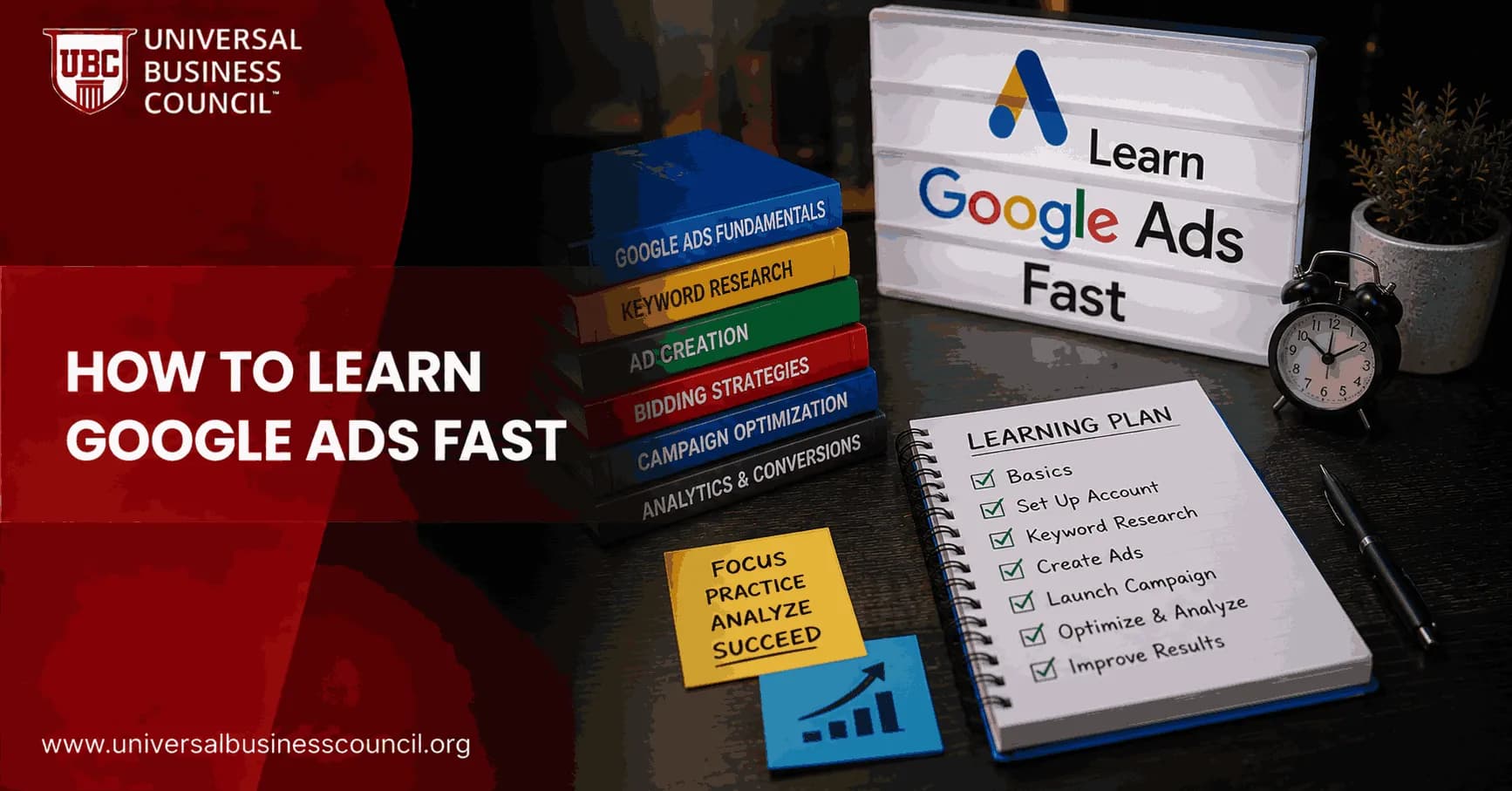
To learn Google Ads fast, do not start with every campaign type at once. Start with Search, conversion tracking, keyword intent, budgets, and reporting. Add automation, Performance Max, Shopping, Display, and Video later, once you can explain why a click became a lead or a sale.
Google Ads is no longer just a keyword bidding platform. It now spans Search, Display, Shopping, YouTube, app campaigns, and Performance Max. Google Skillshop reflects that shift with separate learning paths for Search, Display, Video, Shopping, and Measurement. The breadth is intimidating. The shortcut is not to skip fundamentals. The shortcut is to learn them in the right order and practise on a real or simulated account.

Alongside hands-on practice, many aspiring PPC professionals choose to earn a Certified Google Ads Expert credential to build a stronger understanding of campaign creation, keyword strategy, conversion tracking, bidding models, and optimization techniques. It provides a structured way to reinforce the practical skills needed to manage Google Ads accounts with confidence.
What You Need to Learn First
If you have only a few weeks, focus on the work that shows up in nearly every Google Ads account. Interface clicks you can pick up from any tutorial. Performance comes from understanding intent, measurement, and trade-offs.
Google Ads is only one part of an effective digital marketing strategy. A Certified Digital Marketing Expert program helps professionals understand how paid search fits alongside SEO, content marketing, analytics, customer acquisition, and overall business objectives, making campaign decisions more strategic and data-driven.
1. Account and campaign structure
Learn the hierarchy first: account, campaign, ad group, ads, keywords, assets, conversions. A messy structure makes optimisation painful. I have watched beginners dump every service into one ad group, then wonder why an ad for emergency plumbing showed up on searches for bathroom renovation ideas. The fix is simple but not glamorous. Group campaigns and ad groups around clear intent.
Campaigns control budget, bidding, location, and broad settings.
Ad groups should hold tightly related keywords and ads.
Conversions define what success means: form submissions, purchases, calls, or booked demos.
2. Keyword research and match types
Search campaigns still teach the cleanest lessons. Study broad match, phrase match, exact match, and negative keywords. Broad match can work well with strong conversion data and smart bidding, but it is a poor first move when tracking is weak. Exact match gives you more control, though it can limit learning if your keyword list is too narrow.
Build keyword groups by intent, not by what looks neat in a spreadsheet. Someone searching best accounting software for contractors is not in the same headspace as someone searching what is accounting software.
3. Ad copy that matches the search
Good ad copy is specific. Weak ad copy says high quality service. Better ad copy says same-day boiler repair in Leeds, if that is the real offer. Use the searcher's language. Test headlines, descriptions, calls to action, and assets. Beginner courses rightly push experimentation with ad variations, because small wording changes can shift click quality.
4. Conversion tracking before launch
Google advises advertisers to set up conversion tracking before campaigns go live. Take that seriously. If you run Maximize Conversions without valid conversion data, Google is optimising toward noise. For lead generation, confirm the thank-you page, form event, call tracking, CRM import, or offline conversion setup before you spend real money.
The Best Tools and Resources to Learn Google Ads Fast
The fastest learners usually combine official training, a structured course, and hands-on practice. Free resources help, but jumping between random videos wastes time.
Google Skillshop
Start with Google Skillshop. It is free and covers Google Ads Search, Display, Video, Shopping, Apps, and Measurement. Use it to learn Google's terminology and prepare for the certification exams. Do not treat a certification as proof that you can manage a large account. Treat it as a baseline language test.
Guided beginner projects
Coursera offers a Google Ads guided project that walks you through campaign creation, keyword research, targeting, and ad writing. That format works because it forces you to click through real tasks instead of passively watching someone else do them.
Structured courses and paid training
A realistic estimate is that 20 to 40 hours of guided training plus regular practice can move a full-time learner toward advanced use over roughly three months. A live instructor can catch things a beginner misses: duplicate keywords across ad groups, tracking gaps, or a campaign goal that does not match the bid strategy.
Udemy courses can be cost-effective when discounted. Many practitioners also point to WordStream tutorials, Surfside PPC on YouTube, and PPC communities on Reddit for troubleshooting and honest critique.
Universal Business Council learning pathway
If you are building a formal professional development plan, pair this Google Ads practice plan with Universal Business Council digital marketing certification resources. The logic is straightforward. Google Ads gives you channel execution. Broader digital marketing coursework helps you connect campaigns to positioning, funnel strategy, customer acquisition cost, lifetime value, and management reporting.
A 4-Week Practice Plan to Learn Google Ads Fast
This plan is aggressive. It assumes you can spend several hours a day. If you have a full-time job, stretch it over eight weeks and keep the same sequence.
Week 1: Build your first Search campaign
Day 1: Create a Google Ads account. Learn the interface, billing settings, campaign goals, ad groups, keywords, ads, and conversion menus.
Day 2: Complete the introductory Skillshop modules for Search and Measurement.
Day 3: Pick one product or service. Research keywords using Google Keyword Planner, Google Search suggestions, competitor landing pages, and customer language from sales calls or reviews.
Day 4: Group keywords by intent. Create at least three ad groups with clear themes.
Day 5: Write responsive search ads. Use one headline that mirrors the query, one that states a benefit, and one that gives a direct action.
Day 6: Set up conversion tracking. Test it. Do not guess.
Day 7: Launch with a modest daily budget, or keep the campaign in draft if you are practising without spend.
Week 2: Optimise with real data
Open the search terms report as soon as data appears. This is where beginners get humbled. You will often find searches with words like free, jobs, template, definition, or competitor terms you never meant to buy. Add negatives. Tighten ad groups. Check location performance.
Compare click-through rate, cost per click, conversion rate, and cost per conversion.
Pause obvious waste, but do not overreact to a single click.
Test at least two ad variations.
Study manual CPC, Maximize Clicks, Maximize Conversions, and Target CPA in Skillshop.
Leadership rarely asks for your keyword match type. They ask what the campaign spent, how many qualified leads came in, what CAC looks like, and whether the sales team trusts the leads. Learn to report that way early.
Week 3: Add automation and another channel
Now explore Performance Max or Shopping if you have products. If not, test Display or YouTube basics in a controlled way. Google's current setup flow asks you to choose a business goal, provide assets, set audience and budget signals, then let its systems test combinations. That is useful, but it is not magic.
Automation works best when you feed it clean conversion data, strong creative assets, clear location settings, and a realistic budget. It performs poorly when the goal is vague. To be blunt, Performance Max is the wrong place to learn basic search intent from scratch. Use it after Search has taught you what converts.
As advertising platforms become increasingly dependent on artificial intelligence, analytics platforms, APIs, cloud infrastructure, and CRM integrations, marketers benefit from understanding the technology behind campaign performance. A broader Tech Certification can strengthen these technical skills and improve confidence when working with modern advertising ecosystems.
Week 4: Get feedback and prepare for certification
In the final week, review case studies, finish any remaining Skillshop modules, and prepare for the Google Ads Search certification if that fits your goal. Share sanitised screenshots in PPC communities and ask specific questions. Do not ask, How can I improve this? Ask, Would you split these ad groups? or Is this bid strategy reasonable with only eight conversions in 30 days?
Create a one-page campaign review:
Goal and conversion action
Budget and spend
Top keywords and worst search terms
CTR, CPC, conversion rate, CPA, and ROAS where relevant
Changes made and the next test
What Not to Waste Time On
Do not spend week one obsessing over advanced scripts, attribution debates, or every hidden setting in Performance Max. Those matter later. First, prove you can build a clean Search campaign, track conversions, read the search terms report, and explain performance without hiding behind jargon.
And do not chase certification badges without running campaigns. The PPC community is right on this point. Courses help, but experience changes how you think. Even a small campaign on a strict budget teaches lessons a video never will.
Your Next Step
For the fastest credible route, start today with Skillshop Search training, then build one tightly structured Search campaign for a real or realistic offer. Pair that practice with a Universal Business Council digital marketing learning pathway if you want formal certification and a stronger business foundation. After 30 days, you should be able to read a campaign, spot waste, explain CPA, and know exactly what to test next.
Looking ahead, artificial intelligence, machine learning, automation, and privacy-enhancing technologies will continue to influence how digital advertising platforms operate. A Deep Tech Certification helps professionals build a solid understanding of these emerging technologies, complementing Google Ads expertise with the technical knowledge needed for the future of performance marketing.
FAQs
1. What is the fastest way to learn Google Ads?
The fastest way to learn Google Ads is by combining structured study with hands-on practice. Instead of focusing only on theory, create campaigns, analyze performance reports, and experiment with different settings to understand how the platform works in real-world scenarios.
2. What skills should beginners learn first?
Start with the fundamentals, including campaign types, keyword research, keyword match types, bidding strategies, ad copywriting, landing page optimization, audience targeting, conversion tracking, and campaign reporting. These core skills form the foundation for more advanced optimization techniques.
3. Why is hands-on practice essential?
Managing campaigns provides practical experience that books and videos alone cannot offer. Working with keywords, budgets, ad creatives, and performance data helps build confidence and reinforces the concepts learned during training.
4. Which Google Ads campaign type should beginners learn first?
Search campaigns are often the best starting point because they teach essential concepts such as search intent, keyword targeting, bidding strategies, Quality Score, and conversion optimization. Once comfortable, learners can explore Display, Shopping, Video, Performance Max, and other campaign types.
5. What free tools help you learn Google Ads?
Useful free tools include Google Ads Keyword Planner, Google Analytics, Google Trends, Google's Skillshop training platform, Google Tag Manager, PageSpeed Insights, and Google's support documentation. These resources provide practical learning opportunities without requiring additional software.
6. Should beginners learn Google Analytics alongside Google Ads?
Yes. Google Analytics helps advertisers understand visitor behavior after users click an ad. Learning how traffic engages with landing pages, conversion funnels, and user journeys makes it easier to optimize advertising performance.
7. How important is keyword research?
Keyword research is one of the most important Google Ads skills. Understanding how customers search enables advertisers to select relevant keywords, improve ad relevance, reduce wasted spend, and attract qualified traffic.
8. Why should beginners learn ad copywriting?
Effective ad copy increases click-through rates and attracts users who are genuinely interested in a product or service. Learning to write clear headlines, compelling descriptions, and strong calls-to-action is an essential part of successful campaign management.
9. What role do landing pages play?
Landing pages influence conversion rates by providing users with a relevant, fast, and user-friendly experience after clicking an ad. Even an excellent advertisement may underperform if the destination page fails to meet visitor expectations.
10. What metrics should beginners understand?
Key metrics include impressions, clicks, click-through rate (CTR), cost per click (CPC), conversion rate, cost per acquisition (CPA), return on ad spend (ROAS), Quality Score, conversion value, and impression share. These metrics help evaluate campaign effectiveness.
11. How does AI help Google Ads learners?
Google's AI supports automated bidding, responsive ads, audience optimization, campaign recommendations, and performance forecasting. Beginners should understand how automation works while also learning the strategic principles behind successful advertising.
12. What mistakes should new advertisers avoid?
Common mistakes include targeting overly broad keywords, ignoring negative keywords, skipping conversion tracking, sending traffic to weak landing pages, changing campaigns too frequently, and focusing only on clicks rather than meaningful business outcomes.
13. What should you practice during Week 1?
Week 1 should focus on understanding the Google Ads interface, campaign objectives, keyword research, campaign structure, keyword match types, bidding basics, and writing simple search advertisements. Building foundational knowledge makes later optimization easier.
14. What should you practice during Week 2?
Week 2 should emphasize creating a practice Search campaign, organizing ad groups, writing multiple ad variations, configuring conversion tracking, exploring audience targeting, and reviewing campaign reports to understand performance metrics.
15. What should you practice during Week 3?
Week 3 should focus on optimization. Practice reviewing search term reports, adding negative keywords, testing different bidding strategies, improving landing page relevance, refining ad copy, and conducting simple A/B tests using available campaign data.
16. What should you practice during Week 4?
Week 4 should concentrate on advanced topics such as Performance Max fundamentals, remarketing concepts, budget optimization, AI-assisted features, campaign reporting, ROI analysis, and developing a repeatable optimization workflow based on measurable results.
17. Should beginners earn Google Ads certification?
Google Ads certification can help validate foundational knowledge and demonstrate familiarity with the platform. However, certification is most valuable when combined with practical experience managing campaigns and interpreting real performance data.
18. How much time should you study each day?
Many beginners make steady progress by studying and practicing for 60 to 90 minutes per day. Consistent daily learning and hands-on experimentation are generally more effective than infrequent, lengthy study sessions.
19. How can learners continue improving after four weeks?
Continue building experience by managing campaigns, testing new features, reviewing Google's official documentation, studying successful advertising strategies, analyzing campaign reports, and staying informed about platform updates and AI-driven capabilities.
20. What is the best 4-week plan to learn Google Ads quickly?
A structured four-week plan should combine daily study, practical campaign setup, keyword research, ad writing, landing page optimization, conversion tracking, AI-assisted campaign management, and continuous performance analysis. By progressing from fundamentals to optimization and regularly reviewing campaign data, beginners can develop a solid understanding of Google Ads in a relatively short period. Learning the interface is the easy part. Learning not to panic every time a metric changes by 3% is the skill that quietly separates confident advertisers from everyone else refreshing the dashboard every five minutes.
Related Articles
View All
Digital Marketing
Best Google Ads Course Topics Every Beginner Should Learn
Learn the essential Google Ads course topics beginners need, from campaign setup and keywords to GA4 tracking, Smart Bidding, and Performance Max.

Digital Marketing
Google Ads Remarketing Guide: How to Re-Engage Website Visitors
A practical Google Ads remarketing guide for re-engaging website visitors with audience segmentation, dynamic ads, RLSA, first-party data, and better measurement.
Digital Marketing
Google Ads Landing Pages: Best Practices for 2026
Learn how to build Google Ads landing pages that match search intent, load fast on mobile, improve conversion tracking, and support smarter campaign optimization.
Trending Articles
The Role of Blockchain in Ethical AI Development
How blockchain technology is being used to promote transparency and accountability in artificial intelligence systems.
AWS Career Roadmap
A step-by-step guide to building a successful career in Amazon Web Services cloud computing.
Top 5 DeFi Platforms
Explore the leading decentralized finance platforms and what makes each one unique in the evolving DeFi landscape.