

Meta Campaign Objectives Explained: How to Choose the Right Goal for Your Ads
Meta campaign objectives explained simply: your objective tells Meta what result to chase, who should see your ads, and how each auction gets judged. Pick the wrong one and you buy plenty of cheap activity that never turns into revenue, leads, or qualified demand.
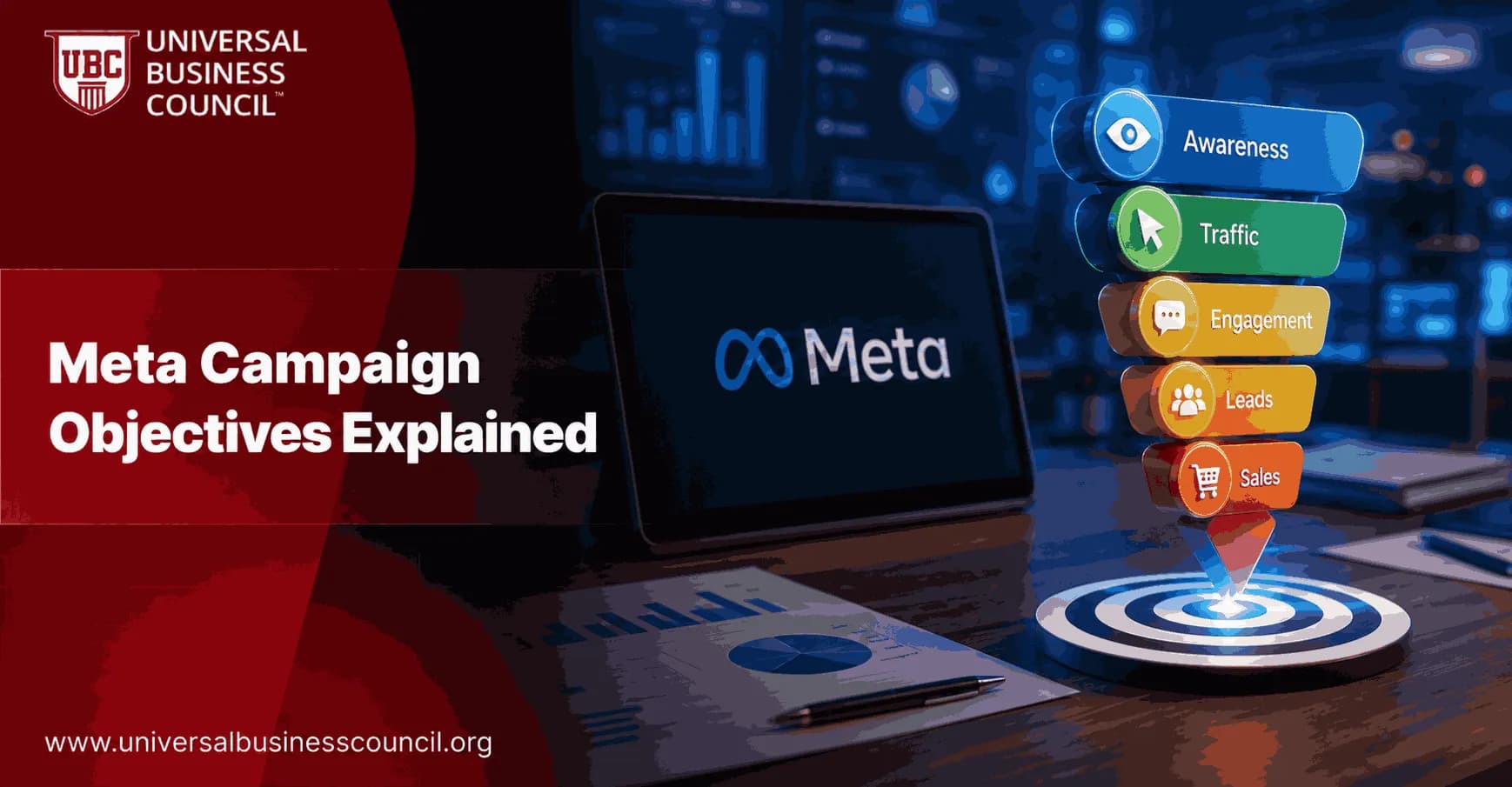
Meta now uses six outcome-based campaign objectives under its Outcome-Driven Ad Experiences (ODAX) framework: Awareness, Traffic, Engagement, Leads, App Promotion, and Sales. The point of this structure was to move advertisers away from older format-based objectives and toward business outcomes. The old list of 11 objectives, including Brand Awareness, Reach, Conversions, Catalog Sales, Lead Generation, and Messages, has been folded into these six choices.

Cleaner? Yes. It also raises the stakes. Your objective cannot be changed after campaign creation, so this decision should happen before you build audiences, write copy, or set budgets.
As Meta's advertising platform becomes increasingly driven by AI-powered optimization, marketers need practical expertise in campaign objectives, audience strategy, conversion tracking, and performance measurement. A Certified Meta Ads Expert credential helps professionals build these skills, making it easier to select the right objectives and create campaigns that support measurable business outcomes.
Why Meta Campaign Objectives Matter
The campaign objective is not a label for reporting. It is one of the main instructions you give Meta's delivery system.
Meta's own Business Help guidance tells advertisers to choose an objective based on the business goal and the results they value most. The objective is the first thing that tells the platform which results to optimize for, and that is exactly how it behaves in practice.
Choose Traffic, and Meta looks for people likely to click. Choose Sales, and it looks for people more likely to complete a purchase or another tracked conversion. Those are not the same people. This is where many campaigns go sideways.
A common audit pattern is painfully familiar. The Traffic campaign has a low cost per click. The landing page view number looks healthy. And leadership still asks why Shopify, HubSpot, or Salesforce shows weak pipeline. The answer is rarely hidden in the creative. The campaign was buying visits when the business needed purchases or qualified leads.
Choosing the correct campaign objective is only one part of a successful strategy. A Certified Digital Marketing Expert credential helps professionals develop a broader understanding of customer journeys, attribution, campaign planning, and marketing analytics, enabling them to align Meta's optimization system with real business goals rather than vanity metrics.
The Six Meta Ads Objectives Explained
1. Awareness
Awareness optimizes for reach and ad recall. Meta shows ads to people in your target audience who are likely to notice or remember them.
Use Awareness when your goal is recognition, not immediate action. It fits:
Brand launches and rebrands
Market entry campaigns
Large reach campaigns for broad audiences
Top-of-funnel activity measured by reach, frequency, and estimated ad recall
Do not use Awareness when the board expects direct sales next week. To be blunt, it is the wrong tool for that job. Awareness can support future demand, but it does not optimize for purchases, form submissions, or calls.
2. Traffic
Traffic optimizes for link clicks or landing page views to a website, app destination, Messenger, or WhatsApp. Within the objective, you can often pick a performance goal such as Link Clicks or Landing Page Views.
Use Traffic when the visit itself has value. Good examples:
Sending readers to a blog, guide, or resource hub
Driving product page visits before a retargeting campaign
Starting conversations in WhatsApp or Messenger
Testing content interest across audiences
Choose Landing Page Views over Link Clicks when quality matters. Link Clicks can include people who click but never wait for the page to load. Anyone who has compared Meta Ads Manager with Google Analytics 4 has seen this gap. It is not always fraud. Sometimes it is slow pages, accidental taps, consent settings, or people leaving before GA4 records the session.
3. Engagement
Engagement optimizes for reactions, comments, shares, saves, video views, event responses, and other in-platform interactions.
Use it when the campaign's job is to build interaction or create retargeting pools. For example:
Promote a product demo video and retarget people who watched 50 percent later
Build social proof on a launch post before running conversion ads
Drive event interest or responses
Test which content themes people actually interact with
Engagement is useful in the middle of the funnel. It is not a magic step you must run before every Sales campaign. If you already have enough conversion data and your offer is clear, go straight to Sales or Leads.
4. Leads
Leads optimizes for lead generation outcomes. That can include instant forms on Facebook or Instagram, website form submissions, calls, Messenger conversations, or Instagram messages.
Use Leads when the next business step is a sales process, not an online checkout. It fits:
B2B SaaS demo requests
Education enquiries
Real estate buyer or seller enquiries
Financial services consultations
Professional services appointments
The hidden issue is lead quality. Instant forms can produce volume fast, but low-friction forms may attract people who barely remember submitting. Add qualifying questions when quality matters, and connect the campaign to a CRM such as HubSpot or Salesforce so you can compare cost per lead with booked meetings, opportunities, and closed revenue.
5. App Promotion
App Promotion is built for mobile app installs and in-app events, such as signups, registrations, subscriptions, level completions, or purchases.
Use it only if you have an app. Sounds obvious, yet teams sometimes choose it because they see app-like language in a campaign plan. Unless your app tracking, SDK, deep links, and in-app events are configured correctly, this objective will not have the data it needs.
For app growth, start with installs if you lack event volume. Once you have enough data, optimize toward higher-value events such as registration, trial start, or purchase.
6. Sales
Sales is the main conversion and revenue-focused objective. It covers outcomes that used to sit under legacy Conversions, Catalog Sales, and Store Traffic objectives.
Use Sales when the business goal is:
Online purchases
Checkout completions
High-value website conversions
Catalog sales for ecommerce
Tracked offline or down-funnel conversion events
For ecommerce, Sales is usually the default once tracking is in place. Meta's guidance points to roughly 50 conversion events per week per ad set to exit the learning phase and stabilize delivery. If you cannot reach 50 purchases, optimize temporarily for an upstream event such as Add to Cart or Initiate Checkout. Do not stay there forever. The goal is to feed the algorithm enough signal, then move closer to revenue.
How to Match Meta Objectives to the Funnel
A simple funnel map helps you avoid mismatches:
Top of funnel: Awareness or Traffic. Use these for reach, recognition, and first visits.
Middle of funnel: Engagement or Traffic with Landing Page Views. Use these for education, content consumption, and retargeting audiences.
Bottom of funnel: Leads or Sales. Use these when you want a qualified contact, booking, application, or purchase.
The phrase I use with teams is this: what are we buying? Awareness buys reach and recall. Traffic buys visits. Engagement buys interactions. Leads buys contacts. Sales buys conversion events. Once you say it that plainly, the wrong objective becomes easier to spot.
Tracking Comes Before Scaling
Sales and Leads campaigns depend on event quality. If Meta cannot see the right event, it cannot optimize toward it.
Before increasing budget, check these items:
Meta Pixel: Confirm PageView, Lead, AddToCart, InitiateCheckout, Purchase, or custom events fire correctly.
Conversions API: Send server-side events where possible to improve signal quality, especially after browser and privacy changes.
Event match quality: Review whether Meta receives useful matching parameters such as email, phone, or external ID when consent and policy allow.
CRM feedback: For lead generation, track beyond the form fill. Cost per qualified lead beats cost per lead.
Learning phase volume: Plan budgets around the 50-events-per-week guideline for conversion-focused ad sets.
Modern performance marketing also relies on strong technical capabilities, including analytics implementation, server-side tracking, CRM integrations, and data infrastructure. A Tech Certification helps professionals strengthen these complementary skills, making it easier to build reliable measurement systems that improve optimization accuracy and campaign performance.
This is also where training pays off. Certification candidates often get tripped up by the difference between Link Clicks and Landing Page Views, and by assuming Traffic is a cheaper version of Sales. It is not. Universal Business Council coursework in digital marketing, marketing analytics, and campaign management covers exactly these distinctions.
Common Mistakes When Choosing Meta Campaign Objectives
Choosing Traffic because Sales looks expensive
A Traffic campaign may produce cheaper clicks, but cheaper is not better if those users do not buy. If revenue is the KPI, use Sales.
Using Awareness for lead targets
Awareness can warm a market, but it will not optimize for form fills or calls. If your sales team needs conversations, use Leads.
Optimizing for Purchase with too little data
If the ad set gets only a handful of purchases per week, delivery can swing hard. Use a higher-volume event temporarily, then move back toward Purchase when volume improves.
Ignoring the post-click experience
Meta can send the right person, but it cannot fix a slow page, unclear offer, broken form, or checkout error. Check the landing page on a phone before blaming the algorithm.
The Practical Decision Framework
Use this five-step process before creating a campaign:
Name the business outcome: reach, visits, engagement, lead, install, or sale.
Select the matching objective: do not pick a cheaper proxy unless it truly matches the goal.
Choose the right performance goal: for example, Landing Page Views instead of Link Clicks when site quality matters.
Confirm tracking: test Pixel, Conversions API, app events, and CRM flow.
Plan for learning: make sure the budget and audience can support enough event volume.
If you want sales, choose Sales. If you want leads, choose Leads. If you want traffic, choose Traffic. That advice sounds basic because it is. It is also where many expensive account restructures begin.
Your Next Step
Open Ads Manager and review your last 10 campaigns. For each one, write the real business KPI beside the selected objective. If the KPI says revenue but the objective says Traffic, rebuild the campaign around Sales and fix the tracking before you raise spend.
For a structured learning path, connect this topic with Universal Business Council coursework in digital advertising strategy, marketing analytics, and performance campaign management. The best Meta advertisers are not the ones chasing secret settings. They are the ones who define the outcome clearly, track it cleanly, and give the algorithm enough data to learn.
As artificial intelligence and automation continue to transform digital advertising, professionals who understand emerging technologies will be better equipped to adapt to future platform updates and evolving marketing ecosystems. A Deep Tech Certification helps build expertise in AI, automation, advanced analytics, and data-driven technologies, supporting long-term success in modern digital marketing.
FAQs
1. What are Meta campaign objectives?
Meta campaign objectives are predefined advertising goals in Meta Ads Manager that guide how Meta's machine learning optimizes ad delivery. They help advertisers align campaigns with specific business outcomes such as increasing awareness, driving website traffic, generating leads, promoting mobile apps, boosting engagement, or increasing sales.
2. Why are campaign objectives important?
Choosing the correct objective ensures Meta's advertising system optimizes toward the action that matters most for your business. Selecting an objective that aligns with your marketing goal can improve campaign efficiency, measurement, and overall return on investment (ROI).
3. What campaign objectives does Meta offer?
Meta currently organizes campaigns around six primary objectives:
Awareness
Traffic
Engagement
Leads
App Promotion
Sales
These objectives simplify campaign setup while supporting different stages of the customer journey.
4. What is the Awareness objective?
The Awareness objective is designed to maximize brand visibility, reach, impressions, and brand recognition. It is commonly used when introducing a new brand, launching products, entering new markets, or building familiarity before running conversion-focused campaigns.
5. What is the Traffic objective?
The Traffic objective focuses on sending users to destinations such as websites, landing pages, blogs, mobile apps, Messenger, Instagram Direct, or WhatsApp (where supported). It is intended to increase qualified visits rather than optimize directly for conversions.
6. What is the Engagement objective?
The Engagement objective encourages users to interact with advertisements through actions such as likes, comments, shares, video views, event responses, or messaging conversations. It is useful for strengthening community engagement and increasing social proof.
7. What is the Leads objective?
The Leads objective helps businesses collect customer information through Instant Forms, websites, messaging conversations, phone calls, or other supported lead-generation methods. It is commonly used for inquiries, consultations, registrations, and newsletter sign-ups.
8. What is the App Promotion objective?
The App Promotion objective is designed to increase mobile app installs, encourage in-app actions, and improve user engagement. Meta optimizes delivery based on app event data and campaign goals such as purchases, subscriptions, or registrations.
9. What is the Sales objective?
The Sales objective focuses on driving purchases and other valuable conversion events. It uses Meta's machine learning to identify users who are more likely to complete transactions, making it a popular choice for eCommerce businesses and direct-response advertisers.
10. How do I choose the right campaign objective?
Select the objective that matches your primary business goal rather than secondary metrics. For example, use Awareness for brand visibility, Traffic for website visits, Engagement for community interaction, Leads for collecting customer information, App Promotion for mobile apps, and Sales for driving purchases or conversions.
11. Can campaign objectives be changed after launching?
Campaign objectives generally cannot be changed once a campaign has been created. If your business goals change, it is usually necessary to create a new campaign using the appropriate objective.
12. How does Meta optimize campaigns based on objectives?
Meta's AI analyzes user behavior, historical performance, contextual signals, device information, and conversion data to deliver ads to people who are more likely to complete the selected objective, whether that involves viewing an ad, clicking a link, submitting a form, installing an app, or making a purchase.
13. How do campaign objectives fit into the marketing funnel?
Awareness campaigns typically support the top of the funnel, Traffic and Engagement objectives help build consideration, Leads generate prospects during the evaluation stage, and Sales campaigns focus on converting prospects into customers. Many successful advertisers use multiple objectives together rather than relying on a single campaign type.
14. What metrics should advertisers monitor?
Metrics depend on the chosen objective. Common KPIs include reach, impressions, Click-Through Rate (CTR), Cost Per Click (CPC), Cost Per Lead (CPL), Cost Per Acquisition (CPA), Cost Per Install (CPI), Return on Ad Spend (ROAS), conversion rate, revenue, and customer lifetime value (CLV).
15. Which Meta tools support campaign optimization?
Advertisers commonly use Meta Ads Manager, Meta Pixel, Conversions API (CAPI), Commerce Manager, Advantage+ features, Meta Business Suite, product catalogs, and CRM integrations to improve campaign performance and measurement.
16. What common mistakes should advertisers avoid?
Common mistakes include selecting objectives that do not match business goals, optimizing for vanity metrics instead of business outcomes, using inaccurate conversion tracking, making frequent campaign edits during the learning phase, neglecting creative testing, and ignoring landing page quality.
17. What are best practices for choosing campaign objectives?
Begin with a clearly defined business objective, implement accurate tracking using the Meta Pixel and Conversions API where applicable, align creative with the campaign goal, measure performance using objective-specific KPIs, test different strategies, and optimize based on meaningful business results rather than short-term engagement alone.
18. How do campaign objectives work with Advantage+ features?
Advantage+ features complement campaign objectives by using AI to automate audience targeting, placements, bidding, and creative optimization. While the objective defines the desired outcome, Advantage+ helps optimize campaign delivery toward achieving that outcome more efficiently.
19. What trends are shaping Meta campaign objectives in 2025-2026?
Key trends include AI-driven campaign automation, generative AI creative production, predictive audience modeling, first-party data strategies, server-side measurement through the Conversions API, privacy-focused optimization, multimodal creative testing, and increasingly automated campaign management across the Meta advertising ecosystem.
20. What is the future of Meta campaign objectives?
Meta campaign objectives are expected to become more intelligent as AI continues to automate targeting, bidding, creative optimization, and performance measurement. While advertisers will spend less time adjusting campaign settings manually, choosing the correct business objective, creating compelling creative, and delivering strong customer experiences will remain the most important factors for long-term advertising success. The algorithm can optimize for almost anything, but it still needs a human to tell it what success actually looks like.
Related Articles
View AllMeta Ads
How to Set Up a Meta Ads Account the Right Way
Learn how to set up a Meta Ads account with the right business structure, permissions, billing, tracking, and domain verification before launch.
Meta Ads
How Meta Ads Work: Targeting, Auctions, Budgets, and Delivery Explained
Learn how Meta Ads work across targeting, auctions, budgets, bidding strategies, and delivery so you can diagnose performance with evidence, not guesswork.
Meta Ads
Meta Ads Major Updates: What Brand Owners Must Know
Meta has launched Ads Super Burst, started testing First Impression Ads, and expanded Reels Trending Ads. Learn what each update does, what is still a test, and how brand owners can plan smarter campaigns.
Trending Articles
The Role of Blockchain in Ethical AI Development
How blockchain technology is being used to promote transparency and accountability in artificial intelligence systems.
AWS Career Roadmap
A step-by-step guide to building a successful career in Amazon Web Services cloud computing.
Top 5 DeFi Platforms
Explore the leading decentralized finance platforms and what makes each one unique in the evolving DeFi landscape.