

What Is SERP?

SERP Meaning Explained in Simple Words
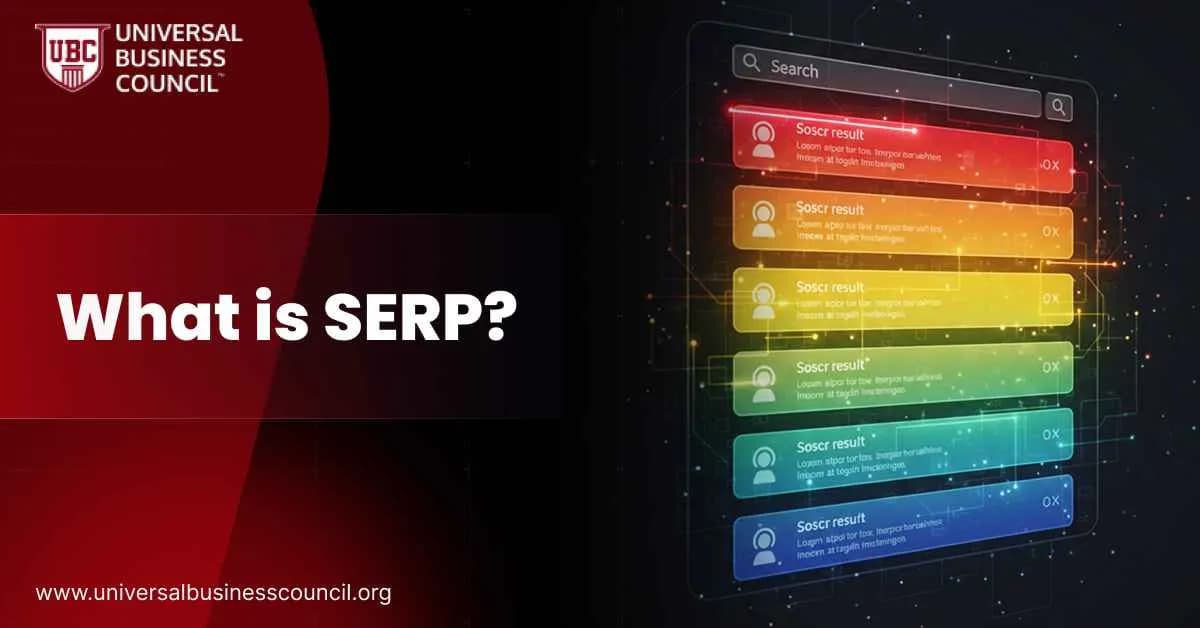
So, what is a SERP in simple language? A search engine results page is the page a search engine displays after a user submits a query. Each SERP contains a mix of:- Organic results
- Paid results
- Special SERP features like AI Overviews, featured snippets, image packs, local packs, videos, and more
- Location
- Device type
- Search history
- Language and personalization settings
How Does SERP Work?
Understanding how does SERP work starts with how search engines process a query.How search engines process a query
When a user enters a keyword, Google:- Looks up relevant pages in its index
- Evaluates which pages best match the query and search intent
- Orders them by a wide range of ranking factors
- Chooses which SERP features to show alongside the results
- Relevance of the content to the query
- Quality and trust signals
- Page usability
- Link profile and authority
- User context and personalization
Personalization and context
Google also customizes serp results using:- Location (for queries like “pizza near me”)
- Device (mobile vs desktop layouts)
- Past behavior and visited sites
- Language and regional settings
Types of Search Queries That Shape SERPs
Different queries lead to different types of SERPs. Most search terms fall into three broad categories that you will see repeatedly when talking about SERP in SEO.Informational queries
The user wants information, not a product. Examples:- “how to start a blog”
- “what is serp in seo”
- Featured snippets
- People Also Ask boxes
- Knowledge panels
- Organic results with detailed guides
Navigational queries
The user wants a specific site. Examples:- “Netflix login”
- “Instagram home page”
Transactional queries
The user wants to buy or complete a specific action. Examples:- “best seo tools subscription”
- “buy running shoes online”
- Multiple paid ads
- Shopping results
- Local packs
- Strong commercial content
Organic Results on the SERP
Organic results are unpaid listings that Google’s algorithm decides are the best answers for a query. Standard organic snippets typically include:- Title tag
- URL
- Meta description
- Star ratings from reviews
- Published date
- Sitelinks to important subpages
- Extra details when structured data is present
- Match search intent
- Use on-page SEO best practices
- Build authority with trustworthy content and links
Paid Results on the SERP
Paid results are ads that appear when businesses bid on Keywords in platforms like Google Ads. They are usually marked with tags like “Sponsored” or “Ad”. These paid positions can show up:- At the top of the SERP
- At the bottom of the SERP
- Sometimes mixed between organic blocks
- Maximum bid
- Ad quality
- Landing page experience
- Relevance to the query
The Most Important SERP Features Today
Modern SERPs contain a wide range of features that go beyond simple links. These types of SERP features matter because they can either steal clicks from organic listings or become valuable opportunities for your brand. According to tools that monitor Google activity, features like related searches, sitelinks, image blocks, videos, local packs, and Popular Products appear frequently, and only a tiny fraction of SERPs have no features at all. Here are key examples of SERP features you should know.AI Overviews (Search Generative Experience)
AI Overviews are AI generated summaries that appear at the top of some results. They combine information from multiple pages and link to their sources. Some reports estimate that around 84 percent of searches are affected in some way by this new AI layer. This can compress the space available for traditional organic results and change how users interact with SERPs.Featured Snippets
Featured snippets are short answers displayed in a distinct box, often at the very top of the page. They can be:- Paragraphs
- Bulleted lists
- Numbered steps
- Tables
Knowledge Panels and Knowledge Cards
Knowledge panels show detailed information about brands, people, and entities, usually on the right side on desktop. They pull data from sources like Wikipedia, the Knowledge Graph, and structured data. Knowledge cards are smaller, more focused panels that answer specific factual questions, such as dates, heights, or definitions.Direct Answer Box
Direct answers are short text responses that Google considers to be public domain information, shown without linking to any source. They usually handle questions like “how tall is Mount Everest” or “when was Google founded”.People Also Ask (PAA)
The People Also Ask box lists related questions that can be expanded. Each question reveals a brief answer and a link. Studies show that PAA appears on a majority of SERPs for popular informational keywords. It is one of the best places to study user questions and discover new content ideas.Image and Video Results
For visually oriented queries, Google shows:- Image packs
- Image carousels
- Video carousels
Local Pack and Local Teaser Pack
For location-based searches such as “coffee shop near me”, you will see a map with nearby businesses, star ratings, and contact details. Clicking expands more details, photos, and reviews.Shopping Results
Shopping blocks highlight products with photos, prices, ratings, and store names. These are heavily used for transactional queries and usually combine both paid product listings and some organic signals.Discussions, Forums, Events, and Tweets
Newer features include:- Discussions and forum results from Reddit, Quora, and other communities
- Events panels showing upcoming events matched to the search
- Embedded tweets for trending topics and brands
How SERPs Differ Across Google, Bing, and DuckDuckGo
Google dominates the global market, often handling over 90 percent of searches in many regions. Its SERPs are the most feature rich, with AI Overviews, PAA, shopping blocks, news, videos, images, and strong personalization. Bing uses Copilot style cards, a more visual layout, and rich sidebars. It also gives more space to multimedia and integrated answers. DuckDuckGo keeps things much simpler, focusing on privacy and lean SERPs with fewer advanced features. When people talk about SERP meaning across engines, they refer to these differences in design and behavior.Why SERP Is Important for SEO
Now we can answer why SERP is important for SEO in a practical way. The SERP is where your strategy becomes visible. It decides:- Whether you appear on page one or vanish on later pages
- How your brand looks when users first meet you
- Whether users click on your result or a competitor’s
- How much traffic, leads, and revenue you can realistically expect
How to Optimize for SERPs
So, how to optimize for serp in a way that goes beyond basic on-page tweaks?1. Start from search intent
For every keyword, decide whether it is:- Informational
- Navigational
- Transactional
2. Do focused keyword research
Identify:- Primary keywords like “what is serp”
- Supporting phrases such as “serp meaning” and “what is serp in seo”
- Long tails such as “how does serp work” and “examples of serp features”
3. Build content that deserves to rank
High quality content should:- Answer the main question directly
- Provide step-by-step explanations
- Include examples and visuals where helpful
- Use headings and lists to improve readability
4. Structure content for features
To appear in featured snippets, PAA, and similar blocks:- Use short, direct definitions near the top
- Format instructions as numbered lists
- Present data in clean tables
- Mark up content with structured data when possible
5. Strengthen technical foundations
Technical SEO supports everything else. Improve:- Page speed
- Mobile friendliness
- Crawlability and indexation
- Clean internal linking
6. Build authority with links and brand signals
Earn links from relevant, trusted sites. Build brand searches over time through content, social presence, and consistent value. This increases your perceived authority and often leads to better keyword ranking and serp results for competitive queries.7. Adapt to AI and changing SERP patterns
AI Overviews, no-click searches, and new SERP layouts are not going away. They will keep evolving with advances in natural language processing and deep learning. Professionals who work at the intersection of AI and search can gain an advantage by studying advanced concepts, and a Deep Tech Certification can support that journey.How to Track Your Positions in SERPs
You cannot improve what you do not measure. Tracking your SERP ranking tells you whether your efforts are paying off.Use Google Search Console
Search Console shows:- Queries that bring impressions and clicks
- Average position for each keyword
- CTR for each page and query
Use professional SEO tools
SEO platforms can:- Monitor daily ranking changes
- Show whether you appear in specific SERP features
- Compare you against competitors
- Visualize trends over time
SERP FAQ
What is SERP?
SERP is an acronym for search engine results page, the page that appears after a user submits a search query.What is a SERP page in practice?
It is the page that lists organic links, paid ads, and special elements such as snippets, images, videos, and local listings that relate to the query.What does SERP stand for?
SERP stands for search engine results page.What is SERP in SEO?
In SEO, SERP refers to both the page itself and the positions your site occupies on that page for specific keywords.How does SERP work?
Search engines take a user’s query, match it with relevant content from their index, apply ranking algorithms, and then display the results along with selected SERP features.Why is SERP important for SEO?
Because the SERP decides your visibility, click through rate, and traffic potential. If you do not appear prominently on the search engine results page, your SEO efforts cannot deliver consistent growth.What are the most important SERP features?
Key features include AI Overviews, featured snippets, People Also Ask, knowledge panels, local packs, image and video results, shopping blocks, and related searches.Final Summary
Understanding what is serp is not optional if you want serious results from SEO. The search engine results page is where your content, your competitors, and Google’s algorithms meet. It is shaped by query types, ranking signals, AI systems, paid ads, and a growing list of SERP features. To succeed, you need to read SERPs like a landscape, design content that fits user intent, optimize for both organic listings and rich results, and keep adapting as search evolves. With consistent practice, structured learning, and smart experimentation, you can move your site into stronger positions and turn SERP visibility into real business results.Related Articles
View All
Seo
SEO in 2026: A Practical Guide to Winning Rankings with AI Search and SERP Features
SEO in 2026 is driven by AI search, zero-click behavior, and SERP features. Learn practical tactics to earn AI Overview citations, snippets, and measurable visibility.

Seo
SERP Features
What Are SERP Features? SERP features are special elements that appear on a search engine results page beyond the traditional blue links. They help users find answers faster by showing visuals, summaries, maps, videos, reviews, and structured information. When people search for a topic, these…
Seo
SXO (Search Experience Optimization) Explained
Search Experience Optimization (SXO) combines SEO, user experience (UX), and conversion optimization to improve both search visibility and on-site engagement. Learn how SXO helps businesses attract, satisfy, and convert visitors in the AI-driven search era.
Trending Articles
The Role of Blockchain in Ethical AI Development
How blockchain technology is being used to promote transparency and accountability in artificial intelligence systems.
AWS Career Roadmap
A step-by-step guide to building a successful career in Amazon Web Services cloud computing.
Top 5 DeFi Platforms
Explore the leading decentralized finance platforms and what makes each one unique in the evolving DeFi landscape.