

Google Ads Account Setup: How to Set Up Your Account the Right Way
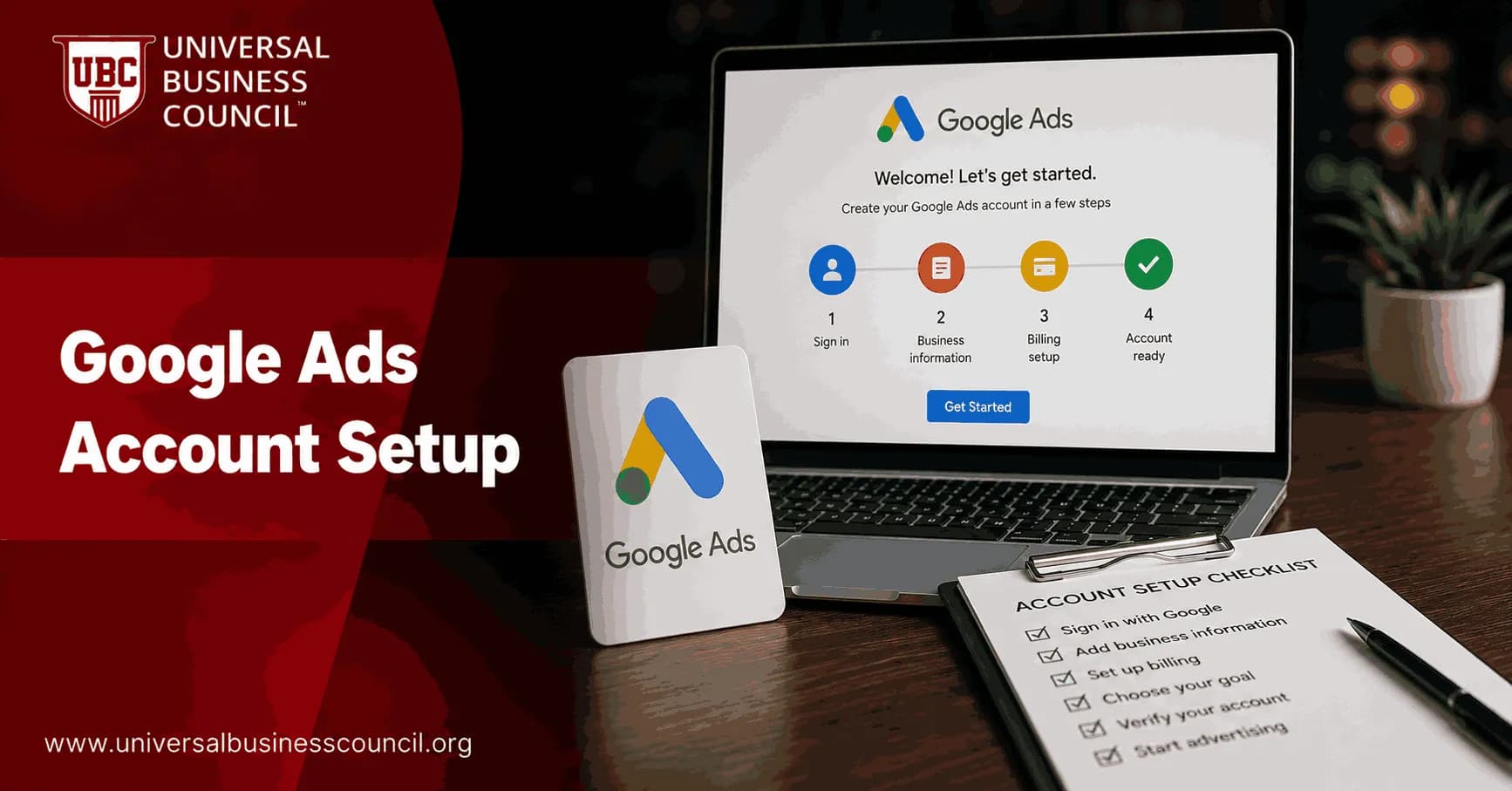
Google Ads account setup should start before you click Start now. The account settings, tracking plan, billing profile, campaign structure, and access controls you choose on day one affect reporting, spend control, and optimization for months.
I once watched a B2B lead account burn through a full week of budget because the only tracked conversion was a visit to the contact page. Not a form submit. Not a call. Just a page view. The reported cost per lead looked excellent. Sales received almost nothing. That is the kind of setup error this guide helps you avoid.

Setting up a Google Ads account correctly requires more than following the onboarding wizard. It involves understanding campaign structure, conversion tracking, bidding strategies, and measurement from the outset. A Certified Google Ads Expert credential helps professionals develop these practical skills, reducing costly setup mistakes and creating a stronger foundation for long-term campaign performance.
Start With Strategy, Not the Google Ads Wizard
Google Ads now uses a guided onboarding flow. It asks for your business name, website, goal, audience, and budget. It may also suggest campaign types, keywords, and linked accounts such as YouTube or Google Business Profile.
Helpful? Sometimes. Sufficient? No.
Before you create the account, decide what you actually want Google Ads to produce. Pick one primary objective:
Online sales, such as purchases or subscriptions
Lead generation, such as form fills, calls, quote requests, or demo bookings
Appointments, such as bookings for clinics, consultants, or local services
Store visits or calls, usually for local businesses
Brand awareness, when reach matters more than immediate conversion
Your chosen goal shapes Google's recommendations and its automated bidding options. If the goal is vague, the account will collect vague data.
Define Conversions Before You Create Campaigns
Google Ads works only as well as its measurement. If you optimize for online conversions, set up conversion tracking before your campaigns go live. That order matters more than most beginners expect.
Define what counts as success:
Ecommerce: purchase, order value, repeat purchase, cart recovery
B2B: demo request, qualified form lead, phone call, meeting booked
Local services: call click, appointment request, direction request, booking confirmation
Content or software: signup, trial activation, download, key feature use
Do not track every soft action as a primary conversion. A newsletter signup may matter, but it should not carry the same weight as a paid order or a qualified sales call.
Assign Conversion Value
If you sell online, pass dynamic revenue into Google Ads. If you generate leads, assign a realistic fixed value. Say 10 percent of demo requests become customers and the average gross profit is $2,000. A demo request is then worth about $200 before ad cost. It is not perfect. It is far better than treating every lead as worth zero.
Defining meaningful conversions is also part of a broader digital marketing strategy that connects advertising with customer acquisition, attribution, and business performance. A Certified Digital Marketing Expert credential helps professionals strengthen these capabilities, enabling more informed decisions about campaign measurement and marketing effectiveness.
Create or Choose the Right Google Account
Go to the Google Ads sign-in page and select Start now. Use a business-controlled Google account, not an employee's personal Gmail address.
This is boring governance work. Do it anyway.
Use a work email or Google Workspace account.
Make sure at least two trusted administrators have access.
Use role-based permissions for agencies, contractors, and internal staff.
Keep billing ownership with the business, not an outside vendor.
Personal logins create problems when someone leaves, changes agencies, or disputes ownership. A clean access structure saves time later.
Enter Business Information Carefully
The setup flow asks for your business name and website. Google uses this to tailor recommendations, scan your site, and generate early ad suggestions.
You may also be prompted to link:
YouTube, useful for video ads, remarketing, and audience signals
Google Business Profile, important for local ads, call assets, and location assets
Google Analytics 4, useful for audiences, events, and broader site reporting
Linking these properties early is usually sensible when the ownership is correct. If an agency owns the YouTube channel or the Analytics property, pause and fix ownership first.
Set Billing, Currency, and Time Zone Once
Billing is one of the few places where small mistakes turn into expensive admin problems. You will choose billing country, currency, time zone, payment profile type, legal name, address, and payment method.
Check these before you submit:
Billing country: match the legal entity paying Google.
Currency: align with your accounting and reporting needs.
Time zone: match the market or finance reporting calendar you use.
Payment profile: choose organization or individual correctly.
Payment method: card, bank account, or an available local option.
Currency and time zone are difficult or impossible to change later in many accounts. If your leadership team reviews weekly spend by local business day, the wrong time zone will irritate everyone, every week.
Use Manual Setup When You Need Control
The guided campaign wizard is convenient for beginners, but it can hide settings you should review. If you see an option such as Create a campaign without guidance, choose it when you are building a serious business account.
My position is simple: treat Google's recommendations as prompts, not instructions. Automation earns its place after tracking, structure, and goals are right. It is risky when the account is still guessing.
Choose the First Campaign Type
For most new advertisers, a Search campaign is the best first campaign. Search captures existing intent. Someone typing "emergency plumber near me" or "CRM implementation consultant" has clearer intent than someone passively watching a video.
Other campaign types have a place:
Display: useful for remarketing, but weak as a first traffic source for many lead accounts.
Video: strong for education and awareness, especially with YouTube audiences.
Performance Max: powerful when you have sound conversion data, good assets, and feed quality, but too opaque for a brand-new account.
Shopping: essential for many ecommerce advertisers with a clean product feed.
If you want to build the discipline behind campaign planning, keyword intent, and conversion measurement, a structured programme helps. Review the Universal Business Council certification catalog and pick a digital marketing course that matches your role.
Build a Clean Campaign Structure
Good setup makes the account easy to read. Use plain naming. Future you will thank you.
Campaign Naming Example
Search - US - Brand - Leads
Search - UK - Nonbrand - CRM Consulting
Shopping - US - Core Products
Remarketing - Display - 30 Day Visitors
Inside each campaign, group ad groups by tight themes. Do not put "CRM software," "sales training," and "marketing automation consultant" in one ad group because they all feel vaguely B2B. The ads get weaker, the landing pages mismatch, and quality signals suffer.
Settings to Review Before Launch
Locations: target only where you can sell or serve.
Location options: check presence versus interest settings.
Languages: choose based on customer language and ad copy.
Networks: review Search partners and Display expansion choices.
Ad schedule: align with sales availability if calls matter.
Budget: start with a daily amount you can learn from without panic.
A first campaign does not need to be huge. It needs to be measurable.
Install the Google Tag and Conversion Tracking
The Google tag supports measurement, remarketing, and conversion tracking. Install it across the website, usually through Google Tag Manager, your CMS header settings, or a trusted developer.
For a basic lead generation site, you might create conversion actions such as:
Form submission thank-you page, using a URL rule such as "URL contains /thank-you".
Phone call click from mobile devices.
Appointment booking confirmation.
For ecommerce, track purchase events and pass revenue. If you use Shopify, WooCommerce, Magento, or another platform, follow the official integration path rather than hand-copying scripts at random.
Then test. Use Google Tag Assistant, GA4 DebugView, and a real form submission in a staging or low-risk environment. A conversion that fires twice is almost as bad as one that never fires.
Connect GA4, YouTube, and Google Business Profile
Linking Google Ads with Google Analytics 4 lets you compare ad performance against on-site behavior. GA4 can also share audiences and conversions, depending on your setup.
For local businesses, connect Google Business Profile so ads can show location details, call buttons, and map-related assets. For video campaigns, link YouTube to support remarketing and channel insights.
Again, ownership matters. The business should control the core assets.
Accurate campaign measurement also depends on technical expertise in analytics implementation, tag management, CRM integration, APIs, and marketing technology platforms. A Tech Certification helps professionals build these complementary skills, improving data accuracy and supporting better optimization decisions throughout the lifetime of a Google Ads account.
Set Budgets and Bidding Without Guesswork
Automated bidding can work well, but only when conversion tracking is clean and conversion volume is meaningful. If the account has no conversion history, be careful with aggressive automation.
Early-stage options often include:
Manual CPC: more control, slower learning, useful for tight tests.
Maximize clicks: acceptable for traffic tests, risky if the clicks are not qualified.
Maximize conversions: useful once conversion tracking is verified.
Target CPA or Target ROAS: better after the account has enough reliable conversion data.
Do not set a $20 daily budget and expect five ad groups across three cities to teach you much. Thin data leads to bad decisions.
Common Google Ads Account Setup Mistakes
Launching without conversion tracking: you buy clicks and learn little.
Using a personal email: access and ownership turn messy.
Choosing the wrong currency or time zone: reporting and billing suffer.
Accepting every recommendation: some raise spend without improving fit.
Mixing unrelated keywords: ads go generic and landing pages underperform.
Tracking weak conversions as primary goals: the algorithm optimizes for low-quality actions.
Your Next Step
Before you launch, run a simple pre-flight check: business-owned login, correct billing settings, linked GA4, installed Google tag, tested conversions, named campaigns, tight ad groups, reviewed networks, and a budget you can sustain for learning.
If you manage paid media for clients or for your own company, build deeper skill in campaign planning, analytics, and performance measurement. Review the Universal Business Council certification catalog, choose a digital marketing or marketing management programme that matches your role, then save your pre-flight checklist and use it on every new account.
As AI-powered advertising, automation, privacy-first measurement, and marketing technologies continue to evolve, professionals benefit from understanding the systems behind these capabilities. A Deep Tech Certification provides valuable knowledge of emerging technologies, helping marketers adapt to advanced advertising platforms and make more informed, data-driven decisions.
FAQs
1. What is a Google Ads account?
A Google Ads account is Google's online advertising platform that allows businesses to create and manage campaigns across Search, Display, YouTube, Shopping, Gmail, Discover, and other eligible Google properties. It provides tools for targeting audiences, managing budgets, tracking conversions, and measuring campaign performance.
2. Why is proper Google Ads account setup important?
A well-structured account provides a strong foundation for campaign management, reporting, and optimization. Proper setup helps improve organization, supports better decision-making, and reduces the likelihood of costly configuration errors.
3. What do I need before creating a Google Ads account?
Before getting started, prepare your business website, billing information, marketing goals, target audience, keyword research, conversion objectives, and any creative assets such as headlines, descriptions, images, videos, or product feeds if applicable.
4. How do I create a Google Ads account?
Visit the Google Ads website, sign in with a Google account, provide your business information, select your billing country and currency, configure payment details, and complete the initial account setup. Choosing the correct country and currency is important because these settings generally cannot be changed later.
5. Should I use Smart Mode or Expert Mode?
Expert Mode offers greater control over campaigns, bidding strategies, keywords, audiences, reporting, and account settings. While Smart Mode may simplify setup for some beginners, many advertisers prefer Expert Mode for long-term flexibility and optimization.
6. How should I organize my Google Ads account?
Organize campaigns by business goals, products, services, or geographic locations. Within each campaign, create tightly themed ad groups containing closely related keywords, relevant ads, and matching landing pages.
7. How do I choose the right campaign type?
Select a campaign type based on your primary objective. Search campaigns often support lead generation, Shopping campaigns promote products, Display and Video campaigns increase awareness, Performance Max helps optimize across Google's channels, and Demand Gen focuses on customer engagement.
8. How do I set an advertising budget?
Establish a daily budget based on your overall marketing goals, expected customer value, and advertising resources. Start with a manageable budget, monitor performance, and adjust spending as reliable campaign data becomes available.
9. How do I choose the right bidding strategy?
Your bidding strategy should align with your campaign objective. Beginners often start with Maximize Clicks or Manual CPC, while advertisers with reliable conversion tracking may use AI-powered options such as Maximize Conversions, Target CPA, or Target ROAS.
10. Why is keyword research important during setup?
Keyword research helps identify the search terms your potential customers use. Selecting relevant keywords improves ad relevance, attracts qualified traffic, and supports better campaign performance from the beginning.
11. How should I structure ad groups?
Each ad group should focus on a single topic or closely related keyword theme. This structure makes it easier to create highly relevant ads and landing pages, which may contribute to stronger Quality Scores and improved user experience.
12. Why is conversion tracking essential?
Conversion tracking measures valuable customer actions such as purchases, lead submissions, phone calls, or appointment bookings. Accurate tracking enables performance measurement and supports AI-powered bidding strategies that optimize for business outcomes.
13. Should I link Google Ads with Google Analytics?
Yes. Linking Google Ads with Google Analytics allows advertisers to analyze user behavior, import eligible conversion events, build audiences, and gain deeper insights into campaign performance across the customer journey.
14. How do ad assets improve campaigns?
Ad assets, including sitelinks, callouts, structured snippets, image assets, price assets, location assets, and call assets, provide additional information that can improve ad visibility and enhance the user experience.
15. How important are landing pages?
Landing pages should closely match the message in your ads and provide visitors with a fast, relevant, and easy-to-navigate experience. High-quality landing pages can improve conversions and support better campaign performance.
16. What settings should I review before launching?
Review campaign goals, geographic targeting, language settings, audience targeting, bidding strategy, ad schedule, budget, keyword match types, negative keywords, conversion tracking, billing details, and landing page functionality before activating campaigns.
17. What common account setup mistakes should beginners avoid?
Common mistakes include skipping conversion tracking, choosing the wrong campaign type, using overly broad keywords, ignoring negative keywords, poor account organization, weak landing pages, failing to install the Google tag correctly, and launching campaigns without testing.
18. What trends are shaping Google Ads account management in 2026?
Key trends include AI-powered campaign optimization, Smart Bidding, Enhanced Conversions, first-party data strategies, privacy-focused measurement, Consent Mode, server-side tagging, predictive analytics, and increasing automation across campaign management.
19. How often should I review my Google Ads account?
Review your account regularly to monitor campaign performance, update keywords, adjust budgets, evaluate search terms, refresh ad copy, verify conversion tracking, and identify optimization opportunities. Routine audits help maintain long-term campaign effectiveness.
20. What is the long-term outlook for Google Ads account setup?
A properly structured Google Ads account provides a scalable foundation for future growth as advertising technology continues to evolve. Businesses that prioritize accurate measurement, organized campaign structures, relevant ad experiences, and ongoing optimization will be better positioned to adapt to AI-driven advertising and changing privacy standards. Setting up the account is the easy part. Teaching it to spend money wisely is the ongoing conversation every advertiser eventually has with the algorithm.
Related Articles
View All
Digital Marketing
Google Ads Tutorial: From Account Setup to Campaign Launch
A practical Google Ads tutorial covering account setup, conversion tracking, campaign structure, keywords, ads, assets, and pre-launch checks.
Digital Marketing
Google Ads Campaign Setup Checklist for New Advertisers
Use this Google Ads campaign setup checklist to plan goals, tracking, keywords, budgets, ads, landing pages, and launch checks before spending.
Digital Marketing
Google Ads Conversion Tracking Setup: A Practical Guide
A practical guide to Google Ads conversion tracking setup using Google tag, GTM, conversion linker, enhanced conversions, and server-side tracking.
Trending Articles
The Role of Blockchain in Ethical AI Development
How blockchain technology is being used to promote transparency and accountability in artificial intelligence systems.
AWS Career Roadmap
A step-by-step guide to building a successful career in Amazon Web Services cloud computing.
Top 5 DeFi Platforms
Explore the leading decentralized finance platforms and what makes each one unique in the evolving DeFi landscape.