

How to Create Your First Google Ads Campaign Step by Step
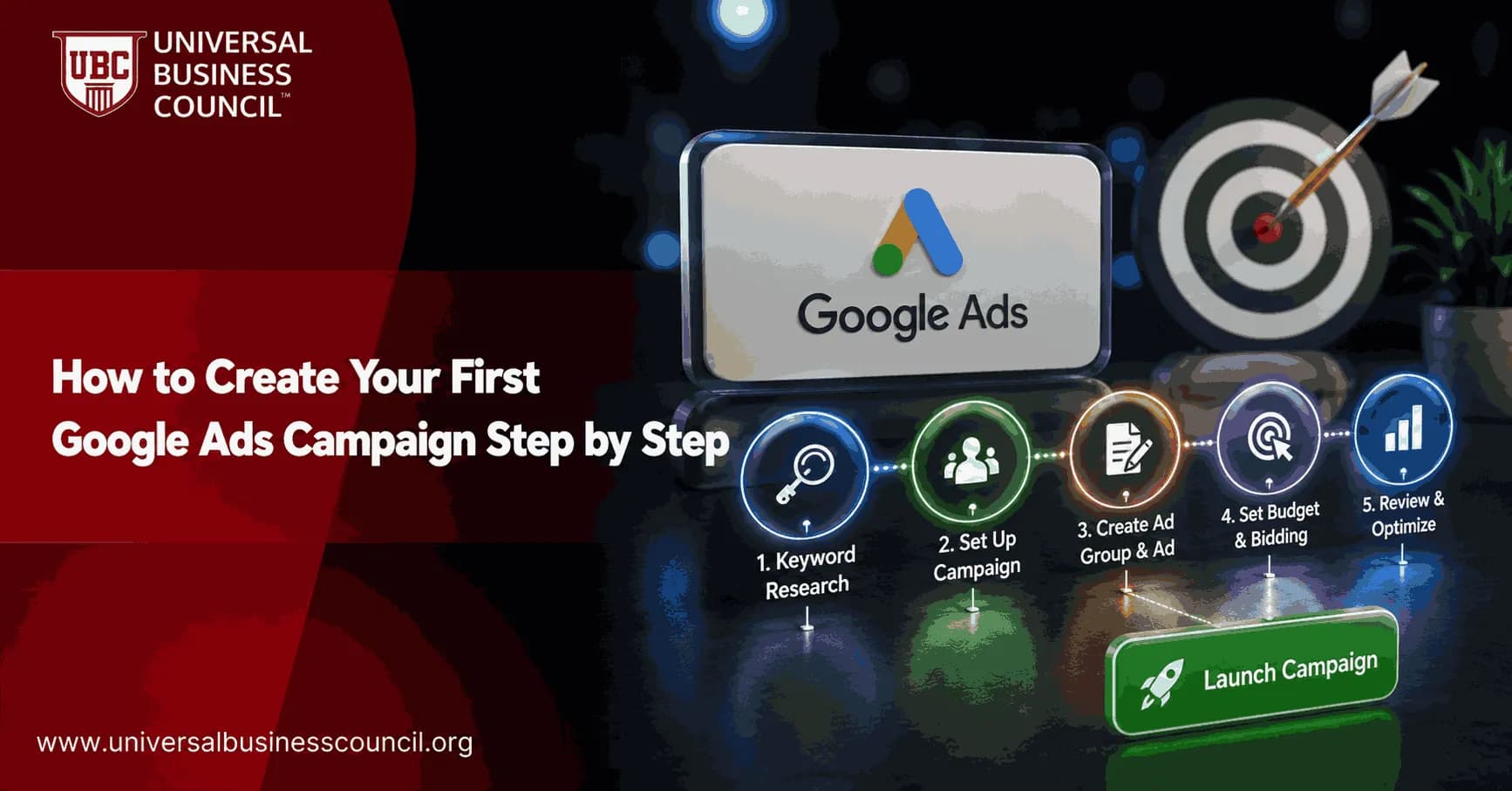
Your first Google Ads campaign should not start with a budget. It should start with one clear outcome: a sale, a lead, a booking, a signup, or a call. Google Ads has become more guided and AI-assisted, but the fundamentals still decide whether your money buys useful traffic or expensive noise.
This guide shows you how to create a Search campaign, set conversion tracking, choose keywords, write responsive search ads, launch safely, and improve performance once the first clicks arrive. If you are studying digital marketing through Universal Business Council, this workflow connects directly to related courses in digital marketing, analytics, and marketing management.

Building a successful first campaign also requires understanding keyword intent, campaign structure, conversion tracking, and bidding strategies before spending a budget. A Certified Google Ads Expert credential helps professionals develop these practical skills, making it easier to create Search campaigns that are designed for measurable business outcomes rather than clicks alone.
Why Start With a Search Google Ads Campaign?
For most first-time advertisers, a Search campaign is the cleanest place to begin. Search ads appear when someone types a query into Google, which means the user is already showing intent. A person searching for "emergency plumber near me" is much closer to action than someone casually watching a video.
Display, Video, Performance Max, and Demand Gen campaigns all have their place. Still, Search gives you more control over keywords, ad copy, location, budget, and early learning. To be blunt, it is easier to diagnose.
Step 1: Create Your Google Ads Account
Go to Google Ads and sign in with a Google account. Add your business name, website, billing country, time zone, and payment details. If you already use Google Analytics 4 or Google Tag Manager, connect them early. It saves time later.
Google may push a simplified setup flow. That can be useful, but if you want more control, choose the expert campaign creation path where it is available. Do not rush through setup just because the interface keeps prompting you to launch.
Step 2: Define One Campaign Goal
Pick one primary goal. Common options include:
Sales: ecommerce purchases, paid subscriptions, product orders.
Leads: form submissions, quote requests, demo bookings.
Website traffic: useful for early research, but weaker if you need revenue quickly.
Brand awareness: better suited to Display or Video than a first Search campaign.
For a first campaign, choose Sales or Leads if you can track them. Leadership rarely cares about clicks for long. They ask for cost per lead, customer acquisition cost, return on ad spend, pipeline value, and revenue. Build the campaign around the metric you will be judged on.
Setting meaningful campaign goals is also part of a broader digital marketing strategy that connects paid advertising with customer acquisition, attribution, and business performance. A Certified Digital Marketing Expert credential helps professionals strengthen these capabilities, enabling better decisions about campaign planning, measurement, and long-term marketing success.
Step 3: Set Up Conversion Tracking Before Launch
This is the step beginners skip. It is also the step that causes the most damage.
Set up conversion tracking before you run any campaign that optimizes for online actions. Automated bidding strategies such as Maximize Conversions and Target CPA need clean conversion data. If the system thinks every page view is a lead, it will go hunting for more page views, not customers.
Conversions worth tracking
Purchase completed
Lead form submitted
Phone call from ad
Appointment booked
Newsletter signup, if it has real business value
Use Google Tag Manager if you can. Test each conversion with Google Tag Assistant or the conversion diagnostics screen in Google Ads. A practical check: submit a test form yourself, then confirm it appears as a conversion. Do this before spending real money.
Step 4: Choose the Right Campaign Type
Inside Google Ads, go to Campaigns, select the plus button, and create a new campaign. Choose your objective, then select Search as the campaign type.
Avoid starting with too many networks at once. For your first Search campaign, uncheck Display Network expansion unless you have a specific reason to use it. Search and Display behave differently, and mixing them makes early data harder to read.
Step 5: Research Keywords With Intent
Open Google Keyword Planner inside Google Ads. Enter your product, service, or landing page URL. Review keyword ideas, estimated search volume, competition, and suggested bid ranges.
Start small. Choose three to five high-priority keyword themes, then build 6 to 10 keyword lines in your first ad group. Focus on transactional phrases. For example:
buy accounting software
book tax consultant
emergency electrician near me
Informational keywords can help content marketing, but they often burn budget in a first paid search campaign. A search like "what is CRM" may attract students, researchers, or competitors. A search like "CRM software for small business demo" has clearer intent.
Use match types carefully
Exact match: tighter control, lower reach.
Phrase match: a useful middle ground for first campaigns.
Broad match: higher reach, but riskier without strong conversion data and negative keywords.
One common waste pattern is broad match pulling in job searches, free templates, PDFs, and competitor support queries. Check the search terms report early. Add negatives such as free, jobs, salary, PDF, and template if they do not fit your offer. For education advertisers, do not block "course" unless you actually need to.
Step 6: Build Tight Ad Groups
Group keywords by theme, not by convenience. Each ad group should connect one search intent to one landing page and one set of ads.
Example structure for a training provider:
Ad group 1: digital marketing certification keywords
Ad group 2: Google Ads training keywords
Ad group 3: marketing analytics course keywords
This alignment improves ad relevance and helps Quality Score. Google treats Quality Score as a diagnostic measure based on expected click-through rate, ad relevance, and landing page experience. You cannot manage it directly, but you can improve the inputs.
Step 7: Set Location, Language, Schedule, and Budget
Target only the locations you can serve. If you run a local clinic in Manchester, do not target the whole United Kingdom. If you sell online certifications globally, check whether your payment, support, and time-zone coverage match that promise.
Set language based on the language of your ads and landing pages. Then choose a daily budget you can afford to test for at least two to three weeks. Google often recommends higher budgets than a beginner should accept. Start modest, measure, then scale.
A simple rule to start: your daily budget should allow enough clicks to learn, but not so much that one bad setting ruins the month. If clicks cost $4 and your daily budget is $10, learning will be slow. If your daily budget is $300 and tracking is broken, the lesson gets expensive.
Step 8: Choose a Bid Strategy
If conversion tracking is working, Maximize Conversions is a reasonable first automated strategy. If you already know your acceptable cost per lead or cost per sale, Target CPA may fit. For example, if a qualified lead is worth $150 to your business, a $40 target CPA may be defensible. A $120 target is not, unless close rates and margins support it.
Manual CPC gives control, but it demands more hands-on management. Use it if you are testing a small keyword set and want to control bids closely. For most beginners with working tracking, automated bidding is simpler.
As advertising platforms become increasingly automated, technical skills in analytics, tag management, CRM integration, APIs, and conversion tracking have become equally important for campaign success. A Tech Certification helps professionals build these complementary capabilities, supporting more accurate measurement and better-informed optimization decisions throughout the campaign lifecycle.
Step 9: Write Responsive Search Ads
Responsive Search Ads are the default format for Search campaigns. Google allows up to 15 headlines and up to 4 descriptions. Headlines can run up to 30 characters, and descriptions up to 90 characters.
Write at least 8 to 10 strong headlines if you can. Do not repeat the same line with tiny edits. Give Google real options.
Headline ideas
Use the main keyword naturally
State the offer clearly
Add proof, such as years in business or accreditation
Include location when relevant
Use direct calls to action, such as Book a Demo or Get a Quote
Descriptions should explain why the click is worth it. Mention pricing, delivery, support, guarantees, or eligibility if those details reduce friction. If your landing page does not support the claim, do not put it in the ad.
Step 10: Add Assets That Help the User Decide
Ad assets, formerly called extensions, give users more ways to interact with your ad. Add only assets that help.
Sitelinks: pricing, courses, contact, case studies, admissions.
Callouts: certified instructors, flexible study, online assessment, 24/7 access.
Structured snippets: course areas, service categories, product types.
Call assets: useful for local services and sales teams that answer quickly.
Four useful callouts beat ten generic ones. Be specific.
Step 11: Run a Pre-Launch Check
Before you publish, check the campaign like a practitioner, not a tourist.
Confirm conversion tracking fires correctly.
Open every final URL and check mobile loading.
Review location targeting.
Check daily budget and bid strategy.
Review keyword match types.
Add obvious negative keywords.
Proofread headlines, descriptions, and assets.
Make sure the landing page call to action matches the ad.
After launch, watch for policy issues, limited approval statuses, low search volume warnings, and strange search terms. The first 48 hours are not for panic. They are for catching obvious errors.
Step 12: Optimize After the First Data Arrives
Do not change everything after ten clicks. Wait until you have enough data to see patterns. Review these metrics first:
CTR: Are people responding to the ad?
Conversion rate: Is the landing page doing its job?
Cost per conversion: Can the business afford the result?
Search terms: Are you paying for relevant queries?
Impression share: Are budget or rank limits holding you back?
Make one or two changes at a time. Add negative keywords weekly. Pause weak keywords. Test new headlines. If a campaign is profitable, increase budget gradually rather than doubling it overnight.
Your Next Step
Create a small Search campaign with one goal, one conversion action, focused keyword themes, and a budget you can defend. Then study the data. To build this skill into a broader professional pathway, connect this practice with Universal Business Council learning in digital marketing strategy, analytics, and campaign management. Start with the campaign setup. The real learning begins after the first search terms report arrives.
Looking ahead, AI-powered advertising, intelligent automation, and privacy-focused measurement will continue to shape how Google Ads campaigns are planned and optimized. A Deep Tech Certification provides valuable knowledge of emerging technologies, helping professionals understand the technical innovations influencing modern advertising platforms and make more informed strategic decisions.
FAQs
1. What should I prepare before creating my first Google Ads campaign?
Before launching a campaign, define your main goal, target audience, geographic area, budget, products or services, and desired conversion actions. You should also prepare a relevant landing page, basic keyword research, ad copy, and properly configured conversion tracking. Skipping this preparation usually leads to expensive lessons, because apparently ad platforms enjoy charging tuition.
2. How do I create a Google Ads account?
Visit the Google Ads website and sign in with a Google account associated with your business. Enter your billing country, time zone, currency, business information, and payment details carefully, because some account-level settings may be difficult or impossible to change later.
3. Should beginners use Smart Mode or Expert Mode?
Smart Mode offers a simplified setup process, while Expert Mode provides greater control over campaign types, keywords, bidding, targeting, conversion settings, and reporting. Beginners who want to learn Google Ads properly may prefer Expert Mode, provided they are willing to review the settings carefully.
4. How do I choose a campaign objective?
Select an objective that reflects the main result you want, such as sales, leads, website traffic, brand awareness, or app promotion. Your objective influences the campaign options, bidding recommendations, and optimization features Google presents during setup.
5. Which Google Ads campaign type should I choose first?
Search campaigns are often a practical starting point for businesses that want to reach people actively searching for a product or service. Shopping may suit retailers, Video can support awareness, and Performance Max may be useful when strong conversion tracking and creative assets are already available.
6. How should I name my first campaign?
Use a clear naming convention that identifies the campaign type, product or service, location, audience, or objective. For example, a name such as “Search - Plumbing Services - London - Leads” is easier to manage than a vague label such as “Campaign 1.”
7. How do I set a realistic daily budget?
Choose a daily amount you can afford to test consistently without expecting immediate certainty. Consider expected cost per click, target cost per acquisition, customer value, and the number of conversions needed to evaluate performance meaningfully.
8. Which bidding strategy should a beginner choose?
Maximize Clicks may help generate initial traffic, while Maximize Conversions can be appropriate when reliable conversion tracking is installed. Manual CPC may offer more direct control, although it requires closer management and may not use Google's automation as fully.
9. How do I choose the right campaign location?
Target only the geographic areas where your business can realistically serve customers. Review Google's location options carefully so your ads focus on people physically present in, or regularly located in, your target area rather than users merely showing interest in it.
10. How should I configure language targeting?
Select the languages your customers use and that your ads and landing pages support. Language targeting should align with both the audience's likely Google settings and the actual language of your campaign content.
11. How do I research keywords for my first Search campaign?
Start with terms directly related to your products, services, customer problems, and purchase intent. Use Google Keyword Planner, search suggestions, competitor research, and customer language to identify relevant short-tail and long-tail keyword opportunities.
12. Which keyword match types should beginners use?
Phrase Match and Exact Match often provide a manageable balance between reach and control for a new campaign. Broad Match can discover additional traffic, but it usually requires reliable conversion tracking, Smart Bidding, and careful negative keyword management.
13. Why should I add negative keywords before launch?
Negative keywords prevent your ads from appearing for searches that are irrelevant, informational, unsuitable, or unlikely to convert. Adding obvious exclusions before launch can reduce wasted spend and improve traffic quality from the beginning.
14. How should I organize ad groups?
Create tightly themed ad groups around closely related keywords, products, or services. Each ad group should contain ads and landing pages that closely match the search intent represented by its keywords.
15. How do I write an effective responsive search ad?
Use clear headlines, relevant keywords, specific benefits, accurate offers, and a direct call to action. Provide enough distinct headlines and descriptions for Google to test combinations, but avoid repeating nearly identical wording across every asset.
16. Which ad assets should I add?
Useful assets may include sitelinks, callouts, structured snippets, images, prices, promotions, phone numbers, and location information. Assets provide additional context, improve ad visibility, and can help users choose the most relevant path to your business.
17. What makes a good Google Ads landing page?
A strong landing page closely matches the ad message, loads quickly, works well on mobile devices, explains the offer clearly, and provides an obvious next step. It should also include accurate business information, appropriate privacy disclosures, and a straightforward conversion process.
18. How do I set up conversion tracking before launch?
Create conversion actions for meaningful outcomes such as purchases, form submissions, phone calls, or bookings. Install the Google tag directly or through Google Tag Manager, test each event, and ensure primary conversions reflect actions that genuinely support your business goals.
19. What should I check before publishing the campaign?
Review the budget, bidding strategy, locations, languages, keywords, match types, negative keywords, ads, assets, landing pages, conversion tracking, ad schedule, and billing details. Also check applicable advertising policies, privacy requirements, and industry-specific rules before enabling the campaign.
20. What should I do after launching my first Google Ads campaign?
Monitor search terms, clicks, conversions, cost per acquisition, conversion rate, Quality Score indicators, and budget pacing without making major changes too quickly. Over time, refine keywords, expand negative keyword lists, improve ads and landing pages, and adjust bidding based on reliable performance data. As automation becomes more influential, accurate measurement and sensible human oversight will remain essential, because even advanced advertising AI cannot rescue a campaign built around a broken form and blind optimism.
Related Articles
View All
Digital Marketing
Google Ads ROI: How to Measure and Improve Campaign Profitability
Learn how to measure Google Ads ROI with conversion tracking, real cost data, ROAS, CPA, and profit-focused optimization tactics.
Digital Marketing
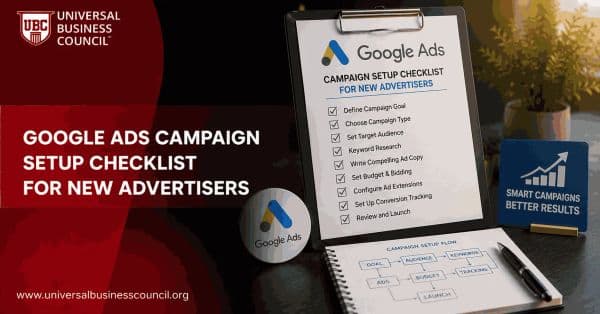
Google Ads Campaign Setup Checklist for New Advertisers
Use this Google Ads campaign setup checklist to plan goals, tracking, keywords, budgets, ads, landing pages, and launch checks before spending.
Digital Marketing
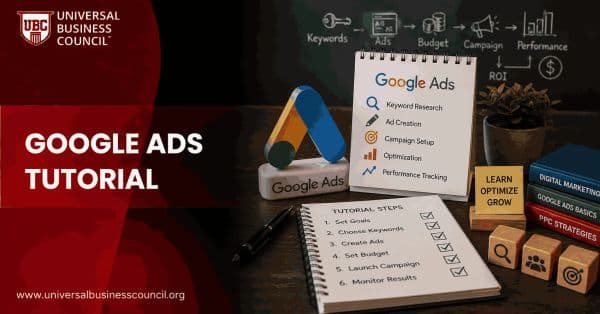
Google Ads Tutorial: From Account Setup to Campaign Launch
A practical Google Ads tutorial covering account setup, conversion tracking, campaign structure, keywords, ads, assets, and pre-launch checks.
Trending Articles
The Role of Blockchain in Ethical AI Development
How blockchain technology is being used to promote transparency and accountability in artificial intelligence systems.
AWS Career Roadmap
A step-by-step guide to building a successful career in Amazon Web Services cloud computing.
Top 5 DeFi Platforms
Explore the leading decentralized finance platforms and what makes each one unique in the evolving DeFi landscape.