

How Can You Access and Use Meta Muse for Free?
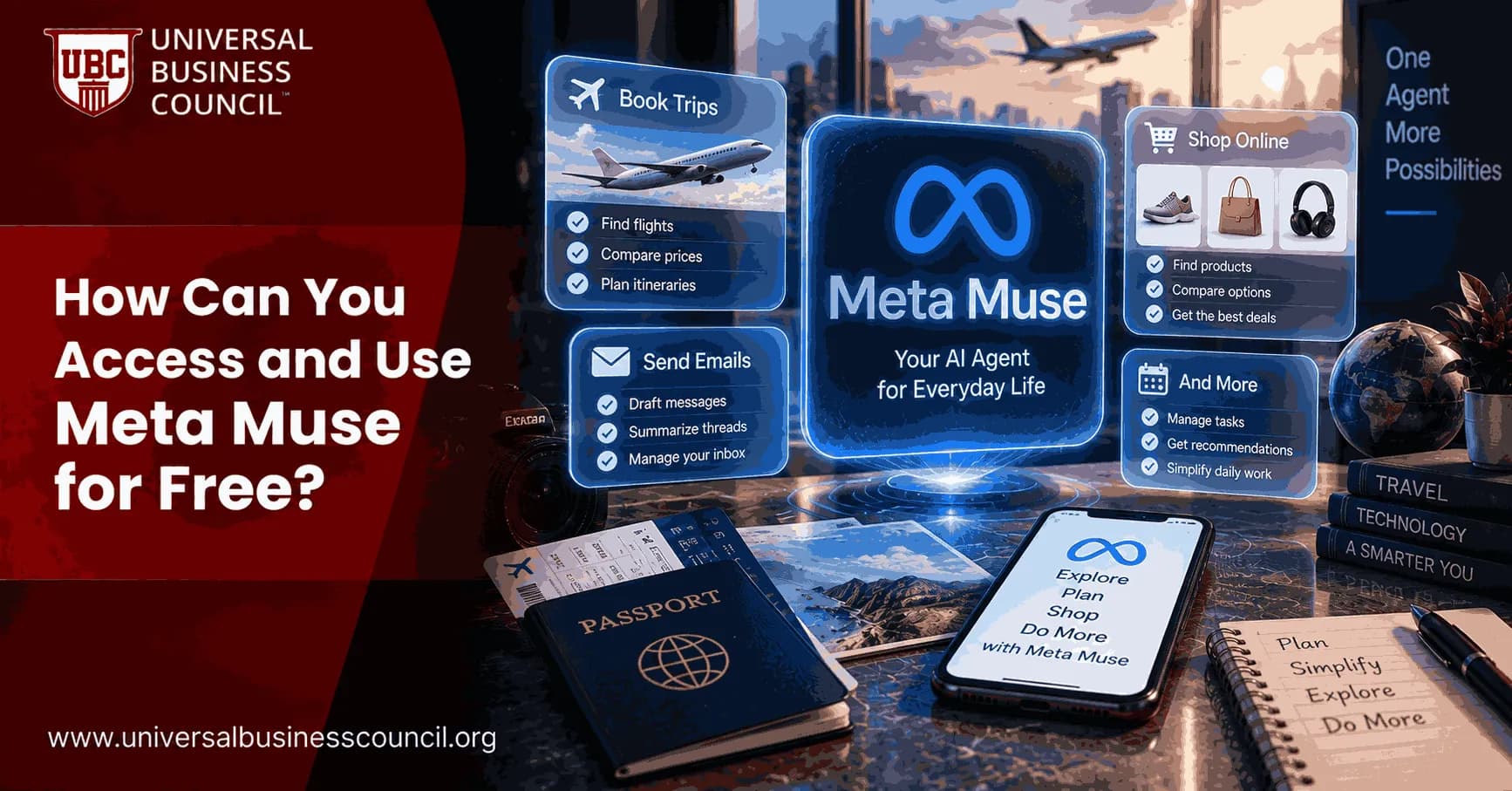
Muse is a personal AI agent from Meta designed to move beyond ordinary question-and-answer interactions. Instead of only generating a response, Muse can browse the web, work with connected services, create documents, monitor goals, handle multi-step tasks, and take approved actions on your behalf. For anyone interested in AI agents, the obvious question is whether Meta Muse can be accessed and used for free.
The short answer is yes. Meta Muse offers free access with a usage limit. When that limit is reached, users can wait for their free allowance to refresh or move to a paid subscription for additional usage. Muse is currently rolling out in the United States through iOS, Android, muse.ai, and WhatsApp, so availability can differ from one account to another.

For professionals interested in combining AI with audience research, campaign planning, automation, and digital business strategy, a Marketing Certification can complement practical experience with tools such as Meta Muse.
This guide explains how Meta Muse works, how to access it for free, what you can do with the free version, how to use it safely, and how beginners and professionals can get more value from agentic AI.
What Is Meta Muse?
Meta Muse is a personal AI agent designed to complete tasks rather than simply discuss them. You can tell Muse what you want to accomplish, and it can determine the steps required, use available tools, browse websites, interact with connected applications, and continue working toward the result.
Muse is powered by Meta’s Muse Spark technology and operates inside a dedicated cloud environment called Muse Secure VM. This gives the agent its own browser and working environment for completing tasks such as filling out forms, researching options, preparing documents, managing projects, and assisting with online purchases.
The main difference between Muse and a traditional chatbot is action. A chatbot generally waits for the next prompt. Muse can continue working, monitor a goal, and return when something important happens or when it needs your approval.
Is Meta Muse Free to Use?
Yes. Meta currently provides Meta Muse for free with a usage limit. If you reach that limit, you can wait until the allowance refreshes or subscribe for more usage.
This makes Muse accessible to people who want to experiment with agentic AI before deciding whether a paid plan is useful. The free version can be especially valuable for learning how AI agents research, plan tasks, use tools, and interact with digital services.
People who want to understand the wider concepts behind intelligent systems can also explore Artificial Intelligence Certifications while gaining hands-on experience with AI tools.
It is important to understand that free Muse access does not make external services free. If Muse purchases an item, books travel, pays for a subscription, or uses another paid service, you are still responsible for those third-party charges.
Where Is Meta Muse Available?
Meta Muse launched with an initial rollout in the United States. Eligible users can access it through dedicated Muse applications on iOS and Android, through the Muse website, and directly through WhatsApp.
Rollout does not necessarily happen for every user at the same time. If Muse is unavailable even though you are in a supported region, your account may simply be waiting for access.
Meta has also announced plans to bring Muse to additional devices, including AI glasses. Availability, limits, and supported platforms are likely to expand as the product develops.
How to Access Meta Muse for Free
Start through an official Meta Muse entry point. On a supported smartphone, install or open the official Muse application when it becomes available. Desktop and browser users can access Muse through muse.ai, while WhatsApp users can interact with Muse directly when the feature appears for their account.
Complete the account setup and review any permissions requested during onboarding. You do not need to connect every service immediately.
For your first few tasks, use Muse without sensitive integrations. Ask it to research a destination, compare products, organize a project, create a study plan, or prepare a document. Once you understand how it behaves, you can gradually connect additional services.
What Can You Do With Free Meta Muse?
Meta Muse can answer questions, research information, browse websites, create documents, generate images, manage reminders, track goals, monitor things that matter to you, and work with supported apps through connectors.
The most useful tasks are often those that normally require several steps. Instead of manually opening multiple websites, collecting information, comparing options, and preparing a summary, you can describe the final objective and allow Muse to coordinate much of the process.
You might use Meta Muse to plan a weekend trip, compare service providers, organize household tasks, create a revision schedule, research products, prepare a project tracker, or build a structured report.
The free usage allowance makes these tasks useful for evaluating whether an AI agent genuinely saves you time.
How Meta Muse Handles Multi-Step Tasks
Muse uses agentic AI, which means it can decide which tools and intermediate steps are necessary to achieve a goal.
Suppose you ask Muse to help organize a trip. It could research destinations, examine travel considerations, compare accommodation options, prepare an itinerary, create a checklist, and track important information. If you authorize relevant services, it may be able to move further into the workflow.
For sensitive actions, Muse is designed to pause and request approval.
This combination of autonomy and approval is important. The goal is not to hand complete digital control to an algorithm with enthusiasm and hope. The goal is to automate repetitive work while retaining control over consequential decisions.
How to Get Better Results From Meta Muse
Start with a clear objective. Explain what you want Muse to achieve instead of giving a vague command.
For travel planning, include the destination, dates, budget, interests, preferred pace, and important restrictions. For product research, mention your budget, must-have features, unacceptable compromises, and preferred retailers. For professional research, specify the question, time period, relevant market, and desired output format.
You should also define boundaries. Tell Muse whether it may only research options, prepare an action for approval, or carry out specific activities using connected services.
Clear instructions reduce unnecessary steps and make final results easier to evaluate.
Meta Muse for Agentic AI Workflows
Muse becomes particularly useful when tasks involve research, decisions, tools, and follow-up actions. Instead of treating each stage as a separate conversation, the agent can work toward the larger outcome.
A business professional might ask Muse to research competitors, summarize positioning, identify differences, and prepare a report. A student might ask it to organize a study project and monitor milestones. A household user might create an ongoing goal around travel, shopping, or planning.
Professionals who want to understand how autonomous AI systems plan, execute, use tools, and operate under human supervision can explore a Certified Agentic AI Expert program alongside practical experience.
Meta Muse for Research and Professional Productivity
Research is a natural use case because Muse can browse information and transform findings into useful outputs.
Professionals can use it to investigate markets, compare vendors, gather background information, prepare meeting briefs, organize projects, and create documents. Researchers can ask it to examine a subject from multiple perspectives and organize evidence before producing a summary.
The human still needs to review important conclusions. An AI agent may misinterpret a source, overlook relevant context, or make an incorrect assumption. Agentic capability makes software more useful, not magically incapable of mistakes.
Meta Muse for Shopping and Purchases
Muse can assist with product research, comparison, and supported online transactions. You can describe what you need, set a budget, identify important features, and ask Muse to find suitable choices.
Meta has designed Muse to request approval before completing sensitive actions such as purchases. This gives you an opportunity to confirm the seller, product, total cost, shipping details, recurring fees, and return conditions.
Muse also uses secure credential handling so the agent does not directly see stored payment information. For supported purchases, one-time payment credentials can provide another layer of separation.
Still, review every purchase before approval. Convenience is not a substitute for knowing what your money is purchasing.
Meta Muse Connectors and App Integration
Muse can connect with services such as email, calendars, Instagram, and other supported applications. These connectors allow the agent to use information from services that are already part of your routine.
Permissions can be granular. For example, you may allow Muse to read email information without automatically granting permission to send messages.
Start with minimal access. Grant additional permissions only when a task genuinely needs them. You can later change permissions or disconnect services.
This approach reduces risk while still letting you benefit from automation.
Privacy and Security in Meta Muse
Meta Muse runs inside Muse Secure VM, a dedicated virtual machine with its own browser and environment. Meta says credentials for connected services are stored securely so Muse can use them without directly seeing passwords.
A separate security agent called Sentinel reviews Muse activity before internet-facing actions proceed. Muse is also designed to request user permission for sensitive actions such as sending messages, sharing information with connected services, and making purchases.
Users can review activity, manage permissions, disconnect services, and inspect what Muse has done.
Meta also says conversations and information inside the Muse VM are not shared with its advertising systems, and users can opt out of having Muse interactions used for AI model training.
Technology Skills & Education
Schools and parents are increasingly looking for ways to introduce children to technology in a structured and meaningful way. The World Tech Olympiad provides an opportunity for students to explore AI, coding, robotics, cybersecurity, and computational thinking while building confidence and problem-solving skills.
These foundations become increasingly important as AI systems move from generating answers to performing real actions. Students should understand permissions, privacy, source verification, computational thinking, and responsible automation.
Meta Muse for Beginners
Beginners should start with low-risk tasks where incorrect results are easy to notice and fix.
Useful examples include research, brainstorming, study planning, trip ideas, checklists, comparisons, and document creation. Observe how Muse breaks down requests, which actions it proposes, and when it asks for approval.
Once you become comfortable supervising the agent, move toward more complex projects and selected app connections.
This gradual approach helps you understand both the strengths and limitations of agentic AI before placing important workflows in its hands.
Meta Muse for Business and Marketing Teams
Businesses can use Muse for repetitive digital tasks, research, planning, document preparation, competitor analysis, customer research, vendor comparisons, and project coordination.
Marketing teams can use it to organize customer insights, investigate competitors, prepare campaign briefs, monitor projects, structure research, and turn scattered information into usable deliverables.
The strongest workflows combine AI speed with human business judgment. Muse can collect and organize information quickly, but marketers still need to understand positioning, audience intent, creative strategy, analytics, and commercial priorities.
Free Meta Muse vs Paid Access
The free Meta Muse plan is the logical place to start. Meta provides a usage allowance, and you can continue using Muse when that allowance refreshes.
Paid plans are intended for people who want additional usage beyond free limits. That may appeal to professionals who depend on Muse throughout the working day or who assign many ongoing tasks.
Do not subscribe simply because you encountered a limit once. First identify how frequently you use Muse, what time it saves, and whether the additional capacity has measurable value.
Software companies are quite capable of placing attractive upgrade buttons without your financial assistance.
Limitations of Meta Muse
Meta Muse is a new product, and users should expect features, limits, supported integrations, and availability to evolve.
The initial rollout is focused on the United States, so users elsewhere may not yet have official access. Free usage is also limited, meaning intensive users may eventually need to wait for a refresh or consider a subscription.
Muse can misunderstand instructions, choose poor options, or make factual errors. Tasks involving payments, messages, important forms, confidential information, or business commitments deserve careful human supervision.
Use autonomy where mistakes are reversible. Use stronger review where mistakes have consequences.
Building Long-Term Technology Skills
Meta Muse is one example of a broader shift toward AI agents that combine reasoning, software tools, digital services, and automation.
People interested in building careers around these technologies should understand more than one particular interface. Knowledge of AI, software, cloud systems, cybersecurity, data, and digital infrastructure makes it easier to design and supervise useful AI workflows.
A Tech Certification can provide structured learning in relevant technology areas while hands-on projects help convert concepts into practical experience.
Model names and interfaces will change. The ability to understand systems, solve problems, evaluate outputs, and use technology responsibly is considerably more durable.
Is Meta Muse Worth Using for Free?
For eligible users, Meta Muse is worth testing because the free allowance provides a low-cost way to experience a genuine personal AI agent.
Its strongest advantage appears when a task would otherwise require several tools or repeated manual effort. Research, planning, monitoring, app-based workflows, document creation, and ongoing goals are better demonstrations of Muse than simple one-line questions.
Measure whether the agent reduces the total effort required. If supervising Muse takes longer than completing a task manually, automation has accomplished the impressive feat of making convenience inconvenient.
Final Thoughts
Meta Muse gives users a practical way to experience agentic AI without immediately paying for a subscription. Meta currently offers Muse free with usage limits, and eligible U.S. users can access it through iOS, Android, muse.ai, and WhatsApp as rollout continues.
Start with simple research, planning, and document tasks. Gradually add connectors when they provide real value. Keep permissions narrow, review sensitive actions, and check important results before relying on them.
The best way to use Meta Muse for free is to assign it meaningful multi-step work and evaluate whether it saves time. When used thoughtfully, Muse can move AI from something you ask questions to into something that actively helps complete digital tasks.
Frequently Asked Questions
1. What is Meta Muse?
Meta Muse is a personal AI agent developed by Meta. It can answer questions, browse the web, create documents and images, work with connected applications, track goals, monitor information, and complete multi-step tasks under user supervision.
2. Is Meta Muse free?
Yes. Meta Muse currently offers free access with a usage limit. When users reach the free limit, they can wait for it to refresh or upgrade to a paid subscription for additional usage.
3. How can I access Meta Muse for free?
Eligible users can access Meta Muse through the official Muse apps on iOS and Android, through muse.ai on the web, or directly through WhatsApp when Muse becomes available to their account.
4. Is Meta Muse available worldwide?
Not yet. Meta initially launched Muse in the United States and is rolling access out gradually. Users in other countries should wait for official regional availability rather than rely on unofficial access methods.
5. Can I use Meta Muse on Android?
Yes. Meta Muse is rolling out through an Android application for eligible users in the United States. Availability may vary because the rollout is gradual.
6. Can I use Meta Muse on an iPhone?
Yes. Meta offers Muse on iOS as part of its U.S. rollout. Eligible users can use the official Muse application when access becomes available to their account.
7. Can I use Meta Muse in a web browser?
Yes. Meta Muse can be accessed through muse.ai on supported browsers. The web interface provides another way to use the agent without relying exclusively on a mobile application.
8. Does Meta Muse work with WhatsApp?
Yes. Meta designed Muse so users can interact with their personal agent directly through WhatsApp. Availability depends on the ongoing rollout and account eligibility.
9. What can Meta Muse do?
Meta Muse can research information, browse websites, create documents, generate images, connect to applications, set reminders, track goals, monitor information, fill out forms, help with shopping, and complete multi-step tasks.
10. Can Meta Muse keep working after I close the app?
Yes. Muse can continue certain tasks in the background after you leave the app. It can return with results, updates, or approval requests when something important occurs.
11. Can Meta Muse send emails?
Muse can work with connected email services when you provide the appropriate permission. It is designed to ask for approval before sensitive actions such as sending messages unless you have configured permissions differently.
12. Can Meta Muse make purchases?
Yes. Muse can assist with supported shopping workflows and purchases. It asks for user approval before completing sensitive transactions so the user can review the product, seller, price, and other important details.
13. What is Muse Secure VM?
Muse Secure VM is a dedicated cloud-based virtual computer used by Meta Muse. It contains the browser, tools, and connected information the agent needs while providing security boundaries around its work.
14. What is Sentinel in Meta Muse?
Sentinel is a separate security agent used to review Muse activity before actions reach the internet. It helps enforce protections and can require user approval when an action involves sensitive information or permissions.
15. Can Meta Muse see my passwords?
Meta says Muse itself cannot directly see credentials stored through its secure credential system. The system can use authorized login information without exposing the underlying password directly to the agent.
16. Does Meta Muse use my conversations for advertising?
Meta says conversations and data stored within the Muse VM are not shared with Meta's advertising systems. Users should still review current privacy policies and settings as the service develops.
17. Can I stop Meta Muse interactions from being used for AI training?
Meta says users can opt out of having their Muse interactions used to train Meta's AI models. Available privacy settings should be reviewed during setup and periodically afterward.
18. Is Meta Muse useful for businesses?
Yes. Businesses can potentially use Muse for research, competitor analysis, project planning, document preparation, vendor comparisons, monitoring, and repetitive administrative tasks. Sensitive business workflows should use appropriate permissions and human review.
19. What happens when I reach the free Meta Muse limit?
When the free usage limit is reached, Meta says users can wait until the allowance refreshes or purchase a subscription that provides additional usage.
20. Will Meta Muse always be free?
Meta currently provides Muse with free usage limits and offers paid subscriptions for additional capacity. The company can change pricing, limits, features, and availability in the future, so users should check official Muse information for current terms.
Related Articles
View All
Artificial Intelligence
Privacy-Preserving Machine Learning: Techniques and Use Cases
Discover how privacy-preserving machine learning enables AI systems to learn from data while protecting sensitive information. Explore techniques such as federated learning, differential privacy, and homomorphic encryption, along with practical use cases across healthcare, finance, and other industries.

Artificial Intelligence
AI Governance vs AI Ethics: Differences, Use Cases and Implementation
Understand the differences between AI governance and AI ethics, including their principles, frameworks, use cases, and implementation approaches. Learn how organizations combine ethical guidelines with governance policies to manage AI risks, ensure accountability, promote transparency, and support responsible AI adoption.

Artificial Intelligence
Responsible AI in Insurance: Underwriting, Claims and Customer Fairness
Explore how responsible AI can improve insurance underwriting, claims processing, and customer service while protecting fairness. Learn how insurers can reduce algorithmic bias, improve transparency, protect customer data, and make accountable AI-driven decisions.
Trending Articles
The Role of Blockchain in Ethical AI Development
How blockchain technology is being used to promote transparency and accountability in artificial intelligence systems.
AWS Career Roadmap
A step-by-step guide to building a successful career in Amazon Web Services cloud computing.
Top 5 DeFi Platforms
Explore the leading decentralized finance platforms and what makes each one unique in the evolving DeFi landscape.